
0x00 Preface
---
A previous article introduced the technique of loading DLLs using Excel.Application object's RegisterXLL(). This article continues by introducing a more universal method recently learned—using xwizard.exe to load DLLs.
The most notable feature of this method is that xwizard.exe comes with Microsoft's signature, which to some extent can bypass application whitelist blocking.
Reference link:
http://www.hexacorn.com/blog/2017/07/31/the-wizard-of-x-oppa-plugx-style/
0x01 Introduction
---
This article will cover the following:
- Introduction to xwizard.exe
- Exploitation approach
- Practical testing
0x02 Introduction to xwizard.exe
---
Should be the abbreviation for Extensible wizard, Chinese translation: Extensible Wizard Host Process, official documentation currently unavailable
- Supports Windows 7 and above operating systems
- Located under %windir%\system32\
Double-click to run, a usage guide pops up, as shown in the figure below
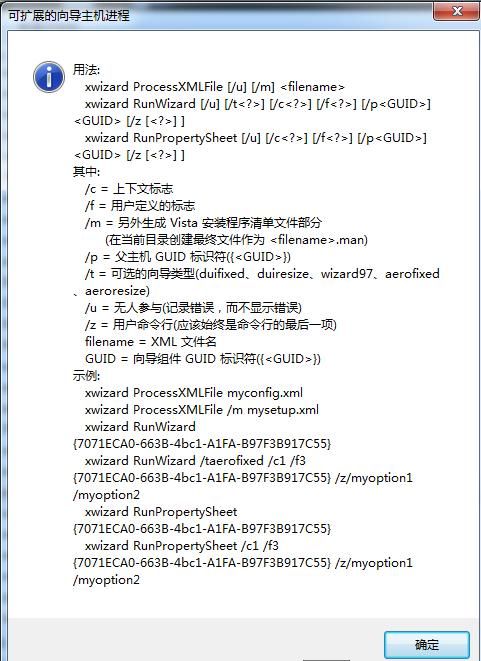
Supported parameters are as follows:
- xwizard processXMLFile
- xwizard RunWizard
- xwizard RunPropertySheet
Example:
- xwizard processXMLFile 1.txt
- xwizard RunWizard /u {11111111-1111-1111-1111-111111111111}
- xwizard RunPropertySheet /u {11111111-1111-1111-1111-111111111111}
Note:
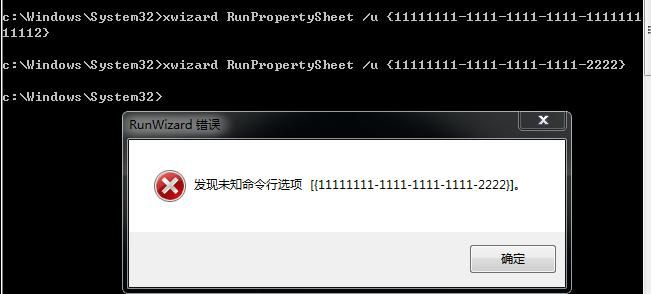
The GUID length in the parameters is fixed; otherwise, an error dialog box will pop up, as shown in the figure below
0x03 Exploitation Approach
---
This section verifies the approach proposed by Adam@Hexacorn. Article link:
http://www.hexacorn.com/blog/2017/07/31/the-wizard-of-x-oppa-plugx-style/
A special file xwizards.dll exists in the same directory as xwizard.exe
Using IDA to view the exported functions of xwizards.dll, as shown in the figure below
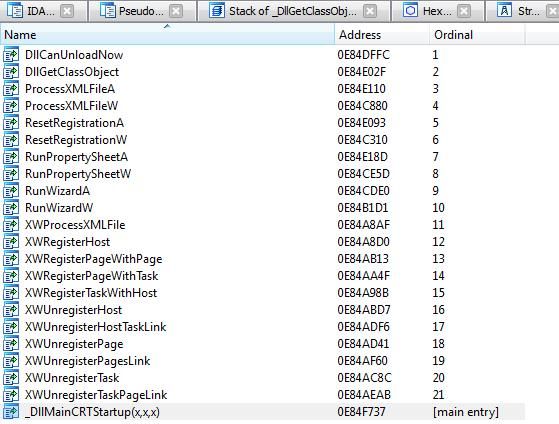
We can see that the names of the exported functions in xwizards.dll are very similar to the parameter names supported by xwizard.exe
It is speculated that the functionality of xwizard.exe is implemented by calling xwizards.dll
Using IDA to reverse engineer xwizard.exe to verify our hypothesis, as shown in the figure below
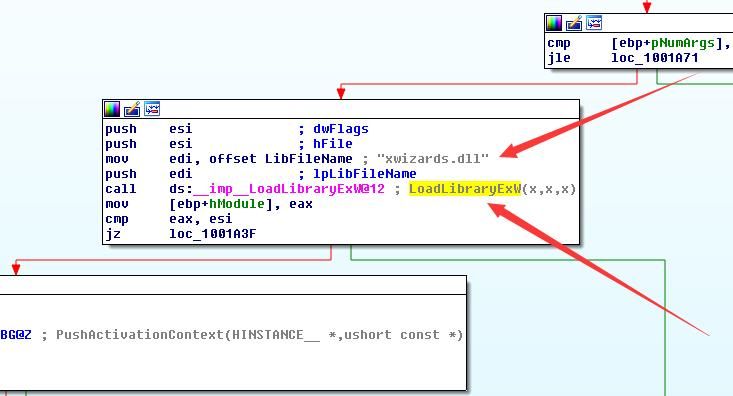
For the function LoadLibraryEx, since no absolute path for the DLL is specified and a relative path is used, the search order is:
- The current directory of the process
- The path set via SetDllDirectory
- Windows system directory + PATH, i.e., c:\windows\system32
- 16-bit system directory, i.e., c:\windows\system
- Windows directory, i.e., c:\windows
- Directories listed in the PATH environment variable
That is to say, if xwizard.exe is copied to another arbitrary directory, and a self-written xwizards.dll is saved in the same directory, then when executing xwizard.exe, the xwizards.dll in the same directory will be called first, and the xwizards.dll under %windir%\system32\ will no longer be loaded
This achieves loading our own written DLL using xwizard.exe
0x04 Actual Testing
---
Test system: Win7 x86
1. Copy xwizard.exe to a new directory C:\x
2. Write the DLL
Using VC 6.0, create a new DLL project, and add pop-up code under case DLL_PROCESS_ATTACH
The process and optimization methods will not be elaborated here; refer to the article 'Use Office to maintain persistence'
Download link for the compiled DLL is as follows:
An open-source project
A dialog box will pop up after the DLL is successfully loaded
3. Testing
Directly execute xwizard.exe, no help dialog box pops up
Use Process Monitor to monitor the system and check if xwizard.exe executes normally
As shown in the figure below
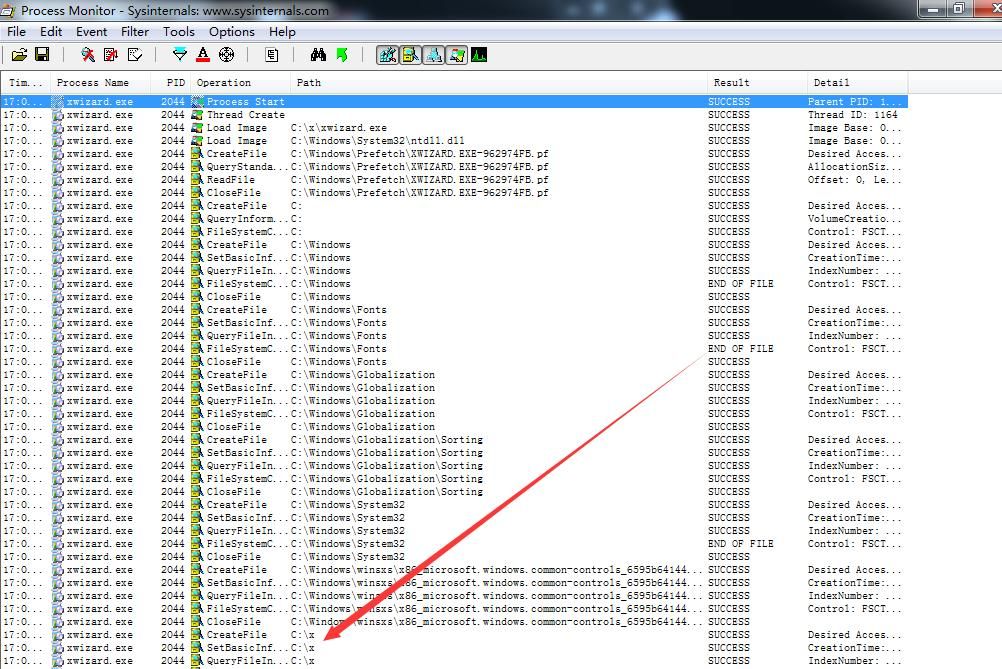
xwizard.exe executes normally, but does not attempt to load xwizards.dll
Test again, execute via command line with the following parameters:
xwizard processXMLFile 1.txt
Check the Process Monitor output
As shown in the figure below
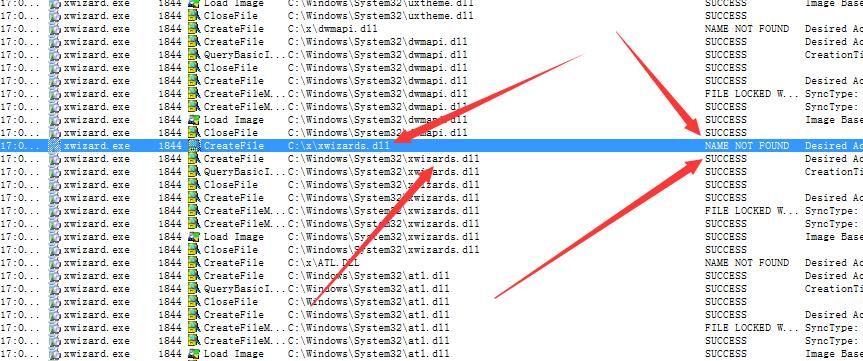
xwizard.exe first attempts to load C:\x\xwizards.dll, and after failing to load, attempts to load C:\windows\system32\xwizards.dll (again confirming the judgment on DLL loading order)
Next, rename msg.dll to xwizards.dll and save it in C:\x
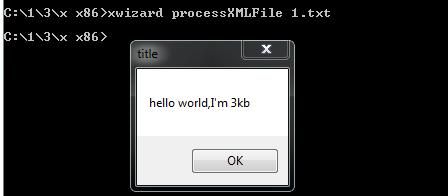
Execute via command line:
xwizard processXMLFile 1.txt
Successfully loaded C:\x\xwizards.dll, dialog box popped up
As shown in the figure below
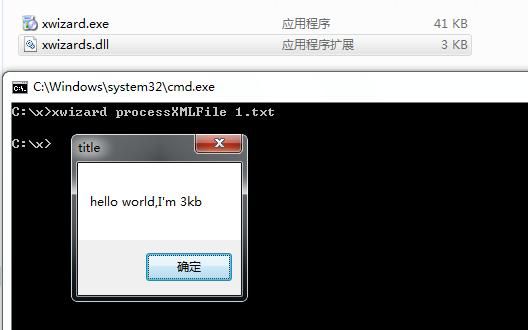
Test successful
0x05 Supplement
---
64-bit system:
%windir%\system32\ corresponds to 64-bit xwizard.exe, can only load 64-bit xwizards.dll
Test as shown in the figure below
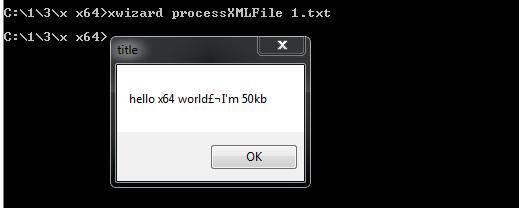
%windir%\SysWOW64\ corresponds to 32-bit xwizard.exe, can only load 32-bit xwizards.dll
Test as shown in the figure below
0x06 Summary
---
This article introduces the technique of using xwizard.exe to load DLLs, with the particularity that xwizard.exe contains a Microsoft signature, thus to some extent, it can bypass application whitelist blocking.


