
---
0x00 Preface
---
A backdoor previously used by Shadow Force in a domain environment, leveraging the MSDTC service to load a DLL for achieving persistence and bypassing Autoruns' detection of startup items. This article will test it, introduce more exploitation techniques, and analyze defense methods.
0x01 Introduction
---
This article will cover the following:
- Introduction to MSDTC
- Backdoor Concept
- Backdoor Verification
- More Testing and Exploitation Methods
- Detection and Defense
0x02 Introduction to MSDTC
---
MSDTC:
- Corresponding service MSDTC, full name Distributed Transaction Coordinator, this service is started by default in Windows systems
- Corresponding process msdtc.exe, located at %windir%\system32\
- msdtc.exe is the Microsoft Distributed Transaction Coordinator, this process invokes the system's Microsoft Personal Web Server and Microsoft SQL Server
0x03 Backdoor Concept
---
Reference link:
http://blog.trendmicro.com/trendlabs-security-intelligence/shadow-force-uses-dll-hijacking-targets-south-korean-company/
The concept introduced in the article is as follows:
When a computer joins a domain and the MSDTC service starts, it searches the registry HKEY_LOCAL_MACHINE\SOFTWARE\Microsoft\MSDTC\MTxOCI
As shown in the figure below
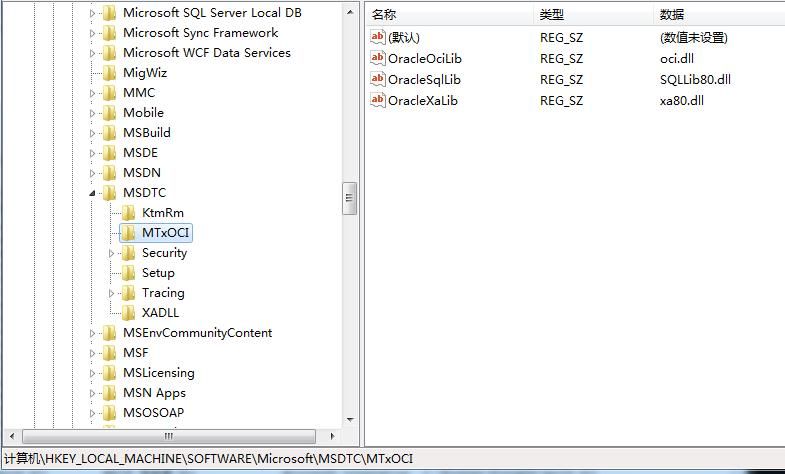
It loads three DLLs respectively: oci.dll, SQLLib80.dll, xa80.dll
However, notably,Windows systems do not include oci.dll by default
That is to say, rename payload.dll to oci.dll and save it under %windir%\system32\
When the MSDTC service starts on computers in the domain, it will load this dll to achieve code execution
0x04 Backdoor Verification
---
Test System: Win7 x64
Set up the domain environment, as shown below
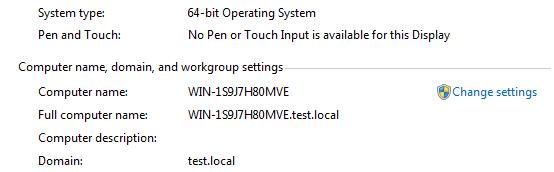
Use Procmon to monitor the startup process of msdtc, filter the process msdtc.exe, and view file operations, as shown below
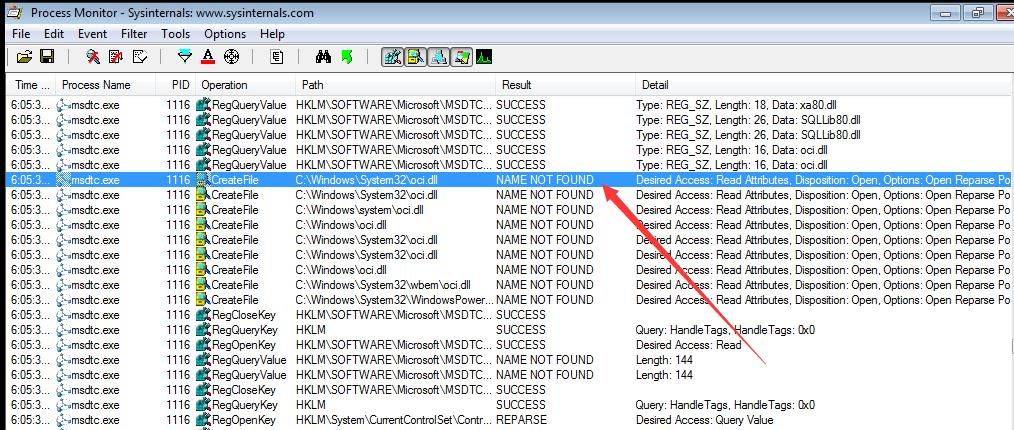
msdtc.exe does indeed attempt to load oci.dll, and since oci.dll does not exist by default in the system, the loading fails
Use a 64-bit test dll, download link as follows:
An open-source project
Save it under %windir%\system32\
Terminate the process msdtc.exe, command line parameters as follows:
taskkill /f /im msdtc.exe
Waiting for msdtc.exe to restart
After waiting for a while, mstdc.exe restarts and successfully loads oci.dll, as shown in the figure below
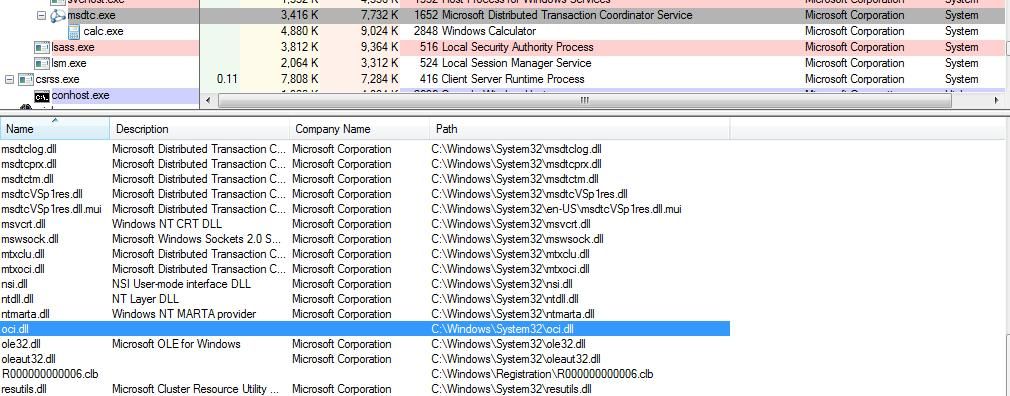
calc.exe starts with system privileges
As shown in the figure below

In actual testing, this method occasionally has bugs; after ending the process via taskkill, msdtc.exe does not restart
Solution:
Simply restart the MSDTC service, command line parameters are as follows:
net start msdtc
0x05 More Testing
---
1. Testing on 32-bit systems
For 32-bit systems, simply use the 32-bit dll, download address is as follows:
An open-source project
2. Testing 64-bit systems
In 64-bit systems, although the SysWOW64 folder contains the 32-bit msdtc.exe, the MSDTC service only launches the 64-bit msdtc.exe
Therefore, loading the 32-bit oci.dll is not supported
3. General testing
Actual testing shows that the MSDTC service is not exclusive to domain environments; it also starts by default in workgroup environments
This means the exploitation method is applicable not only to domain environments but also to workgroup environments
4. Loading oci.dll with administrator privileges (privilege reduction startup)
The above method loads oci.dll with system privileges. Here is a method to load oci.dll with administrator privileges (privilege reduction startup):
Execute in an administrator command prompt:
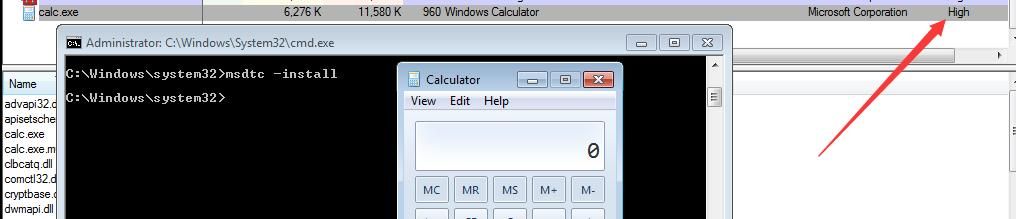
msdtc -install
The launched calc.exe runs with high privileges, as shown in the figure below
Note:
For reasons why privilege reduction is needed and more implementation methods, refer to the article
《Penetration Techniques – Privilege Reduction Startup of Programs》
0x06 Detection and Defense
---
Detection:
Check if %windir%\system32\ contains suspicious oci.dll
Defense:
For regular user hosts, it is recommended to disable the MSDTC service
0x07 Summary
---
This article introduces exploitation techniques related to MSDTC, which can not only be used as a backdoor but also for launching programs with reduced privileges.


