
0x00 Introduction
---
A technique learned from Casey Smith @subTee: For .Net programs, modifying the AppDomainManager can hijack the startup process of .Net applications.
If the startup process of common system .Net programs like powershell.exe is hijacked and a payload is added to them, a passive backdoor trigger mechanism can be achieved.
Reference link:
http://subt0x10.blogspot.com/2017/06/attacking-clr-appdomainmanager-injection.html
0x01 Overview
---
This article will cover the following topics:
- Hijacking self-developed .Net programs
- Hijacking the system .Net program powershell_ise.exe
- An exploitation idea targeting Visual Studio
0x02 Related Concepts
---
CLR:
The full name is Common Language Runtime, which is a runtime environment that can be used by multiple programming languages.
CLR is the main execution engine of the .NET Framework, and one of its functions is to monitor the operation of programs:
- Programs running under the supervision of CLR are considered 'managed' code.
- Applications or components that run directly on bare metal, not under CLR, are considered 'unmanaged' code.
For programs under the supervision of CLR, the initialization process of program startup can be referred to in the following link:
http://mattwarren.org/2017/02/07/The-68-things-the-CLR-does-before-executing-a-single-line-of-your-code/
Noteworthy points:
If a position that can be exploited can be found in the initialization process of program startup, loading our own code before the program starts, then we can 'abuse' the functionality of CLR to achieve hijacking of the program.
In an ideal scenario:
If the program that can be hijacked is a commonly used system program that starts automatically with the system, then this method can serve as a persistent backdoor.
The following introduces the backdoor idea shared by Casey Smith@subTee: AppDomainManager
0x03 Hijacking Self-Developed .Net Programs
---
Note:
Code referenced from: http://subt0x10.blogspot.com/2017/06/attacking-clr-appdomainmanager-injection.html
1. Write an example program
Using Visual Studio, select the C# development environment, create a new console application, project name: program, code as follows:
using System; |
Compile to generate program.exe
Program execution as shown in the figure below

2. Write payload Dll
Select the C# development environment, create a new class library, project name: DomainManager, code as follows:
using System; |
Compile to generate DomainManager.dll
3. Set AppDomainManager to hijack program startup
Place DomainManager.dll in the same directory
Method 1:
Set environment variables via cmd:
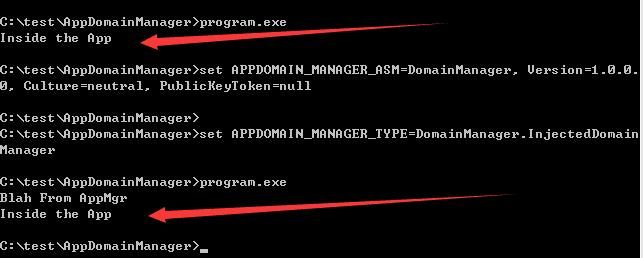
set APPDOMAIN_MANAGER_ASM=DomainManager, Version=1.0.0.0, Culture=neutral, PublicKeyToken=null |
Execute program.exe and observe that DomainManager.dll runs before program.exe by checking the echo
Hijack successfully implemented, complete operation as shown in the figure below
Note:
Pay attention to compare the execution order
Setting environment variables via cmd only affects the current cmd session and is not universal
Method 2:
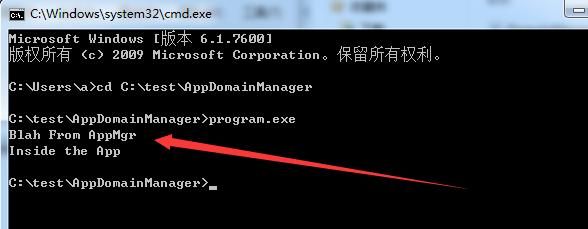
More universal method: Configure config file
Create program.exe.config with the following content:
|
Note:
Config file naming format: exe+.config
Successfully achieved hijacking, complete operation as shown in the figure below
0x04 Hijacking system .Net program powershell_ise.exe
---
Next, we need to find exploitable system .Net programs and attempt to implement a persistent backdoor.
Here, powershell_ise.exe is selected for demonstration.
Note:
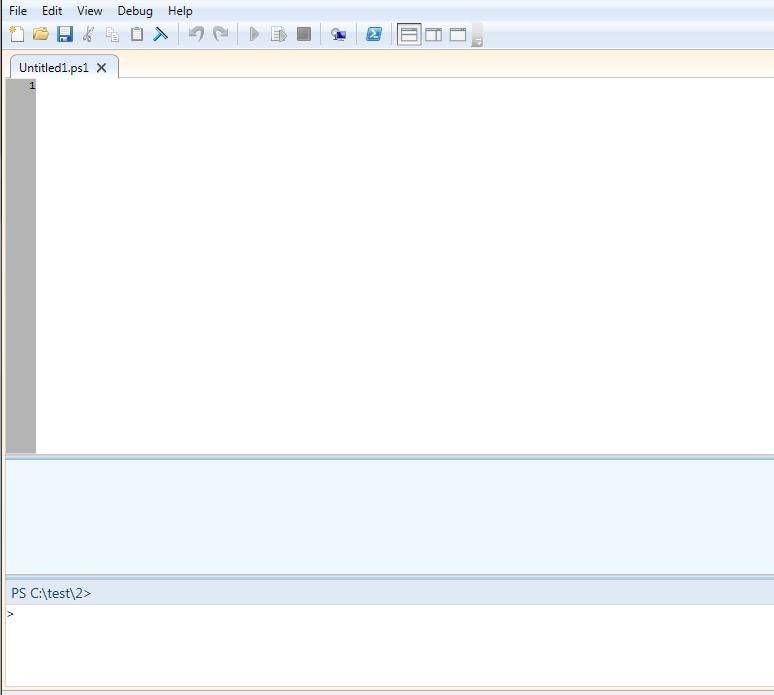
powershell_ise.exe: Full name Windows PowerShell Integrated Scripting Environment
Graphical interface, primarily used for writing and debugging PowerShell scripts.
The operation interface is shown in the figure below.
For demonstration purposes, we need to modify the project DomainManager to make it display a pop-up window when running.
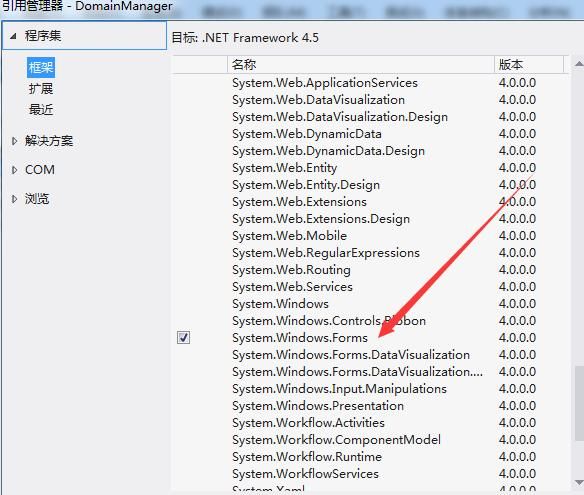
1. Add Reference
Right-click on the project - Add Reference, select System.Windows.Forms.
As shown in the figure below.
The code modification is as follows:
using System; |
Recompile to generate DomainManager.dll
2. Testing
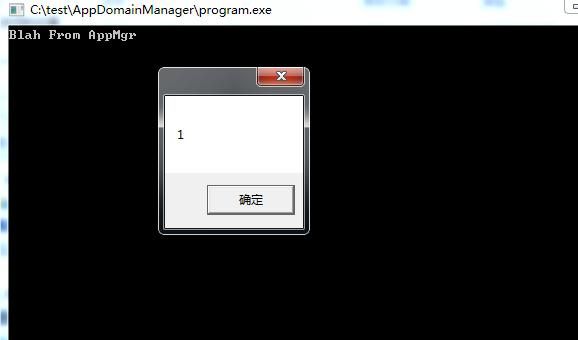
Hijacking program.exe successful, as shown in the figure below
Hijacking powershell_ise.exe:
(1) Test test directory
Copy powershell_ise.exe to c:\test
Create a new powershell_ise.exe.config file in the same directory. The config file can be appropriately simplified, with the simplified content as follows:
|
Start powershell_ise.exe in the c:\test directory
Successfully hijacked powershell_ise.exe
(2) Test the default directory of powershell_ise.exe
The path is as follows:
C:\Windows\System32\WindowsPowerShell\v1.0
Requires administrator privileges to create hijack files DomainManager.dll and powershell_ise.exe.config in the default directory
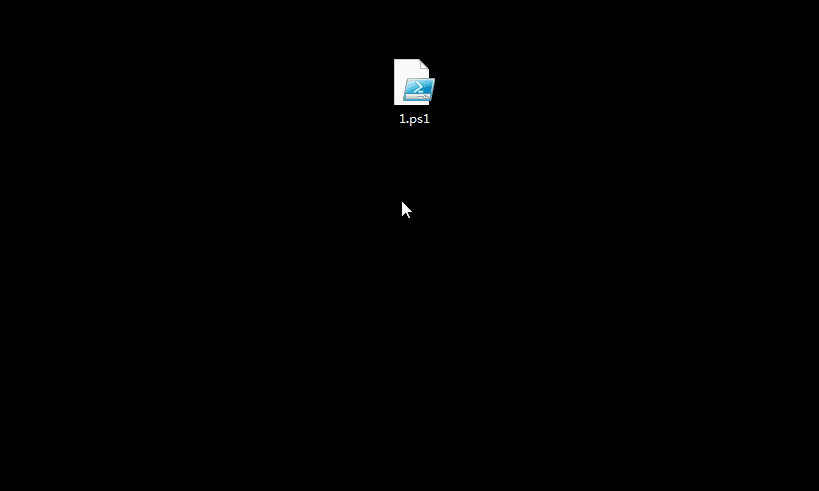
Compile any PowerShell script, default launch of powershell_ise.exe, successfully hijacked
Complete operation as shown in the figure below
0x05 An exploitation approach targeting Visual Studio
---
For Visual Studio C# projects, the file App.config exists by default in the project directory, with the following content:
|
If modified to add hijacking functionality, the default config file generated in the bin directory will also be updated accordingly during program compilation.
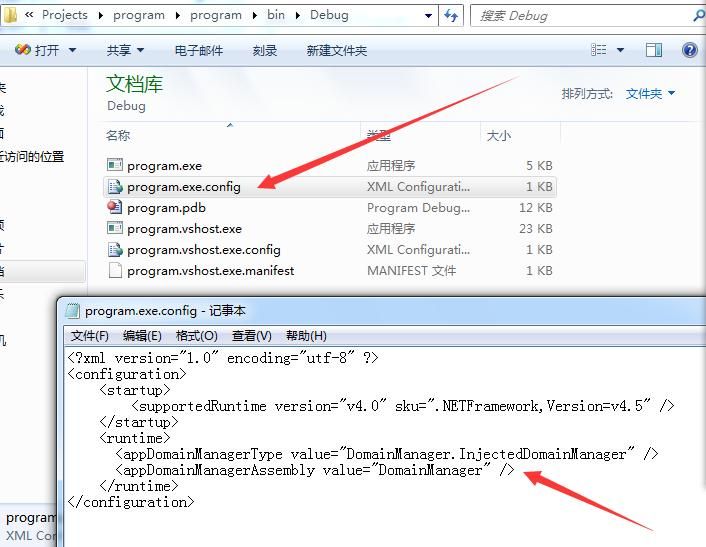
App.config modifications are as follows:
|
After compiling the program, the config file in the bin directory is also modified, as shown in the figure below
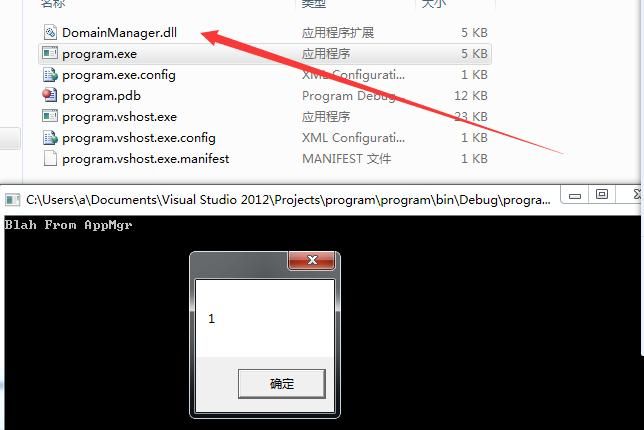
If DomainManager.dll is also placed in the bin directory, it will be hijacked when the program starts, as shown in the figure below
0x06 Summary
---
This article introduces a passive backdoor triggering mechanism implemented by modifying AppDomainManager, analyzes the exploitation approach. From a defender's perspective, it is only necessary to pay attention to the config files in the same directory as .Net programs.


