
0x00 Preface
---
On May 12, 2017, a large-scale global outbreak of the WanaCrypt0r ransomware worm occurred. While major security vendors have conducted in-depth analyses of this software, there are relatively few analysis tutorials for beginners. The reproduction process involves many challenges to solve, and no article specifically details the actual execution flow of the ransomware. Therefore, I have written this beginner-oriented tutorial, hoping to assist everyone.
0x01 Introduction
---
This article will cover the following topics:
- Actual execution flow of the sample
- IDA dynamic debugging methods
- The specific process of debugging tasksche.exe
0x02 Sample Analysis
---
Test Environment: Win 7 x86
Test Tool: IDA 6.8
Sample Download Link:
http://bbs.pediy.com/thread-217586-1.htm
After testing, this sample is the ransomware program tasksche.exe released by the WanaCrypt0r parent body mssecsvc.exe
Therefore, it does not contain the "Kill Switch" and MS17-010 exploit code
Sample process analysis:
Through reverse engineering, the sample process is as shown in the figure below
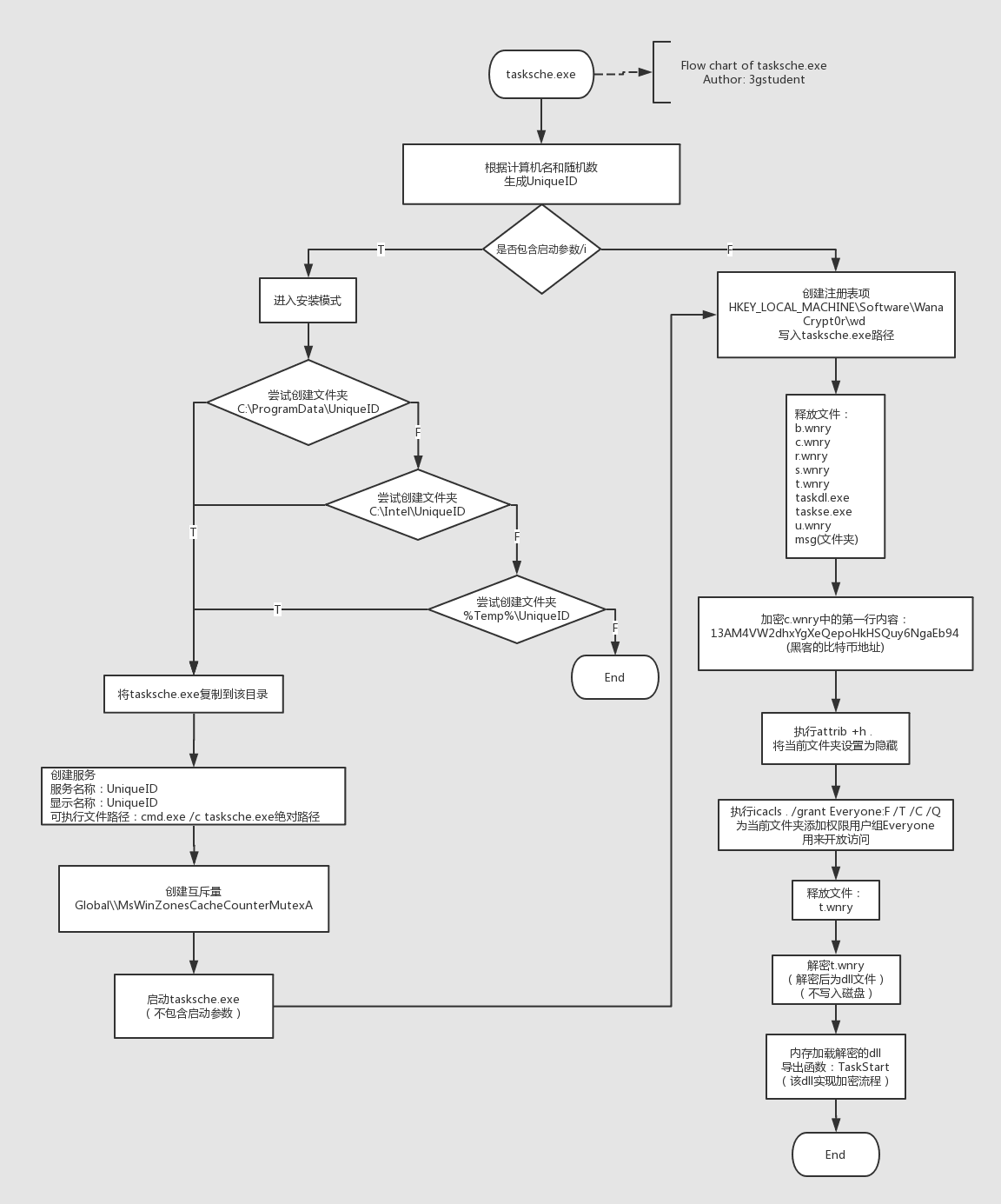
Note:
The sample flowchart is drawn using processon, and the online URL is as follows:
https://www.processon.com/
0x03 Actual testing
---
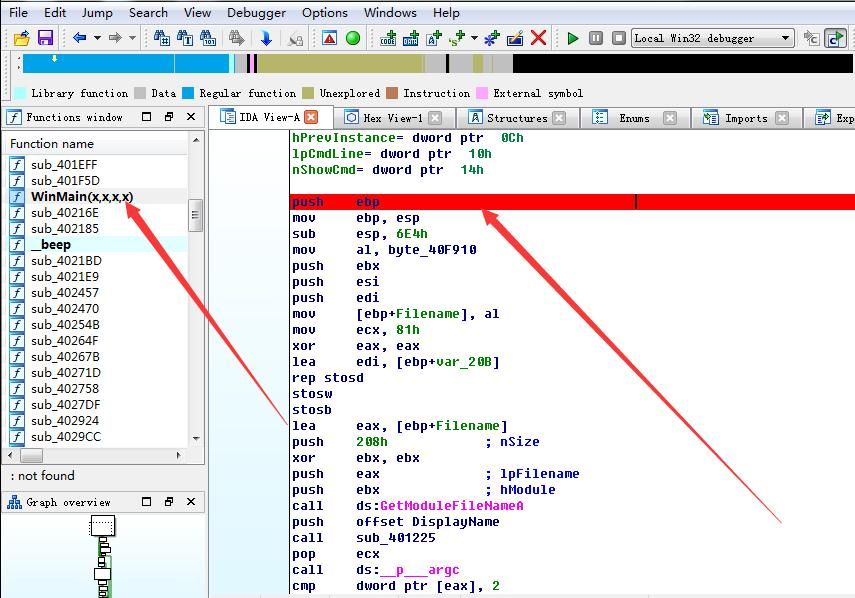
1. Start IDA and load the sample file wcry.exe
Find the WinMain(x,x,x,x) function, set a breakpoint at the initial position (shortcut F2), as shown in the figure below
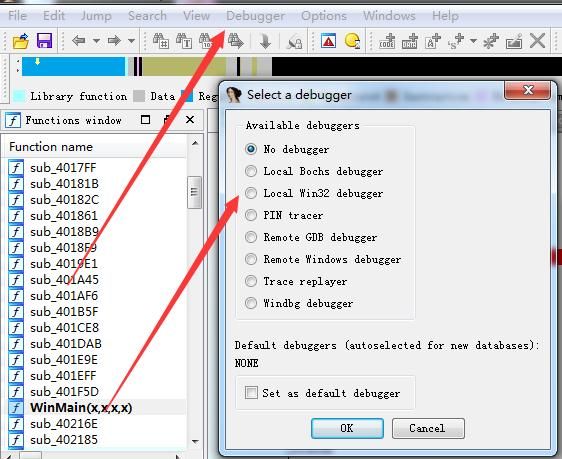
2. Start the debugger
Select Debugger (shortcut F9)
Select Local Win32 debugger, as shown in the figure below
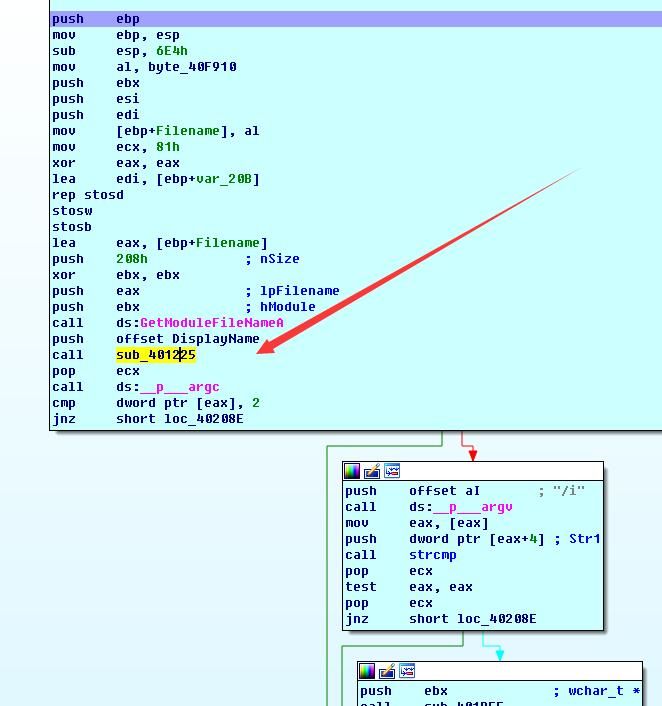
Select Debugger-Continue process (shortcut F9), enter the debugging interface, as shown in the figure below
3. Start single-step debugging
Step into shortcut F7
Step over shortcut F8
Execute to call sub_401225, press F7 to step into, view the disassembly code of this function, as shown in the figure below
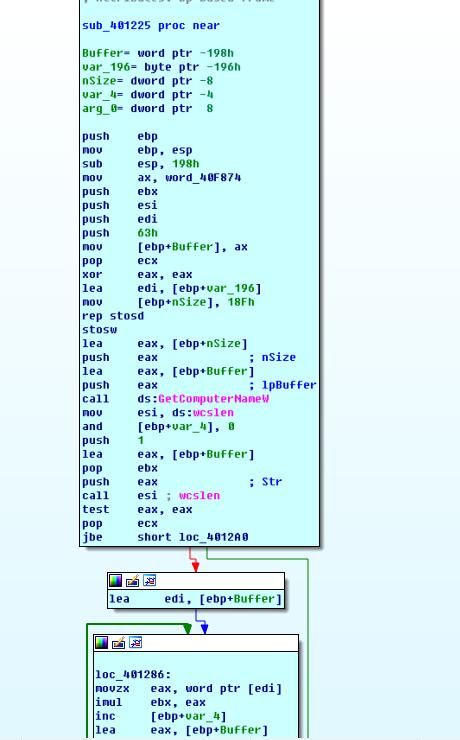
For easier analysis, you can press shortcut F5 to view the pseudo-code, as shown in the figure below
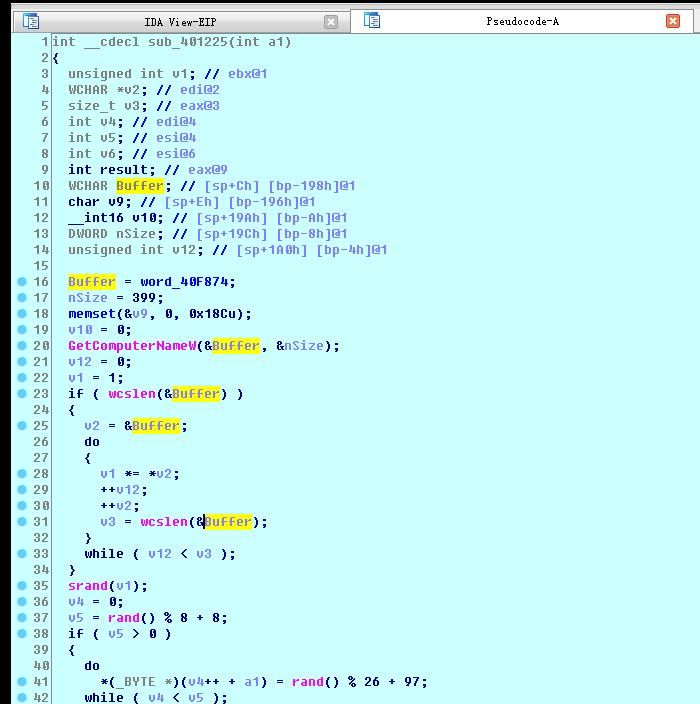
Based on the code, the function's purpose is guessed as follows:
- Call the GetComputerNameW function to obtain the computer name
- Use the rand function to generate a random number
- The combination of the two generates a unique ID
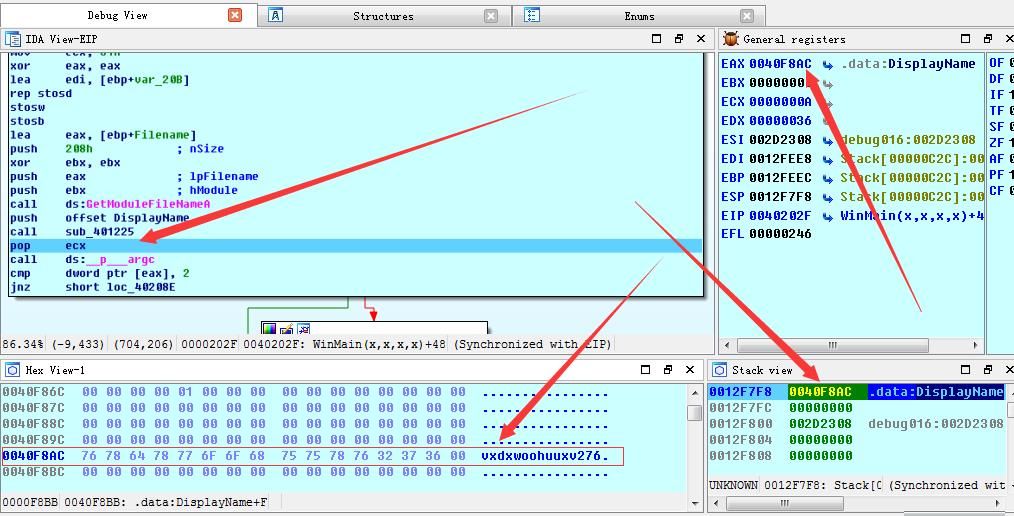
Dynamic execution proceeds until the end of the function, with the value in register EAX holding the function's return result. Corresponding to the aforementioned function, the EAX register stores the generated ID value
The address of EAX is 0040F8AC. Examining the content at this memory address reveals vxdxwoohuuxv276, which is the generated ID value
The above operation process is shown in the figure below
Continue debugging and execute until jnz short loc_40208E. It can be observed that the program branches, and IDA will automatically indicate that the next branch to be executed is the left one (this branch will flash), as shown in the figure below
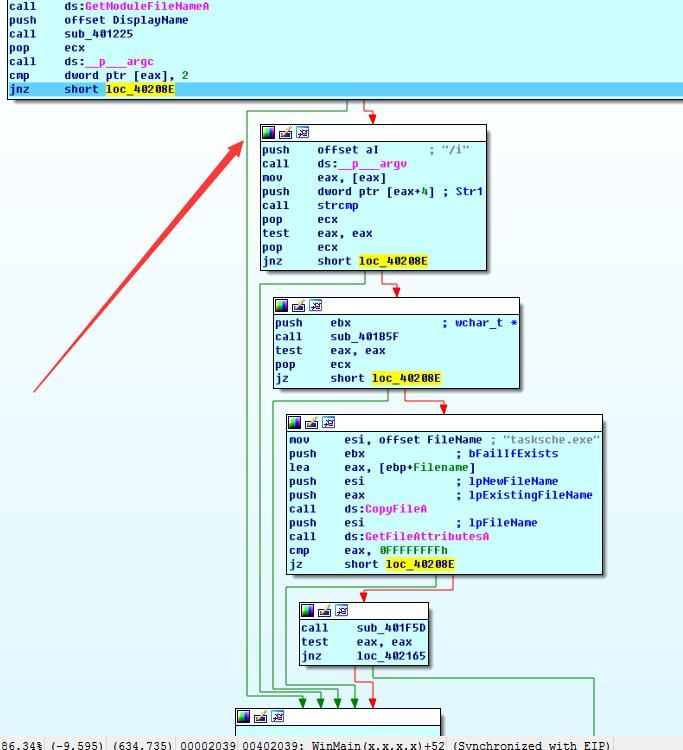
Referring to the sample flowchart mentioned earlier, it is known that the installation mode has not been entered at this point
4. Modify the startup parameters to enter installation mode
To enter installation mode, the parameter /i needs to be added when starting the program
Now exit debug mode, select Debugger-Process options, and fill in the parameter /i, as shown in the figure below
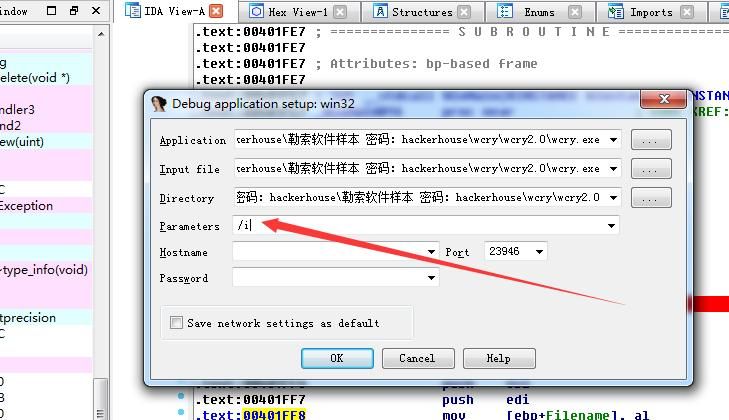
Start debugging again and execute until jnz short loc_40208E. The program jumps into the right branch and enters installation mode, as shown in the figure below
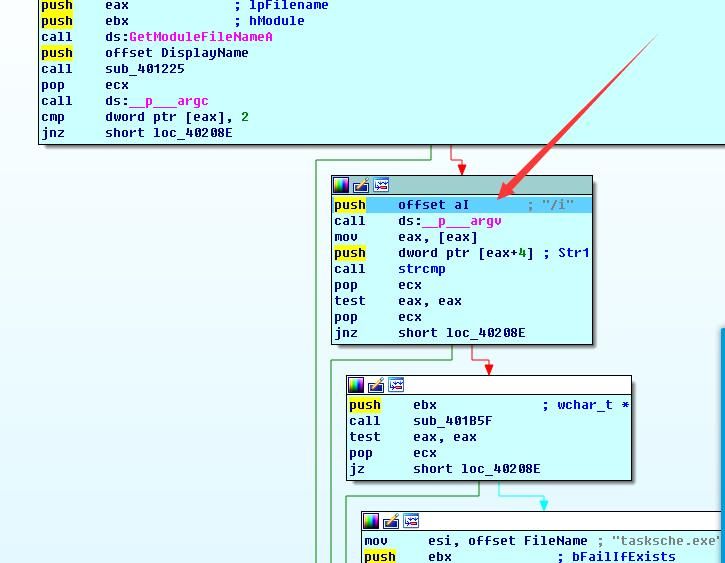
Continue debugging and execute until call sub_401B5F
The function's functionality is shown in the figure below
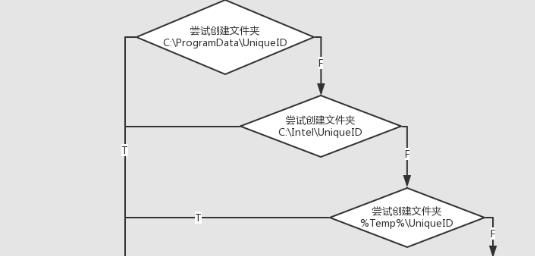
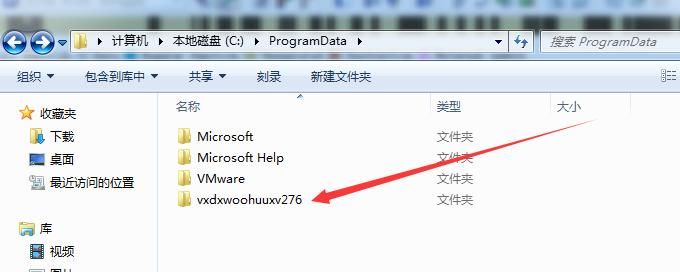
Attempts to create folders named after the ID in the c:\ProgramData, c:\Intel, and %Temp% directories sequentially until successful
After executing this statement, checking the path c:\ProgramData reveals the newly generated folder vxdxwoohuuxv276, as shown below
Continue debugging; the next functionality involves copying the program itself to the aforementioned directory, as shown below
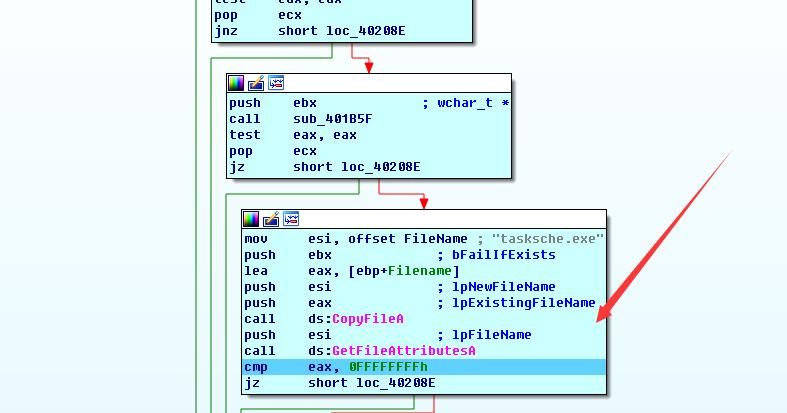
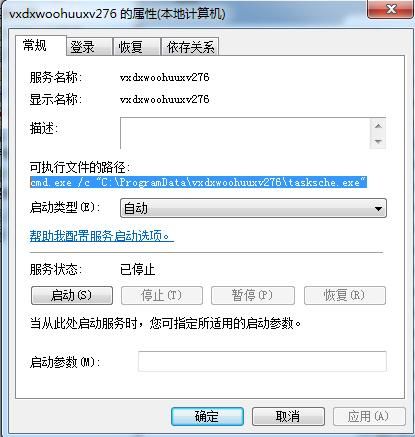
When execution reaches call sub_401F5D, the function's functionality is as follows:
Creates a service with both the service name and display name set to the ID, and the startup parameters as cmd.exe /c "C:\ProgramData\vxdxwoohuuxv276\tasksche.exe", corresponding to the sub-function sub_401CE8, as shown below
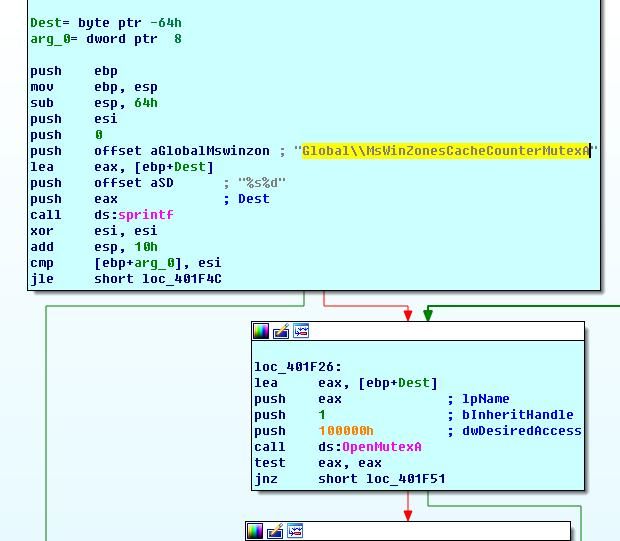
Creates a mutex Global\\MsWinZonesCacheCounterMutexA to prevent duplicate program launches, corresponding to the sub-function sub_401EFF, as shown below
Note:
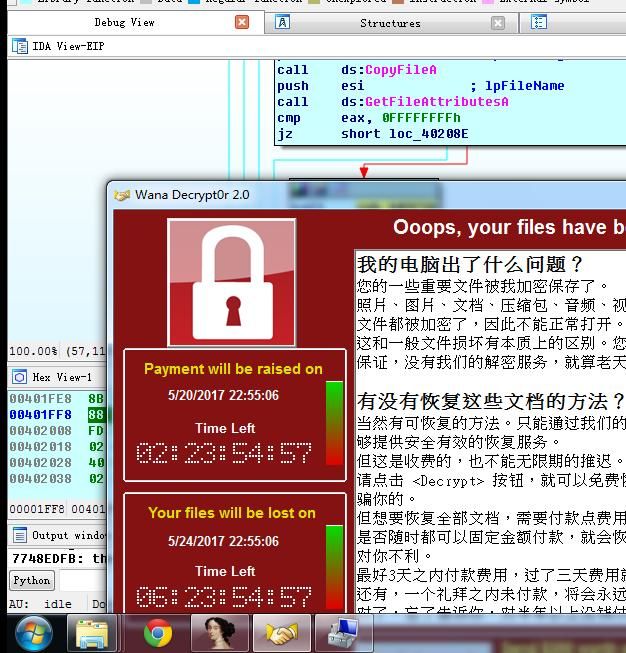
Since the service is set to auto-start, after installing the service, C:\ProgramData\vxdxwoohuuxv276\tasksche.exe will automatically execute. If all goes well, your test system should now display the ransomware's main interface, as shown below
At this point, the installation mode ends, as shown in the figure below. Next, proceed to debug the left branch.
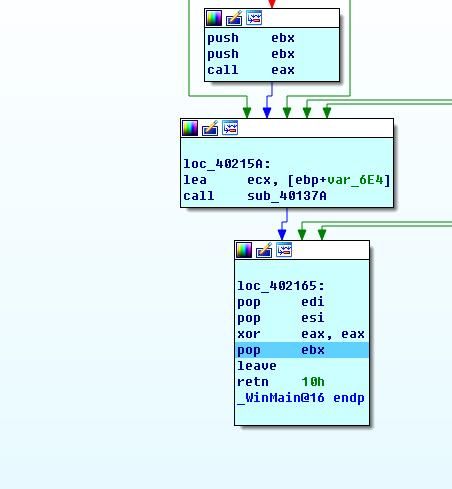
5. Disable the startup parameters and re-enter debug mode to access the left branch.
As shown in the figure below
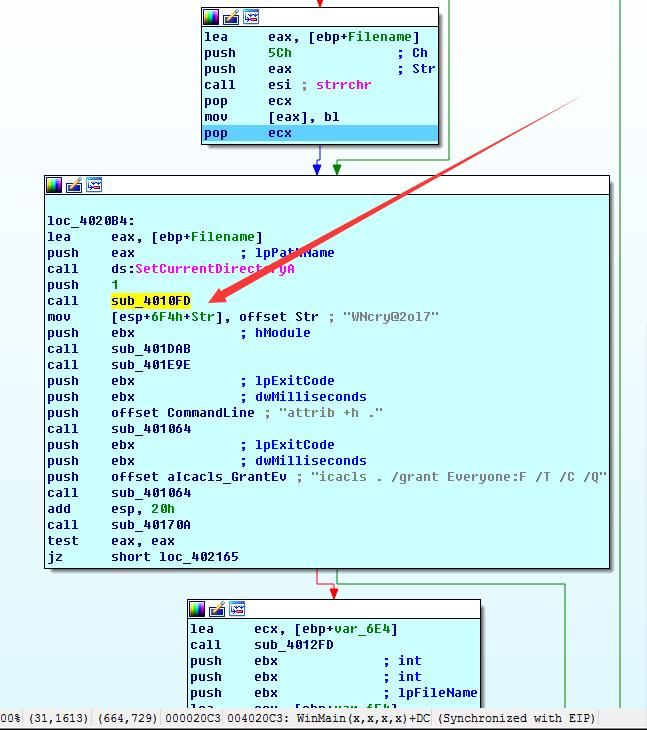
Execute until call sub_4010FD. The function of this subroutine is as follows:
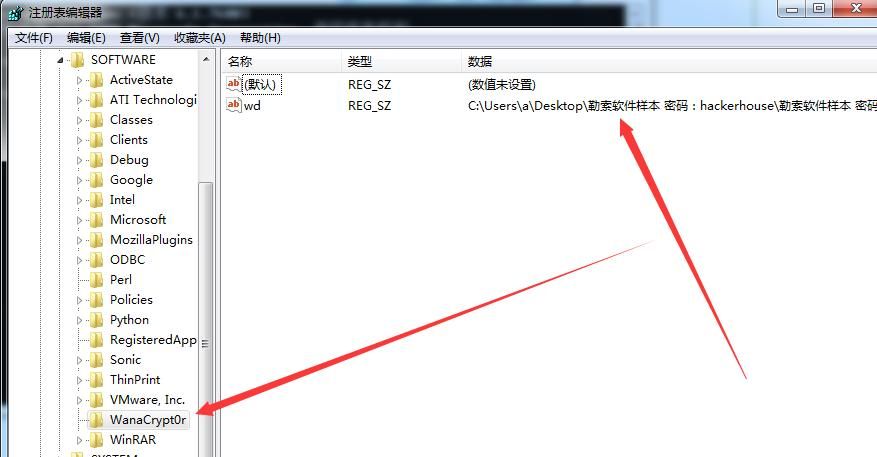
Create the registry key HKEY_LOCAL_MACHINE\Software\WanaCrypt0r\wd
The key value is the absolute path of the program, as shown in the figure below.
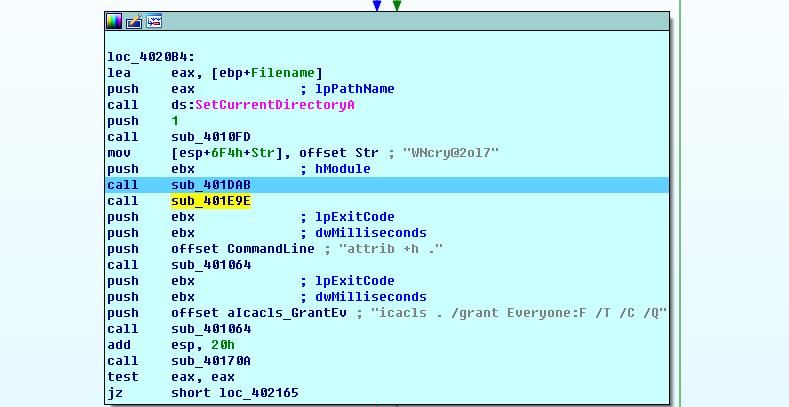
Execute until call sub_401DAB. This function releases the PE files from resources, which include:
- b.wnry
- c.wnry
- r.wnry
- s.wnry
- t.wnry
- taskdl.exe
- taskse.exe
- u.wnry
- msg(directory)
as shown in the figure below
Execution proceeds to call sub_401E9E, the function of which is as follows:
Encrypt the first line of the c.wnry file: 13AM4VW2dhxYgXeQepoHkHSQuy6NgaEb94 (the software author's Bitcoin address)
Continue debugging, the next step executes the cmd command:
attrib.exe +h
Used to set the current folder to hidden attribute, as shown in the figure below
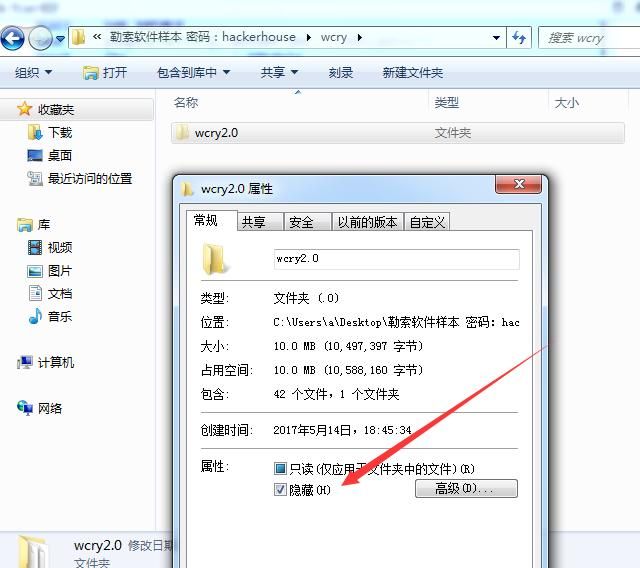
Then execute the cmd command:
icacls.exe . /grant Everyone:F /T /C /Q
Used to add the permission user group Everyone to the current folder, primarily to open access permissions, as shown in the figure below
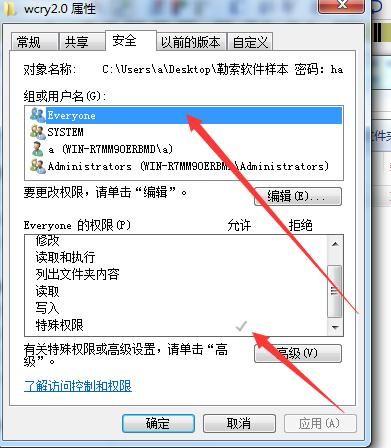
Execution reaches call sub_40170A, a function used to dynamically obtain API addresses, primarily to achieve subsequent in-memory DLL loading.
Execution reaches call sub_4014A6, a function used to decrypt the DLL. A breakpoint can be set at a specific location to dump this DLL file from memory.
Through code analysis, it was found that the decryption function is located at sub_403A77, as shown in the figure below.
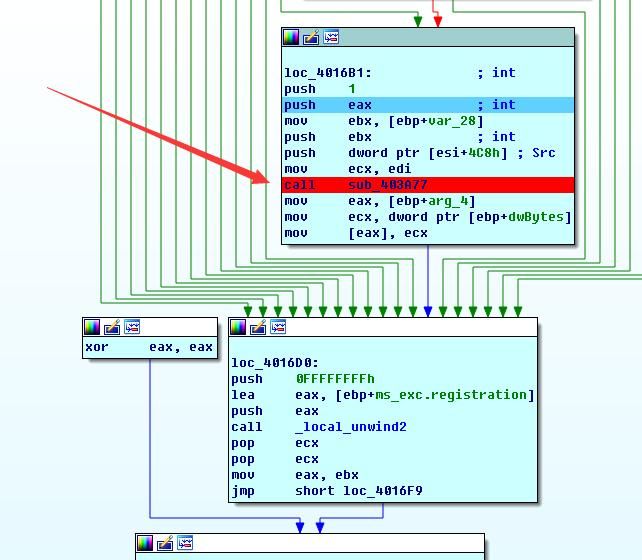
Corresponding to this function, before execution, EAX holds the length of the decrypted data; after execution, EBX holds the starting address of the decrypted DLL file.
The complete process is shown in the figure below.
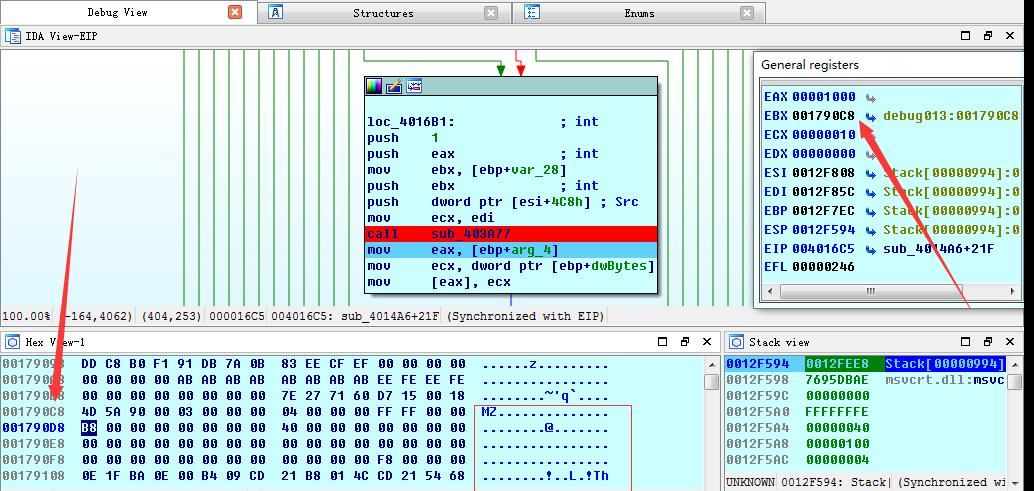
Before function execution, check the value in register EAX; the decryption length is 0x10000 (not shown in the screenshot).
001790C8 holds the starting address of the decrypted DLL file.
Dump the above decrypted data (data range 001790C8-001890C8) and save it as a DLL file. Open it with IDA, identify it as a DLL file, and find the exported function as TaskStart.
Note:
I have extracted the decrypted DLL file and uploaded it to GitHub at the following address:
An open-source project
Continue debugging, execution reaches call sub_402924, a function used to load the DLL in memory, passing in the exported function TaskStart.
At this point, the tasksche.exe task is completed, and the subsequent work is handed over to the dll for implementation.
0x04 Summary
---
This article introduced how to use IDA for dynamic debugging of tasksche.exe in WanaCrypt0r. Next, we will present the reverse analysis process of the decryption dll, explaining the encryption flow of WanaCrypt0r.


