
0x00 Preface
---
Recently, phrozensoft introduced exploitation techniques for shortcuts in a blog post, demonstrating how to embed applications within shortcut files. When users open the shortcut, a VBS script extracts and executes the application.
I found this particularly interesting because shortcut parameters have a default length limit of 260 characters, a constraint I also encountered while researching jsrat (ultimately resolved by invoking an sct file to bypass the length restriction).
phrozensoft shared POC code in Delphi format. This article will test it, study the lnk file format, develop corresponding POC code implemented in PowerShell, and briefly analyze the exploitation and defense methods of this technique.
phrozensoft's blog address:
https://www.phrozensoft.com/2016/12/shortcuts-as-entry-points-for-malware-poc-part-2-19
0x01 Introduction
---
Delphi
A renowned rapid application development tool for the Windows platform
Developed by Borland
It can also be used to develop applications on the LINUX platform, with its counterpart product on LINUX being Kylix
Common versions:
- Borland Delphi 7
- Delphi 2010
0x02 Delphi POC Testing
---
Phrozensoft's blog also shares POCs for other functionalities, such as a Python script for generating LNK files. This article will not cover those, focusing only on testing the Delphi POC.
Environment Setup:
Test System: Win7 x86
Delphi Version: Delphi 2010
Note:
Using Delphi 7 results in a compilation error: 'File not found System.sysutils.dcu'
After switching to Delphi 2010, the POC was slightly modified and compiled successfully.
1. Create a New Project
Open Delphi 2010
Select File-New-Other-Console Application
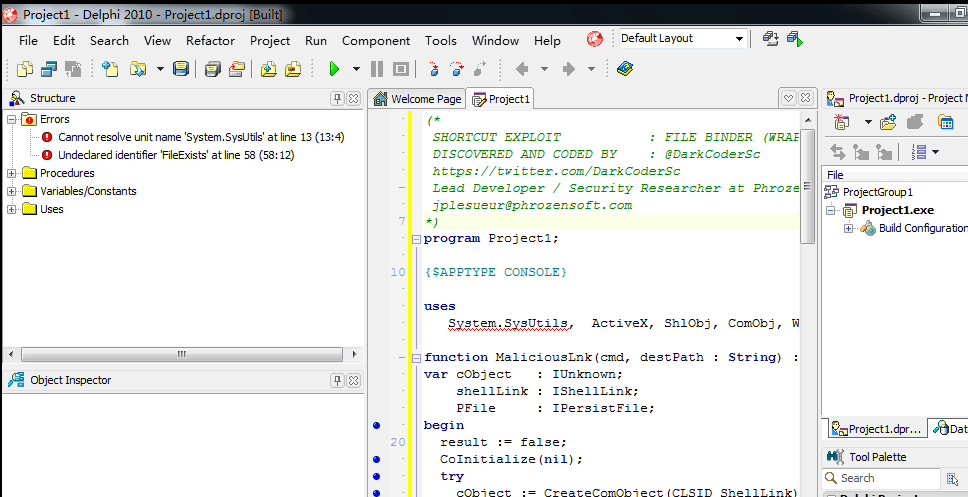
Directly pasting the POC code results in an error, as shown in the figure
2. Modify POC
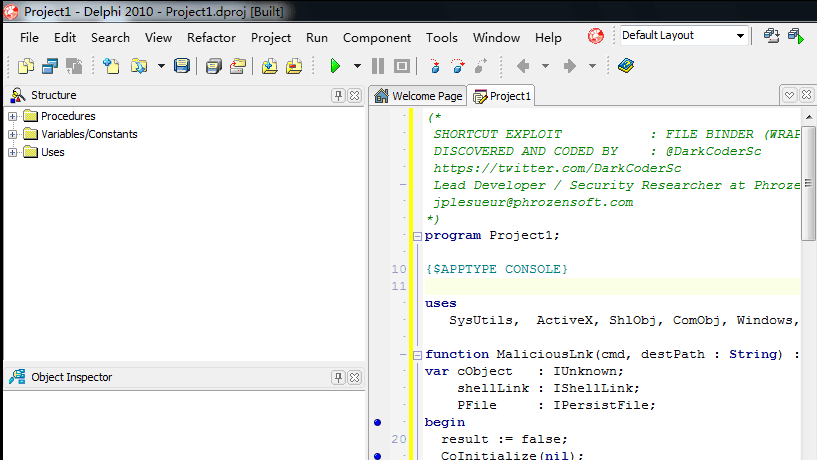
After testing, System.SysUtils needs to be changed to SysUtils
Compilation passed, as shown in the figure
3. Compile
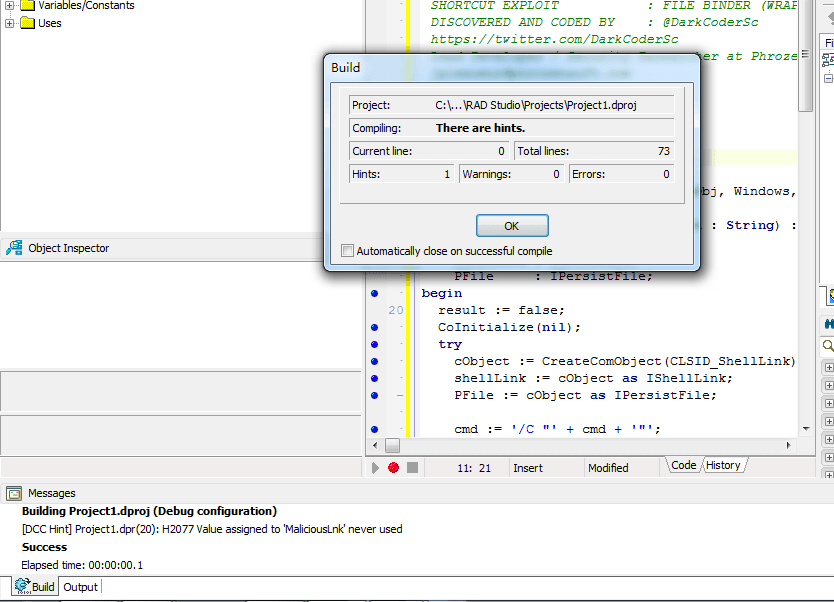
Select Project-Build All Projects
As shown, compilation succeeded, generating Project1.exe
4. Test
Create a new test.txt, fill it with data exceeding 260 characters:
|
Generate test.lnk
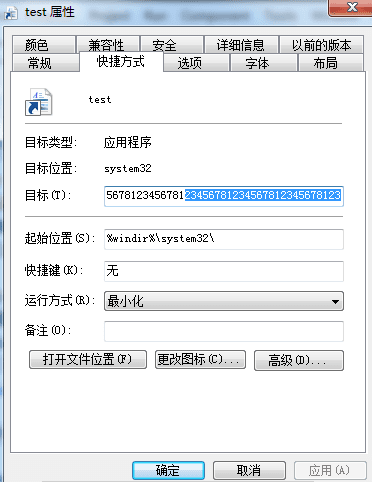
View command-line parameters, only a string of length 260 can be seen, as shown in the figure
However, the size of the lnk file is 2.45kb, as shown in the figure
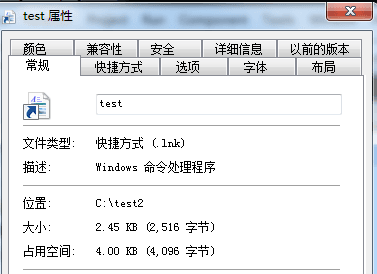
(Looks like we've found something interesting)
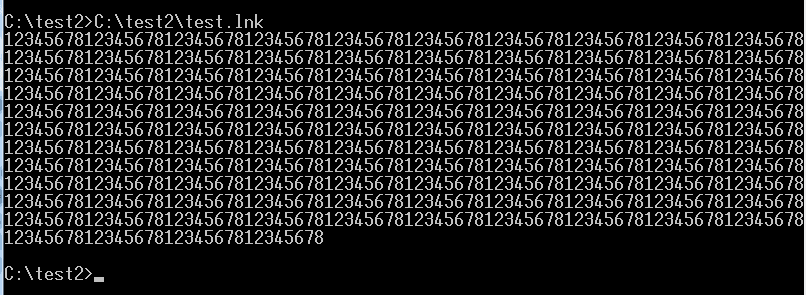
Opening test.lnk in cmd, the parameters of the lnk file execute normally, displaying characters exceeding 260 without truncation, as shown in the figure
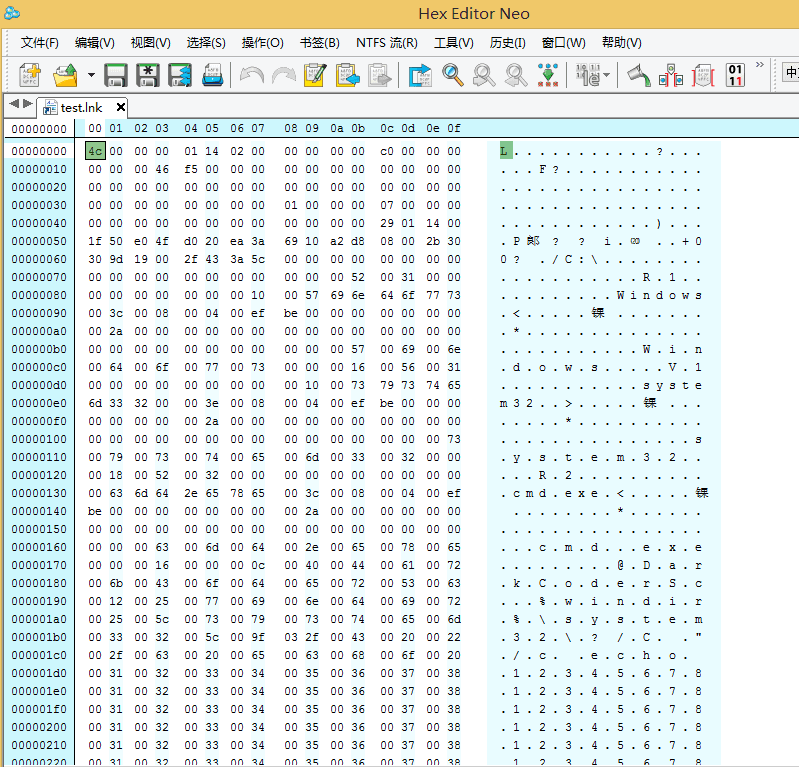
Using the hexadecimal editor Hex Editor to view the lnk file format, as shown in the figure
Note:
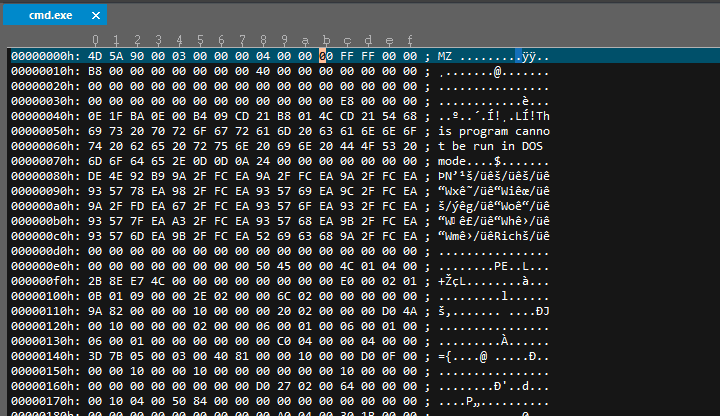
Unable to use UltraEdit, as UltraEdit opens lnk files by default to open the file pointed to by the lnk
For example, as shown in the figure, pointing to cmd.exe
0x03 Introduction to Lnk File Format
---
1、Overall Structure
- File Header
- Shell Item Id List Segment
- File Location Information Segment
- Description Character Segment
- Relative Path Segment
- Working Directory Segment
- Command Line Segment
- Icon File Segment
- Additional Information Segment
2. File Header Structure
1.
| Offset | Length | Description |
|:--:|:--:|:--:|
| 0h | 4 bytes | Fixed value, character is L |
As shown in the figure

2.
| Offset | Length | Description |
|:--:|:--:|:--:|
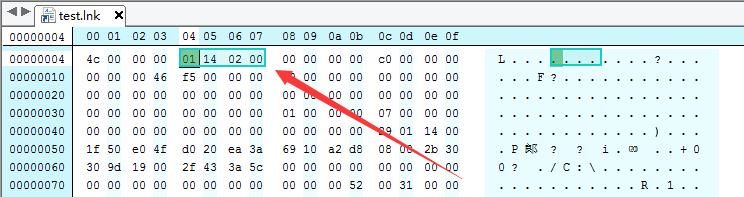
| 4h | 4 bytes | GUID |
As shown in the figure
3.
| Offset | Length | Description |
|:--:|:--:|:--:|
| 14h | 4 bytes | Attribute flags |
Represent these four bytes in binary; if bits 0-6 are set to 1, they respectively indicate that the lnk file contains the following attributes:
Bit 0: Has shell item ID list
Bit 1: Points to a file or folder
Bit 2: Contains a description string
Bit 3: Contains a relative path
Bit 4: Working directory exists
Bit 5: Command-line arguments exist
Bit 6: Custom icon exists
As shown in the figure
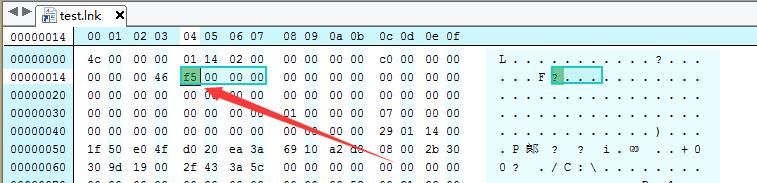
Offset 14h, take 4 bytes as 000000f5, binary representation is 11110101
Bits 0, 2, 4, 5, 6 are 1, corresponding to the following attributes:
- Has shell item ID list
- Description string exists
- Working directory exists
- Command-line arguments exist
- Custom icon exists
4.
| Offset | Length | Description |
|:--:|:--:|:--:|
| 18h | 4 bytes | Target file attributes
| 1ch | 8 bytes | File creation time
| 24h | 8 bytes | File modification time
| 2ch | 8 bytes | File last access time
| 34h | 4 bytes | Target file length
| 38h | 4 bytes | Number of custom icons
| 3ch | 4 bytes | Window execution mode: 1.Normal 2.Minimized 3.Maximized
| 40h | 4 bytes | Hotkey
3. Shell Item ID List
The presence of a Shell Item ID List for test.lnk is determined from position 14h, so the first segment starting from 4ch is the Shell Item ID List
| Offset | Length | Description |
|:--:|:--:|:--:|
| 4ch | 2 bytes | Total length of Shell Item ID List |
As shown in the figure
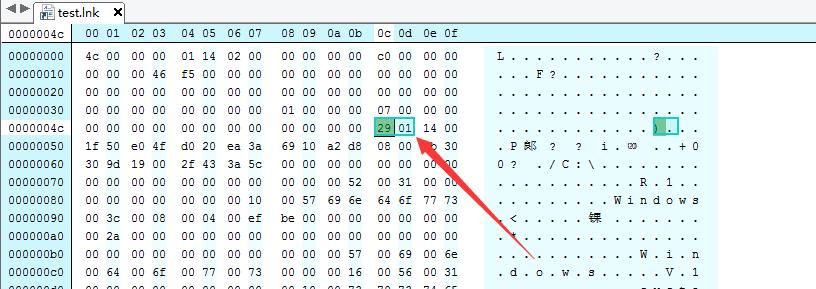
Total length of shell item id list is 0129
Starting address of next segment (description string) is 004e+0129=0177h
4. Description String
| Offset | Length | Description |
|:--:|:--:|:--:|
| 004e+0129=0177h | 2 bytes | Length (Unicode), actual length should be multiplied by 2 |
As shown in figure
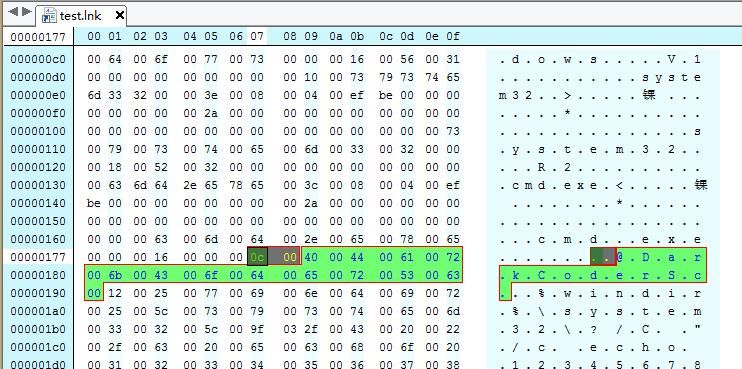
Description string length is 000c (Unicode)
Starting address of next segment (working path) is 0177+2+000c×2=0191h
5. Working Path
| Offset | Length | Description |
|:--:|:--:|:--:|
| 0177+2+000c×2=0191h | 2 bytes | Length (Unicode), actual length should be multiplied by 2 |
As shown in figure
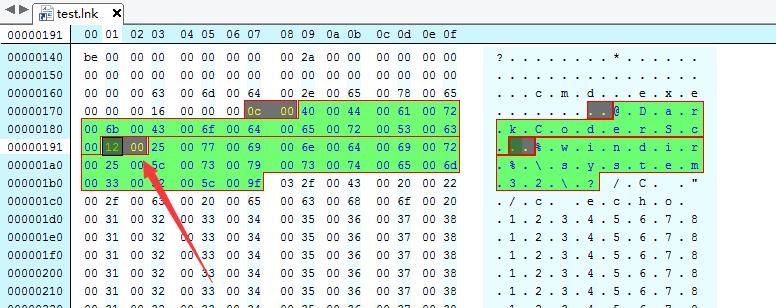
Working path length is 0012 (Unicode)
The starting address of the next segment (command line arguments) is 0191+2+0012×2=01b7h
6. Command line arguments
| Offset | Length | Description |
|:--:|:--:|:--:|
| 0191+2+0012×2=01b7h | 2 bytes | Length (Unicode), actual length should be multiplied by 2 |
As shown in the figure
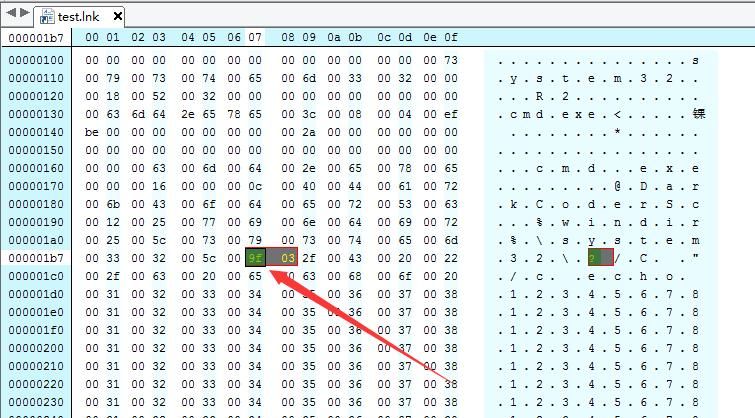
Command line arguments length is 039f (Unicode)
The starting address of the next segment (custom icon) is 01b7+2+039f×2=08f7h
7. Custom icon
| Offset | Length | Description |
|:--:|:--:|:--:|
| 01b7+2+039f×2=08f7h | 2 bytes | Length (Unicode), actual length should be multiplied by 2 |
As shown in the figure
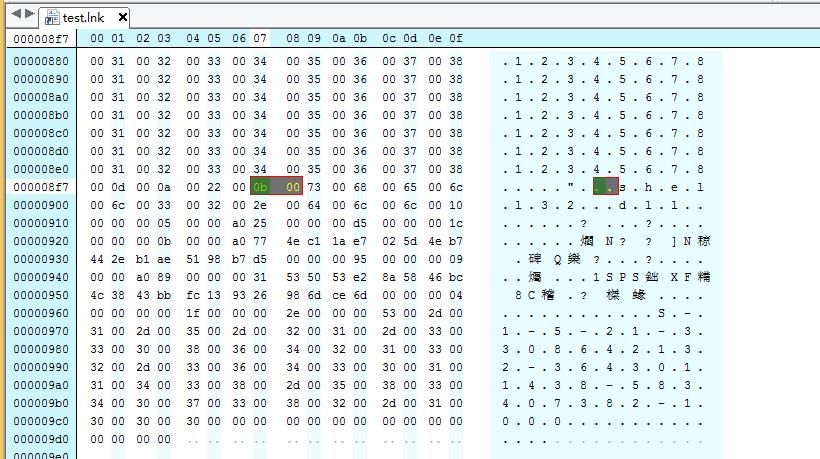
Custom icon length is 000bf (Unicode)
The starting address of the next segment (custom icon) is 08f7+2+000b×2=090fh
0x04 Implementation Principle
---
By comparing the differences between normal lnk files and POC files using Delphi POC code and Lnk file format, it was found that only the command-line parameter length differs
Hence the principle is inferred:
As long as the command-line parameter length exceeds 260!
Test PowerShell code:
$file = Get-Content "c:\test\test.txt" |
Write the following content into test.txt:


