
0x00 Preface
---
In a previous article 'Penetration Techniques - Obtaining Remote Desktop Connection History on Windows Systems', methods for acquiring remote desktop connection history were introduced.
During actual penetration testing, if remote desktop connection history is discovered, the next step involves finding ways to obtain the passwords used for those remote desktop connections.
This article will combine RdpThief to introduce methods for extracting plaintext credentials from remote desktop clients, sharing important details to note.
RdpThief repository:
https://github.com/0x09AL/RdpThief
0x01 Introduction
---
This article will cover the following topics:
- Approaches to obtaining remote desktop connection passwords
- Methods for hooking system APIs using the Detours library
- Techniques for monitoring system API calls using API monitor
- Extracting plaintext credentials from remote desktop clients using RdpThief
0x02 Approach to Obtain Remote Desktop Connection Passwords
---
Typically, there are two methods:
1. Use a keylogger program to record the password entered by the user during the startup of mstsc.exe.
2. When mstsc.exe starts, read its memory data and extract the password entered by the user.
RdpThief adopts the second approach, using the Detours library to hook system APIs. It monitors system API calls with API monitor to locate where mstsc.exe stores plaintext passwords in memory. The code is concise and effective.
0x03 Method of Hooking System APIs Using the Detours Library
---
RdpThief uses the Detours library to hook system APIs in its implementation, so here is a brief introduction to the usage of the Detours library.
The Detours library is used to monitor and intercept API calls on Windows, enabling the hooking of system APIs.
Here, two methods for hooking system APIs using the Detours library are introduced.
1. Compile and use the Detours source code.
(1) Compile the Detours source code.
Download the Detours source code from the following address:
https://github.com/Microsoft/Detours
Compile Detours source code using Visual Studio (using VS2015 as an example here), distinguishing between 32-bit and 64-bit
64-bit compilation:
Open VS2015 x64 Native Tools Command Prompt
Execute the following commands:
cd Detours-master\src |
After executing the commands, the following three folders will be generated under the Detours-master folder, including Detours header files and library files
- bin.X64
- include
- lib.X64
32-bit compilation:
Open VS2015 Native Tools Command Prompt
Execute the following commands:
cd Detours-master\src |
After executing the command, the following three folders will be generated under the Detours-master folder, including Detours header files and library files
- bin.X86
- include
- lib.X86
(2) Import Detours
Add the corresponding version of header files to the new C++ project:
- detours.h
- detours.lib
The code is as follows:
#include "detours.h" |
2. Automatic installation via Install-Package
(1) Installation
In Visual Studio, select Tools -> NuGet Package Manager -> Package Manager Console
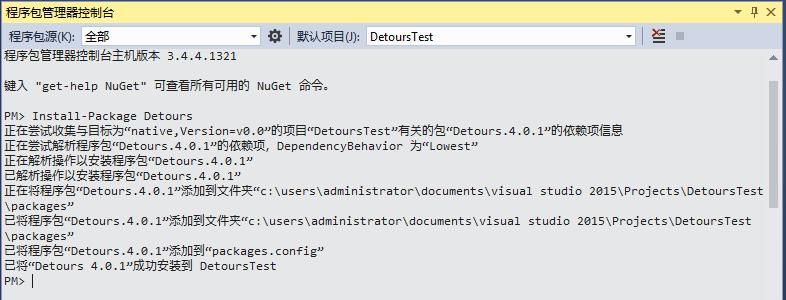
Enter the installation command:
Install-Package Detours |
Will automatically install the Detours library, as shown in the figure below
(2) Import Detours
The code is as follows:
#include |
Several commonly used functions when hooking system APIs with the Detours library:
- DetourTransactionBegin();
- DetourUpdateThread(GetCurrentThread());
- DetourAttach();
- DetourDetach();
- DetourTransactionCommit()
Example code for hooking the system API MessageBox():
#include |
0x04 Method for monitoring system API calls using API Monitor
---
RdpThief uses API Monitor to monitor system API calls, locating where mstsc.exe stores plaintext passwords in memory. Here's a brief introduction to using API Monitor.
API Monitor download address:
http://www.rohitab.com/downloads
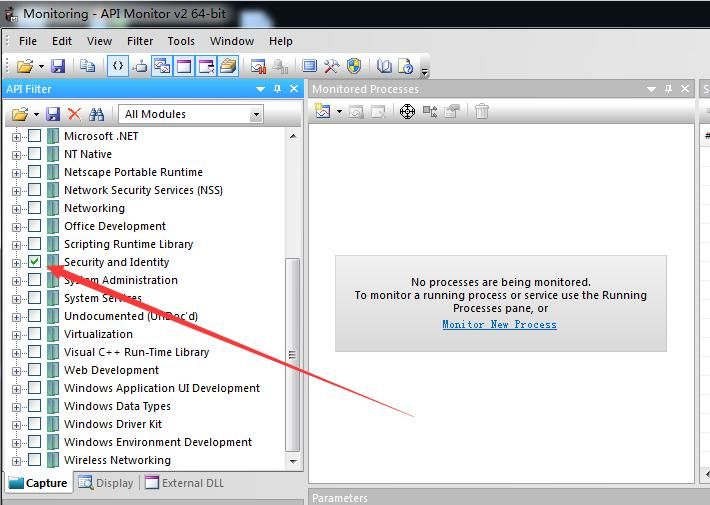
After launching, select the modules to monitor, as shown below:
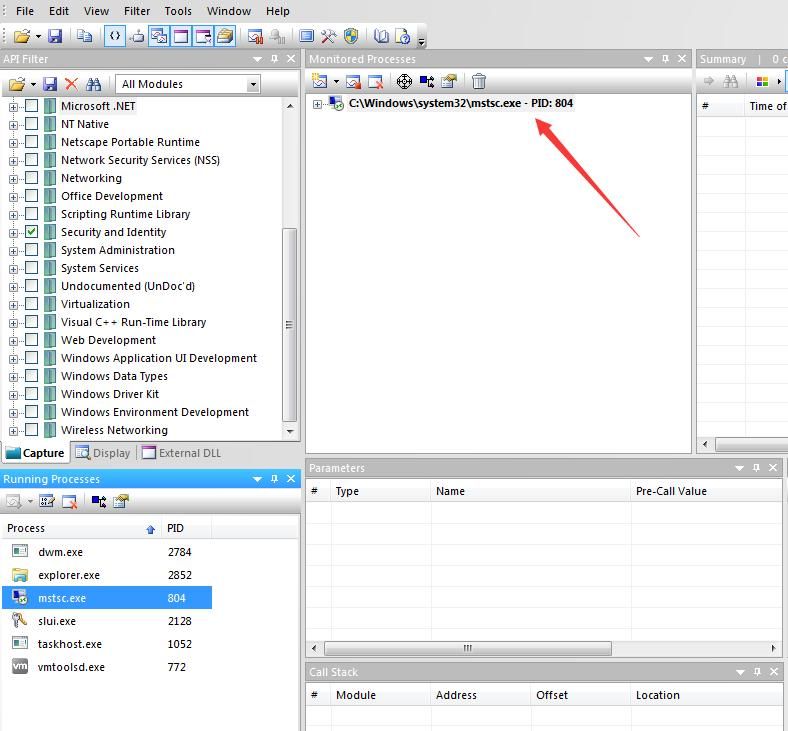
Then choose the process to monitor, as shown below:
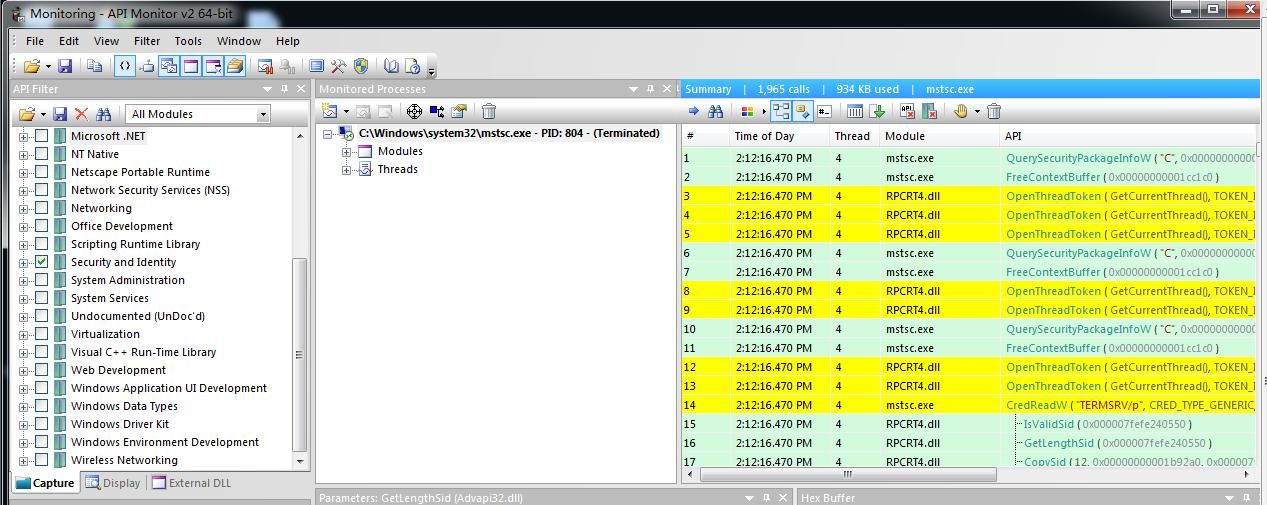
API Monitor will track the APIs called during process execution, as shown below:
0x05 RdpThief Testing
---
Article detailing RdpThief:
https://www.mdsec.co.uk/2019/11/rdpthief-extracting-clear-text-credentials-from-remote-desktop-clients/
The RdpThief code consists of three parts:
1. C++ project, compiled to generate a DLL
The compiled DLL needs to be injected into the mstsc.exe process
You can use the DLL injection code I wrote earlier, available at:
An open-source project
However, the FreeDll() function must be removed; the DLL needs to remain in the memory of the mstsc.exe process to record user-entered passwords
2. RdpThief_x64.tmp
DLL in shellcode format; the author uses sRDI to convert the compiled DLL into shellcode format for easy invocation by CNA scripts
3. RdpThief.cna
CNA script for Colbalt Strike, used to inject the DLL in shellcode format
Supports three commands:
- rdpthief_enable, searches for mstsc.exe every 5 seconds and injects the DLL
- rdpthief_disable, stops rdpthief_enable but does not unload the injected dll
- rdpthief_dump, displays captured credentials, default read path is %temp%\data.bin
Actual testing
Expected functionality:
After entering username and password in mstsc.exe, whether correct or not, they will be recorded in the file %temp%\data.bin
1. No issues on Win10
2. On Win7, the entered username and password can be obtained, but the Server name cannot be retrieved
Finding the cause of the problem:
RdpThief obtains the Server name by capturing the API SspiPrepareForCredRead() in its implementation
On Win7 system, I used API monitor to track system API calls and found that this API does not exist, as shown in the figure below
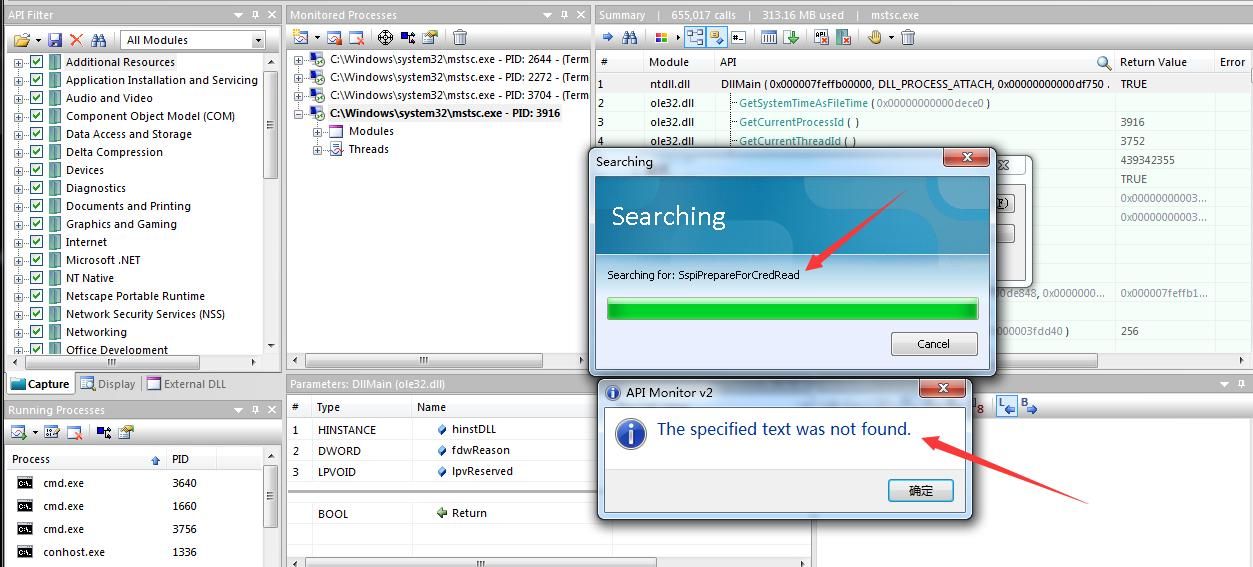
Found the cause of the problem
Solution 1:
Through searching, it was found that the API CredReadW() can record the Server name, as shown in the figure below
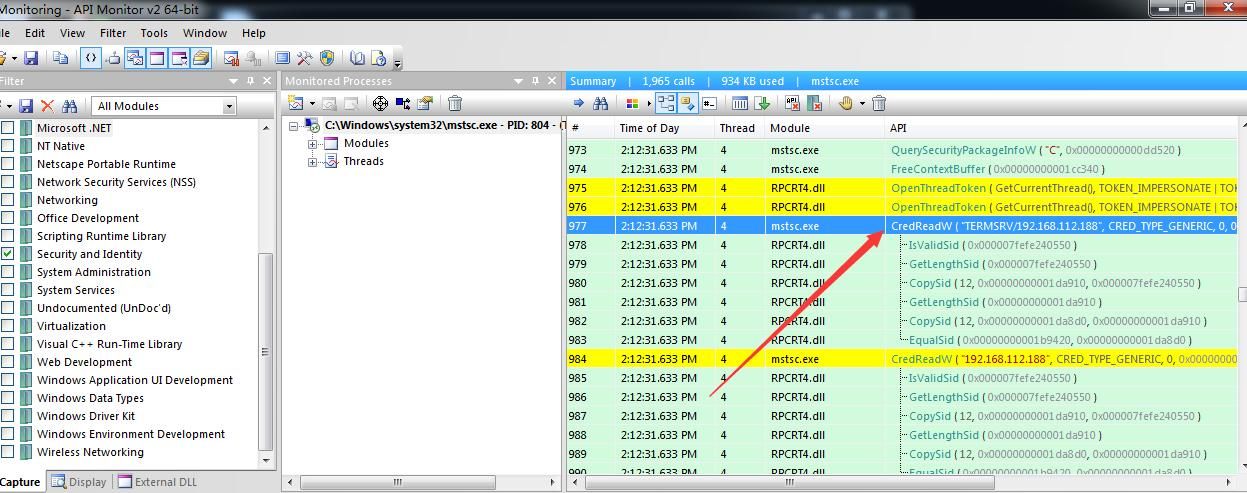
Therefore, you can try to hook the API CredReadW. The sample code is as follows:
static BOOL(WINAPI *OriginalCredReadW)(LPCWSTR TargetName, DWORD Type, DWORD Flags, PCREDENTIALW *Credential) = CredReadW; |
Add Attach and Detach code:
DetourAttach(&(PVOID&)OriginalCredReadW, HookedCredReadW); |
Solution 2:
After a remote desktop connection is established, records of the remote desktop connections are saved in the registry. Here, the Server name can be obtained by reading the history of remote desktop connections.
Script address used:
An open-source project
0x06 Summary
---
This article introduces methods for hooking system APIs using the Detours library and monitoring system API calls with API Monitor, tests RdpThief, shares a technique for obtaining the server name when used on Windows 7, and achieves the extraction of plaintext credentials from the remote desktop client.


