
Penetration Basics — WebLogic Version Detection
0x00 Preface
This article will introduce two methods for WebLogic version detection, implement automation via Python, record development details, and open-source the code.
0x01 Introduction
This article will cover the following content:
Implementation Ideas
Implementation Details
Open-Source Code
0x02 Implementation Ideas
There are two methods for detecting WebLogic versions as follows:
1. Via the WebLogic Admin Console web page
Default configuration URL: http://
The WebLogic version can be obtained from the returned results.
Note the following issues here:
(1) Need to distinguish early versions.
Example of return result for early versions:
Example of return result for currently commonly used versions:
WebLogic Server Version: 14.1.1.0.0
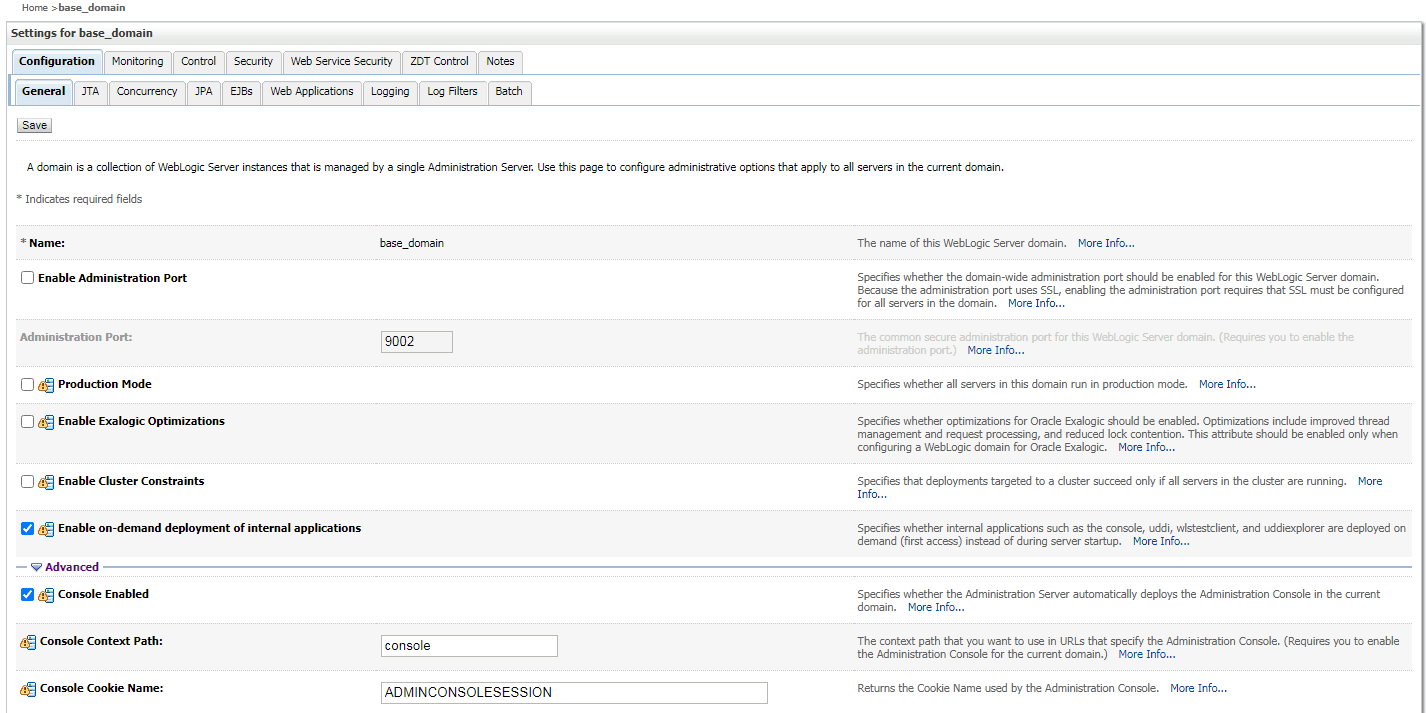
(2) The path and port corresponding to the WebLogic Admin Console can be modified.
The WebLogic Admin Console can be closed or its URL modified; there are two modification methods as follows:
Access the WebLogic Admin Console via a browser, then set it in Configuration->General->Advanced as shown in the following figure:
 Set via configuration file; default path: Oracle_Home\\user_projects\\domains\\base_domain\\config\\config.xml; content as follows:

(3) Scenario where the WebLogic Admin Console is closed
If the WebLogic Admin Console is closed, access URL: http://
2. Via the T3 protocol
You can use nmap's script weblogic-t3-info.nse; command example:

Example of return result:

In principle, it obtains the WebLogic version from the return result by establishing a socket connection.
Note the following issues here:
(1) It is necessary to distinguish early versions
Example of return result for early versions: t3 10.3.6.0\nAS:2048\nHL:19\n\n
Example of return result for currently commonly used versions: HELO:12.2.1.3.0.false\nAS:2048\nHL:19\nMS:10000000\nPN:DOMAIN\n\n
(2) There are cases requiring multiple sends
There are special cases where the returned content is HELO; in such cases, resend until complete version information is returned
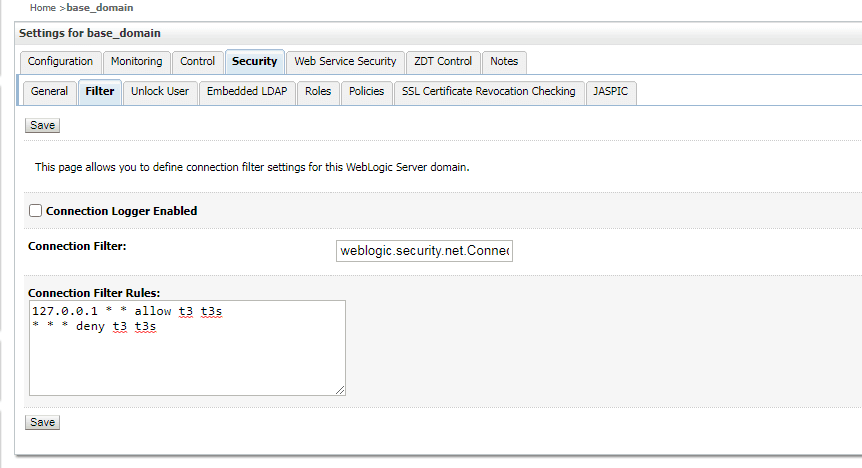
(3) The T3 protocol can be disabled
There are two methods to disable it:
Access the WebLogic Admin Console via a browser, configure in Security->Filter as follows:
Set Connection Filter to weblogic.security.net.ConnectionFilterImpl
Set Connection Filter Rules to:
 As shown in the following figure
 Set via configuration file, default path: Oracle_Home\user_projects\domains\base_domain\config\config.xml, content as follows:

0x03 Implementation Details
Based on the above detection methods, to adapt to various environments, two methods (HTTP protocol and T3 protocol) are selected for program implementation
1. Via HTTP protocol
Select the URL under default configuration: http://
Note the following issues:
(1) There is a redirect on the first visit
When starting WebLogic for the first time, access the URL under default configuration: http://
Use the string 'Deploying application' in the returned content as the basis for judgment
(2) Need to distinguish between early versions
Example of return result for early versions:
Example of return result for currently commonly used versions:
WebLogic Server Version: 14.1.1.0.0
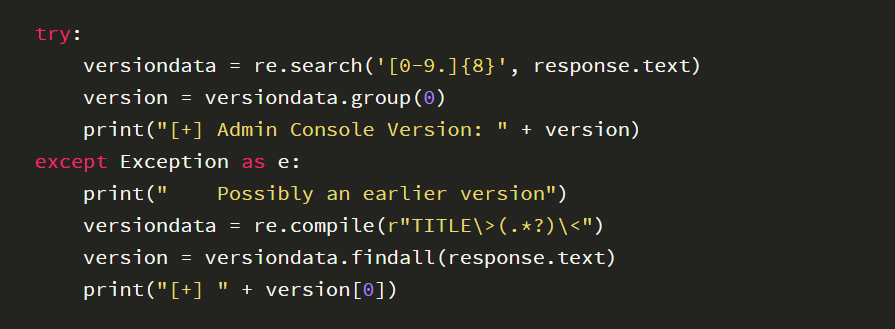
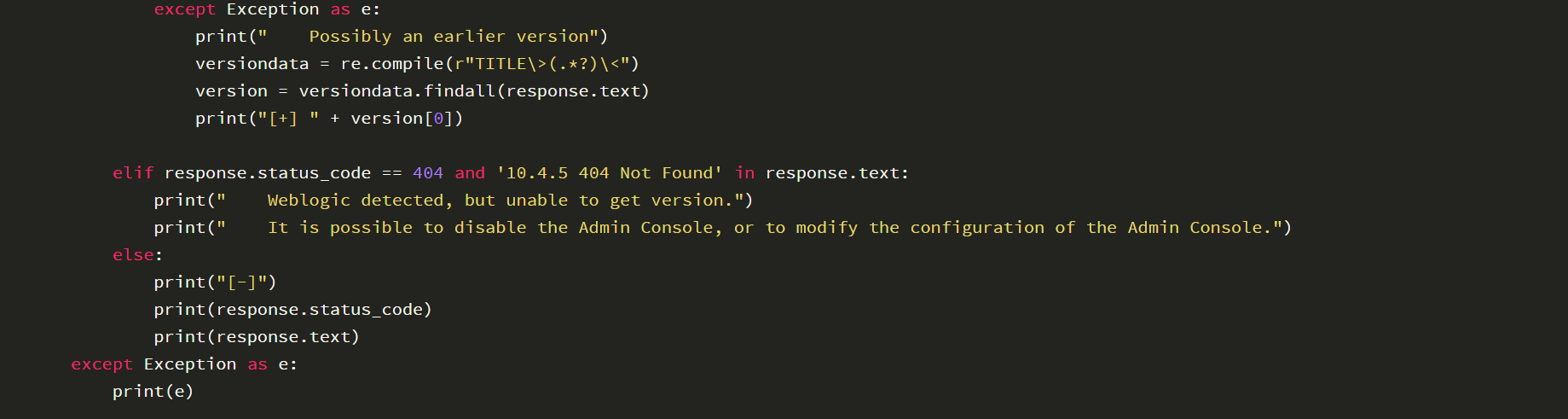
In script implementation, prioritize judging commonly used versions using regex matching; if it fails, then use the fixed format
(3) Identification when WebLogic Admin Console is closed
If WebLogic Admin Console is closed, access the URL: http://
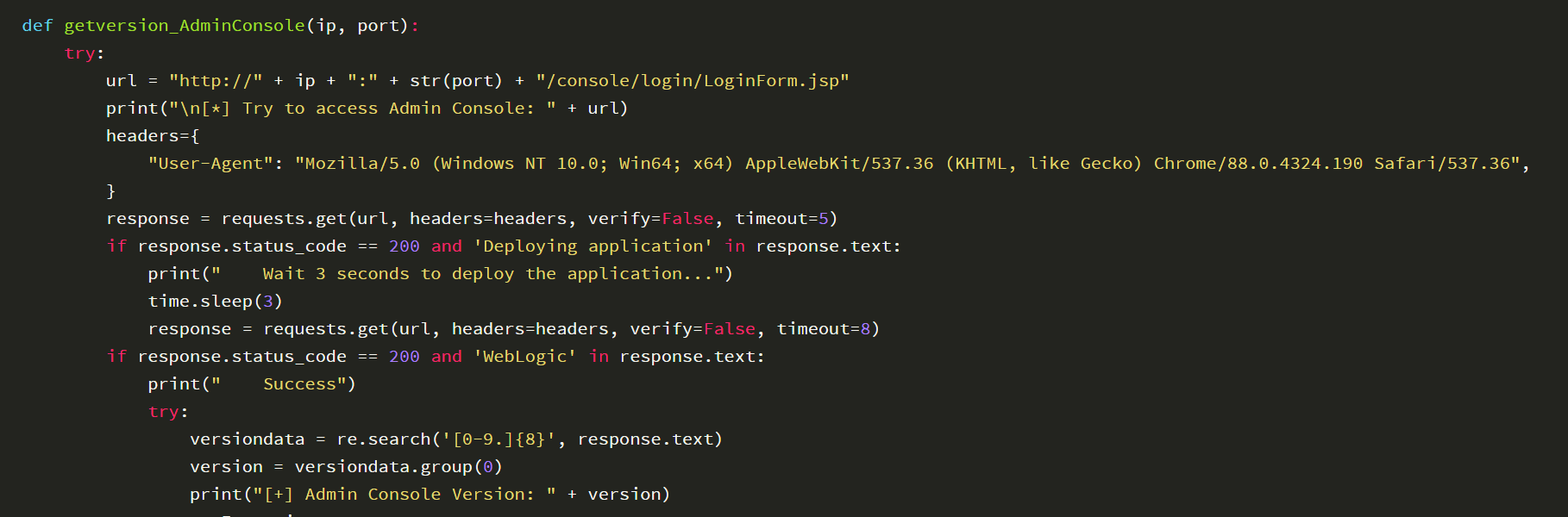
The complete sample code is as follows:
2. Via the T3 protocol
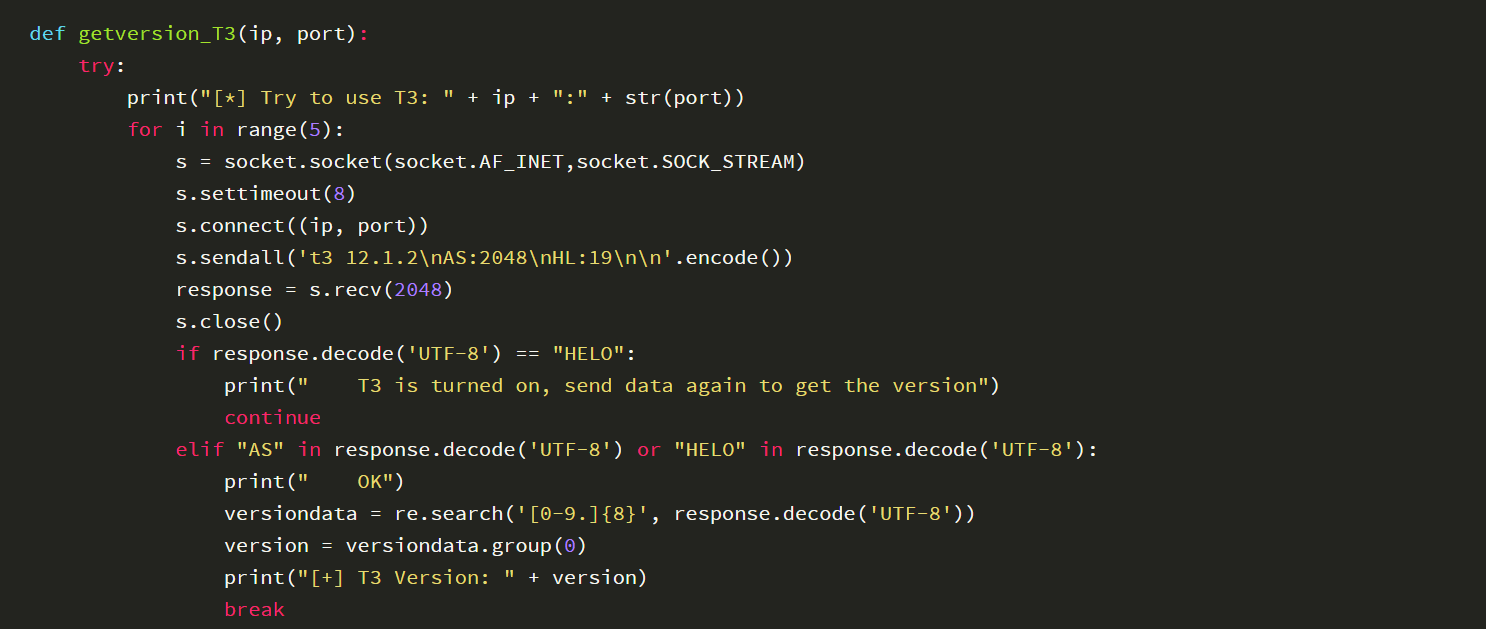
The content of the sent socket data is: t3 12.1.2\nAS:2048\nHL:19\n\n
Note the following issues:
(1) Need to distinguish early versions
Example of return result for early versions: t3 10.3.6.0\\nAS:2048\\nHL:19\\n\\n
Example of return result for currently commonly used versions: HELO:12.2.1.3.0.false\\nAS:2048\\nHL:19\\nMS:10000000\\nPN:DOMAIN\\n\\n
To improve accuracy, regular expressions are used here to extract version information, example code:

(2) There are cases where multiple sends are needed
There are special cases where the return content is HELO; in this case, it is necessary to resend until the correct version information is returned
During resending, the entire socket connection should be closed and the sending data reinitialized
(3) The T3 protocol can be disabled
Example of return content if the T3 protocol is disabled:
 The complete example code is as follows:

0x04 Open Source Code
The complete implementation code has been uploaded to GitHub, the address is as follows:
https://github.com/3gstudent/Homework-of-Python/blob/master/WebLogic_GetVersion.py
The code uses HTTP protocol and T3 protocol to detect version information
0x05 Summary
This article introduces two methods for WebLogic version detection, compares their advantages and disadvantages, selects effective methods and implements automation via Python, documents the development details, open-sources the code, and serves as a good learning example.


