
0x00 Preface
---
In penetration testing, it is often necessary to select a suitable domain name as a C2 server. So, what kind of domain name can be considered "suitable"?
expireddomains.net might give you some ideas.
Through expireddomains.net, you can query recently expired or deleted domain names, and more importantly, it provides a keyword search function.
This article will test the expired domain automation search tool CatMyFish, analyze its principles, fix bugs in it, and use Python to write a crawler to obtain all search results.
0x01 Introduction
---
This article will cover the following:
- Testing the expired domain automation search tool CatMyFish
- Analyzing principles and fixing bugs in CatMyFish
- Crawler development ideas and implementation details
- Open-source Python implementation of the crawler code
0x02 Testing the Expired Domain Automation Search Tool CatMyFish
---
Download URL:
https://github.com/Mr-Un1k0d3r/CatMyFish
Main Implementation Process
- User inputs keywords
- The script sends search requests to expireddomains.net for queries
- Obtains domain list
- The script sends domains to Symantec BlueCoat for queries
- Retrieves category for each domain
expireddomains.net URL:
https://www.expireddomains.net/
Symantec BlueCoat URL:
https://sitereview.bluecoat.com/
Actual Testing
Requires installation of python library beautifulsoup4
pip install beautifulsoup4 |
Attempted to search for keyword microsoft, script reported an error as shown in the figure below
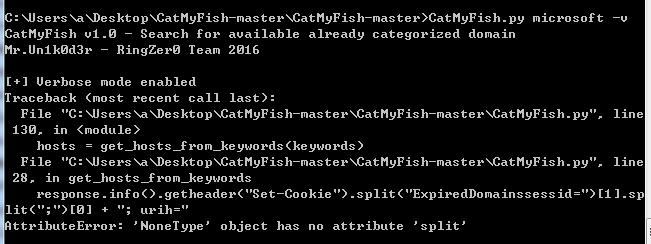
The script encountered issues parsing the results
Therefore, following the implementation approach of CatMyFish, I wrote my own script for testing
Visited expireddomains.net to query the keyword microsoft, code as follows:
import urllib |
A total of 15 results were obtained, as shown in the figure below
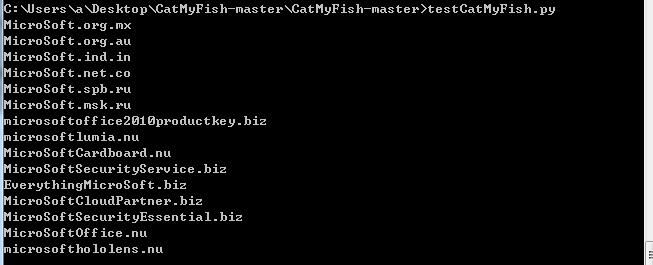
Accessing via browser yielded a total of 25 results, as shown in the figure below
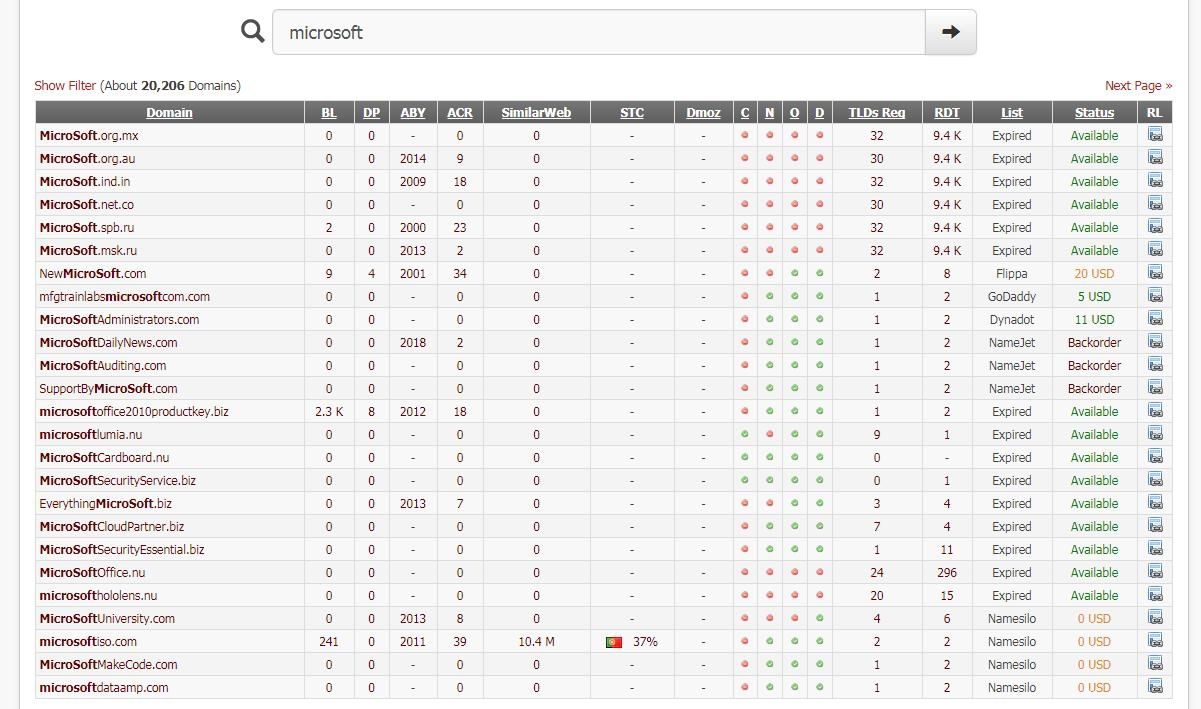
Comparison revealed that the script obtained fewer results than the browser, likely due to issues in the script's filtering process
Note:
Beginners are advised to master the basic usage of beautifulsoup4, which is omitted in this article
0x03 Identifying the cause of the bug
---
1. Analyze domain tags based on the response to evaluate filtering rules
It is necessary to obtain the received response data and examine the tags corresponding to each domain to determine if there were issues during tag filtering
Two methods for viewing response data:
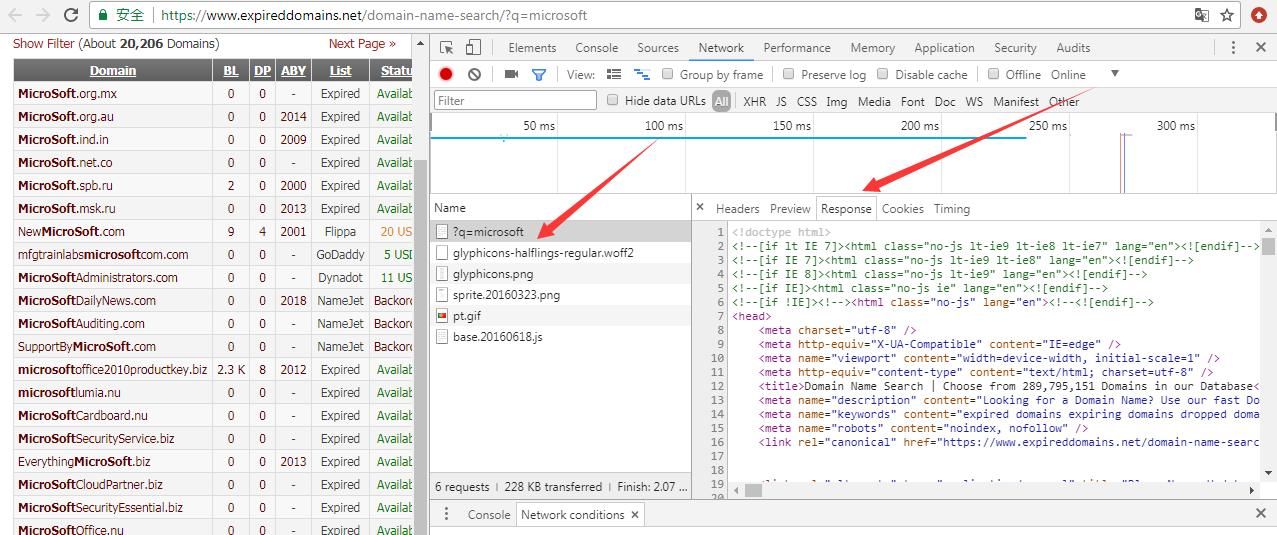
(1) Using the Chrome browser to inspect
F12 -> More tools -> Network conditions
Reload the webpage, select ?q=microsoft -> Response
As shown in the figure below
(2) Using a Python script
The code is as follows:
import urllib |
Analyzing the response data reveals the cause of the error:
Using the original test script can extract the domain names from the following data:
| MicroSoft.msk.ru |
However, the response data also contains another type of data:
| NewMicroSoft.com |
The original test script did not extract the domain information stored in this tag
0x04 Bug Fix
---
Filtering approach:
Obtain the content of the first title within the tag
Reason:
This allows obtaining domain information stored in both sets of data while filtering out invalid information (such as the domain GoDaddy.com in the second title)
Implementation code:
tds = html.findAll("td", {"class": "field_domain"}) |
Therefore, the test code to obtain complete query results is as follows:
import urllib |
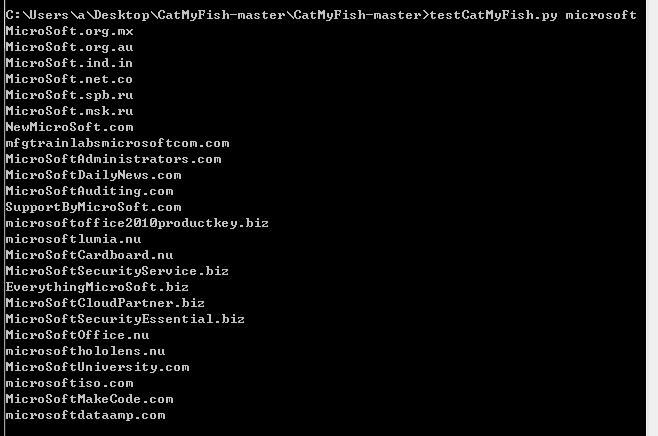
Successfully retrieved all results from the first page, test as shown in the image below
0x05 Get All Query Results
---
expireddomains.net saves 25 results per page. To obtain all results, multiple requests need to be sent to traverse the results across all query pages.
First, obtain the total number of all results, then divide by 25 to get the number of pages that need to be queried.
1. Count All Results
Check the Response to find the location indicating the number of search results. The content is as follows:
|
Chrome browser displays as shown in the image below
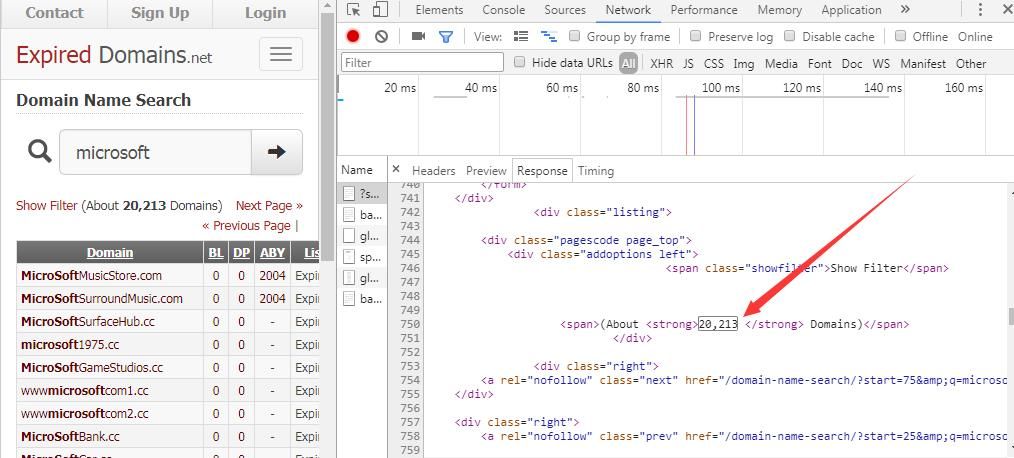
To simplify the code length, use select() to directly pass in CSS selectors for filtering. After filtering the strong tags, the first tag represents the result count. The corresponding query code is:
print html.select('strong')[0] |
The output result is 20,213
Extract the numbers from it:
print html.select('strong')[0].text |
The output result is 20,213
Remove the middle ",":
print html.select('strong')[0].text.replace(',', '') |
The output result is 20213
Divide by 25 to get the number of pages to query. Note that the string type "20213" needs to be converted to integer 20213
2. Guess the query pattern
The query URL for the second page:
https://www.expireddomains.net/domain-name-search/?start=25&q=microsoft
The query URL for the third page:
https://www.expireddomains.net/domain-name-search/?start=50&q=microsoft
Find the query pattern. The query URL for the i-th page:
https://www.expireddomains.net/domain-name-search/?start=<25*(i-1)>&q=microsoft
Note:
Testing shows that expireddomains.net provides a maximum of 550 results for non-logged-in users, across 21 pages.
3. Evaluate the results
In script implementation, it is necessary to evaluate the results: if the results exceed 550, only output 21 pages; if less than 550, output
4. Simulate browser access (alternative)
When using a script to automatically query multiple pages, if the website employs anti-crawling mechanisms, real data cannot be obtained.
Testing shows that expireddomains.net has not enabled anti-crawling mechanisms.
If in the future, expireddomains.net enables anti-crawling mechanisms, the script needs to simulate browser requests by adding headers such as User-Agent.
View the Chrome browser to obtain request information, as shown in the figure below.
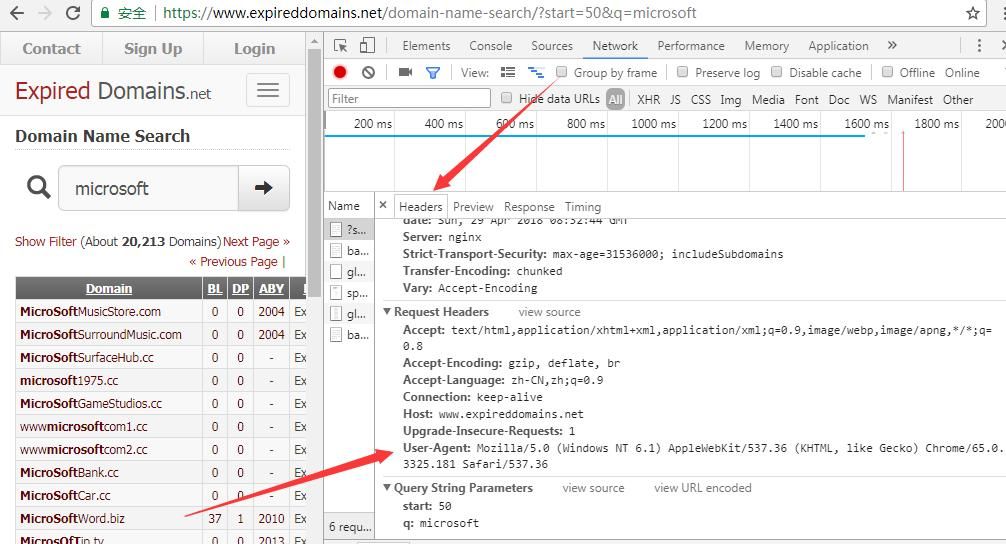
By comparing the request, adding header information can bypass it.
Example code:
req.add_header("User-Agent", "Mozilla/5.0 (Windows NT 6.1) AppleWebKit/537.36 (KHTML, like Gecko) Chrome/65.0.3325.181 Safari/537.36") |
Complete code implementation address:
An open-source project
Actual testing:
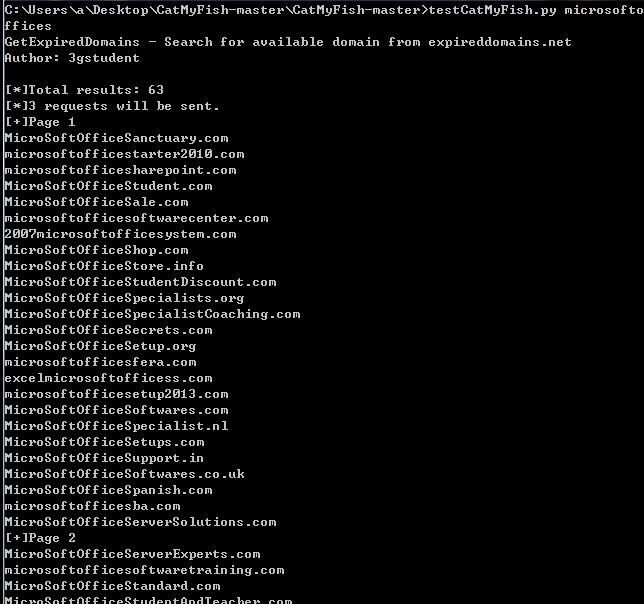
Search keyword microsoftoffices, results less than 550, as shown in the figure below
Search keyword microsoft, results greater than 550, only 21 pages displayed, as shown in the figure
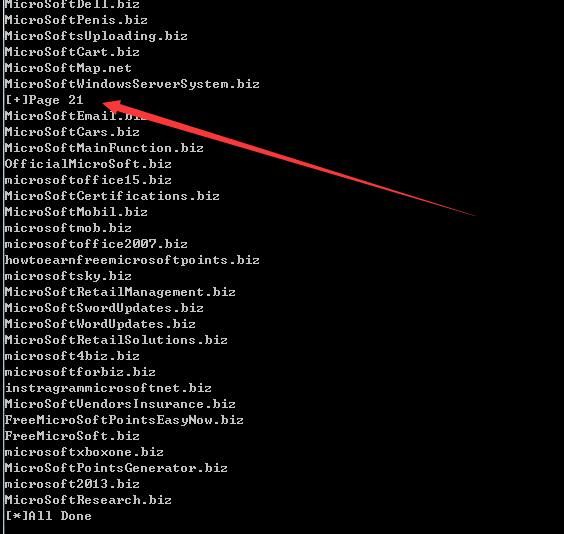
Compared with the content accessed via Web, the results are the same, test successful
0x06 Summary
---
This article tested the expired domain automation search tool CatMyFish, analyzed its principles, fixed bugs in it, used Python to write a crawler to obtain all collection results, shared development ideas, and open-sourced the code.


