
0x00 Introduction
---
Vulnerabilities Involved:
- CVE-2016-8869
- CVE-2016-8870
Using the above vulnerabilities, an attacker can register privileged users
POC:
https://github.com/XiphosResearch/exploits/tree/master/Joomraa
https://www.exploit-db.com/exploits/40637/?rss
Analysis Articles:
http://paper.seebug.org/88/
http://paper.seebug.org/86/
Note:
Content in 0x01 and 0x02 is excerpted from the analysis articles
http://paper.seebug.org/88/
http://paper.seebug.org/86/
0x01 CVE-2016-8870
---
Vulnerability Impact
User creation still possible when website registration is closed
Affected Versions
3.4.4 to 3.6.3
Vulnerability Principle
There are two methods for user registration:
UsersControllerRegistration::register() located in components/com_users/controllers/registration.php
UsersControllerUser::register() located in components/com_users/controllers/user.php
Compared to UsersControllerRegistration::register(), the implementation of UsersControllerUser::register() lacks the following lines of code:
// If registration is disabled - Redirect to login page. |
These lines of code check whether registration is allowed, meaning that if we can use the UsersControllerUser::register() method to register, we can bypass this check.
Patch Analysis
The official fix removed the UsersControllerUser::register() method.
Note:
The above is quoted from http://paper.seebug.org/86/
0x02 CVE-2016-8869
---
Vulnerability Impact
Privileged users can still be created even when site registration is disabled.
Affected Versions
3.4.4 to 3.6.3
Vulnerability Principle
Construct special request packets to assign values to groups representing permissions
Patch Analysis
Official removed the UsersControllerUser::register() method
Note:
The above is quoted from http://paper.seebug.org/88/
0x03 Actual Testing
---
Test System:
Win8.1 x86
1. Set up PHP environment
Download and install phpStudy
After installation as shown
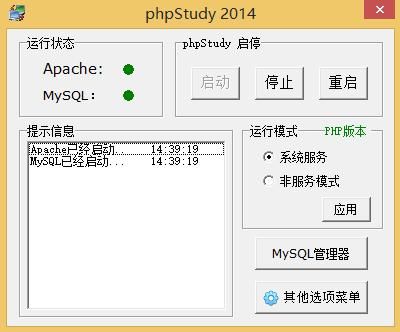
Configure directory as: C:\WWW
2. Configure Joomla Environment
Download Joomla version 3.6.3 from the following address:
https://github.com/joomla/joomla-cms/releases/download/3.6.3/Joomla_3.6.3-Stable-Full_Package.tar.gz
After extraction, place the files under C:\WWW
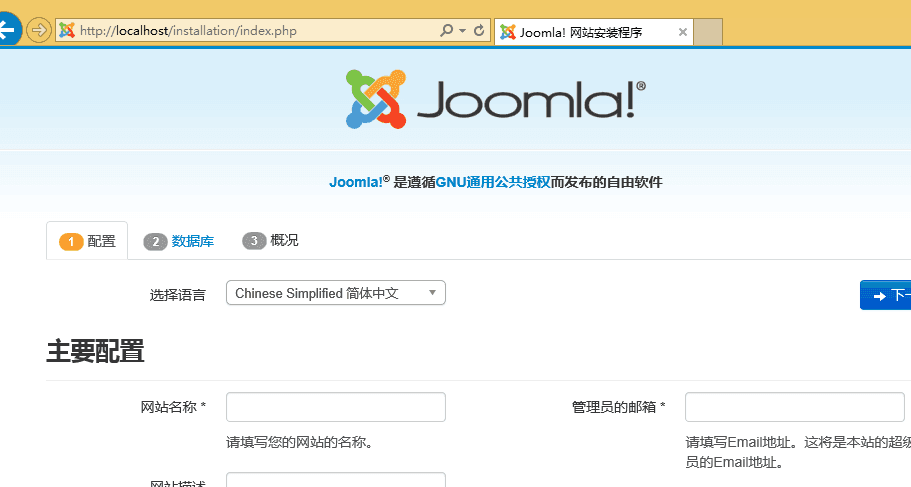
Access http://localhost to enter the installation page
As shown in the figure
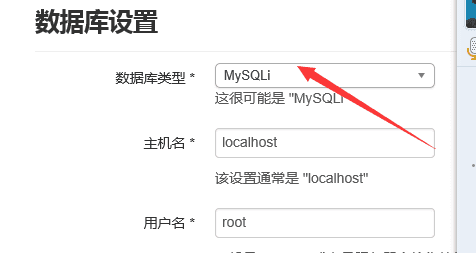
Select MySQL as the database type, as shown in the figure
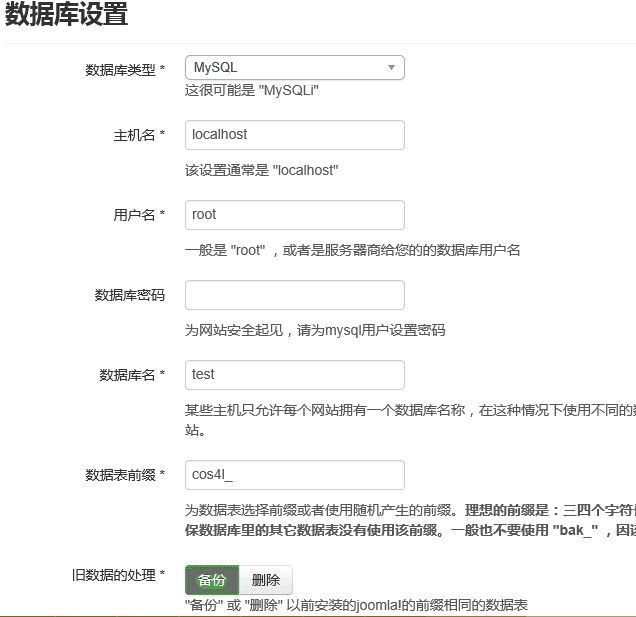
Log in to the database, default password is root
As shown in the figure
Wait for the installation to complete
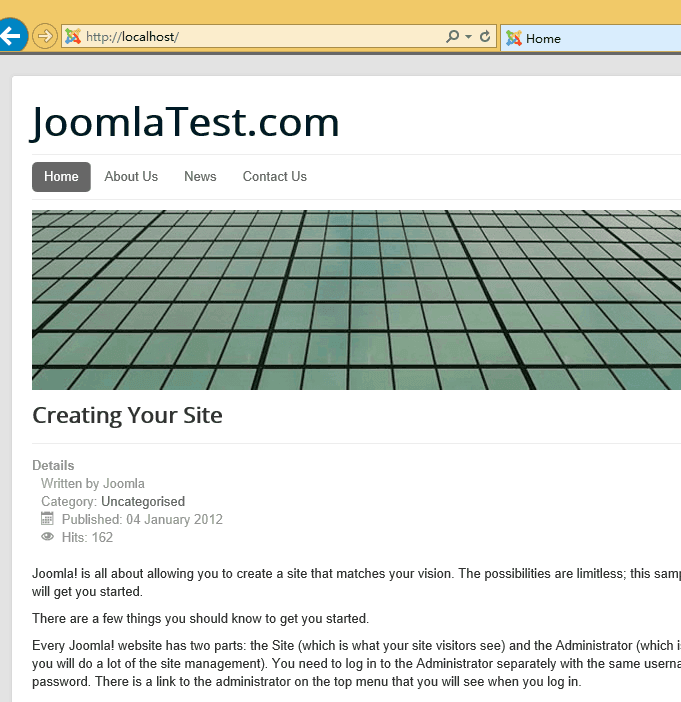
3. Web login, test
Environment configuration successful, as shown in the figure
4. PoC Testing
PoC Address:
https://github.com/XiphosResearch/exploits/tree/master/Joomraa
Parameters are as follows:
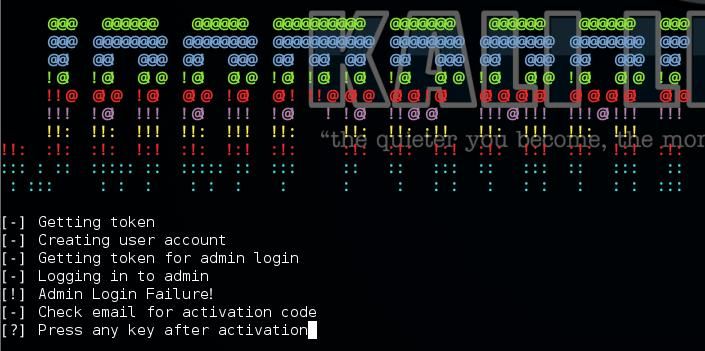
joomraa.py -u hacker -p password -e [email protected] http://192.168.1.111 |
As shown below, it prompts to log in to the email to view the activation email, so the email parameter needs to be filled with a real email address
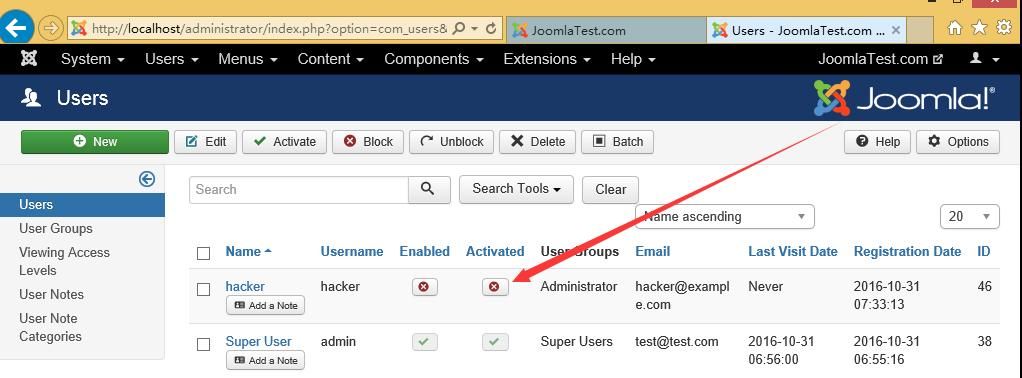
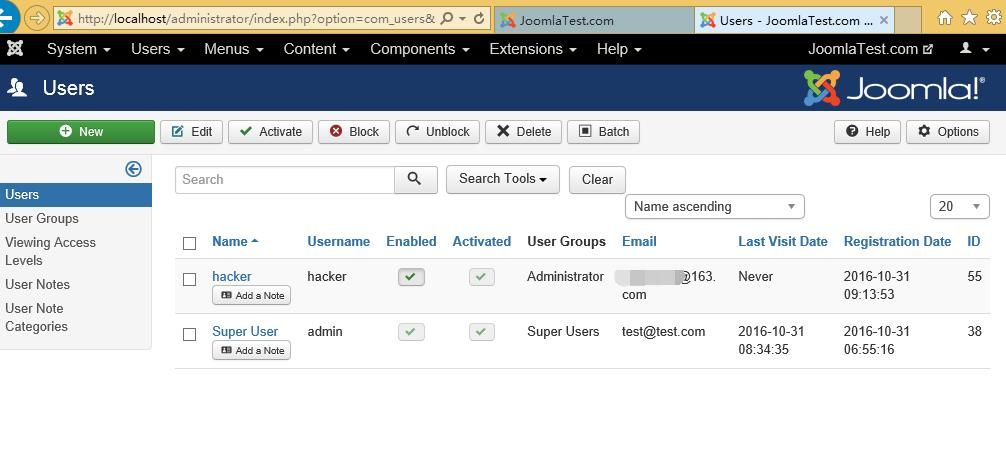
At this point, check the Joomla backend and find that the user has been added successfully, but the status is unactivated, as shown in the figure
5. Configure Joomla to enable the function of sending activation emails
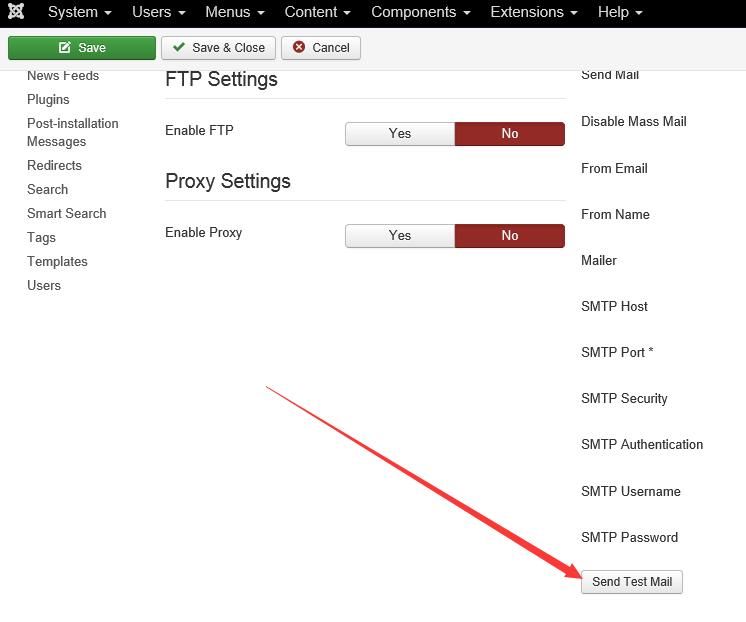
Select Global Configuration-Global-Server
As shown in the figure
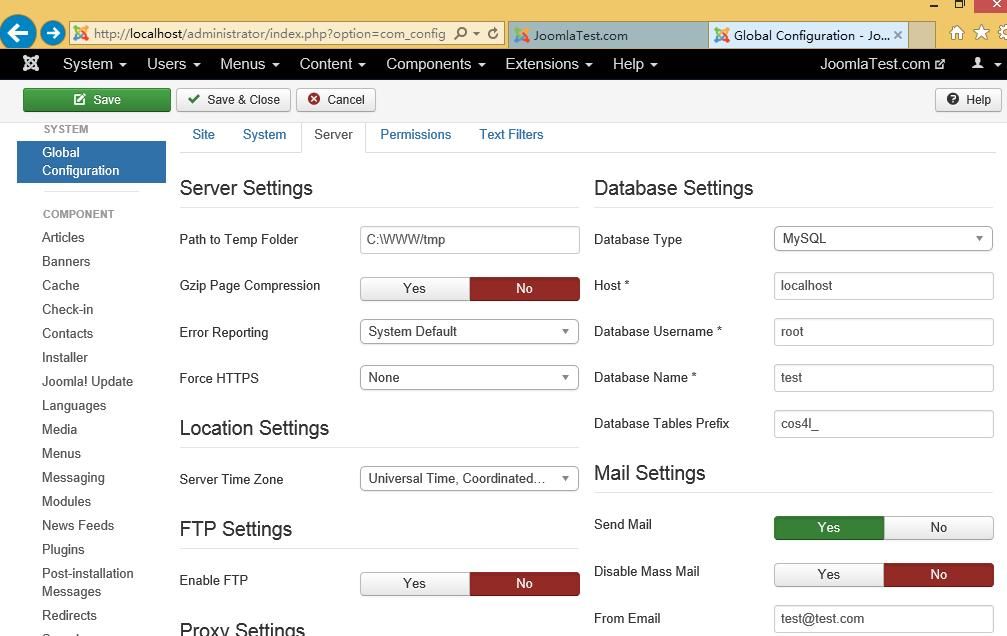
Set email parameters
Note:
The email account needs to have SMTP function enabled
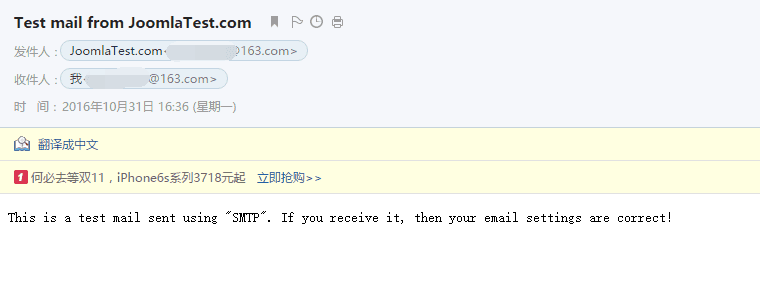
Select Send Test Mail to verify the email, as shown
As shown, the verification email is successfully received
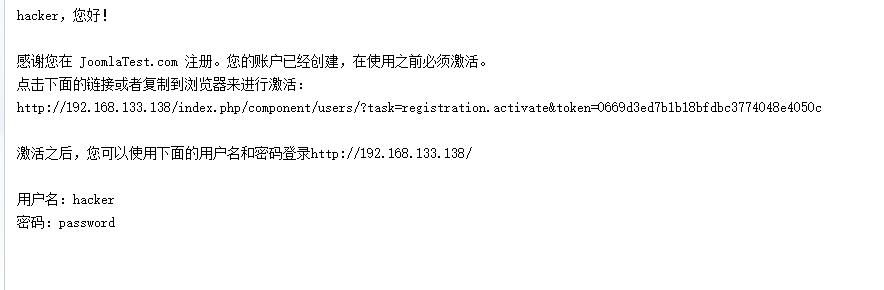
6. Test the POC again
Successfully received the activation email, as shown
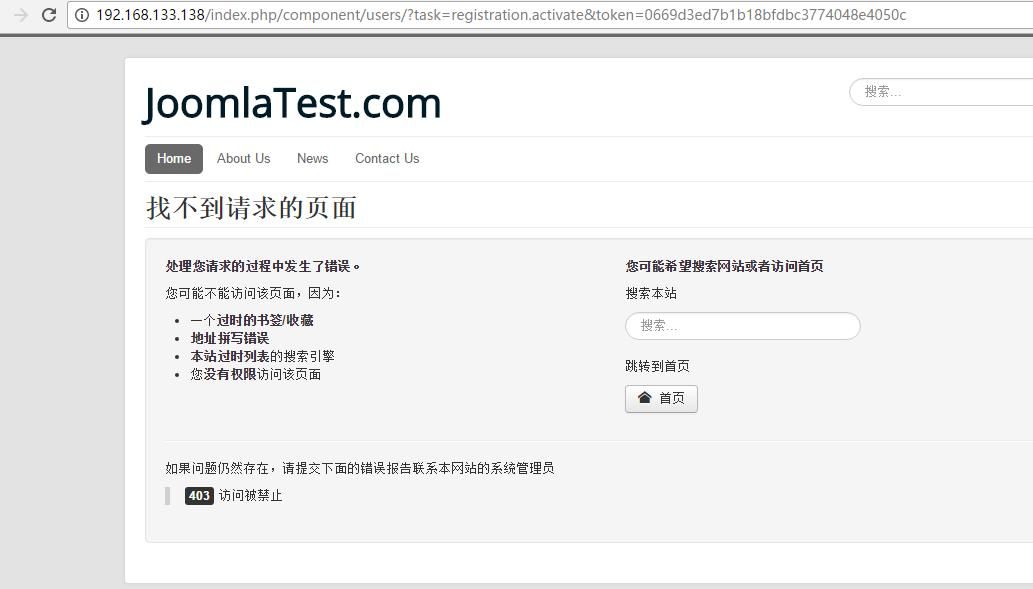
An error occurs after clicking the link, as shown
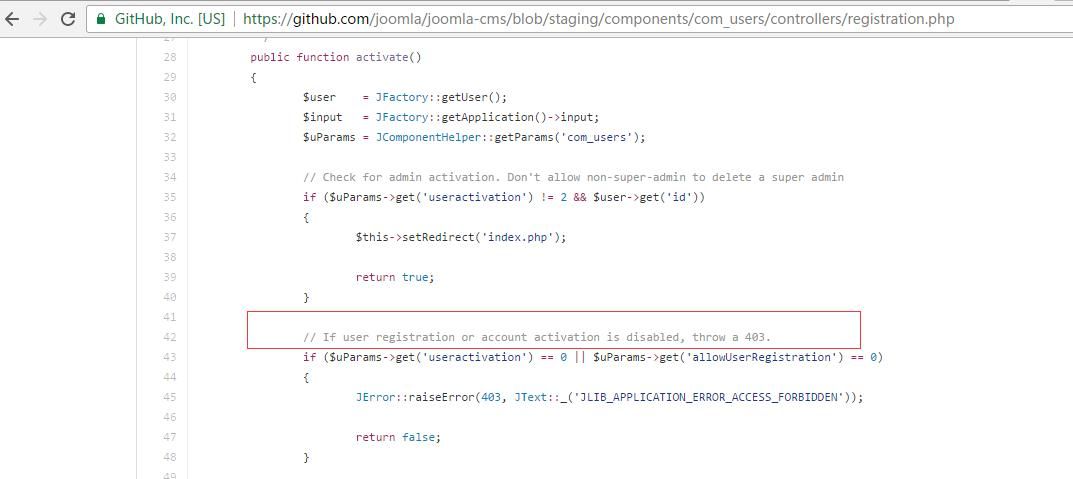
Check the Joomla source code, location as follows:
https://github.com/joomla/joomla-cms/blob/staging/components/com_users/controllers/registration.php
Found the cause of the issue: If user registration or account activation is disabled, throw a 403.
As shown below
7. Enable User Registration Function
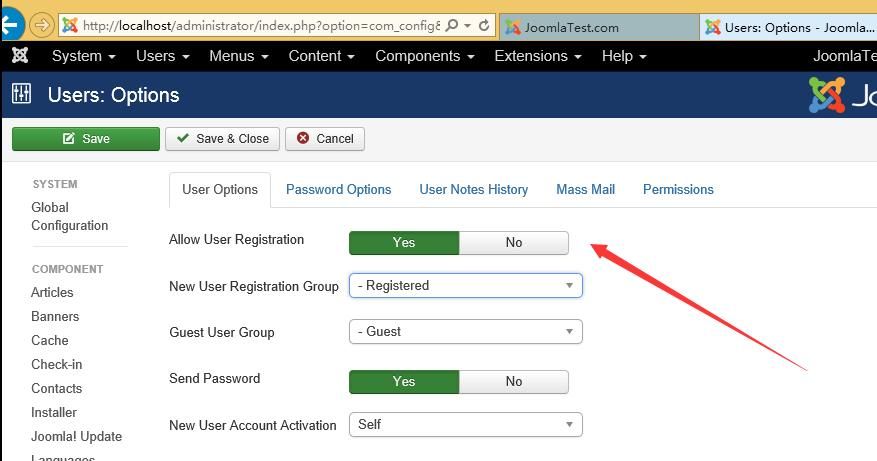
Select Global Configuration-Users-User Options, click to allow user registration, as shown in the figure
Note:
Since Joomla 3.4, the user registration function is disabled by default
8. Final Test
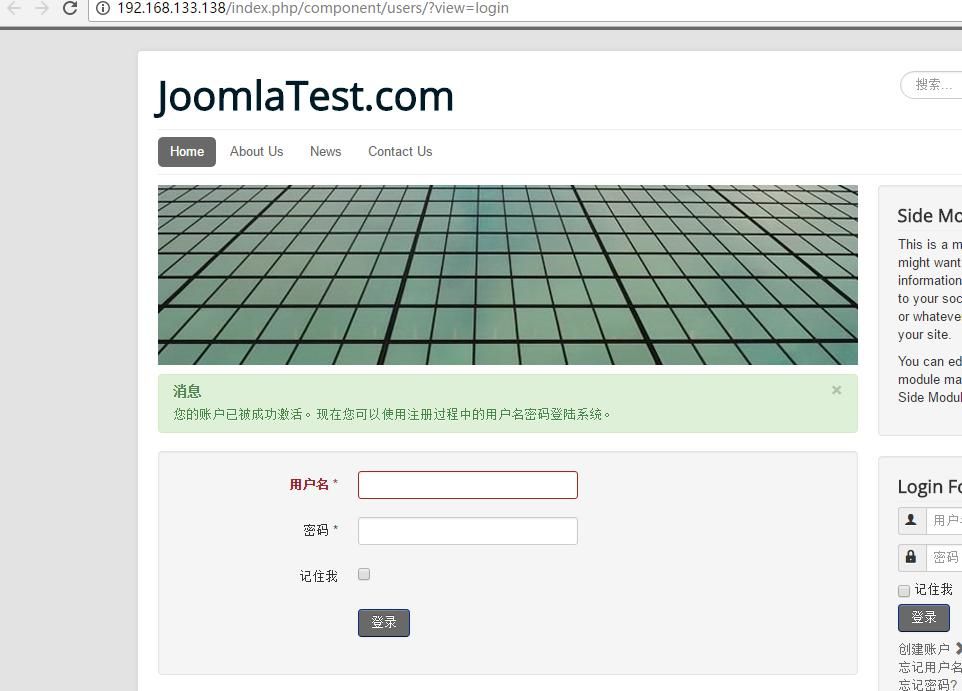
After enabling the user registration function, click the activation email again to successfully activate the account
As shown in the figure
The backend shows user activation, as shown in the figure
9. Draw the Final Conclusion
Using this vulnerability, privileged users can be created even when user registration is disabled in the backend, but their status remains inactive
Only after the email sending function is enabled in the backend can the attacker's email receive the activation email
Only when the user registration function is enabled in the website backend can the activation code take effect, allowing users to be activated.
Inactive users cannot be used for login.
For Joomla versions higher than 3.4, the user registration function is disabled by default.
After upgrading Joomla to 3.6.4, the test POC shows a successful attack, but no users are added in the website backend, and no activation emails are sent, indicating successful defense.
In summary, for an attacker to gain administrator privileges in the website backend, the following conditions must be met simultaneously:
- Joomla version is 3.4.4 to 3.6.3.
- The email sending function is enabled in the website backend.
- The user registration function is enabled in the website backend.
0x04 Remarks
---
Thanks to DM for the assistance.
This article is only a test record.
Based on the POC, a Python script was developed to check whether a website has the registration function enabled. The address is as follows:
An open-source project
Can be used to simply determine whether a website supports user registration.
This is a reminder to website administrators to upgrade Joomla as soon as possible. If the Joomla version is too low and features such as email sending and user registration are enabled, it is highly vulnerable to attacks.


