
0x00 Preface
---
To perform remote injection into a specified process, the Windows API CreateRemoteThread is typically used to create a remote thread, thereby injecting a DLL or executing shellcode.
Sysmon can be used to monitor and log system activities, including CreateRemoteThread operations.
CreateRemoteThread is not the only injection method; can other injection techniques bypass Sysmon monitoring?
Casey Smith @subTee provided the answer in his article:
Shellcode Injection via QueueUserAPC - Hiding From Sysmon
The address is as follows:
http://subt0x10.blogspot.com/2017/01/shellcode-injection-via-queueuserapc.html
0x01 Introduction
---
This article will cover the following topics:
- Sysmon configuration testing to monitor CreateRemoteThread operations
- C++ implementation of DLL injection via APC
- Bypassing Sysmon Testing
- C# implementation code and usage shared by Casey Smith@subTee
Sysmon:
Can be used to monitor and record system activities, logging to Windows event logs, including the following events:
- Event ID 1: Process creation
- Event ID 2: A process changed a file creation time
- Event ID 3: Network connection
- Event ID 4: Sysmon service state changed
- Event ID 5: Process terminated
- Event ID 6: Driver loaded
- Event ID 7: Image loaded
- Event ID 8: CreateRemoteThread
- Event ID 9: RawAccessRead
- Event ID 10: ProcessAccess
- Event ID 11: FileCreate
- Event ID 12: RegistryEvent (Object create and delete)
- Event ID 13: RegistryEvent (Value Set)
- Event ID 14: RegistryEvent (Key and Value Rename)
- Event ID 15: FileCreateStreamHash
- Event ID 255: Error
For details, see https://technet.microsoft.com/en-us/sysinternals/sysmon
Note:
CreateRemoteThread is Event ID 8
DLL injection
Common methods:
- Create a new thread
- Set thread context, modify registers
- Insert into APC queue
- Modify registry
- Hook window messages
- Remote Manual Implementation of LoadLibrary
Cited from http://www.cnblogs.com/uAreKongqi/p/6012353.html
Shellcode Injection via QueueUserAPC - Hiding From Sysmon:
C# implementation, executing shellcode by calling QueueUserAPC, applicable to InstallUtil.exe and Msbuild.exe, capable of bypassing Sysmon's monitoring of Event ID 8: CreateRemoteThread
Article URL:
http://subt0x10.blogspot.com/2017/01/shellcode-injection-via-queueuserapc.html
0x02 Introduction to Sysmon
---
Download URL:
https://technet.microsoft.com/en-us/sysinternals/sysmon
Installed on the system as a system service and driver
Used to monitor and log system activities, recording them into Windows event logs
Provides detailed information on operations such as process creation, network connections, and file creation time changes
Through event logs, abnormal activities can be identified to understand attackers' operations on the network
Note:
After installing Sysmon on the system, a new service named Sysmon is added
As shown in the figure
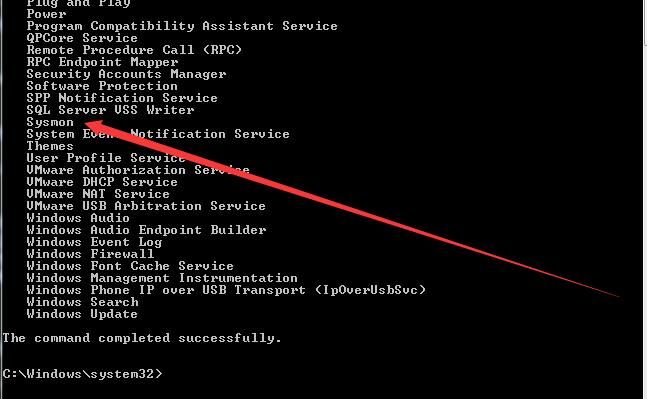
That is to say, if an attacker gains host privileges, they can see the installation of Sysmon by viewing the installed services
Installation
Install with default configuration:
sysmon -accepteula –i -n
Install with configuration file:
sysmon -c config.xml
Example format of the configuration file config.xml is as follows:
Note:
XML is case-sensitive
|
Note:
This example is referenced from http://www.freebuf.com/sectool/122779.html
View Configuration
sysmon -c
Note:
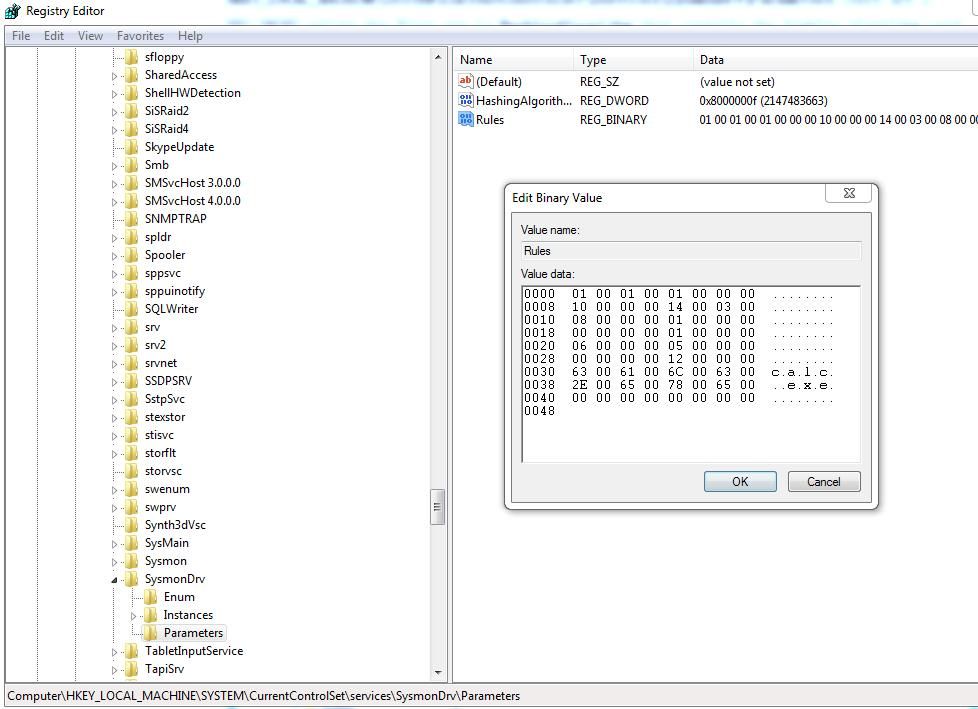
Configuration properties are saved in the registry at the following location:
HKEY_LOCAL_MACHINE\SYSTEM\CurrentControlSet\services\SysmonDrv\Parameters
As shown in the figure
View Log Records
1. Via the panel
Location as follows:
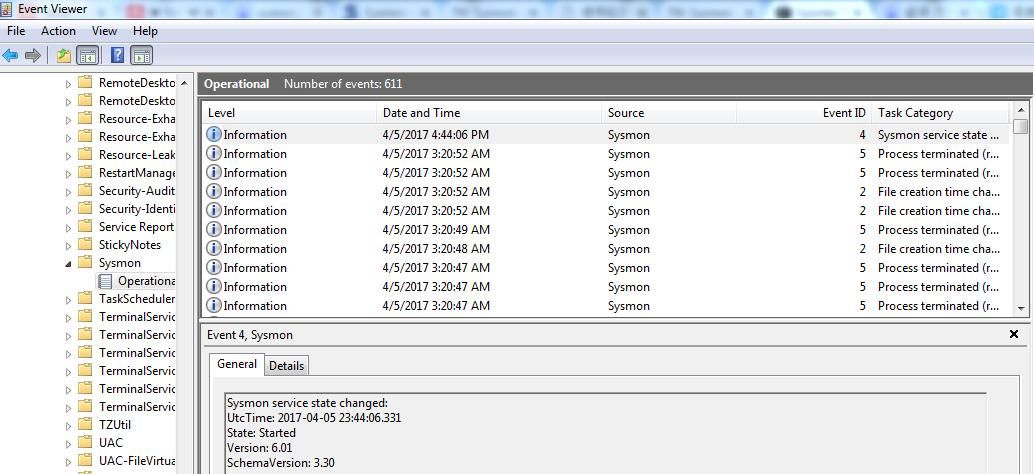
Control Panel\System and Security-View event logs
Applications and Services Logs-Microsoft-Windows-Sysmon-Operational
As shown in the figure
2. View via PowerShell, command as follows:
(Administrator privileges)
Get-WinEvent -FilterHashtable @{logname="Microsoft-Windows-Sysmon/Operational";}
Monitor and log CreateRemoteThread
Configuration file as follows:
|
Save as RecordCreateRemoteTh.xml
Note:
This configuration file monitors the calc.exe process and logs events when CreateRemoteThread is captured.
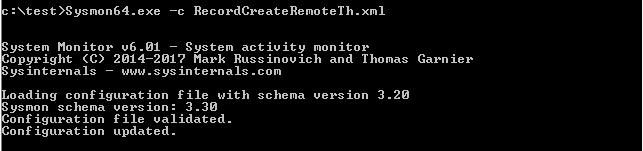
Install configuration file:
Sysmon.exe -c RecordCreateRemoteTh.xml
As shown in the figure
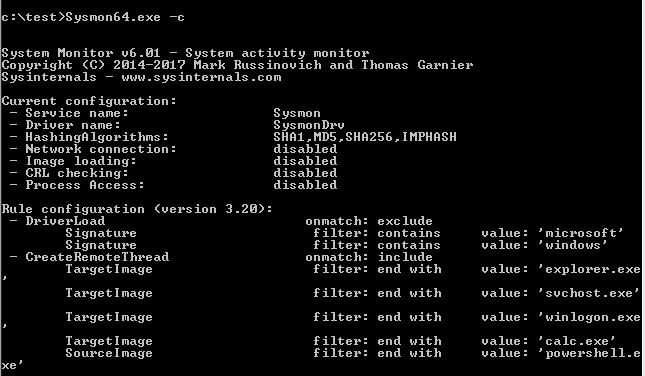
View configuration information
Sysmon.exe -c
As shown in the figure
Start calc.exe
Execute CreateRemoteTh.exe, calc.exe is injected, a pop-up appears, as shown in the figure
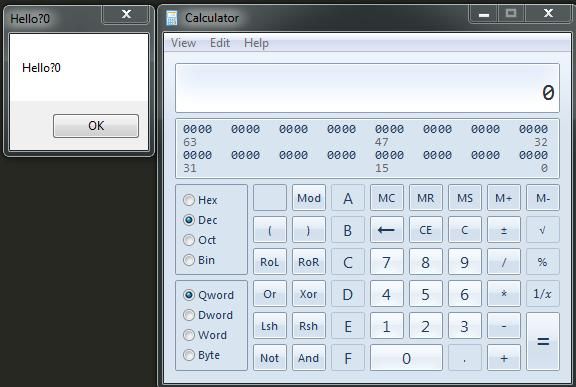
The source code of CreateRemoteTh.exe can be referenced from:
An open-source project
Check the logs, Event ID 8 is found
As shown below, CreateRemoteThread is detected
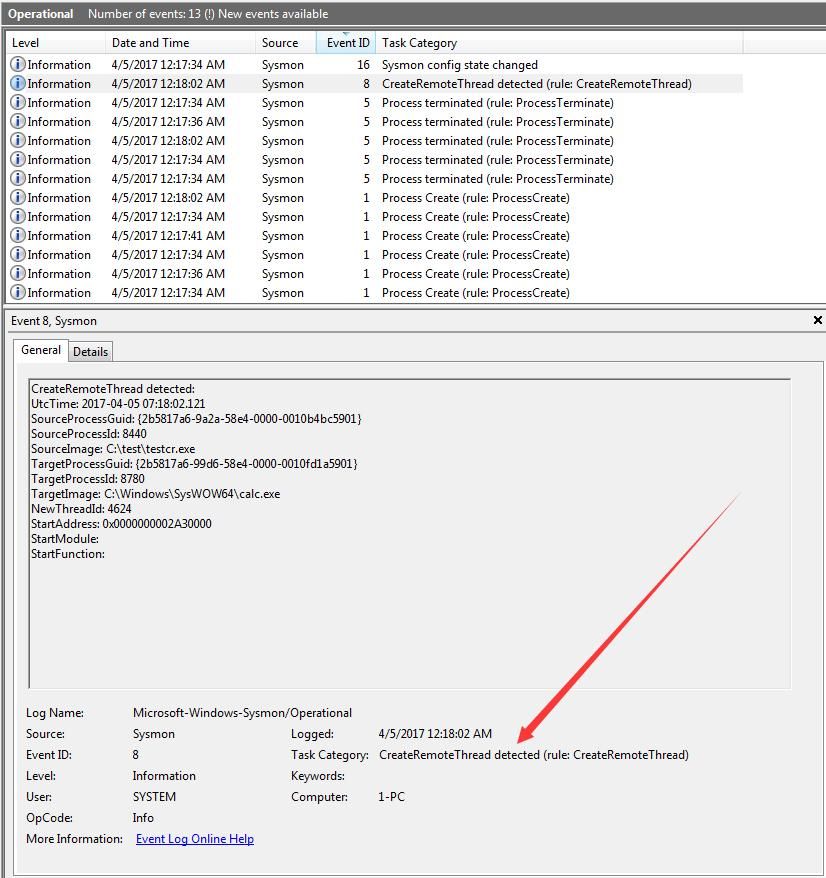
View Event ID 8 via PowerShell
Get-WinEvent -FilterHashtable @{logname="Microsoft-Windows-Sysmon/Operational";ID=8}
As shown below, retrieve log Event ID 8

0x03 C++ Implementation of DLL Injection via APC
---
Using APC Injection:
Code as follows:
An open-source project
For detailed explanation of the code, refer to:
http://blogs.microsoft.co.il/pavely/2017/03/14/injecting-a-dll-without-a-remote-thread/
As shown, successfully injected into calc.exe
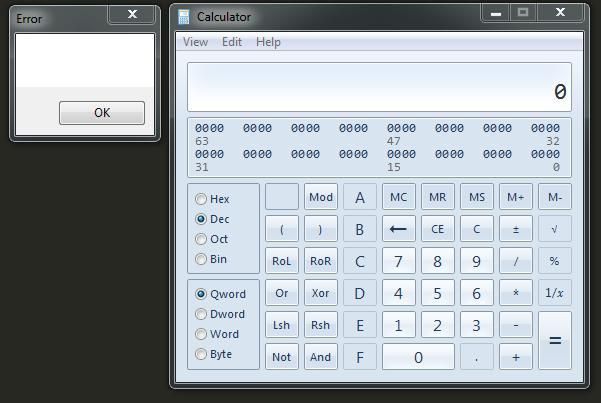
Using ProcessExplorer to view DLLs loaded by calc.exe, as shown below, testdll successfully injected
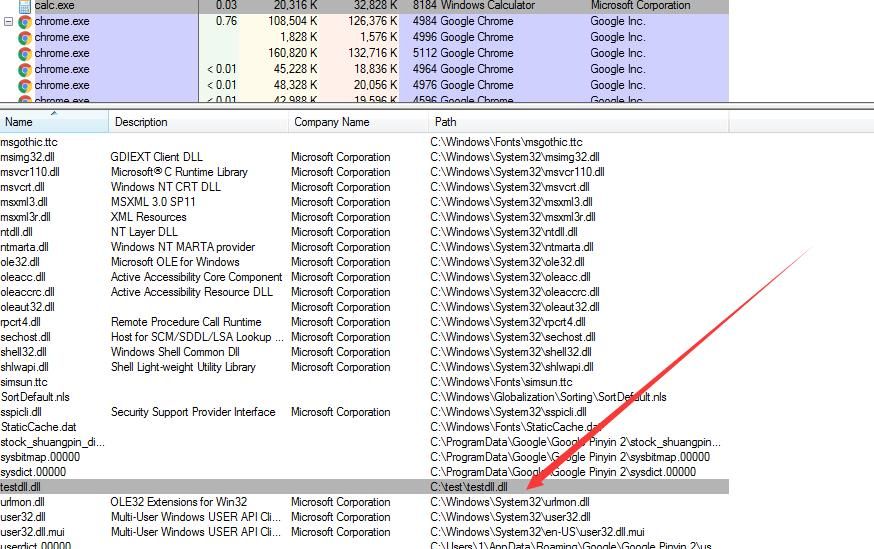
Checking logs, no Event ID 8 generated, successfully bypassed Sysmon monitoring of CreateRemoteThread
0x04 C# Implementation Code and Usage Shared by Casey Smith@subTee
---
Can be applied to exploitation using InstallUtil.exe and Msbuild.exe
InstallUtil.exe:
https://gist.github.com/subTee/7bbd8e995ed8e8b1f8dab1dc926def8a
Msbuild.exe:
https://gist.github.com/subTee/cf3e1b06cf58fcc9e0255190d30c2d38
No Event ID 8 was generated during the call
0x05 Summary
---
This article tests the monitoring capabilities of Sysmon and introduces how to achieve DLL injection via APC to bypass Sysmon's monitoring of CreateRemoteThread
In specific environments, if manually shutting down the Sysmon service is not possible, utilizing APC can to some extent bypass Sysmon's monitoring of CreateRemoteThread
References:
http://subt0x10.blogspot.com/2017/01/shellcode-injection-via-queueuserapc.html
https://www.darkoperator.com/blog/2014/8/8/sysinternals-sysmon
http://www.freebuf.com/sectool/122779.html
http://www.cnblogs.com/uAreKongqi/p/6012353.html
http://blogs.microsoft.co.il/pavely/2017/03/14/injecting-a-dll-without-a-remote-thread/


