
0x00 Preface
---
LaZagne is an open-source application for retrieving numerous passwords stored on local computers.
Since each software stores passwords differently (plaintext, API, custom algorithms, databases, etc.), this tool employs various methods to obtain software passwords. Currently supported software is shown in the figure below.
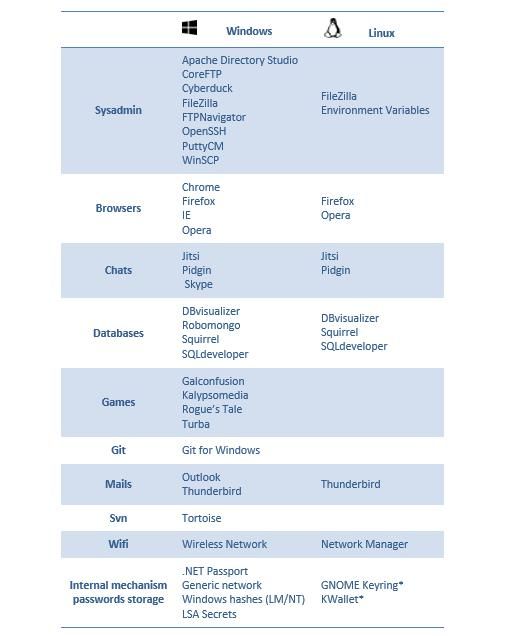
Developed in Python, the tool is easy to read and maintain. Therefore, this article attempts to extend it by writing a Python script to export passwords from 360 Speed Browser and detailing the script development process.
0x01 Introduction
---
This article will cover the following:
- Fixing bugs in LaZagne
- Developing a script to export 360 Speed Browser passwords
- Converting Python scripts to exe using py2exe
- Converting Python scripts to exe using PyInstaller
0x02 Bugs in LaZagne
---
LaZagne Download URL:
https://github.com/AlessandroZ/LaZagne
Python version: 2.7
After downloading, execute \LaZagne-master\LaZagne-master\Windows\laZagne.py
Error reported, missing third-party extension packages pyasn1 and psutil
Install third-party extension packages:
`
C:\Python27\Scripts\easy_install.exe pyasn1`
`
C:\Python27\Scripts\easy_install.exe psutil
`
Execute \LaZagne-master\LaZagne-master\Windows\laZagne.py again
Still reports an error, prompt as follows:
ImportError: No module named memorpy
~~After searching, there is no third-party package named memorpy. It is suspected to be a typo, and the correct one should be memory_profiler~~
~~Install the package memory_profiler:~~
~~C:\Python27\Scripts\easy_install.exe memory_profiler~~
~~And modify the source file:~~
~~Path: \LaZagne-master\LaZagne-master\Windows\lazagne\softwares\memory\memorydump.py~~
~~Line 14: from memorpy import *~~
~~Change to~~
~~from memory_profiler import *~~
~~Successfully executed laZagne.py, as shown in the figure below~~
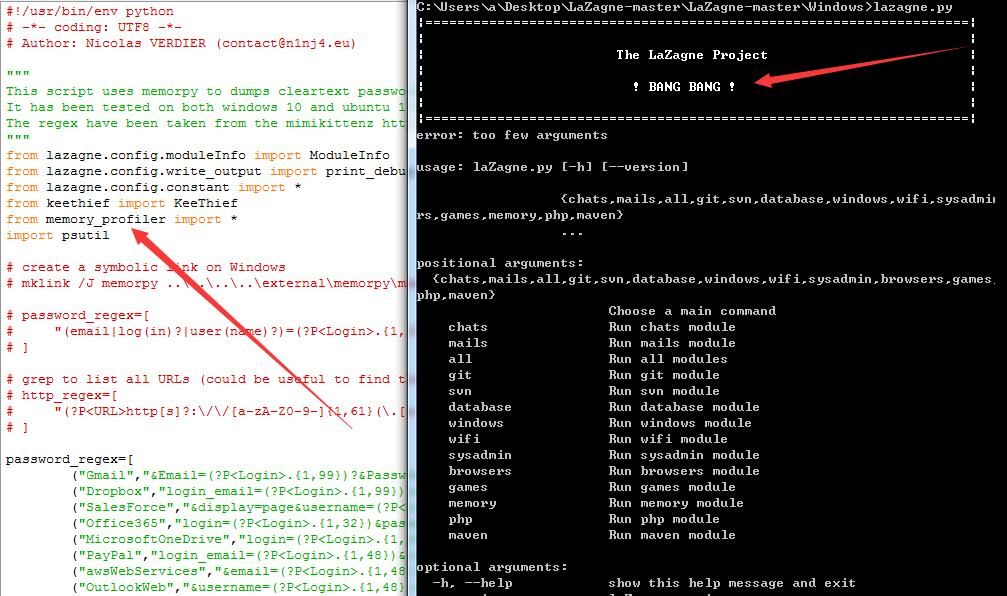
Note:
After changing to memory_profiler, although compilation succeeds, an error occurs when running the memory module, indicating that Process does not have a list method (bug discovery and fix method from @burnegg)
Modification approach:
Revert to memorpy
Installation:
C:\Python27\Scripts\pip.exe install https://github.com/n1nj4sec/memorpy/archive/master.zip |
0x03 Developing Scripts to Export 360 Speed Browser Passwords
---
The original project suggests referring to the following for developing custom scripts:
https://github.com/AlessandroZ/LaZagne/wiki
However, this webpage does not provide guidance. After analyzing the code structure, the following modification method was derived
360 Speed Browser:
360 Speed Browser uses the Chrome kernel, and it is speculated that its password storage function is similar to Chrome's. Therefore, 360 Speed Browser was used as the test subject
360 Speed Browser provides password saving functionality, as shown in the figure below
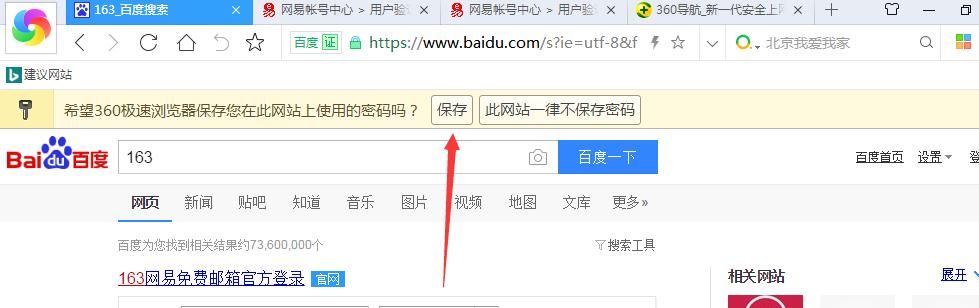
Testing revealed:
The file path for Chrome saved passwords is:
`
C:\Users\1\Local Settings\Application Data\Google\Chrome\User Data\
`
`
C:\Users\1\AppData\Local\Google\Chrome\User Data\
`
The file path for saving passwords in 360 Speed Browser is:
`
C:\Users\1\Local Settings\Application Data\360Chrome\Chrome\User Data\
`
`
C:\Users\1\AppData\Local\360Chrome\Chrome\User Data\
`
After comparison, the only difference lies in the file names, while the data structure remains the same.
Add 360 Speed Browser password export functionality:
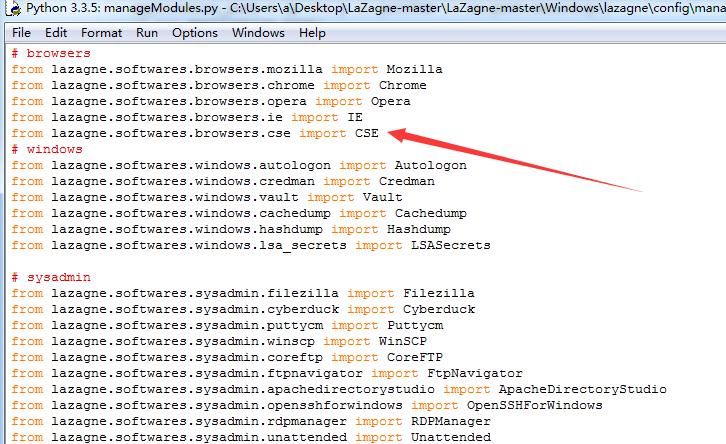
1. Modify \LaZagne-master\Windows\lazagne\config\manageModules.py
(1) Add the following code on Line 6:
from lazagne.softwares.browsers.cse import CSE
As shown in the figure below
Note:
lazagne.softwares.browsers.cse indicates the file name
import CSE indicates the class name is CSE
(2) Add the following code on Line 6:
CSE(),
Note:
Add moduleNames, corresponding to the class name CSE
As shown in the figure below
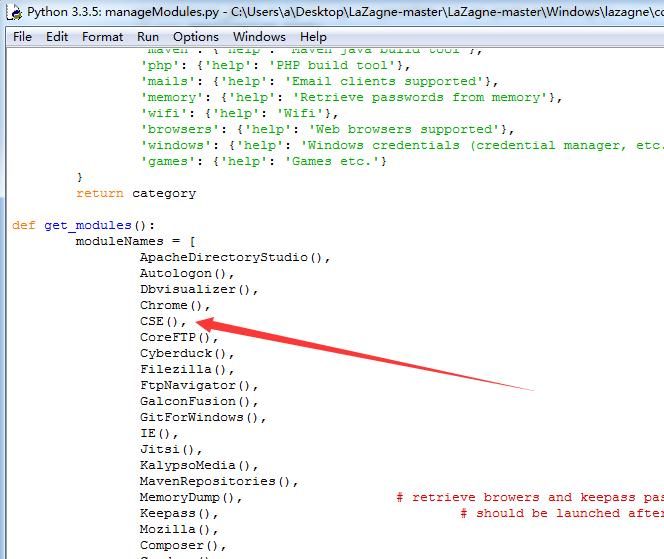
For detailed code, refer to:
An open-source project
2. Create a new file cse.py in \LaZagne-master\Windows\lazagne\softwares\browsers
The file content should refer to chrome.py in the same directory, with modifications made at the following positions:
(1) Change Line10 to class CSE(ModuleInfo):
Note:
Set the class name
(2)
Change Line12 to options = {'command': '-360cse', 'action': 'store_true', 'dest': '360CSE', 'help': 'cse'}
Note:
'command' cannot duplicate chrome's -c
'dest' indicates the title for exporting browser passwords
(3)
Change Line22 to 360 path\Local Settings\Application Data\360Chrome\Chrome\User Data\
Change Line23 to 360 path\AppData\Local\360Chrome\Chrome\User Data\
Complete code as follows:
homedrive + homepath + '\\Local Settings\\Application Data\\360Chrome\\Chrome\\User Data',
homedrive + homepath + '\\AppData\\Local\\360Chrome\\Chrome\\User Data',
(4) For other prompt messages, simply replace 'chrome' with '360cse'
Detailed code can be referred to:
An open-source project
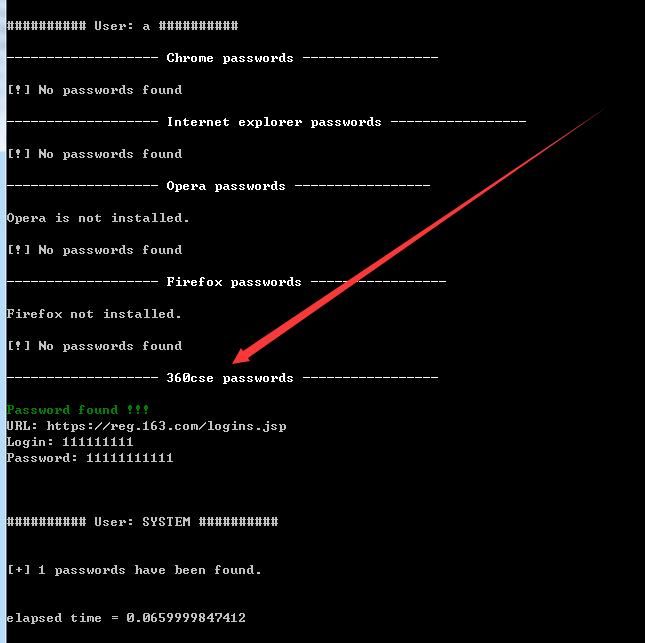
Save the file and execute laZagne.exe again
Successfully exported passwords saved in 360 Speed Browser, as shown in the figure below
0x04 Using py2exe to convert Python scripts to exe
---
LaZagne provides pre-compiled Windows versions, download address is as follows:
https://github.com/AlessandroZ/LaZagne/releases/
However, if you want to extend functionality, such as adding the feature to export passwords from 360 Speed Browser, you need to find a method to compile it yourself
The method using py2exe is as follows:
1. Download py2exe
Address is as follows:
https://sourceforge.net/projects/py2exe/
2. Create mysetup.py
Content as follows:
# mysetup.py |
Save it under LaZagne-master\LaZagne-master\Windows\, i.e., the same directory as laZagne.py
3. Generate
Execute in cmd:
C:\Python27\python.exe mysetup.py py2exe
4. Test
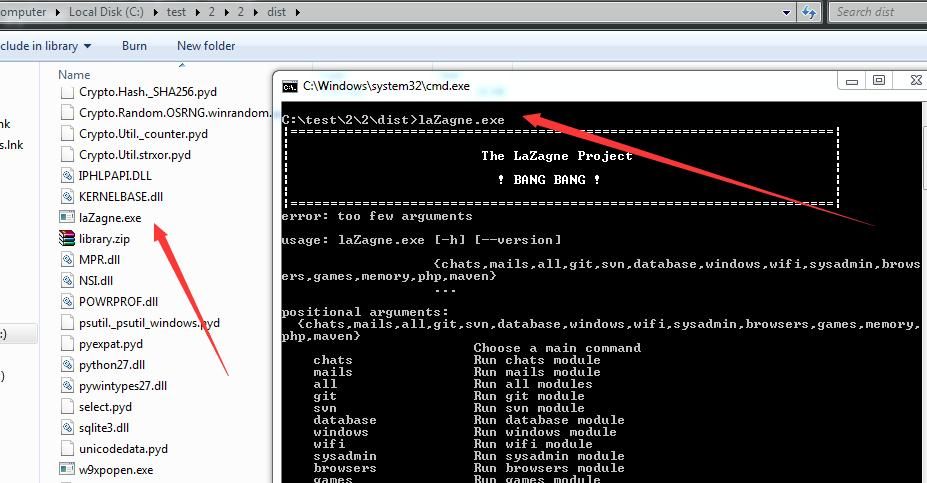
Execute laZagne.exe
Prompt ImportError: No module named pyasn1
Solution:
Found the file pyasn1-0.2.3-py2.7.egg in C:\Python27\Lib\site-packages
Extract it to generate the folder pyasn1 in the same directory
Recompile using py2exe:
C:\Python27\python.exe mysetup.py py2exe
Generate the dist folder, execute laZagne.exe again, success, as shown below
0x05 Using PyInstaller to convert Python scripts to exe
---
1. Install PyInstaller
Method 1: Install using pip
Install pywin32,Download address:
https://sourceforge.net/projects/pywin32/files/pywin32/
Install using pip:
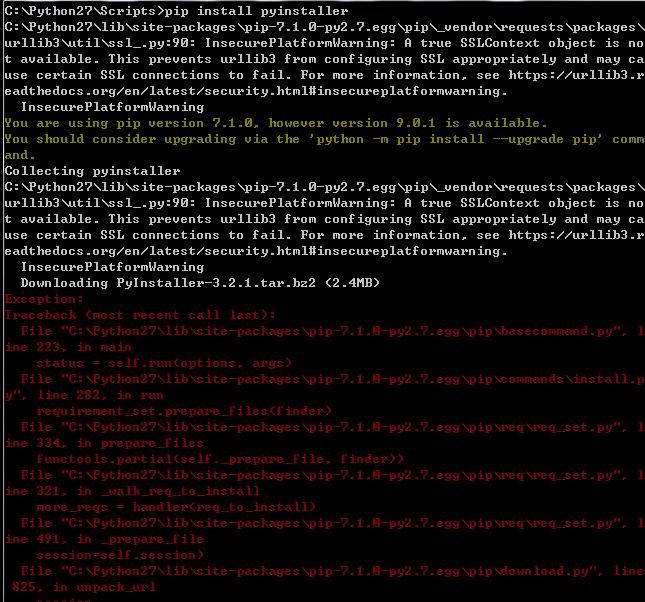
pip install pyinstaller
Error, as shown in the figure below
Method 2:Download source code for installation
Source code download address:
http://www.pyinstaller.org/downloads.html
The version used for testing is PyInstaller-3.2.1
After decompression, enter its subdirectory bootloader:
cd bootloader
Compile:
python ./waf configure build install
Return to the root directory:
cd ..
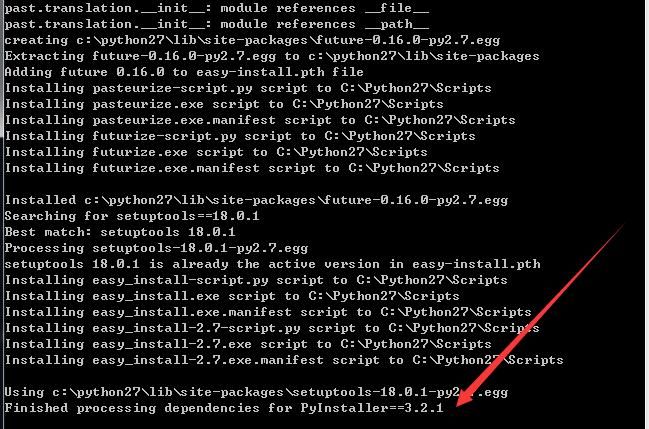
Install pyinstaller:
python setup.py install
Installation successful, as shown in the figure below
2. Package into exe
Parameters are as follows:
C:\Python27\Scripts\pyinstaller-script.py -F C:\LaZagne-master\LaZagne-master\Windows\laZagne.py
Note:
The -F parameter indicates packaging into a single exe
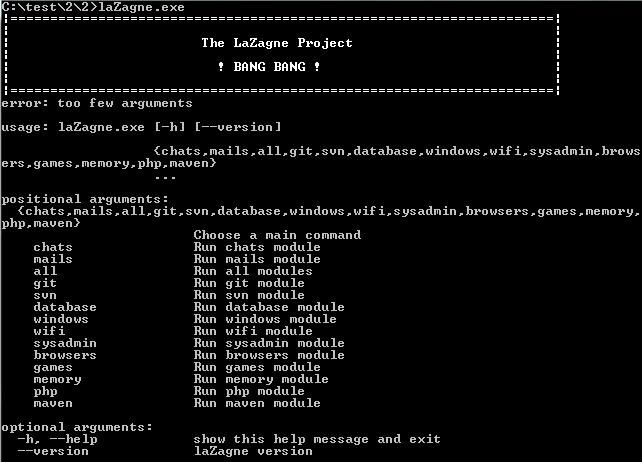
A dist folder is generated under C:\Python27\Scripts\, containing the generated laZagne.exe
Test system (without Python installed) executes laZagne.exe
Successfully runs, as shown in the figure below
0x06 Summary
---
This article introduces the method of writing LaZagne extension scripts using Python, achieving the export of user passwords from 360 Extreme Browser. For different software, using LaZagne custom scripts to export passwords is undoubtedly a highly efficient approach.


