
0x00 Preface
---
Recently, six tools from APT34 were leaked. As the second article in the analysis series, this post focuses solely on the technical analysis of HighShell and HyperShell.
References:
https://malware-research.org/apt34-hacking-tools-leak/amp/
0x01 Introduction
---
This article will cover the following:
- Analysis of HighShell
- Analysis of HyperShell
- Summary
0x02 Analysis of HighShell
---
The corresponding leaked file is named HighShell in Webshells_and_Panel
The file in question is HighShell.aspx, a webshell targeting Windows servers.
The default access page is shown in the figure below.
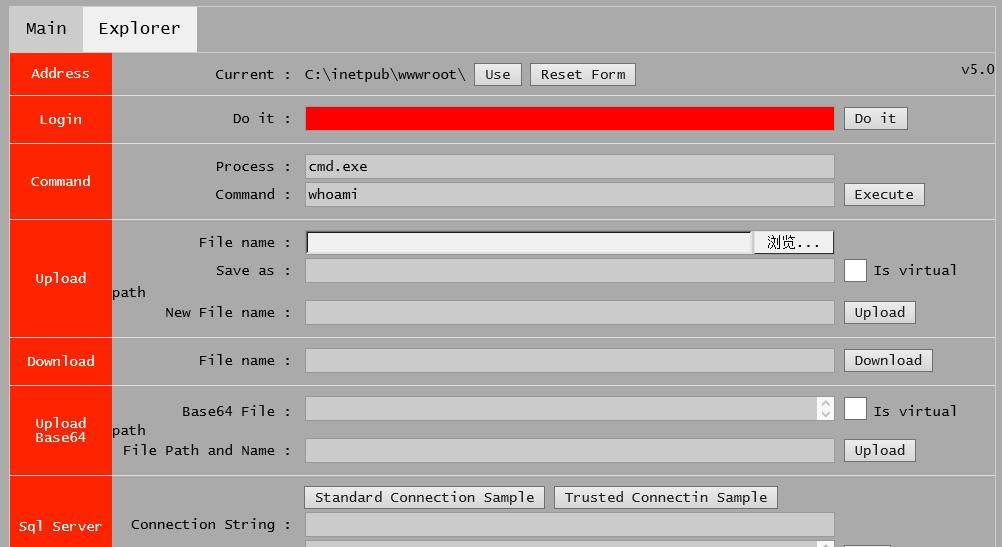
The login box is red and requires a connection password.
The correct password is Th!sN0tF0rFAN.
After entering the correct password, click 'Do it' and refresh the page to successfully log in, as shown in the figure below.
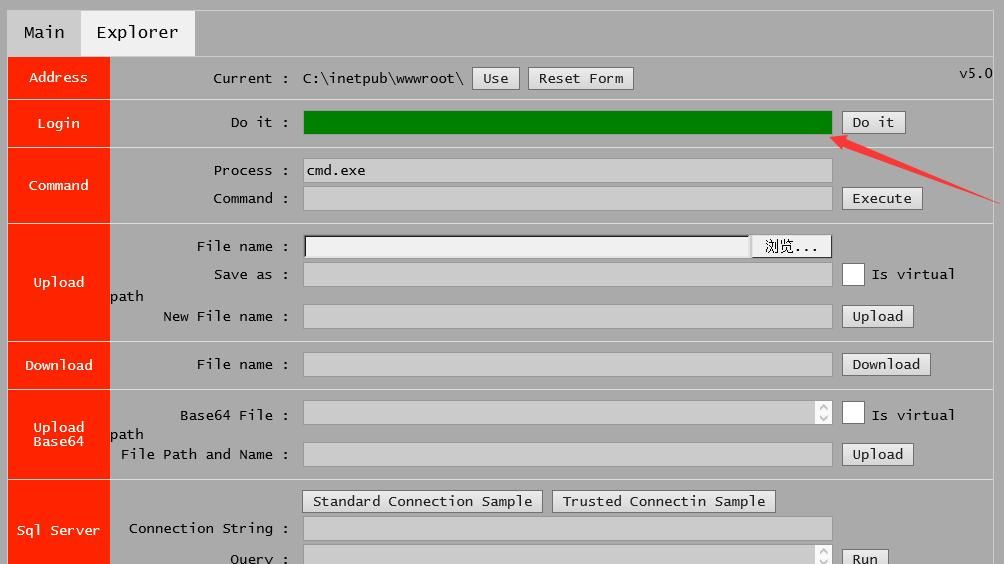
The login box turns green.
Public information about this tool:
https://unit42.paloaltonetworks.com/unit42-twoface-webshell-persistent-access-point-lateral-movement/
HighShell shares the same page as TwoFace mentioned in the Palo Alto Networks article.
0x03 Analysis of HyperShell
---
The corresponding leaked file is named HyperShell in the Webshells_and_Panel folder.
It contains the following 7 subfolders:
- ExpiredPasswordTech
- HyperShell
- Image
- Libraries
- packages
- ShellLocal
- StableVersion
1.ExpiredPasswordTech
Includes 3 files:
- error4.aspx, same functionality as HighShell.aspx but with unknown login credentials
- ExpiredPassword.aspx, webshell for Exchange
- MyMaster.aspx, generates string: NxKK
2.HyperShell
Contains multiple files, source code files for various webshells
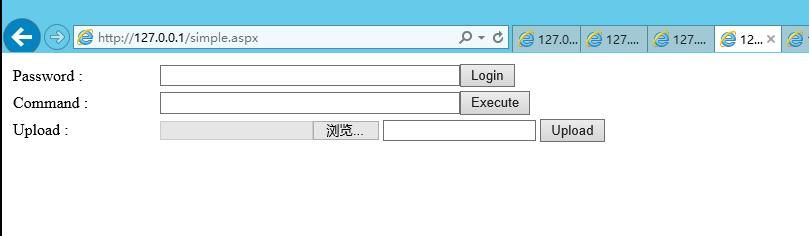
Includes another usable webshell, relative path: .\Webshells_and_Panel\HyperShell\HyperShell\Shell\simple.aspx
Connection password: MkRg5dm8MOk
As shown in the figure below
3.Image
Image folder
4.Libraries
Contains multiple dependency files
5.packages
Contains multiple dependency files
6. ShellLocal
Empty folder
7. StableVersion
Stable version, contains multiple webshells
(1)ExpiredPassword.aspx
Webshell for Exchange
Relative path: .\Webshells_and_Panel\HyperShell\StableVersion\HighShell v5.0\HyperShell\HyperShell\ExpiredPasswordTech
Same content as the file at relative path .\Webshells_and_Panel\HyperShell\ExpiredPasswordTech
ExpiredPassword.aspx is a normal Exchange function, corresponding to the page for resetting user passwords, as shown in the figure below
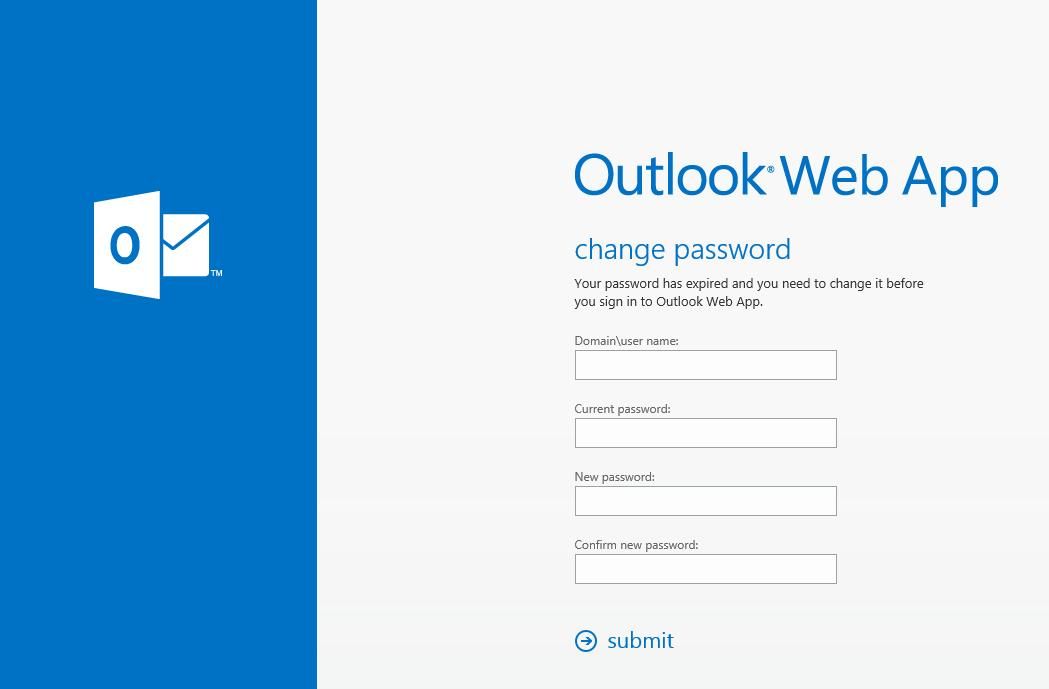
Accessed URL: https://
Corresponding Windows absolute path: C:\Program Files\Microsoft\Exchange Server\V15\FrontEnd\HttpProxy\owa\auth\ExpiredPassword.aspx
The default permission of the webshell at this path is System
My test system has Exchange 2013 installed. I have uploaded the normal ExpiredPassword.aspx source code to GitHub:
https://raw.githubusercontent.com/3gstudent/test/master/ExpiredPassword.aspx(2013)
The ExpiredPassword.aspx in HyperShell is a file with backdoor code added. Compared to the normal ExpiredPassword.aspx file in my test environment, there are multiple differences, as shown in the figure below
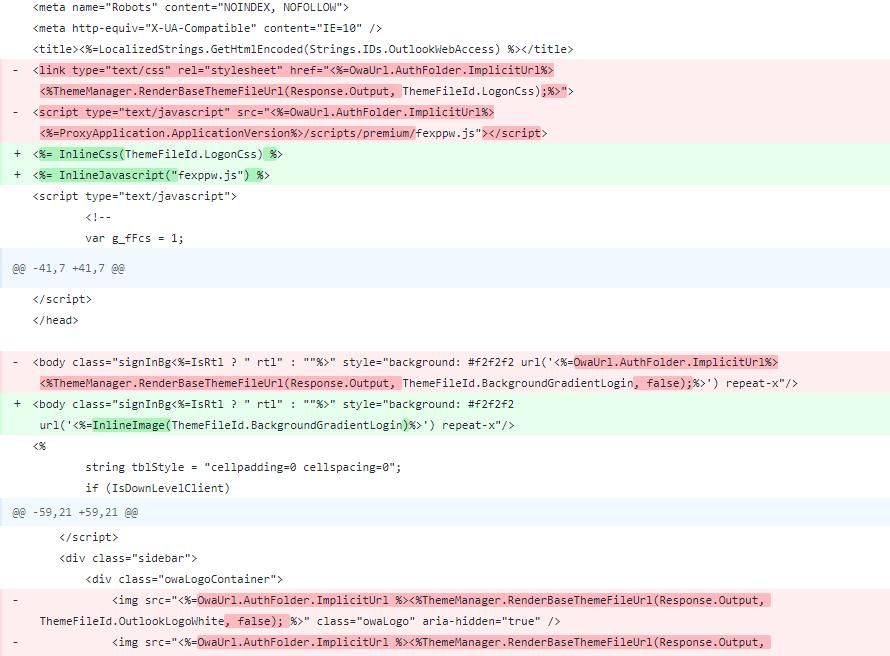
After analysis, it may be due to differences in Exchange versions. Ignoring version differences, the main code added in HyperShell's ExpiredPassword.aspx is as follows:
<% " + Server.HtmlEncode(r) + ""); Response.End(); }}catch{} %> |
Corresponding to my test environment, which is Exchange 2013, the code with payload added and verification steps removed has been uploaded to GitHub:
https://raw.githubusercontent.com/3gstudent/test/master/ExpiredPassword.aspx(2013)(HyperShell)
The 'Confirm new password' field is used to pass the command to be executed, with System privileges
(2) HighShellLocal
A powerful webshell
Relative path: .\Webshells_and_Panel\Webshells_and_Panel\HyperShell\StableVersion\HighShell v5.0\HyperShell\HyperShell\ShellLocal\StableVersions\ShellLocal-v8.8.5.rar
Extract to the current directory, relative path is .\ShellLocal-v8.8.5\ShellLocal-v8.8.5\HighShellLocal, including the following files:
- Folder css
- Folder files
- Folder js
- HighShellLocal.aspx
For actual use, the bin folder under .\ShellLocal-v8.8.5\ShellLocal-v8.8.5\ is also required, otherwise a Json usage error will be prompted
The complete structure is as follows:
│ HighShellLocal.aspx |
Login password: Th!sN0tF0rFAN
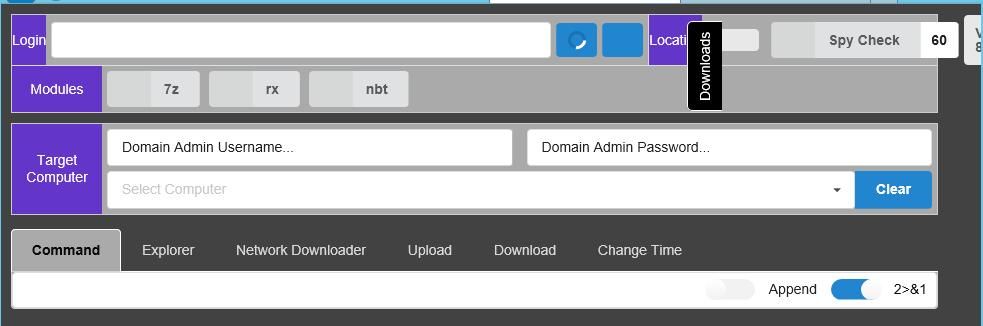
The login page is shown in the following figure
After entering the correct login password, as shown below
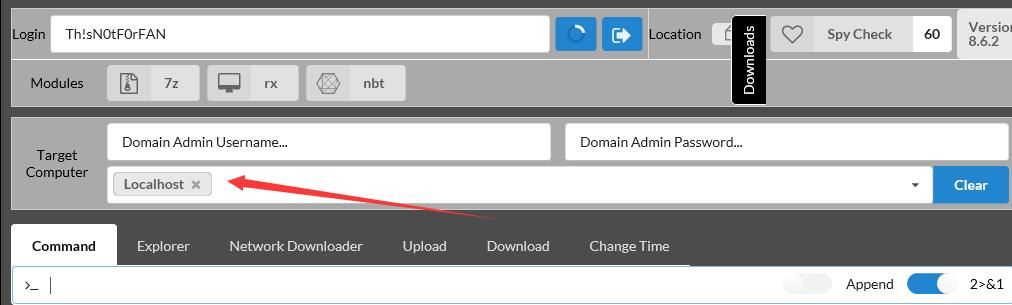
It can be seen that this webshell supports multiple functions
0x04 Summary
---
This article analyzes HighShell and HyperShell from the leaked files. The ExpiredPassword.aspx in HyperShell is a relatively concealed webshell. So far, I have not found this exploitation method in publicly available materials.


