
ADAudit Plus Vulnerability Debugging Environment Setup
0x00 Preface
This article records the details of building an ADAudit Plus vulnerability debugging environment from scratch and introduces the method to obtain database user passwords.
0x01 Introduction
This article will cover the following content:
ADAudit Plus Installation
ADAudit Plus Vulnerability Debugging Environment Configuration
Database User Password Acquisition
0x02 ADAudit Plus Installation
1. Download
Full version download address: https://archives2.manageengine.com/active-directory-audit/
2. Installation
Installation reference: https://www.manageengine.com/products/active-directory-audit/quick-start-guide-overview.html
3. Testing
Access https://localhost:8081
0x03 ADAudit Plus Vulnerability Debugging Environment Configuration
The method is basically similar to the configuration of the Password Manager Pro vulnerability debugging environment
1. Enable debugging
(1) Locate the configuration file
Check the Java process information: there are two Java processes here, each corresponding to a different parent process wrapper.exe, as shown in the following figure
The process parameters of wrapper.exe are as follows:
"C:\Program Files\ManageEngine\ADAudit Plus\bin\Wrapper.exe" -c "C:\Program Files\ManageEngine\ADAudit Plus\bin\..\conf\wrapper.conf"
"C:\Program Files\ManageEngine\ADAudit Plus\bin\wrapper.exe" -s "C:\Program Files\ManageEngine\ADAudit Plus\apps\dataengine-xnode\conf\wrapper.conf"
The configuration file to be modified here is C:\Program Files\ManageEngine\ADAudit Plus\conf\wrapper.conf
(2) Modify the configuration file to add debugging parameters
Find the location to enable debugging:

Modify it to:

Note:
Serial numbers need to be incremented sequentially; here, change wrapper.java.additional.3=-Xdebug to wrapper.java.additional.25=-Xdebug
(3) Restart related processes
Close the process wrapper.exe and its corresponding child process java.exe
Execute the command in the command line:

2. Location of common jar packages
Path: C:\Program Files\ManageEngine\ADAudit Plus\lib
The implementation files for web functions are AdventNetADAPServer.jar and AdventNetADAPClient.jar
3. IDEA Settings
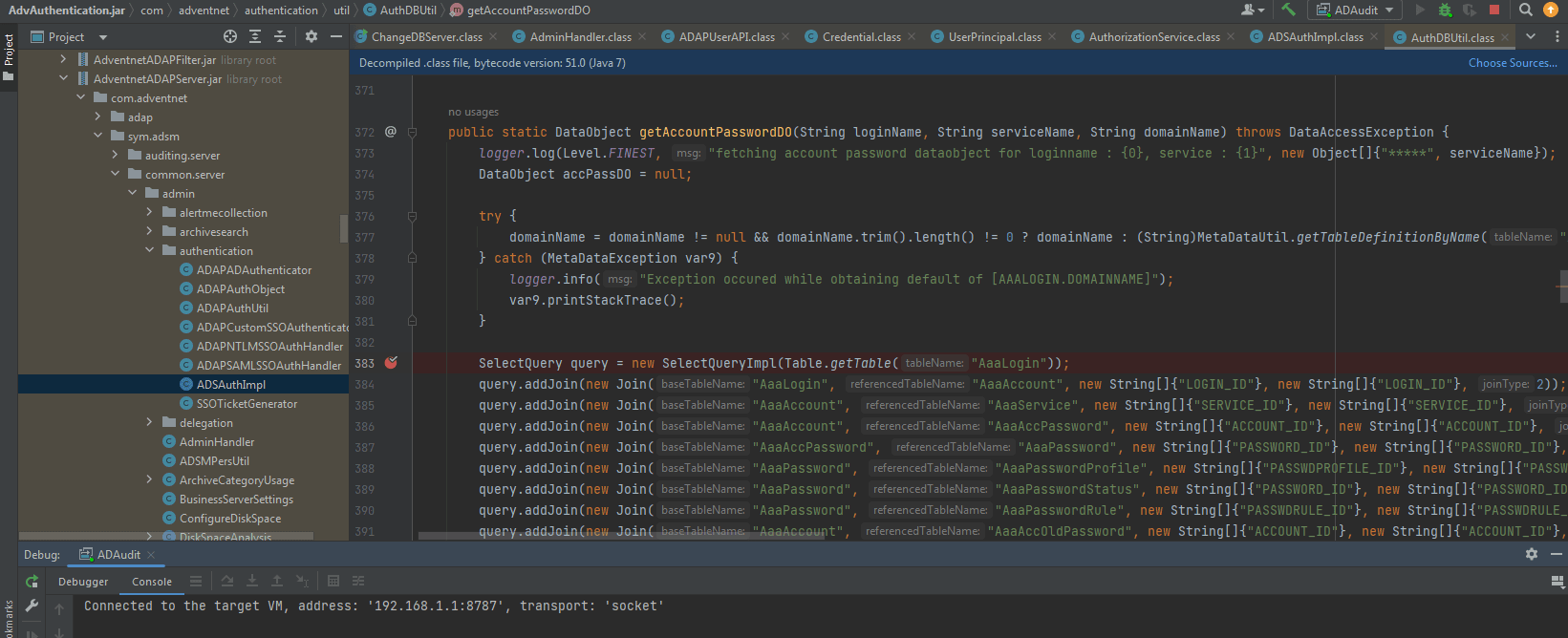
Set to Remote JVM Debug, and the successful remote debugging is as shown in the figure below
0x04 Obtaining Database User Passwords
Under default configuration, ADAudit Plus uses PostgreSQL to store data, and two login users are configured by default: adap and postgres
1. Obtaining the password for user adap
Configuration file path: C:\Program Files\ManageEngine\ADAudit Plus\conf\database_params.conf, example content:
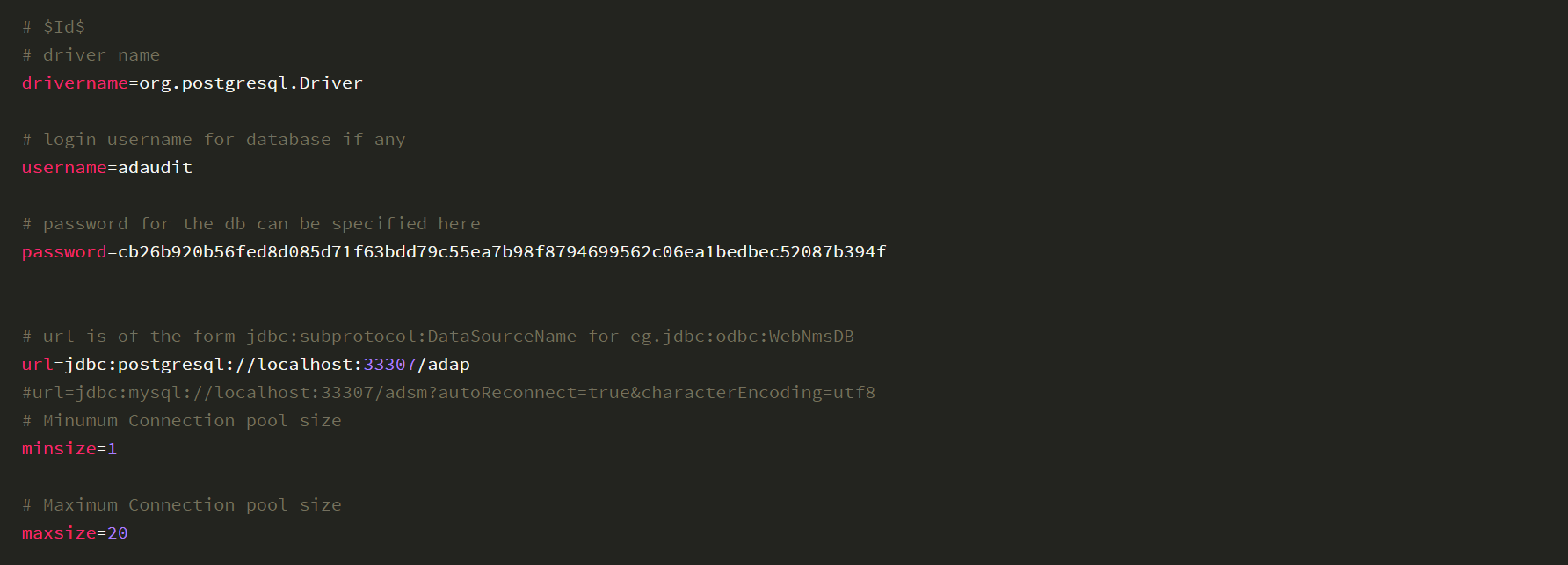

Here, the password is encrypted; the encryption and decryption algorithm is located at: com.zoho.framework.utils.crypto->CryptoUtil.class in C:\Program Files\ManageEngine\ADAudit Plus\lib\framework-tools.jar
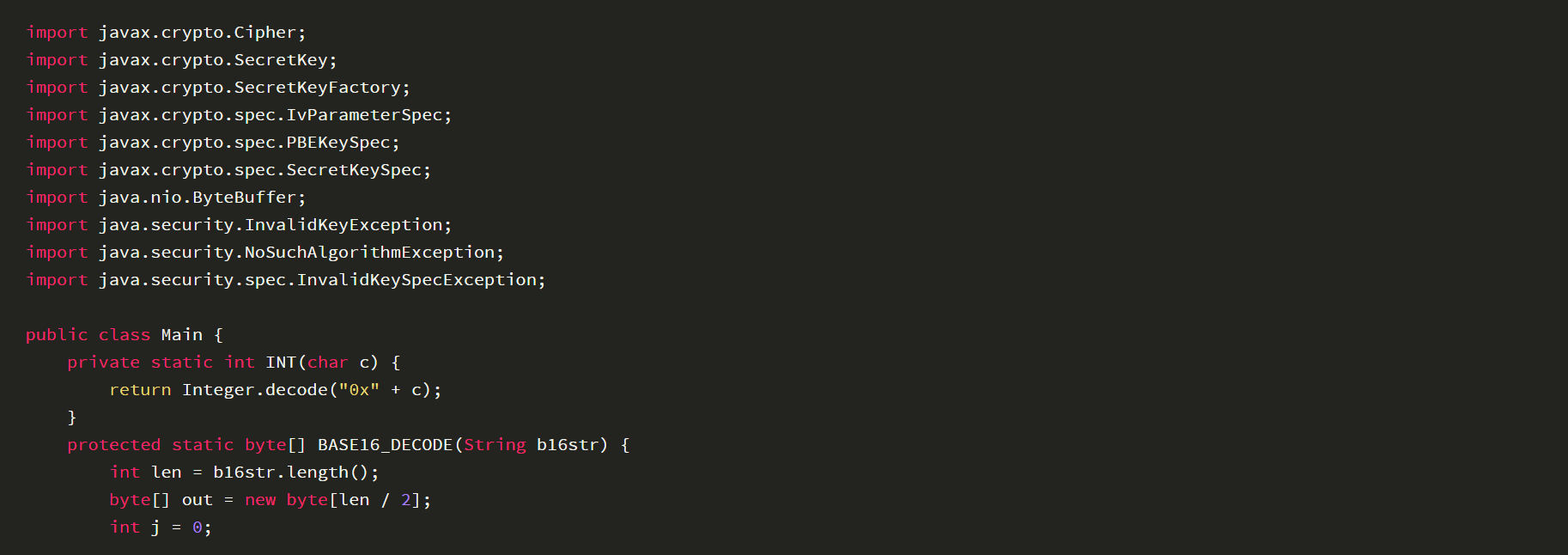
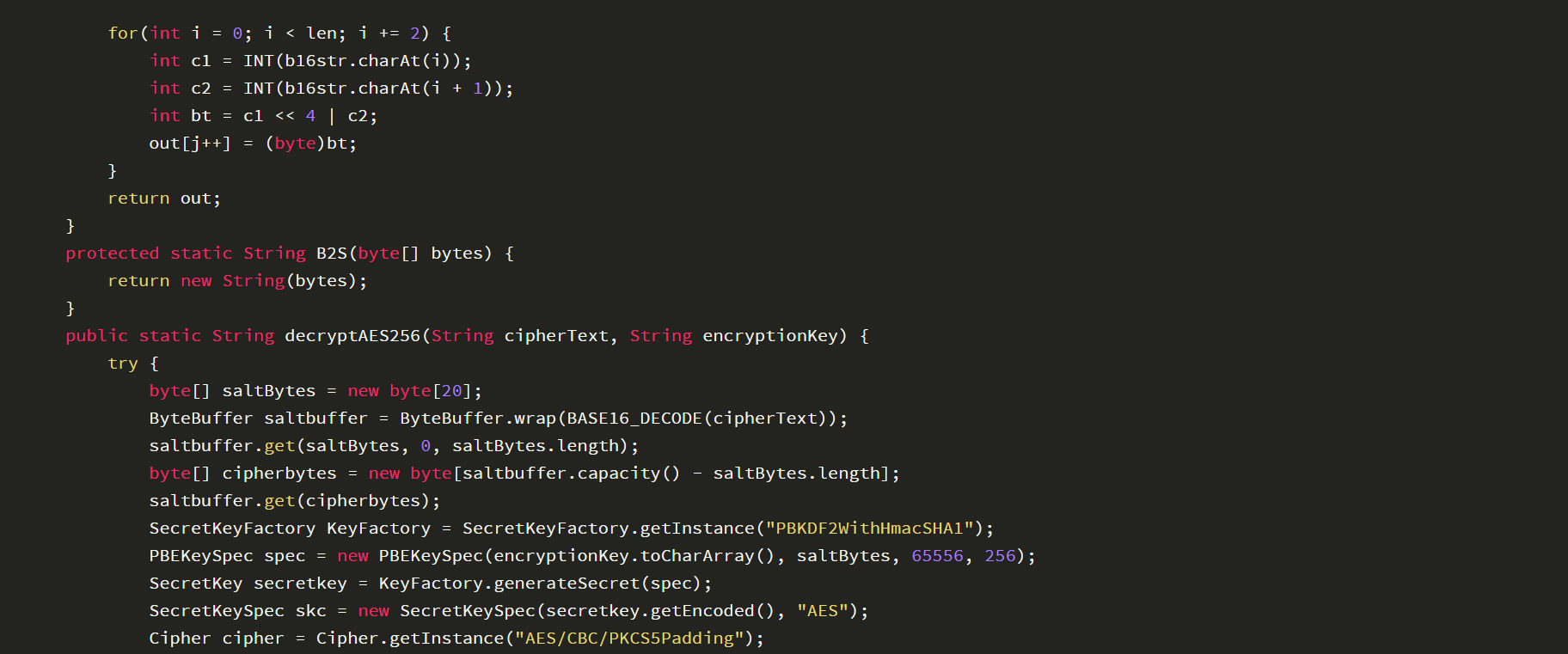
After code analysis, the following decryption method is derived:
The key is fixed in C:\Program Files\ManageEngine\ADAudit Plus\conf\customer-config.xml, example content:

Obtain the key: CryptTag is 8ElrDgofXtbrMAtNQBqy
Based on the ciphertext cb26b920b56fed8d085d71f63bdd79c55ea7b98f8794699562c06ea1bedbec52087b394f and key 8ElrDgofXtbrMAtNQBqy obtained above, write a decryption program. The code is as follows:
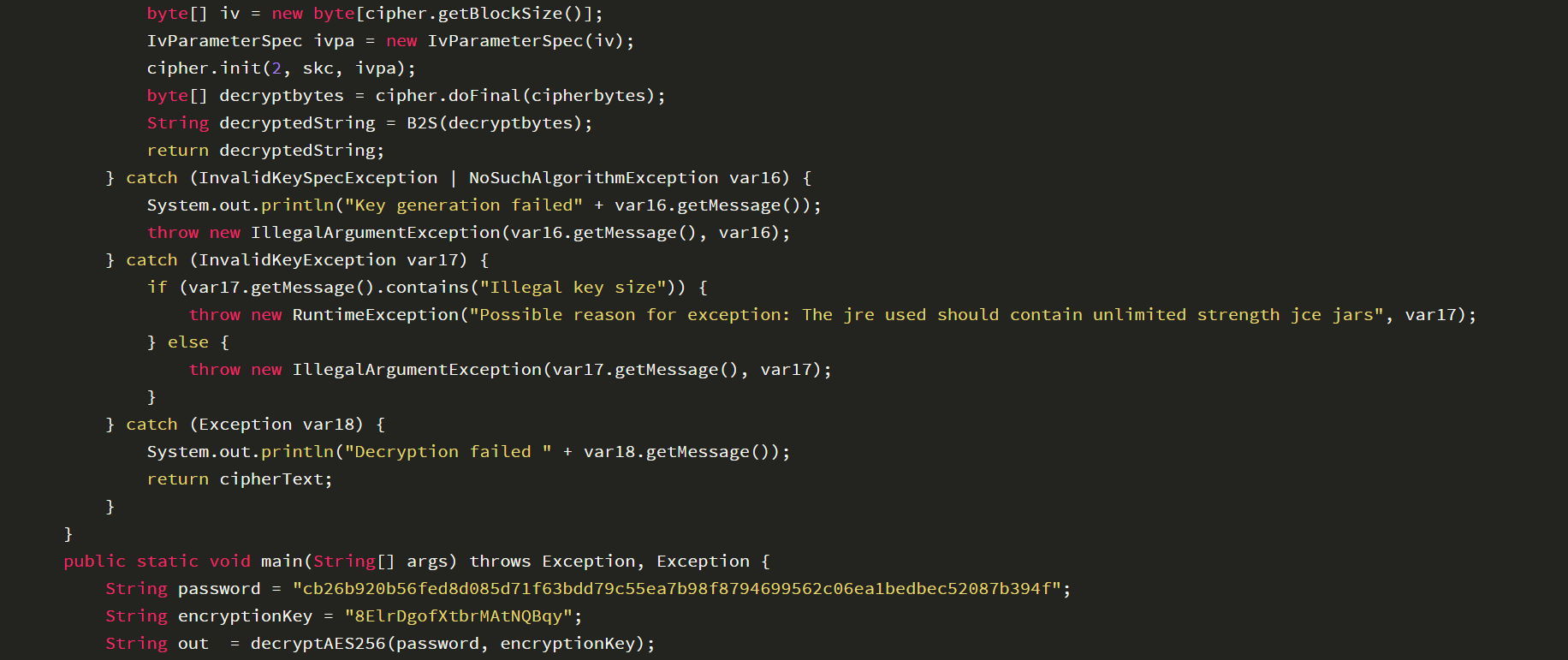

After running the program, the decryption result is: Adaudit@123$
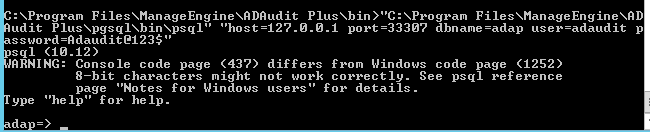
Concatenate the database connection command: "C:\Program Files\ManageEngine\ADAudit Plus\pgsql\bin\psql" "host=127.0.0.1 port=33307 dbname=adap user=adaudit password=Adaudit@123$"
Connection successful, as shown in the following figure
2. Obtaining the password for user postgres
The password is hard-coded in com.adventnet.sym.adsm.common.server.mssql.tools->ChangeDBServer.class->isDBServerRunning() within C:\Program Files\ManageEngine\ADAudit Plus\lib\AdventnetADAPServer.jar, as shown in the following figure
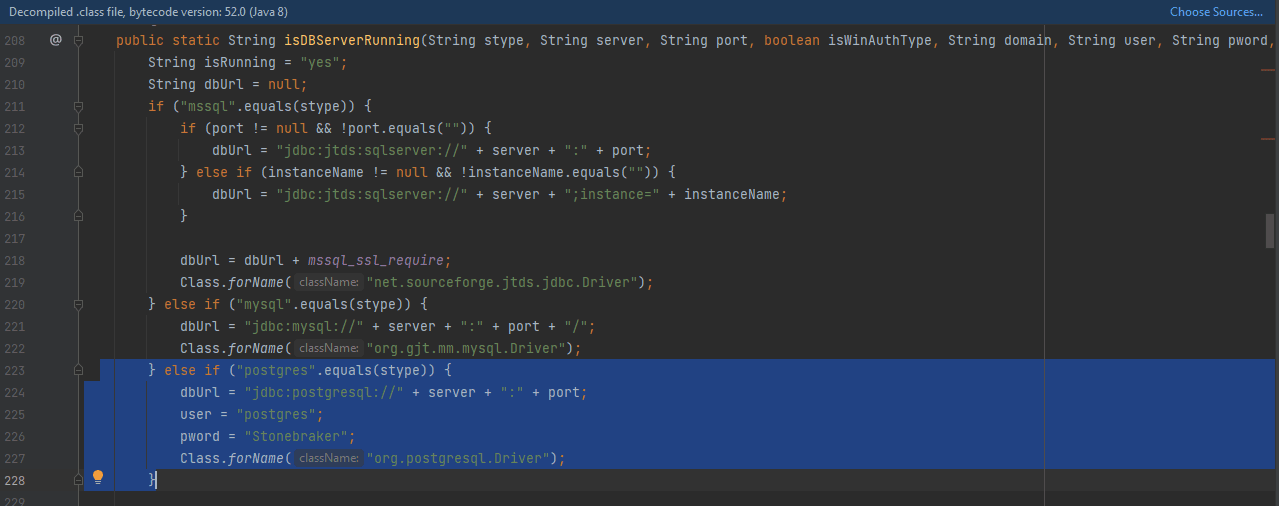
Obtain the password for user postgres as Stonebraker
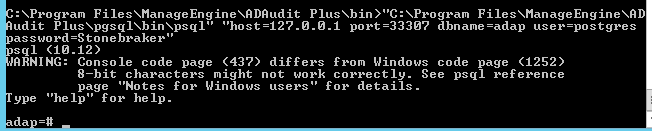
Concatenate the database connection command: "C:\Program Files\ManageEngine\ADAudit Plus\pgsql\bin\psql" "host=127.0.0.1 port=33307 dbname=adap user=postgres password=Stonebraker"
Connection successful, as shown in the following figure
An example command to connect to the database and execute database operations in one line: "C:\Program Files\ManageEngine\ADAudit Plus\pgsql\bin\psql" --command="SELECT * FROM public.aaapassword ORDER BY password_id ASC;" postgresql://postgres:[email protected]:33307/adap
Example of returned result:
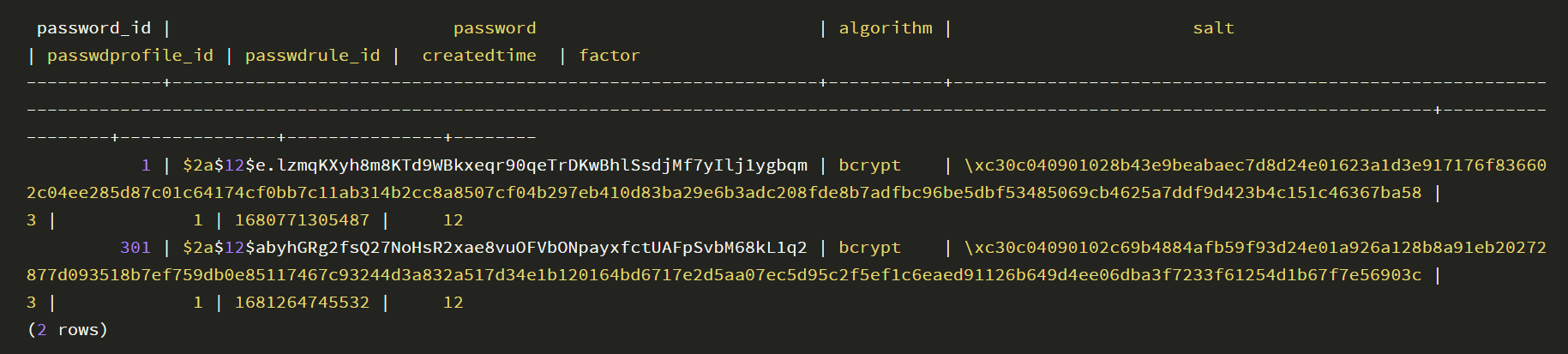
It is found that the data content of the password is encrypted
0x05 Summary
After setting up the ADAudit Plus vulnerability debugging environment, we can then start learning about the vulnerabilities.


